Performance marketing agencies face a structural paradox. Clients hire them to generate pipeline, but the variable that most influences whether an inbound lead becomes revenue, speed-to-lead, often sits outside the agency’s direct control.
What the research says (and doesn’t)
Two bodies of research are cited again and again in this space. Both are worth knowing, and both deserve a caveat.
- Harvard Business Review (2011). In “The Short Life of Online Sales Leads”, Oldroyd, McElheran and Elkington analyzed roughly 1.25 million leads from 29 B2C and 13 B2B companies. Firms that tried to contact a lead within an hour were nearly seven times as likely to qualify it (defined as having a meaningful conversation with a key decision maker) as firms that waited even one more hour. They were more than 60 times as likely as firms that waited 24 hours or longer. A companion audit of 2,241 U.S. companies found that only 37% responded to a test lead within an hour, and 23% never responded at all.
- The 2007 Lead Response Management study. Dr. James Oldroyd and InsideSales.com analyzed more than 15,000 leads and 100,000 call attempts. They reported that contacting a lead within five minutes made contact about 100 times more likely, and qualification about 21 times more likely, than waiting 30 minutes. Secondary summaries also report that qualification odds fell roughly fourfold between the 5-minute and 10-minute marks. This was vendor platform data analyzed by an academic, not a peer-reviewed paper, and it is often mislabeled as an “MIT study”.
These figures show correlation, not guaranteed causation, and they come from specific datasets. Nobody has published a clean per-minute conversion curve, so treat “5 minutes” and “30 minutes” as thresholds. They are not exact points on a line. The practical conclusion still holds: faster first contact is consistently associated with better outcomes, and most businesses respond slowly.
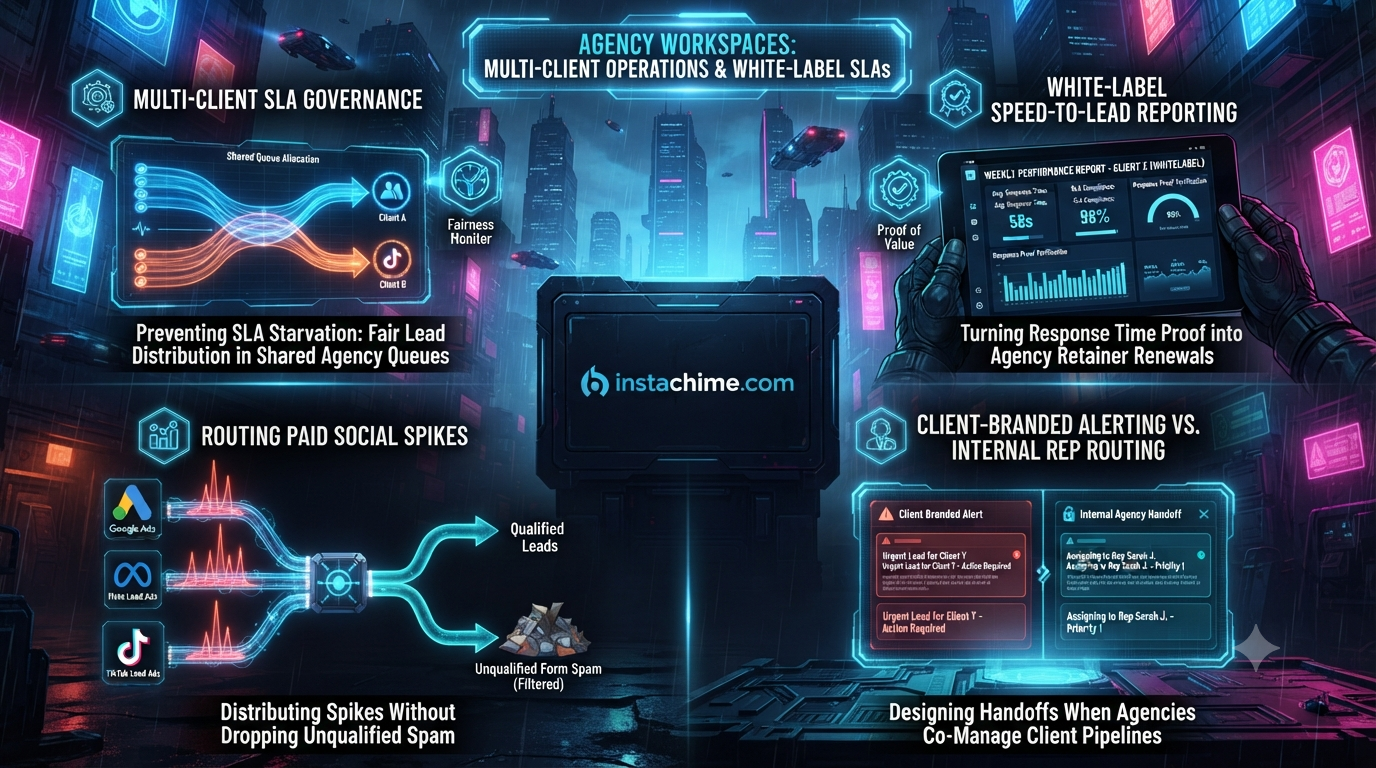
For a single-brand company, speed-to-lead is a linear workflow: capture the form, fire a webhook, notify a rep. For an agency managing 15, 50 or 200 client accounts across Google Ads, Meta Lead Ads and TikTok Instant Forms, it becomes a multi-tenant governance problem. This article covers four parts of that problem:
1. Keeping one client’s lead volume from starving another’s.
2. Turning response-time data into retainer value.
3. Handling paid social spikes and low-intent submissions.
4. Designing handoffs when agency and client teams share a pipeline.
Dedicated lead-response tools exist for this job. InstaChime is one example. Its Agency plan includes client records and controls, white-label settings and weekly PDF reports. Its marketing site describes branded client alerts and per-client SLAs. Specifics change, so confirm current features and pricing with any vendor before you commit.
1. Multi-Client SLA Governance: Keeping Client A’s Leads from Starving Client B
When an agency centralizes intake for several clients, whether through shared setters, appointment-setting pods or a single alert channel, a familiar failure mode appears: resource starvation. Without clear separation and escalation rules, human nature does the routing.
How shared queues fail
- Cherry-picking. Reps gravitate toward accounts that are easier to pitch, pay better commission or have open calendars.
- Volume flooding. A burst of leads from one client’s campaign can push another client’s few high-intent leads down a shared feed. (Illustration: if Client A’s ad set produces dozens of submissions in an hour, a single Client B search lead can sit unnoticed.)
- Alert fatigue. When many clients’ notifications land in one channel with no visual hierarchy or timers, reps tune out and breaches spread across every account.
Designing for governance
The patterns below are design principles. Whether a specific tool supports each one varies by product.
| Governance layer | Flat shared queue | Workspace-isolated routing |
|---|---|---|
| Data and alert isolation | One Slack/Teams channel or inbox for all clients | Separate client workspaces with their own rep rosters, destinations and branding |
| Prioritization | First in, first out, or manual cherry-picking | Priority tied to the client’s SLA tier and lead source |
| Breach escalation | Passive: unclaimed leads sit until someone notices | Timed escalation: primary rep, then backup pod, then account manager |
| Capacity control | None | Caps on open uncontacted leads per rep, with overflow to a secondary pool |
Implementing tiered SLA rules
1. Set per-client response windows. A home-services or legal client with emergency-driven demand needs a much tighter target than an enterprise software retainer. Configure each client’s timer independently rather than applying one agency-wide average.
2. Use claim-and-lock. When an alert goes out, the first rep to claim the lead owns it. If nobody claims it within the window, the system escalates to a backup. InstaChime, for example, documents SLA timers, claim ownership and escalation of unclaimed leads.
3. Cap concurrent open leads per setter. A cap (for example, three uncontacted leads at a time) forces overflow to other capacity instead of letting one rep’s backlog silently age. Choose the number from your team’s actual capacity.
2. White-Label Speed-to-Lead Reporting: Turning Response-Time Proof into Retainer Value
Agencies often lose accounts over a dispute that has little to do with media buying: the client says the leads are bad, while the agency suspects the leads were never worked quickly or consistently. The usual fix is objective evidence of what happened between form submission and first contact.
From lead volume to pipeline accountability
When leads disappear into a client’s sales process without visibility, the agency absorbs the blame for downstream misses. Response-time reporting creates a record from ad click to first touch, so the quarterly business review can cover sales follow-up as well as ad copy.
> Illustration: If a client’s median first-touch time is measured in hours while the research above points to minutes, the conversation moves from “are the leads good?” to “why are fresh leads waiting?”
What a useful weekly response report contains
Reports should carry the agency’s branding where the tool allows it. InstaChime’s Agency plan, for instance, lists white-label settings and weekly PDF reports. A strong report covers four things:
1. Median time to first touch. Use the median rather than the mean so one overnight lead doesn’t distort daytime performance, and split business hours from after-hours.
2. SLA compliance rate. The percentage of leads contacted within the agreed window.
3. Owner-level breakdown. Response and claim times by individual rep, whether client staff or agency setters, so bottlenecks are visible.
4. Speed versus outcome. Where the client’s CRM data allows, compare outcomes for leads contacted quickly against those contacted late. Present this as the client’s own data, not as a universal benchmark.
Using response data to expand scope
Response reporting works defensively, and it can also point to services the client needs:
- Coverage gaps. If reports show missed alerts at consistent times of day, you have a data-backed case for scheduling or routing changes.
- Managed appointment setting. If a client’s team repeatedly misses its SLA, the data supports a conversation about agency-managed follow-up.
- Retention. Documenting that lead response improved, alongside media results, makes your contribution to revenue harder to dispute.
3. Routing Paid Social Spikes Across Google, Meta and TikTok Without Alerting on Junk
Native lead formats lower friction and often lower cost per lead. They also create two operational hazards: bursty volume and low-intent submissions.
The platforms’ own levers
- Meta Instant Forms come in three types: More Volume (the default), Higher Intent and Rich Creative. Higher Intent adds a review screen where the person confirms their details before submitting. It lowers raw volume in exchange for more deliberate submissions. Meta forms also support conditional logic and custom questions.
- Google Ads lead form assets (previously called lead form extensions) support up to five custom questions, a “desired intent” setting and webhook delivery. Google’s webhook documentation tells handlers to use the `lead_id` for deduplication and to validate the `google_key` before processing a lead. Payloads can also carry an `is_test` flag.
- TikTok Instant Forms can be connected to CRMs through direct integrations, Zapier, LeadsBridge, or TikTok’s Custom API with Webhooks, which delivers lead updates in real time.
A three-stage routing pipeline
```
[Meta / TikTok / Google lead forms]
│
▼
┌──────────────────────────────┐
│ Stage 1: Hygiene & dedupe │ ──► Drop duplicates, malformed data, test leads
└──────────────────────────────┘
│
▼
┌──────────────────────────────┐
│ Stage 2: Intent & fit check │ ──► High-intent (instant alert) vs. low-intent (nurture)
└──────────────────────────────┘
│
┌───────┴───────┐
▼ ▼
[Priority rep alert] [Automated follow-up / self-qualification]
```
#### Stage 1: Hygiene and deduplication
- Dedupe on a stable key. Use the platform’s lead ID where one exists, and fall back to matching email or phone within a window you choose (24 hours is a common starting point). Merge duplicates into the existing record instead of firing a second alert.
- Validate before alerting. Check phone and email syntax, and filter test submissions using each platform’s test flag. Don’t alert reps on clearly invalid entries.
- Check the webhook’s authenticity. Verify any shared secret or key the platform provides.
#### Stage 2: Source-aware intent handling
- Search leads. These usually reflect an active query, so many teams route them straight to instant alerting.
- Native social forms. Prefer a Higher Intent form type on Meta where a person will call every lead. Add at least one question that can’t be auto-filled, such as budget, timeline or service area. Route answers that match the ideal customer profile to instant alerts, and send incomplete or poor-fit submissions to an automated follow-up path.
- Consent. If follow-up includes automated texts or calls, make sure the form’s disclosure and your process meet the rules where you operate (in the U.S., for example, the TCPA). Ask legal counsel if you’re unsure.
#### Stage 3: Burst protection
- Fast-track. Leads that clearly match the best-fit profile should bypass pacing and alert immediately.
- Pacing. Release standard leads to available owners as their open-lead count drops, rather than alerting everyone at once during a spike.
- Capacity monitoring. Watch for downstream rate limits on CRM APIs during bursts, and confirm how your tools retry failed deliveries.
4. Client-Branded Alerts vs. Internal Routing in Co-Managed Pipelines
Many agencies handle part of the funnel, such as intake, qualification or after-hours coverage, while the client’s team handles discovery and closing. Unclear boundaries between agency routing and client-branded alerting confuse prospects and create friction with the client’s sales team.
Common handoff models
| Model | Agency role | Client role | Alerting approach |
|---|---|---|---|
| Direct to client | Captures, filters and enforces SLA visibility | Works every qualified lead | Client-branded alerts to the client’s chat or email |
| Agency triage, client close | Calls quickly, qualifies and books meetings | Receives booked meetings and a lead brief | Internal alerts for raw leads, then a client-facing handoff on booking |
| Overflow and after-hours | Covers evenings, weekends and missed SLAs | Works business-hours leads inside the SLA | Client alert first, then escalation to the agency pod if unclaimed |
Handoff best practices
1. Keep the prospect’s experience consistent. If agency staff contact leads, make sure the prospect understands who they’re speaking with and on whose behalf. Any caller ID or SMS sender setup should follow telecom and consent rules.
2. Use lightweight claim actions. Reps who work in chat tools benefit from an alert with full lead context and a single claim action. InstaChime, for example, describes claim buttons in Slack or Teams that record ownership and can update the CRM owner field. This also timestamps the response for reporting.
3. Build a safety-net escalation loop. One example sequence:
- T = 0: The lead passes your filters and a client-branded alert goes to the client’s channel.
- T = a few minutes: If unclaimed, a reminder goes out.
- At SLA breach (for example, 5 minutes): The lead is reassigned to the agency’s setter pod, so paid media is never spent on a lead nobody contacted.
Set the actual timings with each client, based on their industry and staffing.
Implementation Checklist for Agency Operations Leaders
1. Audit baseline latency. Measure median time from form submission to first touch across your top clients, using submission timestamps and first CRM activity.
2. Segment client workspaces. Move from shared channels to separate client spaces with their own SLA windows, business hours and escalation chains.
3. Gate paid social forms. Add deduplication, validation and qualifying questions between ad platforms and human alerts.
4. Automate weekly reporting. Send branded response scorecards to client stakeholders ahead of your regular check-ins.
Sources
- Oldroyd, McElheran and Elkington, “The Short Life of Online Sales Leads,” *Harvard Business Review*, 2011
- Harvard Business School Working Knowledge summary of the related studies
- Callingly, “State of Speed to Lead” (summary of the 2007 Lead Response Management study)
- Retell AI, “Speed to Lead” (source-quality caveats on the 2007 study)
- Google Ads API: LeadFormAsset and Google Ads webhook implementation
- TikTok Help Center: CRM integrations for Lead Generation
- PPC Land, “Explaining lead ads” and Social Media Examiner on Meta Instant Forms
- InstaChime pricing and InstaChime home page