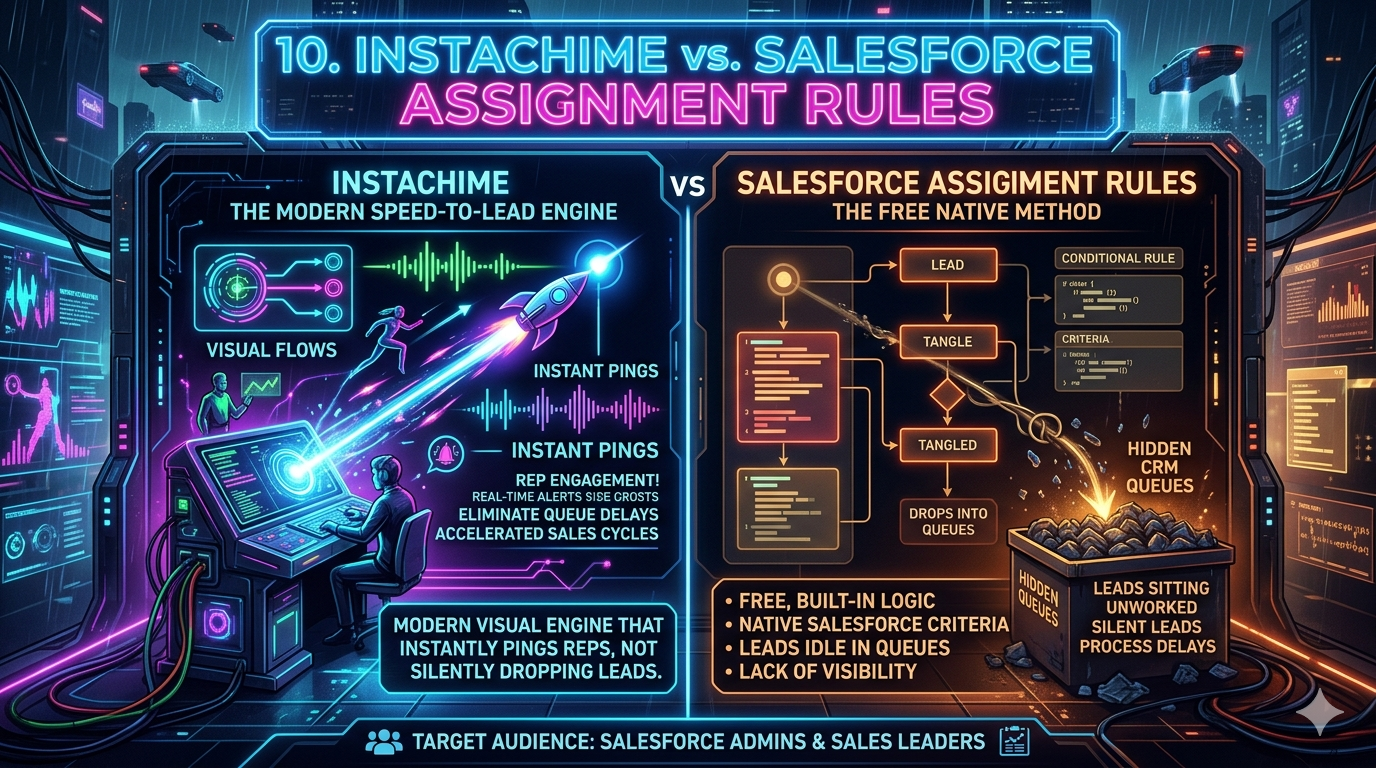
Salesforce Assignment Rules offer free, native field-criteria routing inside your CRM — ideal for data hygiene and ownership management. But for sales leaders targeting sub-60-second response times, InstaChime acts as a visual speed-to-lead engine that actively alerts reps instead of burying leads in a silent, hidden queue.
The Core Difference: Salesforce Assignment Rules vs. InstaChime
The fundamental gap between these two tools is visibility vs. silence — and that gap directly costs you pipeline.
Salesforce Assignment Rules operate asynchronously at the database layer. When an inbound lead record is created or modified, Salesforce evaluates a sequential list of criteria and updates the `OwnerId` field. The process is entirely silent. Unless your RevOps team has built custom Flows or written Apex triggers, the newly assigned rep receives zero real-time push notification. The lead simply appears in a list view — waiting to be noticed.
InstaChime operates as an event-driven speed-to-lead layer positioned *before* the CRM write. The moment a web form is submitted or an inbound payload arrives, InstaChime captures the webhook and instantly pushes an actionable alert into Slack, Microsoft Teams, or SMS — complete with visual SLA countdown clocks. Lead assignment becomes an active race, not a passive database update.
| Dimension | Salesforce Assignment Rules | InstaChime |
|---|---|---|
| Trigger mechanism | Record creation / field update | Webhook payload at form submission |
| Rep notification | None natively; requires custom Flow or Apex | Instant push to Slack, Teams, or SMS |
| SLA enforcement | No native countdown or violation surfacing | Visual SLA clocks embedded in alert messages |
| CRM write timing | Immediate `OwnerId` update, silent | Rep claims alert → InstaChime updates `OwnerId` |
Why Teams Look for Salesforce Assignment Rules Alternatives
Native Salesforce routing is reliable for data governance — it keeps `OwnerId` clean, feeds reports, and works inside your existing license. But it creates three specific bottlenecks for fast-moving sales floors.
1. The Hidden Queue Problem
Leads routed to a static Salesforce Queue sit unworked until a rep actively logs in, navigates to the queue list view, and manually claims the record. On a Friday afternoon or during peak inbound volume, those leads can age for hours with no visibility into the delay. There is no native mechanism to surface unworked lead age to management in real time.
2. Heavy Developer Reliance for Routing Logic
Salesforce only allows one active Lead Assignment Rule at a time. That single rule supports a sequential, top-to-bottom list of criteria entries — with no native round-robin weighting, parallel routing paths, or overflow logic. Adding territory-based routing, rep capacity balancing, or multi-channel alert logic typically requires a Salesforce admin or developer to build and maintain complex Process Builders, Flows, or custom Apex triggers. Each change carries deployment risk and requires sandbox testing.
3. No Speed-to-Lead SLA Visibility
Assignment rules change ownership but do not track response time. There is no out-of-the-box dashboard showing which leads have gone uncontacted beyond your SLA threshold — 5 minutes, 10 minutes, 30 minutes. Building that visibility requires custom Salesforce reports, additional fields, or third-party tools layered on top.
Feature Comparison: InstaChime vs. Salesforce Assignment Rules
| Feature | Salesforce Assignment Rules | InstaChime |
|---|---|---|
| Workflow focus | Updates the `OwnerId` field when a record is created or edited inside Salesforce. | Captures webhook payloads at the source to trigger immediate multi-channel push notifications. |
| Speed & SLA tracking | Leads enter a CRM queue with no real-time countdown or violation alert. | Embeds visual SLA countdown clocks directly in Slack or Teams messages to enforce rep response windows. |
| Routing flexibility | Sequential rule entries; only one master assignment rule active at a time. | Parallel, independent routing with flexible round-robin weights and rep capacity controls. |
| Escalation paths | Requires building custom Escalation Rules, secondary Flows, or Apex to handle no-response scenarios. | Built-in automated escalation routes the lead to the next available rep or manager when an SLA threshold is missed. |
| Setup complexity | Managed inside Salesforce Setup; changes require admin access and carry deployment risk. | Visual, no-code configuration deployable in minutes; no Salesforce sandbox or Apex required. |
| Total cost | Free — included within standard Sales Cloud licenses. | Paid subscription based on routing volume or active users; ROI case built on pipeline recovery. |
How to Migrate from Salesforce Assignment Rules to InstaChime
Migrating from silent CRM queues to an active notification engine means shifting your initial lead ingestion point — not ripping out your CRM. The three steps below apply to the most common inbound form-to-Salesforce workflow.
Step 1: Redirect Inbound Webhook Payloads
Turn off or bypass the "Assign using active assignment rule" checkbox on your inbound form sources (Marketo, HubSpot forms, Gravity Forms, or native Salesforce Web-to-Lead). Redirect the raw webhook payload from your forms directly to your InstaChime ingestion URL. InstaChime becomes the first receiver of lead data before any CRM write occurs.
Step 2: Connect Your Alert Channels and Map Segments
Connect InstaChime to Slack, Microsoft Teams, or mobile SMS. Map your lead segments — by territory, product line, company size, or any field in the payload — to the dedicated channels or rep groups where your sales team already works. No Salesforce field mapping is required at this stage.
Step 3: Set SLA Thresholds and Configure CRM Handoff
Define your speed-to-lead escalation thresholds inside InstaChime (e.g., 5 minutes to first claim, 15 minutes before escalation to manager). Then configure the CRM handoff step: once a rep clicks "Claim" on the alert inside Slack or Teams, InstaChime automatically performs a Salesforce API write, updating the `OwnerId` on the lead record to reflect the winning rep — bypassing native assignment rules entirely and keeping your CRM data clean.
Frequently Asked Questions
Do I need a Salesforce developer to set up InstaChime?
No. InstaChime deploys independently of your Salesforce architecture in minutes using its visual, no-code configuration interface. You can build complex routing rules, round-robin distributions, rep capacity limits, and Slack or Teams alert templates without writing a single line of Apex code or building new Salesforce Flows. A RevOps manager or sales ops analyst can own the entire setup.
Can InstaChime update the Salesforce `OwnerId` after a lead is claimed?
Yes. Once a rep clicks "Claim" on an alert inside Slack or Teams, InstaChime performs an automatic CRM handoff via Salesforce API. The lead record is updated to reflect the new owner in real time — including the timestamp of the claim. This eliminates the need for native assignment rules on inbound sources while preserving full CRM data integrity for reporting and attribution.
Is it cheaper to just use Salesforce Assignment Rules?
Salesforce Assignment Rules are free and included in your existing Sales Cloud license, making the direct cost zero. However, the hidden cost lies in lost pipeline velocity. Industry benchmarks consistently show that lead response time beyond five minutes results in dramatic drops in connect rates and qualification rates. Leads aging unnoticed in a silent CRM queue — without visual SLA enforcement or real-time escalation — cost organizations significantly more in lost revenue than the subscription cost of a dedicated speed-to-lead engine. The ROI calculation should compare InstaChime's cost against the average deal value of leads currently going unworked.
*Last updated: June 2026. Feature comparisons based on Salesforce Sales Cloud Spring '26 release and InstaChime current public documentation.*