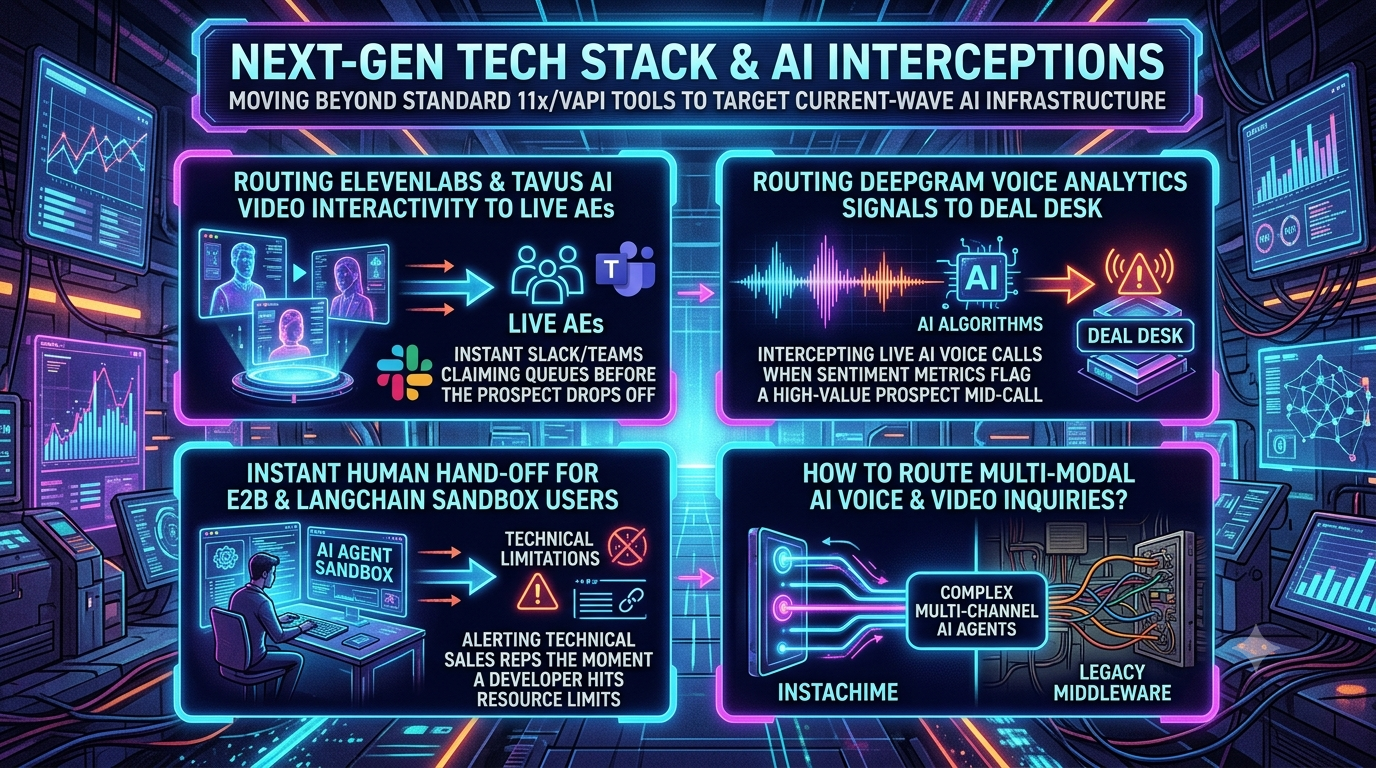
Generative AI has moved from scripted chatbots to agents that talk, show up on video and run code. Buyers now meet voice agents built on ElevenLabs and Deepgram, video avatars on Tavus, and code agents in sandboxes such as E2B. These sessions often hold the most honest buying and friction signals a company ever sees.
Fully autonomous flows have a cost. In high-value B2B deals, an AI that cannot recognize its limits can drop context, frustrate a technical evaluator or let a buying signal go cold.
The pattern gaining ground is AI interception. You watch live AI sessions (voice, video, sandbox runs), detect intent or friction while the session is still running, and put a human Account Executive (AE) or Solutions Engineer (SE) on it before the prospect leaves. This guide covers the architecture, with an honest account of what each platform supports today.
The Shift: From Post-Call Summaries to Mid-Session Signals
Early AI SDR products such as 11x's Alice and Artisan's Ava focused on outbound automation. Support and voice agents (Sierra, Decagon, Vapi, Retell, Bland) now hear buying signals that outbound tools never see. The weak point in most stacks is the handoff, not the conversation.
In the default setup, a call ends, a transcript is generated, and a webhook posts a summary to the CRM. For example, ElevenLabs post-call webhooks fire after the call and analysis are complete, and Tavus delivers the final transcript by webhook once the conversation has ended. These are the right tools for analytics and CRM logging. They are the wrong tools for catching a buyer who is live right now.
```
Legacy model:
[ Prospect talks to AI ] → [ Call ends ] → [ Webhook summary ] → [ CRM task ] → [ AE follows up hours later ]
Interception model:
[ Prospect talks to AI ] → [ Live signal detected ] → [ Alert + claim in Slack/Teams ] → [ Human joins or takes over the live session ]
```
Where post-call-only workflows fall short
1. Timing. Post-call data arrives after the moment of highest intent has passed.
2. Lost signal. A summary compresses what was said. The exact wording of a pricing, security or deadline question is often what an AE needs.
3. Static routing. Rules based on historical CRM fields cannot react to something said ninety seconds ago.
To intercept in-flight, you need three things: a live event stream from the AI platform, a fast decision layer, and a handoff mechanism the platform actually supports. The third is where teams most often overpromise, so each section below states what is documented.
1. Routing ElevenLabs and Tavus Sessions to Live AEs
What the platforms give you
- ElevenLabs Agents stream client events over WebSocket, including finalized `user_transcript` and `agent_response` events. These are whole utterances, not word-by-word deltas, so detection runs per turn.
- Tavus creates a WebRTC room hosted on Daily for each conversation and returns a `conversation_url`. Live events travel over Daily's data channel as app messages. These include `conversation.utterance`, which carries who spoke and the full text of the turn. You can send control events such as `conversation.respond`, `conversation.echo` and `conversation.interrupt` back to the avatar. Tavus's current video models are in the Phoenix-4 family.
Architecture
```
Prospect browser ── WebRTC / WebSocket ──> AI platform (Tavus room / ElevenLabs agent)
│ live utterance events
▼
Streaming event orchestrator
(intent scoring, keyword rules, account lookup)
│
┌────────────────────┴────────────────────┐
▼ ▼
Slack / Teams claim alert CRM + session log
[Claim & join] (context for the AE)
```
Step 1: Score each turn
Subscribe to utterance events and score each prospect turn with a small, fast LLM (for example Claude Haiku 4.5) or your own classifier. Combine the model score with deterministic rules. Keywords like "SAML", "SOC 2" or a seat count are strong, auditable triggers.
```
{
"session_id": "conv_123",
"provider": "tavus",
"intent_score": 0.94,
"matched_rules": ["enterprise_seats", "sso_requirement"],
"transcript_chunk": "We need to roll this out to 500 seats by Q3, and we require SAML SSO."
}
```
The 0.85 threshold used in many examples is an arbitrary starting point. Tune it against your own labeled conversations.
Step 2: Post an interactive claim message
Use Slack's Bolt framework (or Microsoft Teams Adaptive Cards) to post a message with a claim button. Slack requires you to acknowledge an interaction promptly, within 3 seconds, so call `ack()` first and do the slow work afterward.
```
import { App } from "@slack/bolt";
const app = new App({ token: process.env.SLACK_BOT_TOKEN, signingSecret: process.env.SLACK_SIGNING_SECRET });
export async function postClaimAlert(s) {
await app.client.chat.postMessage({
channel: process.env.HOT_QUEUE_CHANNEL,
text: "High-intent prospect is live in an AI session",
blocks: [
{ type: "section", text: { type: "mrkdwn",
text: `*Live AI session*\n*Session:* ${s.session_id}\n*Why:* ${s.matched_rules.join(", ")}\n*Said:* "${s.transcript_chunk}"` } },
{ type: "actions", elements: [
{ type: "button", style: "primary", action_id: "claim_session",
text: { type: "plain_text", text: "Claim & join" },
value: s.session_id } ] }
]
});
}
app.action("claim_session", async ({ ack, body, client }) => {
await ack(); // acknowledge within 3 seconds
const sessionId = body.actions[0].value;
const claimed = await claimSession(sessionId, body.user.id); // atomic lock, see below
// update the message to show who claimed it, or tell the user someone already did
});
```
Step 3: Claim atomically
Two reps clicking at once is the classic failure. Use a single atomic Redis operation, `SET session:<id> <rep_id> NX EX 600`. It succeeds for exactly one rep and expires automatically if the claim goes stale. This is the modern form of the older `SETNX` pattern.
Step 4: Hand off, using what the platform supports
- Tavus (video). The conversation is a Daily room, and Tavus's participant limits count the avatar as a participant. A `max_participants` of 2 means one human plus one avatar, so set it to 3 or more if a rep may join. A rep can then join the same room URL. Silence the avatar with `conversation.interrupt` and a prompt that tells the persona to stay quiet. Alternatively, have it announce the handoff with `conversation.echo` and end the AI's turn. Test this flow before you promise it, since the exact behavior depends on your persona configuration.
- ElevenLabs (voice by phone). The `transfer_to_number` tool moves a live call to a phone number or SIP URI. Warm-transfer messages (read to the human before connecting) are available only with the native Twilio integration, not with SIP-based transfers.
Be precise in your design docs. In most documented voice platforms, "joining" the AI's call really means *transferring the caller to a human endpoint while the AI leaves*. Video rooms are the exception, because a human can enter the same room.
2. Routing Voice Signals to the Deal Desk
Audio-only agents (inbound qualification, AI SDRs) need a way to tell when a human should take over. There is one widely repeated mistake here.
Deepgram's sentiment analysis is not available on streaming audio. The feature matrix lists it as pre-recorded only, and it works on the transcript text, in English. Deepgram's own guidance is to feed the streaming transcript into your own model or LLM for live signals. It also does not give you pitch, volume or acoustic-emotion scoring out of the box. Treat those as separate tools if you need them.
What Deepgram does give you live is fast streaming speech-to-text (see the Nova-3 models) with diarization and, on supported models, entity detection for streaming audio.
Corrected pipeline
```
Caller audio → Telephony (Twilio / SIP) → Deepgram streaming STT
│ final transcript segments
▼
Your scoring layer (LLM or classifier)
├─ buying signal: budget, timeline, competitor, tier
└─ friction: repeated requests for a human, rephrasing, escalation language
│ threshold met
▼
Slack / CRM alert → rep claims → transfer
```
```
// Conceptual example: stream final transcripts into your own scorer.
// Method names vary by Deepgram SDK version; check the current SDK reference.
const live = deepgram.listen.live({ model: "nova-3", punctuate: true, diarize: true, smart_format: true });
const window = [];
live.on(LiveTranscriptionEvents.Transcript, async (data) => {
const alt = data.channel.alternatives[0];
if (!data.is_final || !alt.transcript) return;
window.push(alt.transcript);
if (window.length > 6) window.shift();
const verdict = await scoreWithLLM(window.join(" ")); // returns { signal, confidence, reason }
if (verdict.confidence > 0.85) await executeDealDeskIntercept({ callId, ...verdict });
});
```
Completing the transfer
Several platforms document programmatic, mid-call escalation:
- Vapi exposes Live Call Control. Your server receives a `controlUrl` in the tool payload and POSTs a transfer instruction to it. Vapi's warm-transfer modes can speak a fixed message or a generated summary to the recipient before connecting, and they are documented for Twilio calls. Treat the `controlUrl` as a secret.
- Retell supports cold and warm transfers, including human detection on the transfer target.
- ElevenLabs transfers as described in section 1.
The rep's briefing should include the reason for escalation, the last few turns and the account record. For whisper-style briefings, check whether your platform's warm-transfer mode supports them.
3. Instant Human Hand-off for E2B and LangChain Sandbox Users
Technical products often let developers try an SDK or agent template in a hosted sandbox. A common failure mode is silent abandonment. The developer hits a memory ceiling, a rate limit or a wall of stack traces and simply leaves.
E2B sandboxes run in isolated Firecracker microVMs. LangChain is a framework for building agents, not a sandbox, so the usual pattern is a LangChain agent running inside or alongside an E2B sandbox.
What E2B lets you observe
- Execution errors. Code runs return results that include any error name, value and traceback.
- Resource metrics. `sandbox.get_metrics()` returns timestamped CPU, memory and disk usage, collected about every 5 seconds. Poll it, because it is not a push stream.
- Lifecycle controls. You can set timeouts, pause and resume, or reconnect to a running sandbox by ID.
What E2B does not do
E2B sandbox CPU and memory are defined by the template the sandbox is created from. The defaults are 2 vCPU and 512 MiB RAM, with larger sizes available by building a template with different resources and subject to plan limits. There is no documented call that resizes a running sandbox. So "lift the cap without restarting" is not something to promise. A realistic upgrade is to pause or snapshot the current state and start the developer's next run in a sandbox from a larger template.
Triggers worth routing
- Memory near the total reported in metrics for several consecutive samples
- Sustained CPU saturation
- HTTP 429 or LLM provider quota errors in agent output
- Three or more consecutive failed runs of the same script
Implementation sketch (Python)
```
import os, time
from e2b_code_interpreter import Sandbox
from slack_sdk import WebClient
slack = WebClient(token=os.environ["SLACK_BOT_TOKEN"])
def run_and_watch(sandbox: Sandbox, code: str, developer_email: str, failures: int = 0) -> int:
execution = sandbox.run_code(code)
if execution.error:
failures += 1
msg = f"{execution.error.name}: {execution.error.value}"
if failures >= 3 or "429" in msg or "RateLimit" in msg:
alert(developer_email, sandbox.sandbox_id, msg, execution.error.traceback)
else:
failures = 0
return failures
def memory_pressure(sandbox: Sandbox, threshold: float = 0.9) -> bool:
metrics = sandbox.get_metrics() # polled; collected roughly every 5 seconds
if not metrics:
return False
latest = metrics[-1]
return latest.mem_used / latest.mem_total > threshold
def alert(email, sandbox_id, error, traceback):
slack.chat_postMessage(
channel="#technical-sales-intercepts",
text=f"Developer {email} is struggling in sandbox {sandbox_id}: {error}",
)
```
The human side
1. Enrich. Match the user's email domain to an account in your CRM or an enrichment provider before alerting, so the SE knows if this is a target account.
2. Attach a diagnostic. Include the traceback, the last few runs and the resource trend.
3. Join the same environment. An SE with appropriate access can reconnect to the sandbox by ID with `Sandbox.connect(sandbox_id)` to inspect files and reproduce the issue. Make sure this is covered by your terms and your user's consent.
4. Offer help in-product. Show an in-console message from a human with a link to chat or book a pairing session, and raise limits through a new, larger sandbox where plan limits allow.
4. The Routing Layer: Purpose-Built Alerting vs. Generic Automation Tools
Between the AI platform and the human sits the routing layer. It matches the lead to an owner, alerts that person, tracks the claim and measures response time. Teams usually pick one of three approaches:
| Approach | Strengths | Trade-offs |
|---|---|---|
| Custom build (webhooks + Redis + Slack Bolt) | Full control, low cost at small scale | You own claim locking, retries, escalation, SLAs and audit |
| General automation tools (Zapier, Make) | Fast to set up, many integrations | Built for trigger-action workflows, so claim-locking, SLA timers and escalation need extra work |
| Purpose-built live-routing tools (such as InstaChime) | Claim flow, SLA countdown and routing pools out of the box | Another vendor; fit depends on your workflow |
InstaChime describes itself as a synchronous capture-to-alert pipeline. A webhook arrives from a form or ad source, is matched against CRM data and round-robin or rule-based routing, and fires a live alert (Slack, chat, push or SMS/WhatsApp) to the assigned rep with a visible SLA countdown. Its documentation also lists native webhook handoff to HubSpot and Salesforce on its Growth plan and above, plus Zapier, Make and spreadsheet export. These are the vendor's own descriptions as of August 2026. Verify features and plan limits against its current docs.
The key point is that this layer routes people. The media-level handoff (a Daily room join, a Vapi `controlUrl` transfer, an ElevenLabs transfer tool) still happens on the AI platform. Vendor claims of "zero-lag hot-swapped media tracks" are best treated as unverified unless the vendor shows you the mechanism and your own latency measurements.
Implementation Checklist
- Define triggers you can audit. Combine rules (keywords, account tier) with model scores, and log every trigger.
- Make claims atomic. One rep per session, with expiry and a fallback queue.
- Set a response-time SLA. Measure time from signal to first human contact, and escalate unclaimed alerts.
- Pass context. Send the rep a short summary, the last few turns, the reason for escalation and the CRM record.
- Plan the AI's exit. Decide whether the AI announces the handoff, goes silent or stays as a note-taker.
- Keep a fallback. If no rep claims in time, have the AI offer a callback or booking link rather than going silent.
- Respect privacy and consent. Recording, call monitoring and AI-disclosure rules differ by jurisdiction, so tell users when they are talking to AI and when a human may join, and get legal review.
- Measure outcomes. Track claim rate, time to human, conversion of intercepted sessions versus a holdout group, and false-positive alerts per rep per week.
Conclusion
Real-time interception is practical today, but it works best when each piece is used for what it documents. Use live transcript or event streams for detection, your own scoring for intent and frustration, platform-native transfer or room-join mechanisms for handoff, and a reliable claim-and-SLA layer so someone always picks up. Skip assumptions that sound good but are not in the docs, such as streaming sentiment from Deepgram or live-resizing an E2B sandbox. Teams that get these details right turn their AI sessions into a warm lead queue instead of a summary nobody reads until tomorrow.