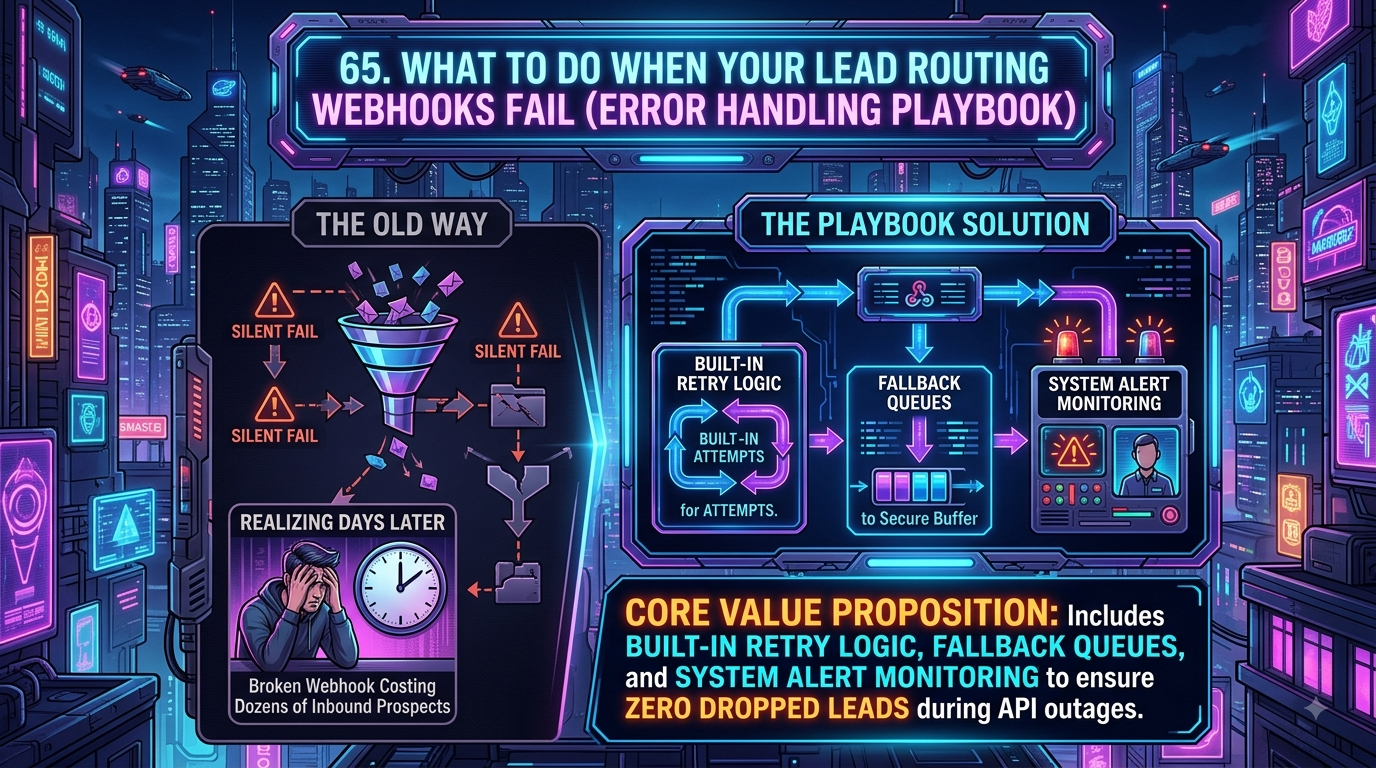
Zapier's Webhooks trigger already retries short connection blips automatically and offers an opt-in Autoreplay for failed runs, but persistent failures — a bad field, an expired token — still require manually built Paths, Error Handler steps, and billable tasks to route somewhere useful. InstaChime is a purpose-built lead-response layer for RevOps managers, logging every webhook attempt with a signed payload and a dead-letter status flag instead of burying it in a mixed Zap run history.
The Core Difference: Configurable Retry Logic in Zapier vs. Signed Delivery Evidence in InstaChime
Both platforms retry failed requests. The real difference is what retries automatically, what you have to configure by hand, and how fast you can answer "did this one lead reach the CRM?"
How Zapier handles a failed webhook:
- Webhooks by Zapier is the trigger/action pair most teams use to move lead payloads in and out of a Zap.
- Zapier retries transient connection issues — timeouts, brief outages — automatically in the background, with no configuration required.
- An opt-in Autoreplay setting will automatically re-run an entire Zap that errored for a temporary reason.
- Persistent errors (invalid data, expired auth, a rejected picklist value) are not auto-retried. You diagnose them using AI-assisted troubleshooting in Zap run history, then manually hit Replay.
- Routing a failure somewhere useful — a Slack ping, a fallback sheet, a secondary CRM — means building it yourself with native Paths or a custom Error Handler step. No code required, but it's manual, and any action step that actually fires still consumes a task.
How InstaChime handles a failed webhook:
- Every outgoing lead handoff is a signed `lead.created` webhook, logged individually rather than folded into a generic automation log.
- Delivery history shows status, response detail, and attempt count for that specific lead.
- Attempts that exhaust retries get a dead-letter status flag, so a failed handoff doesn't disappear silently.
- Retries fire from a manual retry control inside that history — a person decides to resend, rather than an unattended loop resubmitting a stale lead on its own schedule.
For a systems architect who wants to build a bespoke retry pipeline, Zapier gives more raw levers. For a RevOps manager who wants to open one lead and immediately see whether the CRM handoff succeeded, InstaChime keeps that evidence attached to the lead instead of scattered across run history.
Why Teams Look for Zapier Alternatives for Lead Webhook Reliability
- Task cost compounds around error handling. Filters, Paths, and Delay steps are free in Zapier's task meter, but the actions inside a fallback branch — a resend, a Slack alert, a spreadsheet log — are not. A Zap that fires three fallback actions every time a webhook fails adds three tasks on top of the original run, every single time it happens.
- Diagnosing one lead's failure means searching run history, not opening a record. Zap history is organized by run, not by lead. Confirming whether a specific demo request ever reached the CRM means scanning timestamps and payload contents inside that log.
- Automatic retry only covers part of the failure surface. Zapier's background retries and Autoreplay are genuinely good at transient network blips. They don't help with app-level rejections — a missing required field or an expired token still needs a human to read the error and replay it, in either tool.
Feature Comparison: InstaChime vs. Zapier
| Capability | InstaChime | Zapier |
|---|---|---|
| Webhook retry mechanism | Manual retry from delivery history; each attempt and response code is logged, with a dead-letter flag once retries stop. | Automatic background retries for transient connection errors, plus an opt-in Autoreplay for whole failed runs; deeper logic needs manually built Paths or an Error Handler step. |
| Failure visibility | Per-lead delivery history shows every attempt and outcome without leaving the record. | Zap run history logs each run; isolating one failed lead means searching by timestamp, with AI-assisted troubleshooting to help diagnose the cause. |
| Pricing model | Free, Starter, Growth, and Agency plans priced on lead volume, users, and features — not a task meter. | Task-based; each executed action step (a resend, an alert, a sheet write) consumes a task, though triggers, Filters, Paths, and Delay are free. |
| App breadth | Built for lead capture, routing, alerts, and CRM handoff, with native destinations like HubSpot, Salesforce, Pipedrive, GoHighLevel, Zoho, Google Sheets, and Excel Online. | Connects roughly 8,000 apps, making it the stronger choice once a lead has already been captured and alerted and just needs to fan out further. |
| Payload security | Outgoing `lead.created` webhooks are signed by default. | Zapier's own docs note that webhook URLs function like credentials — treat them like passwords, since exposure lets outsiders trigger your Zap. |
How to Migrate from Zapier to InstaChime
1. Keep your existing Zaps in place. Don't tear down Zaps that fan leads out to niche downstream apps — you'll still want them.
2. Point your original lead source into InstaChime first. Route the form, ad platform, or custom webhook that currently feeds Zapier into InstaChime instead, so it becomes the capture, alerting, and SLA layer.
3. Add an outgoing webhook from InstaChime back into Zapier. Use a Zapier Catch Hook to receive InstaChime's `lead.created` payload for any downstream automation only Zapier can reach — InstaChime handles response and delivery evidence, Zapier handles fan-out.
Frequently Asked Questions
Does InstaChime replace Zapier for lead webhooks?
Not entirely, and InstaChime doesn't position it that way. It's built to be the lead-response layer — capture, alerting, SLA tracking, and signed CRM handoff — while Zapier stays useful as a downstream connector for app fan-out beyond what InstaChime natively supports.
Do I need a developer to set up webhook retries?
For basic setup, no, in either tool — Webhooks by Zapier and InstaChime's outgoing webhooks are both no-code to configure. You'll want a developer or ops specialist in Zapier once you're building custom Paths or Error Handler branches to route persistent failures, and in InstaChime if you're mapping a nonstandard CRM field schema.
Is InstaChime cheaper than Zapier for high-volume lead routing?
It depends on your workflow. InstaChime's plans are priced by lead volume, users, and features rather than a task meter, so adding fallback or alert logic doesn't multiply your bill the way extra Zapier action steps can. Whether that nets out cheaper depends on your actual step count and lead volume — check both vendors' current pricing pages against your numbers, since neither of us can give you a blanket answer that fits every account.