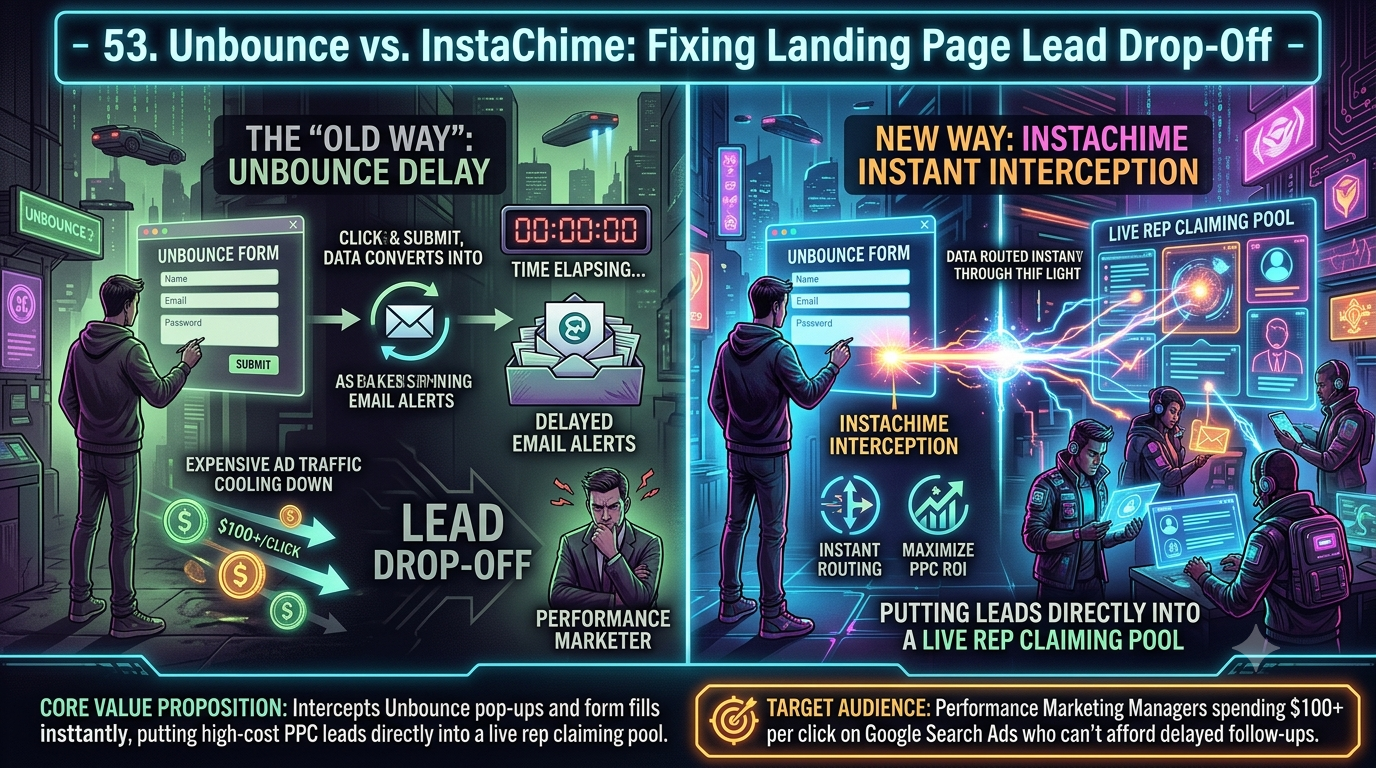
Unbounce builds and A/B-tests high-converting landing pages using Smart Traffic AI — that's its strength. But it wasn't built to manage what happens after the form submits. InstaChime intercepts Unbounce form fills instantly, routing each lead into a live rep claiming pool with visual SLA clocks, built for sales teams that can't afford slow follow-up on paid leads.
The Core Difference: Unbounce Landing Page Optimization vs. InstaChime Instant Lead Interception
Unbounce is engineered for conversion rate optimization (CRO). Its core strengths are the visual page builder, Smart Traffic AI-based variant routing, and A/B testing — all designed to maximize the number of form fills you generate per dollar of ad spend.
InstaChime is engineered for speed-to-lead execution. Instead of optimizing how the page looks, it acts on the webhook payload fired the instant a prospect clicks "submit." Rather than a static email notification sitting in a shared sales@ inbox, InstaChime starts a visual SLA clock and drops the lead into a live rep claiming pool.
- Unbounce's job: get the visitor to fill out the form.
- InstaChime's job: get a rep in front of that lead before it decays.
Speed-to-lead research is consistent on this point: qualification odds fall sharply as response time increases, with multiple independent studies — including the widely cited Harvard Business Review / MIT Lead Response Management analysis — finding roughly a 400% drop in qualification odds when response time slips from 5 to 10 minutes. Unbounce captures the demand. InstaChime is built to make sure your team actually converts it before that window closes.
Why Teams Look for Unbounce Alternatives (Focusing on Lead Routing Bloat)
Performance marketing managers rarely replace Unbounce outright — they look for a fix to its native lead routing architecture. Relying on Unbounce's built-in email alerts, or a generic Zapier chain bolted on top, introduces friction that high-velocity sales floors can't absorb:
- Email notification latency. Unbounce's default lead alert is an email notification. Reps have to monitor a shared inbox, and industry benchmarks on inbound lead handling consistently put average first-response times in the range of 42–47 hours across companies that rely on manual, email-first follow-up — nowhere near the sub-5-minute window buyers now expect.
- CRM sync delays. Pushing Unbounce leads into Salesforce or HubSpot via native integration or webhook works reliably, but assignment still depends on your CRM's own round-robin or workflow rules. If those rules run on batch timing rather than real-time triggers, a lead can sit unassigned well past the moment it was still "hot."
- Zero SLA enforcement. Unbounce has no native concept of a post-submission service-level clock. It captures the form fill and hands off via email or webhook — what happens in the next 60 seconds is entirely outside its scope. There's no built-in escalation if a paid lead goes unworked.
- Zapier as a stopgap, not a system. Teams often patch this gap with a Zapier chain from Unbounce to Slack or email. That adds a notification, but it still doesn't enforce a claiming rule, an SLA timer, or an escalation path if nobody responds.
Feature Comparison: InstaChime vs. Unbounce
| Feature | Unbounce | InstaChime |
|---|---|---|
| Primary workflow | Visual drag-and-drop builder with Smart Traffic AI and A/B testing for CRO. | Real-time interception of form payloads to trigger instant sales alerts. |
| Lead routing | Native CRM integrations (HubSpot, Salesforce, Marketo) plus outbound webhooks. | Deposits leads directly into a live rep claiming pool based on rep availability. |
| SLA management | None built in — post-submission tracking has to be configured in your CRM. | Built-in visual SLA clocks with automated escalation if a lead sits unclaimed. |
| Response speed | Depends on rep inbox monitoring and how fast your CRM processes the sync. | Purpose-built for sub-30-second inbound response on freshly submitted leads. |
| Primary metric it optimizes | Conversion rate on the page itself (lowering CPA per form fill). | Speed from form fill to rep contact (protecting ROAS after the click). |
How to Migrate from Unbounce Email Alerts to InstaChime Instant Routing
Moving off email notifications doesn't require touching your existing landing pages. You're updating the delivery layer, not the page itself.
1. Disable native email notifications. In your Unbounce page overview, open Leads & Form Integrations and turn off "Email me new leads." This prevents duplicate alerts and stops reps from getting confused about which channel is authoritative.
2. Configure the InstaChime webhook payload. In the same Unbounce integrations menu, add a Webhook integration and paste your dedicated InstaChime endpoint URL. Set the method to POST and confirm the payload correctly maps name, email, and phone fields.
3. Define your rep claiming pool rules. In InstaChime, set your primary SLA clock (for example, 60 seconds) and define the escalation path — who gets notified next — if the first available rep doesn't claim the lead in time.
Frequently Asked Questions
Do I need a developer to connect Unbounce to InstaChime?
No. The integration uses Unbounce's native webhook feature, so it requires no custom code. You copy the endpoint URL InstaChime provides and paste it into Unbounce's Webhook integration tab; field mapping is handled automatically.
Is InstaChime a replacement for my Unbounce landing pages?
No. InstaChime is a routing layer that sits between your Unbounce pages and your sales floor. You keep using Unbounce to build pages, run Smart Traffic and A/B tests, and capture form fills — InstaChime takes over the instant that form fill needs to reach a rep.
Does InstaChime sync captured Unbounce leads back to my CRM?
Yes. Once a rep claims a lead from the InstaChime pool, the platform pushes the enriched record — including claim time and interaction history — into your CRM alongside the data Unbounce already sends via its native integration or webhook.