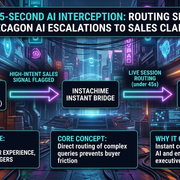
In modern enterprise Go-To-Market (GTM) architectures, a silent revenue leak is occurring every minute within customer support infrastructure.
High-growth SaaS, fintech, and e-commerce companies deploy autonomous AI customer support platforms like Sierra, Decagon, and Crescendo to achieve staggering 80–90% deflection rates and deliver instant responses. These autonomous agents excel at processing routine refunds, retrieving order tracking details, and managing basic SaaS account updates.
However, a critical edge case continually fails: the high-intent enterprise prospect who lands in customer support.
When an existing account executive (AE) target, an enterprise buyer evaluating expansion, or an incoming decision-maker initiates a support chat to ask high-intent sales questions—such as *"Do you offer custom SOC 2 Type II compliance add-ons?"* or *"Can we upgrade our tier from 500 to 5,000 seats under a master service agreement?"*—the default AI workflow triggers a standard ticket escalation.
The chat ends with: *"I have created ticket #84920. Our sales team will get back to you in 24–48 hours."*
In enterprise sales, a 48-hour delay is revenue death. Buyer intent decays exponentially; research shows that responding within 5 minutes yields up to 21x higher qualified opportunity conversion than waiting 30 minutes or more.
To capture this hidden revenue pipeline, forward-thinking RevOps and Customer Experience (CX) leaders are shifting from passive ticketing handoffs to real-time AI Interception. By bridging AI support engines with instant Account Executive (AE) claim queues in Slack, platforms like InstaChime enable sales teams to intercept high-intent buyers in under 45 seconds while they are still active in the live support session.
The Enterprise Friction Problem: The High-Intent Support Trap
To understand why traditional escalation workflows break, examine the architectural divide between Revenue Operations (RevOps) and Support Operations (CX Ops).
```
TRADITIONAL SLOW ESCALATION PATH:
[ Buyer In Chat ] ---> [ Autonomous AI (Sierra/Decagon) ]
|
| Identifies Sales Signal
v
[ Support Ticketing System ]
|
| Manual Triage (Hours/Days)
v
[ Sales Routing Rule / Email ]
|
v
*(Buyer Has Left The Site)*
INSTACHIME INSTANT INTERCEPTION PATH:
[ Buyer In Chat ] ---> [ Autonomous AI (Sierra/Decagon) ]
|
| Webhook Event (<1 sec)
v
[ InstaChime Engine ]
|
| Instant Slack / Teams Claim Queue (<5 sec)
v
[ AE Claims Session ]
|
v
*(Live Human Takeover in <45 sec)*
```
1. The Anonymity Gap in Support Bots
Autonomous AI engines are designed for deflection and case resolution. While Sierra, Decagon, and Crescendo use large language models (LLMs) and custom guardrails to understand natural language intent, they are primarily optimized to maintain low cost-per-contact and close tickets.
When a prospect enters a support workflow asking complex pricing questions, the AI agent attempts to fulfill the query with documentation. If it cannot, it defaults to a CRM or helpdesk ticket submission (Zendesk, Salesforce Service Cloud, or Freshdesk).
2. The Asynchronous Routing Delay
Once a support ticket is generated from an AI interaction, it follows asynchronous routing logic:
1. The ticket enters an unassigned tier-1 support queue.
2. A human support agent triages the ticket minutes or hours later.
3. The support agent reclassifies the ticket as a "Sales Lead" and transfers it to Salesforce or HubSpot.
4. CRM assignment rules route the lead to a BDR or AE.
5. The AE sends a outreach email 24 to 72 hours after the initial chat.
By the time the outreach email hits the prospect’s inbox, the buying window has closed. The prospect has likely navigated away, scheduled a demo with a competitor, or lost the immediate context of their urgency.
3. Contextual Loss During Hand-Offs
When a live prospect is forced out of a real-time chat into an asynchronous email thread, friction skyrockets. The buyer must repeat their technical requirements, seat counts, and timelines to a new rep who lacks the full context of the AI conversation history.
How Real-Time AI Interception Works: Step-by-Step
Real-time AI Interception replaces the linear, delayed ticket creation workflow with an instantaneous event-driven architecture. Here is the operational mechanics of how InstaChime bridges conversational AI engines like Sierra, Decagon, and Crescendo directly into real-time Slack AE claim queues.
```
+-----------------------------------------------------------------------------------+
| THE 45-SECOND INTERCEPTION FLOW |
+-----------------------------------------------------------------------------------+
| 00:00s | Buyer asks high-intent question in Sierra/Decagon/Crescendo web chat. |
| 00:02s | AI detects intent threshold OR explicit request for human sales rep. |
| 00:03s | Webhook fires payload (Transcript + Enrichment Data) to InstaChime. |
| 00:05s | InstaChime evaluates CRM rules & posts rich card in Slack #sales-claims. |
| 00:15s | Available Enterprise AE clicks "⚡ Claim Chat" in Slack. |
| 00:20s | InstaChime transfers live chat session control to AE's interface. |
| 00:45s | AE responds directly inside the active web chat window: |
| | "Hi Sarah, I see you're looking to scale to 5k seats. Let's look at MSA."|
+-----------------------------------------------------------------------------------+
```
Step 1: Real-Time Intent Detection & Triggering
As the customer interacts with Sierra or Decagon, the platform monitors intent triggers and sentiment markers. A sales escalation trigger can be fired based on:
* Explicit Buying Signals: Keywords such as *"enterprise pricing,"* *"MSA,"* *"custom SLA,"* *"RFP,"* or *"upgrade tier."*
* Firmographic Match: The user identifies themselves or their email domain (e.g., `targetaccount.com`), matching an Account-Based Marketing (ABM) high-value target list in Salesforce.
* Complex Multi-Step Logic: The AI recognizes a combination of high usage patterns, product seat limits reached, and custom feature inquiries that signal expansion revenue potential.
Step 2: Instant Webhook Payload to InstaChime
Rather than executing a `create_ticket` function, the AI platform calls a webhook action configured for InstaChime. The payload delivers:
* Full live chat conversation history up to the exact second.
* User metadata (Name, Email, Job Title, Company Name, IP Address, Clearbit/ZoomInfo enrichment data).
* Detected intent category and confidence score.
Step 3: Slack/Teams AE Claim Queue Notification (< 5 Seconds)
InstaChime processes the payload, matches the domain against active CRM account owners, and instantly dispatches an interactive notification to an internal channel (e.g., `#sales-live-claims` or `#enterprise-escalations`) in Slack or Microsoft Teams.
The notification card displays:
* Account Name & Deal Tier: (e.g., *Acme Corp — Existing Tier 2, $45k ARR Potential*).
* AI Summary: A 2-sentence summary of what the buyer is asking.
* Full Transcript Dropdown: Complete visibility into the AI conversation.
* Interactive Claim Button: A prominent `⚡ Claim & Connect` button.
Step 4: One-Click Live Session Interception
An available AE clicks the Claim button inside Slack. Instantly:
1. InstaChime updates the Slack card to notify the team that AE John Doe has claimed the session.
2. The live chat widget on the customer's browser seamlessly transforms from the AI persona into a direct rep session without refreshing the page.
3. The AI agent sends a natural transition message: *"I’m connecting you with John from our enterprise strategy team right now. He has reviewed our chat context."*
Step 5: Live Chat Handoff in Under 45 Seconds
The AE opens their InstaChime workspace or web console—pre-populated with full conversation context—and sends a tailored response directly into the user’s active web chat session.
Total elapsed time: < 45 seconds. The buyer receives an immediate answer from a qualified human decision-maker while their intent is at its absolute peak.
Technical Integration Architecture: Connecting Sierra, Decagon, & Crescendo
Integrating InstaChime with enterprise AI support platforms requires zero re-architecting of your existing bot logic. InstaChime functions as an orchestration layer, subscribing to event streams and managing state synchronization between the chat widget, CRM, and internal messaging apps.
```
+-----------------------------------+
| Customer-Facing Web App / Web |
+-----------------------------------+
|
v
+-----------------------------------------------+
| Conversational AI Engine |
| (Sierra / Decagon / Crescendo) |
+-----------------------------------------------+
|
Webhook / REST API Event
|
v
+-----------------------------------------------+
| InstaChime Orchestration Layer |
| - Context Parsing & Enrichment |
| - CRM Matching (Salesforce / HubSpot) |
| - Real-Time Routing Logic |
+-----------------------------------------------+
|
WebSocket / Webhooks
|
+--------------+--------------+
| |
v v
+---------------------------+ +-----------------------+
| Slack / Teams Claim Queue | | CRM / Data Warehouse |
| (Interactive Webhooks) | | (Salesforce/HubSpot) |
+---------------------------+ +-----------------------+
```
1. Integrating with Sierra AI
Sierra’s platform relies on autonomous agents structured with explicit tool calls and guardrails.
* Configuration: Within Sierra Agent Studio, RevOps teams configure a custom Tool Definition titled `InterceptSalesLead`.
* Trigger: When Sierra’s cognitive engine identifies an intent threshold (e.g., procurement questions), it invokes `InterceptSalesLead`.
* Payload Handshake: Sierra posts the conversation transcript and metadata to InstaChime’s endpoint. Sierra’s execution loop pauses, waiting for an acknowledgment token from InstaChime that confirms an AE has claimed the session.
2. Integrating with Decagon AI
Decagon’s architecture utilizes LLM-driven Agent Operating Procedures (AOPs) to execute actions.
* Configuration: RevOps builds a custom AOP routing rule for high-value account detection or sales-related topics.
* Real-time Routing: When triggered, Decagon bypasses standard Zendesk/Salesforce Service Cloud ticket creation and dispatches an event to InstaChime via Decagon’s Webhook Integration Framework.
* Fallback Protection: If no AE claims the session in Slack within 120 seconds, InstaChime sends a timeout signal back to Decagon, which gracefully falls back to generating a prioritized follow-up ticket.
3. Integrating with Crescendo AI
Crescendo operates as an end-to-end AI-native CX platform across chat, voice, and email.
* Configuration: In Crescendo’s platform, administrators set up an escalation rule using the native Third-Party Handoff API.
* Omnichannel Handoff: When Crescendo detects high purchasing intent during a chat session, it passes the active socket connection to InstaChime, allowing a live AE to step into the exact web session instantaneously.
Strategic Stakeholder Impact: RevOps, CX, and AI Product Management
Deploying a 45-second AI interception strategy yields significant structural benefits across three primary leadership functions:
```
+----------------------------------------------------------------------------------------+
| STAKEHOLDER IMPACT MATRIX |
+----------------------------------------------------------------------------------------+
| ROLE | PRIMARY PAIN POINT | INSTACHIME SOLUTION |
+----------------------------------------------------------------------------------------+
| VP of RevOps | High-intent pipeline leakage in | Captures inbound enterprise |
| | support queues; long SLA response | expansion opportunities in |
| | times destroying conversion. | real-time via Slack. |
+----------------------------------------------------------------------------------------+
| Head of CX | Support teams burdened with sales | Offloads sales queries to |
| | qualification; high customer | AEs instantly; improves |
| | friction during transfers. | CSAT and resolution speed. |
+----------------------------------------------------------------------------------------+
| AI Product Manager | AI agents struggling with complex, | Provides a seamless human- |
| | non-standard commercial queries; | in-the-loop safety net |
| | risk of hallucination. | without breaking bot flow. |
+----------------------------------------------------------------------------------------+
```
1. For the VP of Revenue Operations (RevOps)
* Accelerated Speed-to-Lead: Eliminates the 24-to-48-hour delay between support ticket creation and BDR outreach.
* Higher Pipeline Conversion: Turning live, active web visitors into immediate AE conversations increases demo-to-opportunity conversion rates by up to 300%.
* Maximizing ABM ROI: Ensures that enterprise accounts targeted by high-cost outbound and ABM campaigns are never turned away by a standardized support bot.
* Complete CRM Attribution: InstaChime logs every intercepted chat session, transcript, and claim duration directly back to the Salesforce/HubSpot Account and Lead record for clean attribution modeling.
2. For the Head of Customer Experience (CX)
* Reduced Agent Workload: Keeps support teams focused on genuine service, onboarding, and technical issues rather than manually triaging and forwarding sales inquiries.
* Elimination of Transfer Friction: Customers never hear *"That's a question for sales, let me open a ticket for you."* Instead, they experience a unified, high-touch brand response.
* Elevated CSAT & NPS: Enterprise buyers appreciate immediate, expert answers to complex commercial and contract questions.
3. For AI Product Managers
* Graceful Boundary Management: AI PMs no longer need to force LLM agents to negotiate pricing or attempt complex enterprise upsell scripts where risk of hallucination is high.
* Optimized Bot Guardrails: Allows the AI to handle 80%+ of routine inquiries while using InstaChime as an explicit "human-in-the-loop" safety net for high-value edge cases.
* Enhanced Performance Metrics: Improves the overall success rate of the AI platform by routing non-service queries out of support metrics into sales queues.
ROI Analysis: The Financial Case for AI Interception
To evaluate the economic impact of implementing InstaChime’s 45-second AI interception, consider a mid-market to enterprise B2B SaaS company with the following metrics:
Baseline Operational Metrics:
* Monthly Support Chat Volume: 20,000 conversations (managed via Sierra/Decagon).
* AI Deflection Rate: 85% (17,000 routine tickets resolved autonomously).
* High-Intent Sales/Expansion Signals: 2% of total chats (400 conversations/month).
* Current Workflow: AI creates support tickets $\rightarrow$ routed to sales in 24–48 hours.
* Current Lead-to-Opportunity Conversion Rate: 5% (due to decay in buyer intent over time).
* Average Deal Size (ARR): $25,000.
#### Current Pipeline Generation:
$$\text{Qualified Opportunities per Month} = 400 \times 0.05 = 20 \text{ Opportunities}$$
$$\text{New Monthly Pipeline Generated} = 20 \times \$25,000 = \$500,000 \text{ ARR}$$
Post-InstaChime Interception Metrics:
By implementing InstaChime to route live AI escalations to an AE claim queue in Slack with a <45-second response time:
* High-Intent Sessions Intercepted Live: 70% claim rate (280 live AE engagements/month).
* New Lead-to-Opportunity Conversion Rate: 20% (4x increase due to real-time engagement while buyer intent is high).
* Remaining Unclaimed Sessions (Asynchronous Follow-up): 120 chats $\times$ 5% conversion = 6 Opportunities.
#### New Pipeline Generation:
$$\text{Live Intercepted Opportunities} = 280 \times 0.20 = 56 \text{ Opportunities}$$
$$\text{Total Monthly Opportunities} = 56 + 6 = 62 \text{ Opportunities}$$
$$\text{New Monthly Pipeline Generated} = 62 \times \$25,000 = \$1,550,000 \text{ ARR}$$
Net Financial Gain:
* Additional Pipeline Created per Month: $\$1,050,000 \text{ ARR}$
* Annualized Additional Pipeline: $\$12,600,000 \text{ ARR}$
* Assuming a 25% Closed-Won Rate: $\$3,150,000 in Net-New ARR closed annually.
Slack Claim Architecture: Designing the Ideal AE Workflow
The success of live AI interception depends on minimal friction for the Account Executive. If reps are forced to log into a separate platform or keep a heavy dashboard open, claim rates drop. InstaChime operates directly inside Slack, leveraging native notification constructs to maximize responsiveness.
```
+---------------------------------------------------------------------------------+
| #sales-live-claims Slack |
+---------------------------------------------------------------------------------+
| 🔴 HIGH INTENT ENTERPRISE ESCALATION |
| |
| Account: Acme Corporation (Target ABM Account) |
| Prospect: Sarah Jenkins (VP of IT) |
| Intent: Custom Security Add-on & Enterprise MSA |
| Source Bot: Sierra AI Chat |
| |
| AI Conversation Summary: |
| "User is asking if our enterprise plan includes custom SAML/SSO and SOC2 |
| attestation for 2,500 seats starting Q3." |
| |
| [ ⚡ Claim Chat (45s SLA) ] [ 👤 View CRM Profile ] [ 📄 Full History ] |
+---------------------------------------------------------------------------------+
| 🟢 Claimed by @john.doe (12 seconds ago) - Connecting rep to session... |
+---------------------------------------------------------------------------------+
```
Best Practices for Designing the Slack Interception Workflow:
1. Dedicated High-Urgency Channels: Create dedicated Slack channels such as `#sales-live-claims-enterprise` or `#expansion-alerts`. Limit noise by routing only validated, high-intent triggers into these channels.
2. Round-Robin and Escalation Timers: If a session remains unclaimed after 30 seconds, InstaChime can trigger a secondary notification tagging the shift manager or designated BDR on call.
3. Contextual Quick Actions: Equipping the Slack card with direct links to the prospect's Salesforce record, LinkedIn profile, and active usage metrics gives the rep full context before clicking "Claim."
4. Mobile Responsiveness: Because claims occur in Slack, reps can claim and respond to live sessions from their mobile devices while on the go, ensuring 24/7 coverage for global sales teams.
Implementation Playbook: How to Deploy InstaChime in 14 Days
Deploying an instant AI interception layer does not require engineering resources or long deployment cycles. Follow this 14-day implementation playbook to connect your AI support bot to Slack AE claim queues.
```
+-----------------------------------------------------------------------------------+
| 14-DAY IMPLEMENTATION TIMELINE |
+-----------------------------------------------------------------------------------+
| Days 1–3 | Connect Sierra/Decagon/Crescendo webhooks to InstaChime. |
| Days 4–6 | Map CRM routing logic (Salesforce/HubSpot account ownership rules). |
| Days 7–9 | Configure Slack claim channel, card layout, and timer alerts. |
| Days 10–12 | Run simulated escalation tests with sales and CX teams. |
| Days 13–14 | Go live with enterprise sales interception and monitor metrics. |
+-----------------------------------------------------------------------------------+
```
Days 1–3: Integration & Webhook Setup
* Connect your conversational AI platform (Sierra, Decagon, or Crescendo) to the InstaChime engine via API keys.
* Define custom webhook triggers within your AI bot studio for high-intent keywords, firmographic tiers, and explicit human rep requests.
Days 4–6: CRM & Data Mapping
* Authenticate InstaChime with your CRM (Salesforce or HubSpot).
* Map data fields: lead status, account ownership, company domain, and pipeline stages.
* Establish routing rules to prioritize named account owners when an existing target account enters the chat.
Days 7–9: Slack Workflow Configuration
* Create designated Slack channels (`#sales-live-claims`).
* Configure InstaChime Slack app permissions and customize notification cards with action buttons (`Claim`, `Transfer`, `View CRM`).
* Set up SLA timer alerts (e.g., fallback logic if unclaimed in 90 seconds).
Days 10–12: Team Enablement & Testing
* Train Account Executives on the live interception interface. Emphasize speed, review of the AI summary, and personalized opening lines.
* Run end-to-end sandbox simulations testing intent detection, Slack payload delivery, rep claiming, and live session transfer.
Days 13–14: Go-Live & Optimization
* Enable live interception routing for inbound support traffic.
* Monitor key metrics in the InstaChime dashboard: Claim Speed, AE Response Time, Conversion Rate, and CSAT impact.
Conclusion: Turn Support Escalations into Revenue Growth
Enterprise buyers expect instant, personalized, and context-aware interactions. While platforms like Sierra, Decagon, and Crescendo have transformed support operations by automating routine tasks, forced ticketing handoffs for high-intent queries introduce friction that damages conversion rates.
InstaChime bridges the gap between support AI engines and sales teams. By routing live AI escalations to an AE claim queue in Slack in under 45 seconds, enterprise organizations can eliminate buyer friction, maximize speed-to-lead, and unlock hidden revenue within their support infrastructure.
Don't let your highest-value buyers get lost in an asynchronous ticket queue. Integrate InstaChime with your AI support stack today and transform customer support into an instant sales engine.
Frequently Asked Questions (FAQ)
#### Q1: How does InstaChime differ from standard live chat platforms like Intercom or Drift?
Traditional live chat platforms require human agents to monitor chat queues continuously or rely on basic routing rules. InstaChime is specifically built as an *interception layer* designed to sit between autonomous AI engines (Sierra, Decagon, Crescendo) and team messaging tools (Slack, Teams). It allows sales reps to claim and jump into ongoing AI conversations instantly without replacing the existing support AI infrastructure.
#### Q2: What happens if no Account Executive is available to claim a live session?
If a live session is not claimed within a pre-configured SLA window (e.g., 90 or 120 seconds), InstaChime triggers automated fallback logic. The AI agent seamlessly informs the customer that the team will follow up shortly, and InstaChime automatically creates a prioritized ticket in your CRM/Helpdesk enriched with the complete chat transcript.
#### Q3: Will transferring control from an AI agent to a human AE disrupt the user's chat experience?
No. The transfer occurs within the existing chat widget on the customer's screen. The user does not need to refresh their browser or open a new window. The AI provides a smooth transition message, and the AE’s response appears seamlessly in the active thread.
#### Q4: How does InstaChime handle target account routing for Account-Based Marketing (ABM)?
InstaChime integrates directly with CRMs like Salesforce and HubSpot, as well as enrichment services like ZoomInfo and Clearbit. When a user enters a chat, InstaChime identifies their company domain and checks for active account ownership. If the account belongs to a specific AE, InstaChime can route the Slack alert directly to that rep or notify them within the general claim channel.