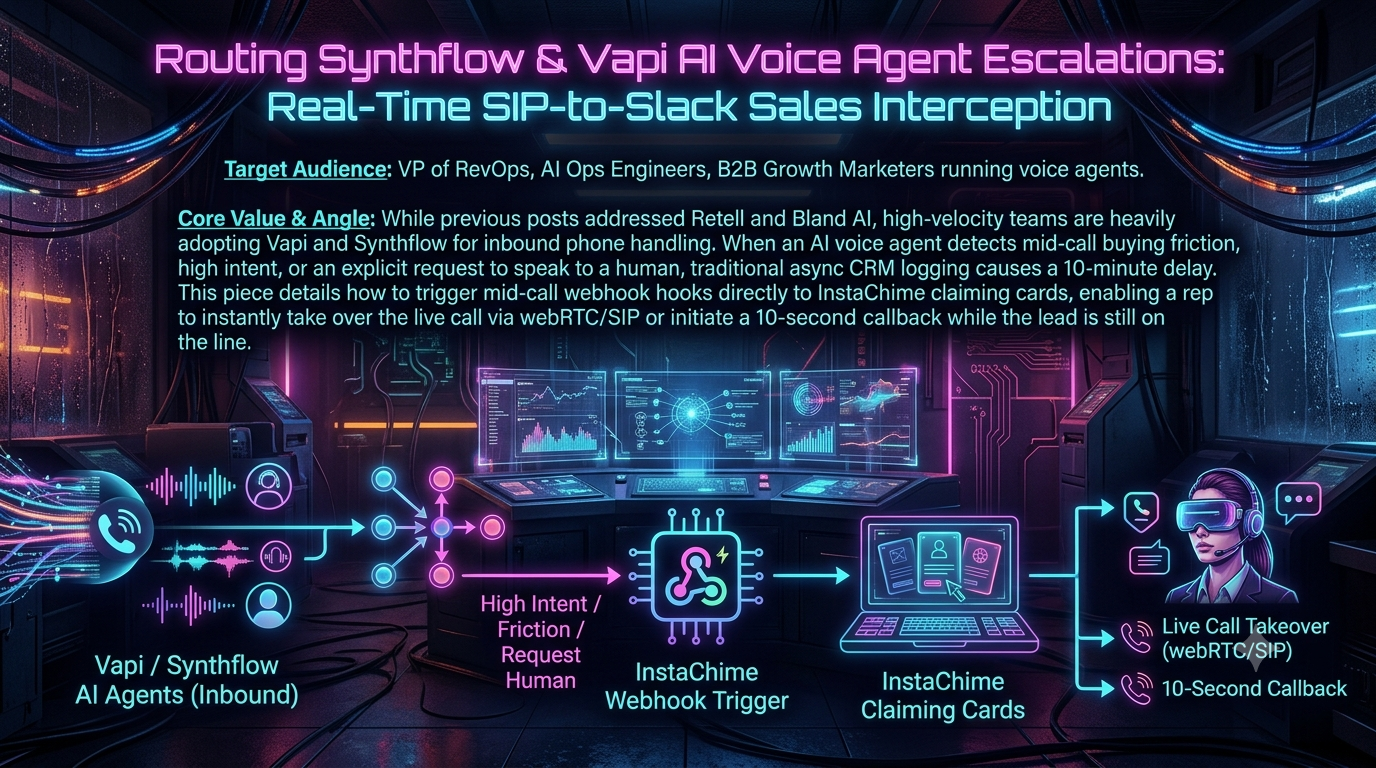
Voice agents built on Vapi and Synthflow can answer inbound calls around the clock, qualify callers, and handle routine questions. The weak point is the handoff. When a caller says "I want to talk to a person" or asks about enterprise pricing, many teams still depend on post-call data: an end-of-call report, a CRM update, then a Slack notification. By then the caller has hung up.
This guide shows how to escalate while the call is still live:
1. The AI agent decides mid-call that a human is needed and calls a tool or action.
2. Your server receives that request and posts a claimable card in Slack.
3. The first rep to click Claim wins an atomic lock.
4. Your server moves the live call to that rep, either through Vapi's live call control or a Synthflow dynamic transfer.
Details were checked against the vendors' public documentation as of October 2026. Where a claim from earlier versions of this article could not be verified, it has been corrected or removed.
1. Why post-call escalation loses live callers
Both platforms report call outcomes after the call ends. Vapi sends an `end-of-call-report` server message, and Synthflow reports executed actions in its post-call webhook. Those are useful for analytics and CRM hygiene, but by definition they arrive after the caller has left. A caller who asked for a human and got a callback hours later has gone from a live conversation to a cold outbound dial.
What the speed-to-lead research does and doesn't say
Most "respond fast" statistics come from web-form leads, not live inbound calls. They are still useful context:
- Velocify (now part of ICE Mortgage Technology) reported that calling a web lead within one minute raised conversion by 391%. The data came from roughly 3.5 million leads, and it is vendor data. Secondary sources describe the comparison baseline inconsistently (after two minutes, or later), so treat it as directional.
- The MIT / InsideSales.com Lead Response Management Study, popularized in a 2011 Harvard Business Review article, found that companies contacting leads within five minutes were about 100 times more likely to reach them, and 21 times more likely to qualify them, than companies waiting 30 minutes.
- A Drift survey of B2B companies found only about 7% responded to inbound leads within five minutes.
A live caller is a more extreme version of the same situation: they are on the line right now, and every second spent waiting for a human is a second they can hang up. You don't need the statistics to justify the design, but you should measure your own numbers (see section 9).
2. Architecture overview
```
Caller (PSTN/SIP)
│
▼
Vapi assistant or Synthflow agent
│ (LLM decides a human is needed)
│ Vapi: Function tool → "tool-calls" server message
│ Synthflow: Custom action → HTTP request
▼
Your escalation service (Node/Python + Redis)
│ 1. verify the request, store call context
│ 2. post Block Kit claim card to Slack (chat.postMessage)
▼
Slack channel (#sales-live)
│ rep clicks "Claim" → block_actions payload
▼
Your escalation service
│ 3. atomic lock (Redis SET NX EX)
│ 4. Vapi: POST to the call's controlUrl with a transfer
│ Synthflow: return the rep's number to a dynamic transfer
▼
Live call connected to the rep's phone or SIP endpoint
```
Two points shape everything that follows:
- The rep doesn't "join" the AI's conversation. In the documented mechanisms for both platforms, escalation is a transfer: the caller is moved to a human endpoint (a phone number or SIP URI) and the AI leaves. Slack is only the claiming and notification layer, not the audio path.
- Slack acknowledgment is time-boxed. Your interaction endpoint must return HTTP 200 within 3 seconds of receiving a button click. Do the slow work afterwards and report back through the payload's `response_url`, which can be used up to five times within 30 minutes.
Vapi vs. Synthflow at a glance
| Vapi | Synthflow | |
|---|---|---|
| Mid-call trigger | Function tool; Vapi POSTs a `tool-calls` message to your server | Custom action; an HTTP request your agent can run at any point in a live call |
| Request authentication | Optional per-endpoint credential (Bearer token, legacy `X-Vapi-Secret`, OAuth2, HMAC); a new Server URL has none until you attach one | Headers and authentication configured in the action's request setup |
| How the human gets the call | POST `{"type":"transfer", ...}` to the call's `controlUrl`; destination is a number or SIP URI | Transfer action: phone number (TEL), SIP, dynamic, or phone book |
| Whisper/briefing | Warm modes on the Transfer Call tool (message or summary) | Warm transfer with a message or an AI summary |
| Cold transfer mechanism | Blind transfer | SIP REFER |
3. Configuring Vapi
Step 1: Create an escalation Function tool
Create a Function tool whose server URL points at your service. Vapi's function tools use OpenAI-style function definitions.
```
{
"type": "function",
"function": {
"name": "escalate_to_human",
"description": "Request an immediate live sales rep when the caller asks for a human, raises enterprise-level requirements, or shows strong buying intent.",
"parameters": {
"type": "object",
"properties": {
"reason": {
"type": "string",
"description": "Why a human is needed, in one sentence."
},
"urgency": {
"type": "string",
"enum": ["high", "critical"]
},
"intent_score": {
"type": "number",
"description": "Estimated buying intent from 1 to 10."
},
"caller_name": { "type": "string" },
"company": { "type": "string" }
},
"required": ["reason", "urgency"]
}
},
"server": {
"url": "https://api.yourcompany.com/vapi/midcall",
"credentialId": "YOUR_CREDENTIAL_ID"
}
}
```
Server URLs can be set at several levels, with this precedence: tool, then assistant, then phone number, then organization. Older configurations used inline `serverUrl` and `serverUrlSecret` fields; the secret is sent in an `x-vapi-secret` header. Current documentation recommends attaching a credential through `credentialId`, and a legacy-compatible credential can still send the token in `X-Vapi-Secret`.
Authentication is opt-in. Until you attach a credential, anyone who learns your URL can POST fabricated events to it, so attach one before going to production and reject anything that fails verification.
Step 2: Understand the payload
When the model calls the tool, your server receives a POST shaped like this:
```
{
"message": {
"type": "tool-calls",
"call": { "id": "…", "customer": { "number": "+1…" }, "monitor": { "controlUrl": "https://…/control" } },
"toolCallList": [
{ "id": "abc123", "name": "escalate_to_human", "parameters": { "reason": "…", "urgency": "high" } }
]
}
}
```
Your response must contain a result for each tool call:
```
{ "results": [ { "name": "escalate_to_human", "toolCallId": "abc123", "result": "…" } ] }
```
The key field for escalation is `message.call.monitor.controlUrl`. Vapi's dynamic-transfer guide documents this pattern: the tool payload carries the control URL, your server runs its own logic, and then POSTs the transfer destination to that URL.
Vapi's documented control-URL examples are plain POSTs with no `Authorization` header, so treat the `controlUrl` as a secret. Don't log it or put it in Slack.
Step 3: Prompt the assistant
Add escalation rules to the system prompt, for example:
> If the caller asks for a human, asks about custom enterprise terms, or shows strong buying intent, call `escalate_to_human`. After the tool returns, tell the caller you are connecting them with a specialist and that it may take up to half a minute. Keep the caller engaged until the transfer happens.
A caveat for GPT-Live users
Vapi's GPT-Live architecture supports only a subset of live call control: ending the call, appending context, and cold transfers on supported phone connections. Injecting `say` or `add-message` commands, muting the assistant, and warm transfers are not supported. If you rely on those features in this design, confirm your assistant's architecture supports them.
4. Configuring Synthflow
Synthflow's custom actions are HTTP requests the agent can run at any point in a live call, not only at the start or end. Actions can also run before the call starts.
Step 1: Create the custom action
In Actions, create a Custom Action with:
- Method: `POST`
- Endpoint: `https://api.yourcompany.com/synthflow/midcall`
- Headers: a shared secret, for example `X-Webhook-Secret: <your secret>`, which your endpoint verifies
- Name and description: something task-specific such as `escalate_to_human` and "Request a live sales rep when the caller asks for a human or shows strong buying intent." Synthflow's guidance is to use one action per business task with a clear name, because the model uses it to decide when to call.
- Action audio: optionally enable `typing` or one of the ambient/jazz/classical options so the caller hears something while the request is pending. The API values are `typing`, `ambient-background`, `modern-jazz` and `inspirational-symphony-classical-music`. (Earlier versions of this article mentioned a `hold_music` value; that is not a documented option.)
- Messages: under AI Instructions, set the start, delay and failure messages.
Step 2: Map variables into the request body
Synthflow variables use angle-bracket placeholders. Default call variables include `call_id`, `twilio_call_sid`, `to_phone_number`, `from_phone_number` and `user_phone_number`. You can also define your own, such as `full_name`.
```
{
"call_id": "<call_id>",
"caller_phone": "<user_phone_number>",
"prospect_name": "<full_name>",
"reason": "<escalation_reason>"
}
```
A variable only takes effect once you reference it in the URL path, query parameters, headers or body. Click Initialize after configuring so Synthflow validates the endpoint and exposes the response fields as action result variables.
Step 3: Add a dynamic transfer action
Synthflow's dynamic transfers resolve the destination at call time from a value returned by a custom action. The documented pattern is that your endpoint returns one or more candidate destinations, such as:
```
[
{ "phone_number": "+14155552345", "agent_name": "Sarah Johnson", "available": true, "priority": 1 }
]
```
In the custom action settings, enable `status`, `results` and `results.data` under Available Action Results so the agent can read the response. The transfer action then reads the number with `{results.data.phone_number}` or the bare name `phone_number`.
Choose the transfer mode deliberately:
- Cold hands the call off through SIP REFER without briefing the recipient. The recipient sees the original caller's number, and a failed cold transfer cannot be retried.
- Warm with message plays a short whisper to the rep first. Warm with summary plays an AI-generated summary. Both use a new call leg, can use human detection so the briefing doesn't play to voicemail, and can retry or fall back on failure. On warm transfers the recipient sees the agent's number unless you configure caller ID, and caller ID options are Enterprise-plan only.
Phone-number (TEL) transfers are confirmed to work with Twilio and Telnyx. For other carriers or self-hosted PBXs, use a SIP transfer.
Step 4: Prompt for escalation
> Escalation protocol: If the caller asks for a human, raises custom enterprise requirements, or expresses frustration, say you'll check whether a senior account executive is available, then run the `escalate_to_human` action. If the result is empty or unavailable, offer to take a message or book a callback.
Synthflow has no dedicated callback action. To let the agent book a callback, use a real-time booking action pointed at the calendar of the person who should call back.
5. The Slack claim card
Post the card with `chat.postMessage` using a bot token. A Slack app must have Interactivity enabled with a Request URL pointing at your interaction endpoint. Button clicks arrive as `application/x-www-form-urlencoded` requests with a `payload` field containing JSON, of type `block_actions`.
```
{
"channel": "C0123456789",
"text": "Live call escalation: a caller is waiting",
"blocks": [
{ "type": "header", "text": { "type": "plain_text", "text": "Live call: caller waiting" } },
{
"type": "section",
"fields": [
{ "type": "mrkdwn", "text": "*Caller:*\nAlex Mercer, Apex Logistics" },
{ "type": "mrkdwn", "text": "*Phone:*\n+1 555 0100" },
{ "type": "mrkdwn", "text": "*Urgency:*\nHIGH" },
{ "type": "mrkdwn", "text": "*Intent:*\n9/10" }
]
},
{
"type": "section",
"text": { "type": "mrkdwn", "text": "*Reason:* Asked for SAML SSO and a human who can approve terms." }
},
{
"type": "actions",
"elements": [
{
"type": "button",
"style": "primary",
"text": { "type": "plain_text", "text": "Claim live call" },
"action_id": "claim_call",
"value": "CALL_ID_HERE"
}
]
}
]
}
```
Keep the card focused: who is calling, why, how urgent, and a single claim button. Product options such as InstaChime provide Slack and Teams claim cards with SLA countdowns for lead routing, or you can build the card yourself as below.
Preventing double-claims
Several reps may click at once. Use an atomic Redis operation, `SET key value NX EX seconds`, which succeeds only for the first caller. (The older `SETNX` command does the same but can't set an expiry in the same step.) The loser gets an ephemeral message through `response_url`, and the winner's click updates the card.
6. Reference implementation (Node.js / TypeScript)
This sketch handles both platforms: Vapi transfers on claim through the call's `controlUrl`, while Synthflow's custom action waits briefly for a claim and returns the rep's number to the dynamic transfer. It is a starting point, not production code. Add retries, structured logging, and a durable job queue instead of `setTimeout`.
```
import crypto from 'node:crypto';
import express, { Request, Response } from 'express';
import axios from 'axios';
import Redis from 'ioredis';
const need = (k: string) => {
const v = process.env[k];
if (!v) throw new Error(`Missing env var ${k}`);
return v;
};
const VAPI_SECRET = need('VAPI_WEBHOOK_SECRET'); // value of your Vapi credential token
const SYNTHFLOW_SECRET = need('SYNTHFLOW_WEBHOOK_SECRET');
const SLACK_BOT_TOKEN = need('SLACK_BOT_TOKEN'); // xoxb-…, scope chat:write
const SLACK_SIGNING_SECRET = need('SLACK_SIGNING_SECRET');
const SLACK_CHANNEL = need('SLACK_CHANNEL_ID');
const CLAIM_WINDOW_MS = 30_000; // how long the caller is asked to wait
const SYNTHFLOW_WAIT_MS = 15_000; // keep within your custom action's timeout
const redis = new Redis(process.env.REDIS_URL ?? 'redis://localhost:6379');
const app = express();
// Slack user ID -> destination. Replace with your directory or on-call schedule.
const REPS: Record<string, { name: string; phone: string; sipUri?: string }> = {
U0123ABCD: { name: 'Sarah Jenkins', phone: '+14155552345' },
};
type CallCtx = {
source: 'vapi' | 'synthflow';
callId: string;
callerPhone?: string;
name?: string;
reason: string;
urgency: string;
controlUrl?: string; // Vapi only; treat as a secret
slackTs?: string;
};
const safeEqual = (a: string, b: string) => {
const x = Buffer.from(a), y = Buffer.from(b);
return x.length === y.length && crypto.timingSafeEqual(x, y);
};
// ---------- Slack helpers ----------
async function slack(method: string, body: object) {
const { data } = await axios.post(`https://slack.com/api/${method}`, body, {
headers: { Authorization: `Bearer ${SLACK_BOT_TOKEN}` },
});
if (!data.ok) throw new Error(`Slack ${method} failed: ${data.error}`);
return data;
}
async function postClaimCard(ctx: CallCtx) {
const res = await slack('chat.postMessage', {
channel: SLACK_CHANNEL,
text: 'Live call escalation: a caller is waiting',
blocks: [
{ type: 'header', text: { type: 'plain_text', text: 'Live call: caller waiting' } },
{
type: 'section',
fields: [
{ type: 'mrkdwn', text: `*Caller:*\n${ctx.name ?? 'Unknown'}` },
{ type: 'mrkdwn', text: `*Phone:*\n${ctx.callerPhone ?? 'Unknown'}` },
{ type: 'mrkdwn', text: `*Urgency:*\n${ctx.urgency.toUpperCase()}` },
],
},
{ type: 'section', text: { type: 'mrkdwn', text: `*Reason:* ${ctx.reason}` } },
{
type: 'actions',
elements: [{
type: 'button', style: 'primary', action_id: 'claim_call', value: ctx.callId,
text: { type: 'plain_text', text: 'Claim live call' },
}],
},
],
});
return res.ts as string;
}
const respond = (url: string, body: object) => axios.post(url, body);
function verifySlack(req: Request): boolean {
const ts = req.header('x-slack-request-timestamp') ?? '';
const sig = req.header('x-slack-signature') ?? '';
if (Math.abs(Date.now() / 1000 - Number(ts)) > 300) return false;
const base = `v0:${ts}:${(req as any).rawBody ?? ''}`;
const expected = 'v0=' + crypto.createHmac('sha256', SLACK_SIGNING_SECRET).update(base).digest('hex');
return safeEqual(sig, expected);
}
// ---------- 1. Vapi: tool-calls webhook ----------
app.post('/vapi/midcall', express.json(), async (req: Request, res: Response) => {
if (!safeEqual(req.header('x-vapi-secret') ?? '', VAPI_SECRET)) return res.sendStatus(401);
const message = req.body?.message;
if (message?.type !== 'tool-calls') return res.sendStatus(200);
const results: object[] = [];
for (const tc of message.toolCallList ?? []) {
if (tc.name !== 'escalate_to_human') continue;
const p = typeof tc.parameters === 'string' ? JSON.parse(tc.parameters) : tc.parameters ?? {};
const ctx: CallCtx = {
source: 'vapi',
callId: message.call.id,
callerPhone: message.call.customer?.number,
name: p.caller_name,
reason: p.reason ?? 'Not specified',
urgency: p.urgency ?? 'high',
controlUrl: message.call?.monitor?.controlUrl,
};
ctx.slackTs = await postClaimCard(ctx);
await redis.set(`call_ctx:${ctx.callId}`, JSON.stringify(ctx), 'EX', 900);
scheduleUnclaimedCheck(ctx.callId);
results.push({
name: tc.name,
toolCallId: tc.id,
result: 'A specialist has been alerted. Tell the caller you are connecting them now, ' +
'which may take up to about 30 seconds, and keep the conversation friendly meanwhile.',
});
}
res.json({ results });
});
// If nobody claims in time, tell the caller and mark the card.
function scheduleUnclaimedCheck(callId: string) {
setTimeout(async () => {
try {
if (await redis.get(`lock:${callId}`)) return;
const ctx: CallCtx | null = JSON.parse((await redis.get(`call_ctx:${callId}`)) ?? 'null');
if (!ctx) return;
if (ctx.controlUrl) {
await axios.post(ctx.controlUrl, {
type: 'say',
content: 'I am sorry, no specialist is free this moment. I can arrange a callback instead.',
endCallAfterSpoken: false,
});
}
if (ctx.slackTs) {
await slack('chat.update', {
channel: SLACK_CHANNEL, ts: ctx.slackTs,
text: `Unclaimed: call ${callId}. Callback needed (${ctx.callerPhone ?? 'unknown number'}).`,
blocks: [],
});
}
} catch (e) { console.error('unclaimed handler failed', e); }
}, CLAIM_WINDOW_MS);
}
// ---------- 2. Synthflow: custom action ----------
app.post('/synthflow/midcall', express.json(), async (req: Request, res: Response) => {
if (!safeEqual(req.header('x-webhook-secret') ?? '', SYNTHFLOW_SECRET)) return res.sendStatus(401);
const b = req.body;
const ctx: CallCtx = {
source: 'synthflow',
callId: b.call_id,
callerPhone: b.caller_phone,
name: b.prospect_name,
reason: b.reason ?? 'Not specified',
urgency: 'high',
};
ctx.slackTs = await postClaimCard(ctx);
await redis.set(`call_ctx:${ctx.callId}`, JSON.stringify(ctx), 'EX', 900);
// Wait briefly for a claim. The dynamic transfer reads the returned destination.
const deadline = Date.now() + SYNTHFLOW_WAIT_MS;
while (Date.now() < deadline) {
const claim = await redis.get(`claim:${ctx.callId}`);
if (claim) {
const { phone, name } = JSON.parse(claim);
return res.json([{ phone_number: phone, agent_name: name, available: true, priority: 1 }]);
}
await new Promise(r => setTimeout(r, 500));
}
return res.json([]); // empty result: let the prompt offer a message or callback
});
// ---------- 3. Slack: claim button ----------
const slackBody = express.urlencoded({
extended: true,
verify: (req, _res, buf) => { (req as any).rawBody = buf.toString('utf8'); },
});
app.post('/slack/interact', slackBody, async (req: Request, res: Response) => {
if (!verifySlack(req)) return res.sendStatus(401);
res.sendStatus(200); // acknowledge within 3 seconds; do the rest asynchronously
try {
const payload = JSON.parse(req.body.payload);
const action = payload.actions?.[0];
if (payload.type !== 'block_actions' || action?.action_id !== 'claim_call') return;
const callId: string = action.value;
const userId: string = payload.user.id;
const url: string = payload.response_url;
const rep = REPS[userId];
if (!rep) {
return void respond(url, { response_type: 'ephemeral', replace_original: false,
text: 'You are not in the rep directory for live calls.' });
}
const won = await redis.set(`lock:${callId}`, userId, 'EX', 120, 'NX');
if (!won) {
const owner = await redis.get(`lock:${callId}`);
return void respond(url, { response_type: 'ephemeral', replace_original: false,
text: `Already claimed by <@${owner}>.` });
}
const ctx: CallCtx | null = JSON.parse((await redis.get(`call_ctx:${callId}`)) ?? 'null');
if (!ctx) {
await redis.del(`lock:${callId}`);
return void respond(url, { response_type: 'ephemeral', replace_original: false,
text: 'This call context has expired; the caller has likely left.' });
}
try {
if (ctx.source === 'vapi' && ctx.controlUrl) {
await axios.post(ctx.controlUrl, {
type: 'transfer',
destination: rep.sipUri
? { type: 'sip', sipUri: rep.sipUri }
: { type: 'number', number: rep.phone },
content: `Connecting you with ${rep.name} now.`,
});
} else if (ctx.source === 'synthflow') {
await redis.set(`claim:${callId}`, JSON.stringify({ phone: rep.phone, name: rep.name }), 'EX', 60);
}
} catch (e) {
await redis.del(`lock:${callId}`); // let another rep try
console.error('transfer failed', e);
return void respond(url, { response_type: 'ephemeral', replace_original: false,
text: 'The transfer failed. The call is still unclaimed.' });
}
await respond(url, {
replace_original: true,
text: `Claimed by <@${userId}>`,
blocks: [{ type: 'section',
text: { type: 'mrkdwn', text: `*Claimed by <@${userId}>.* Connecting the caller to ${rep.name}…` } }],
});
} catch (e) {
console.error('interaction handler failed', e);
}
});
app.listen(3000, () => console.log('Escalation service listening on :3000'));
```
A few implementation notes:
- Why the lock comes before the transfer. The first click wins, and a failed transfer releases the lock so another rep can try.
- Why Synthflow waits. The custom action must return a destination for the dynamic transfer to use. Check your action's timeout, and keep the wait comfortably inside it.
- What the rep's click means. With a blind transfer, the caller's phone starts ringing the rep immediately, so Claim should mean "I'm at my phone or softphone and ready." Consider adding a presence or on-call check before offering the button.
- Whisper briefings on Vapi. The documented control-URL transfer takes a destination and an announcement message for the caller. If you need a whispered briefing to the rep, use the Transfer Call tool's warm-transfer modes (fixed message or generated summary), which are configured on the tool.
7. Takeover options in practice
| Approach | How it works | Trade-offs |
|---|---|---|
| Vapi control-URL transfer | Server POSTs `type: "transfer"` to `controlUrl`; destination is a phone number or SIP URI | Fully programmatic and chosen at claim time; the caller is blind-transferred with an announcement message |
| Vapi Transfer Call tool, warm modes | Briefing is spoken to the rep before the caller is connected | Great for context, but configured on the tool rather than per claim |
| Synthflow dynamic transfer | Custom action returns a destination; the transfer action dials it | Supports warm briefings, human detection and retries; caller ID options depend on plan and number type |
| SIP endpoint for reps | Destination is a SIP URI on your PBX or softphone platform | Avoids a PSTN hop; Synthflow notes IP-based ACLs rather than username/password for inbound SIP transfers |
| Callback fallback | If nobody claims, tell the caller and capture a callback | Required for reliability; use real-time booking on Synthflow or your own callback task on Vapi |
Earlier versions of this article claimed sub-1.5-second "mid-sentence" WebRTC joins and an "instant 10-second bridge." Neither is documented by Vapi or Synthflow, so both were removed. Plan on a transfer, a short ring time, and a fallback. Measure the real timings in your own stack.
8. Reliability, security and compliance
- Authenticate both directions. Attach a credential to every Vapi Server URL and verify it on each request. Verify Slack's `X-Slack-Signature` and timestamp on every interaction.
- Protect call-control URLs. Store `controlUrl` only server-side, with a short expiry.
- Never rely on the happy path. Handle claim timeouts, unavailable reps, failed transfers and callers hanging up before a claim. Synthflow warm transfers surface specific failure states, and its docs recommend ordering fallback destinations by priority.
- Check presence cautiously. Slack presence is a hint, not proof. Combine it with an on-call schedule or calendar data.
- Mind recording, AI disclosure and callback consent. Recording-consent rules, AI-disclosure requirements and outbound-call consent (for example TCPA in the US) vary by jurisdiction. Vapi and Synthflow both publish compliance material, but review your obligations with counsel before shipping.
9. Measuring the impact
Don't take published speed-to-lead numbers as your own results. Instrument the flow and compare against your current post-call process:
- Time from the tool or action firing to the Slack card appearing
- Time from card posted to claim
- Time from claim to the human actually speaking with the caller
- Claim rate and unclaimed rate
- Caller hang-up rate during the wait
- Downstream: lead-to-opportunity conversion for escalated calls versus your previous baseline
10. Implementation checklist
1. Create the escalation tool (Vapi Function tool) or action (Synthflow Custom Action), with clear naming and descriptions.
2. Add escalation rules and a stalling script to the agent prompt.
3. Deploy the escalation service behind HTTPS, with Redis for locks and call context.
4. Attach authentication to the Vapi Server URL and the Synthflow action headers, and verify them in code.
5. Create the Slack app, enable Interactivity, and verify request signatures.
6. Wire claim to transfer: `controlUrl` on Vapi, a dynamic transfer with a returned destination on Synthflow.
7. Build the unclaimed and failed-transfer fallbacks, including a callback path.
8. Test with simultaneous clicks, expired call contexts, and a rep who doesn't answer.
9. Review compliance requirements and monitor the metrics above.
Sources and further reading
- Vapi: Server events, Live call control, Dynamic call transfers, Server authentication, Setting server URLs, Transfer Call tool, GPT-Live limitations
- Synthflow: Custom actions, Call transfers, Actions overview
- Slack: Handling user interaction, block\_actions payload
- Speed-to-lead research overview: Lead Response Time: Every Study (AInora)