*Verified against OpenAI’s developer documentation and changelog as of October 2026.*
In high-ticket B2B sales, financial services, and other consultative selling, a fully autonomous voice agent is risky. OpenAI’s Realtime API gives you natural speech-to-speech conversation with tool calling. But a mispriced SLA, a fumbled security question, or a missed negotiation cue on a six-figure deal is expensive.
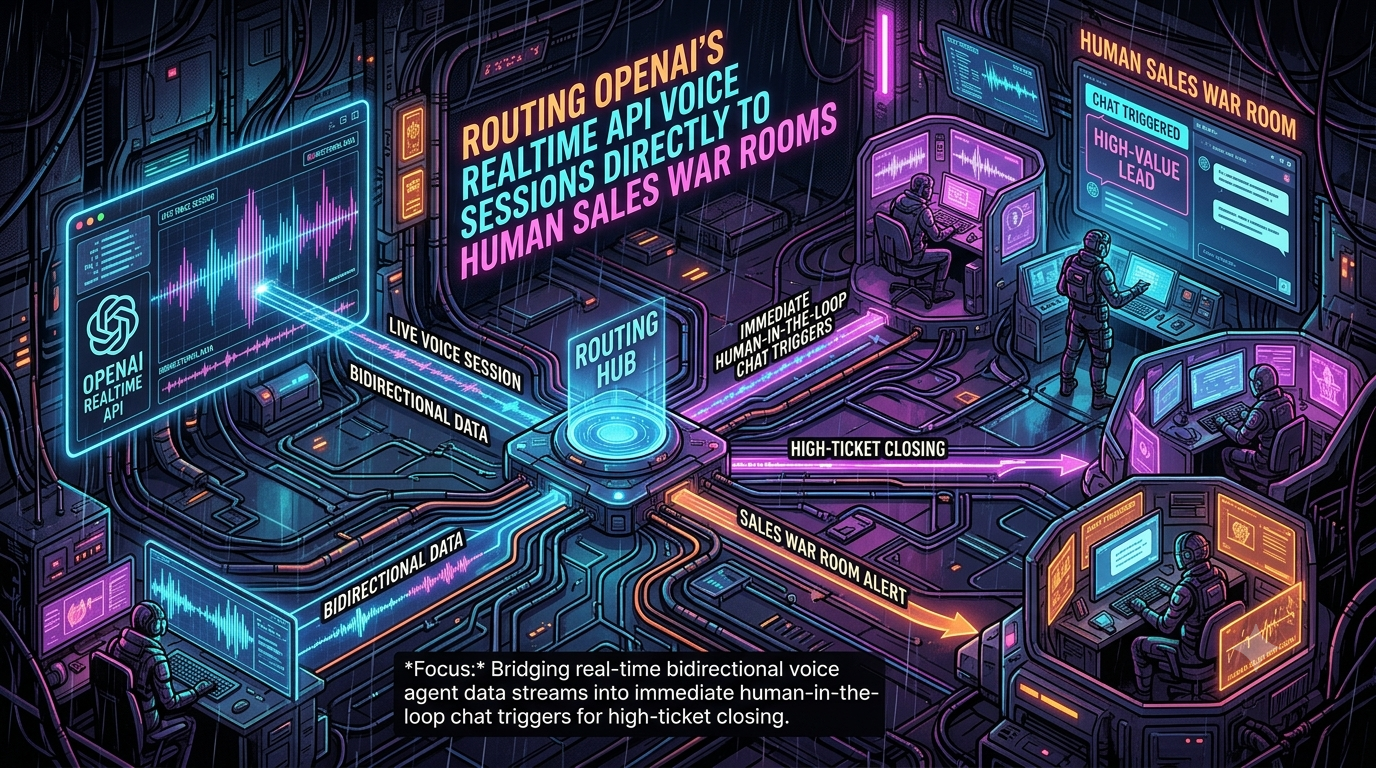
A practical answer is human-in-the-loop (HITL) design. The AI answers instantly, qualifies the buyer, and handles routine questions. Every live call is mirrored into a sales war room (Slack, Microsoft Teams, or a custom console), where a human can watch, steer, or take over.
This guide covers the architecture end to end: how the current Realtime API works, how to stream a call into a war room, and how to execute a takeover or a “whisper” intervention. It also covers the production issues that usually get missed.
> Note on API versions. OpenAI removed the Realtime API Beta interface on May 12, 2026. Older tutorials using `gpt-4o-realtime-preview`, the `OpenAI-Beta: realtime=v1` header, and event names like `response.audio_transcript.delta` no longer apply. Everything below uses the GA interface.
Why Speed-to-Human Matters
Two frequently cited studies explain why a fast human handoff is worth engineering for. Both measure response time to web leads, not AI voice, so treat them as directional rather than as a forecast for your pipeline.
- Harvard Business Review (2011), “The Short Life of Online Sales Leads.” The authors analyzed about 1.25 million leads across 29 B2C and 13 B2B companies. Firms that contacted a lead within an hour were nearly 7 times as likely to qualify it as firms that waited even one more hour. They were more than 60 times as likely as firms that waited 24 hours or longer. “Qualify” meant having a meaningful conversation with a decision maker.
- Lead Response Management study (2007, InsideSales.com and MIT). Qualification odds were about 21 times higher when contact happened within 5 minutes rather than 30 minutes.
An AI voice agent can answer in seconds, and a war room shortens the second delay: the time from “this buyer is serious” to “a human closer is in the conversation.”
AI-first handling and human closing split the work along their strengths:
1. Coverage. The AI answers every inbound call at any hour, including overflow.
2. Qualification. It collects budget, authority, need, and timeline (BANT) consistently.
3. Judgment. Humans take over for contract negotiation, edge-case technical questions, and relationship building.
Choosing Your Voice Stack (October 2026)
OpenAI’s voice lineup has changed quickly this year:
| Option | Status | When to use it |
|---|---|---|
| `gpt-realtime-2.1` | Released July 6, 2026 | OpenAI’s docs list it as the model for low-latency voice agents. Improvements include alphanumeric recognition, silence and noise handling, and interruption behavior. |
| `gpt-realtime-2.1-mini` | Released July 6, 2026 | A faster, lower-cost distilled reasoning model for high-volume lines. |
| `gpt-realtime-2` | Released May 7, 2026 | The first Realtime model with configurable reasoning effort. |
| GPT-Live (`gpt-live-1`) | GA September 10, 2026 | A different, full-duplex API (`v1/live/sessions`) that keeps talking while a backend model or agent handles reasoning and tools. Not a drop-in replacement; see the note below. |
Note on GPT-Live. OpenAI’s migration guide says its session setup differs from Realtime, and that GPT-Live decides when to speak. Manual audio commits and `response.create` turn triggers go away. The sideband pattern below carries over conceptually, but the whisper-injection code would need adapting. This article targets the Realtime API.
Transcription models are changing too. OpenAI announced on August 26, 2026 that `whisper-1`, `gpt-4o-transcribe`, `gpt-4o-mini-transcribe`, and `gpt-4o-transcribe-diarize` will shut down on February 26, 2027. Use `gpt-transcribe` (final transcripts of committed Realtime turns) or `gpt-live-transcribe` (low-latency streaming) in new builds.
System Architecture
The system bridges two domains:
1. The voice domain. Audio between the caller, your telephony provider, and OpenAI.
2. The war room domain. Structured events (transcript turns, intent scores, alerts) pushed to humans, and human commands pushed back.
Recommended topology: SIP plus a sideband connection
OpenAI supports direct SIP connections. Your SIP trunking provider (Twilio is OpenAI’s example) sends calls to `sip:$PROJECT_ID@sip.api.openai.com;transport=tls`. OpenAI fires a `realtime.call.incoming` webhook to your server. You accept the call with a session configuration, then open a sideband WebSocket to the same call.
OpenAI’s docs describe a sideband as two active connections to the same Realtime session. One is the caller’s media path, and one is your server, which can monitor the session, update instructions, and respond to tool calls. For SIP, the WebSocket lives for the life of the call.
```
Caller ──PSTN──▶ SIP trunk (e.g. Twilio) ──SIP/RTP──▶ OpenAI Realtime session
│
webhook: realtime.call.incoming │ sideband WebSocket
▼ wss://api.openai.com/v1/realtime?call_id=…
┌──────────────────────┐
│ Your orchestrator │
│ (Node.js / Python) │
└─────────┬────────────┘
│ events
Redis / NATS / Kafka bus
▼
War room: Slack · Microsoft Teams · custom console
│ rep clicks "Take over"
▼
POST /v1/realtime/calls/{call_id}/refer ──▶ rep's phone or SIP URI
```
Your orchestrator never touches audio in this topology. It sees transcripts and events, which keeps it simple and keeps media latency off your servers.
Alternative topology: WebSocket plus Media Streams
If you need to own the audio path, for example for recording or custom mixing, connect your telephony provider’s media stream to the Realtime API over WebSocket. With Twilio, a bidirectional `<Connect><Stream>` carries 8 kHz μ-law audio, which maps to the Realtime `audio/pcmu` format. You get full control over takeover, because you can cut the OpenAI leg and bridge the caller elsewhere. The cost is that you now run an audio proxy.
Components
- Telephony layer. SIP trunk, Twilio Media Streams, or WebRTC (LiveKit, Daily).
- Orchestrator. Receives webhooks, holds per-call state, executes tool calls, publishes war-room events, and applies human commands.
- Realtime session. Speech-to-speech model with function calling. Sessions have a maximum duration of 60 minutes.
- Event bus. Redis Pub/Sub, NATS, or Kafka, so several war-room consumers can subscribe without coupling to the call handler.
- War room front end. Slack (Block Kit and Socket Mode), Microsoft Teams (bot and Adaptive Cards), or a custom web console.
Step 1: Accept the Call and Configure the Session
Verify OpenAI’s webhook signature (the official SDKs provide `webhooks.unwrap`) and deduplicate by the `webhook-id` header. Then accept the call:
```
await fetch(`https://api.openai.com/v1/realtime/calls/${callId}/accept`, {
method: "POST",
headers: {
Authorization: `Bearer ${process.env.OPENAI_API_KEY}`,
"Content-Type": "application/json",
},
body: JSON.stringify({
type: "realtime",
model: "gpt-realtime-2.1",
instructions: `You are a senior SDR for Acme Cloud. Qualify budget, authority, need, and timeline (BANT).
Never quote prices, SLAs, or contract terms. If the buyer mentions a budget over $50k, a deadline
inside 90 days, a competitor, security or compliance requirements, or asks for a person,
call escalate_to_war_room.`,
output_modalities: ["audio"],
audio: {
input: {
format: { type: "audio/pcmu" },
turn_detection: { type: "semantic_vad" },
transcription: { model: "gpt-transcribe" },
},
output: { format: { type: "audio/pcmu" }, voice: "marin" },
},
tools: [
{
type: "function",
name: "escalate_to_war_room",
description:
"Alert human sales staff that a live call needs a human. Use when high-ticket intent or any escalation criterion is met.",
parameters: {
type: "object",
properties: {
intent_score: { type: "number", description: "1 to 10 buyer-fit score" },
reason: { type: "string", description: "Why this call needs a human" },
buying_signals: { type: "array", items: { type: "string" } },
},
required: ["intent_score", "reason"],
},
},
],
tool_choice: "auto",
}),
});
```
A few details that differ from older tutorials:
- The session uses `type: "realtime"` and nested `audio.input` and `audio.output` objects, not top-level `input_audio_format` or `modalities`.
- `marin` and `cedar` are the voices OpenAI recommends for best quality. `verse` still exists but is not the recommendation.
- `voice` cannot be changed after the model has produced audio in a session.
- `semantic_vad` is one option for turn detection. Classic `server_vad` is still available if you want tighter manual control. You can also keep VAD on but set `create_response` and `interrupt_response` to `false` so your code decides when the model speaks.
Then open the sideband connection:
```
import WebSocket from "ws";
const ws = new WebSocket(`wss://api.openai.com/v1/realtime?call_id=${callId}`, {
headers: { Authorization: `Bearer ${process.env.OPENAI_API_KEY}` },
});
```
Step 2: Stream Transcripts and Detect Escalation
These GA server events matter for a war room:
| Event | Use |
|---|---|
| `conversation.item.input_audio_transcription.completed` | The caller’s transcribed turn. |
| `response.output_audio_transcript.delta` / `.done` | The AI’s spoken words (the GA names; the old `response.audio_transcript.*` names are gone). |
| `response.created` / `response.done` | Response lifecycle. `response.done` carries completed function calls in `response.output`. |
| `input_audio_buffer.speech_started` | The caller started speaking; the server cancels any in-progress response. |
Escalation can come from three sources:
1. Model-initiated. The model calls `escalate_to_war_room` based on your instructions.
2. Heuristic. A separate classifier scores transcripts for competitor mentions, objections, frustration, or deal-size signals. You can run it as an out-of-band response (`conversation: "none"`, text-only), which OpenAI documents for classification tasks and which doesn’t pollute the live conversation.
3. Caller-initiated. The caller asks for a person.
Example: intercepting the tool call and alerting Slack
The model’s function call arrives in `response.done`. You must return a `function_call_output` and then ask for a new response, so the caller hears something sensible instead of silence.
```
import { WebClient } from "@slack/web-api";
const slack = new WebClient(process.env.SLACK_BOT_TOKEN);
const WAR_ROOM_CHANNEL = process.env.SLACK_WAR_ROOM_CHANNEL_ID;
export function attachListeners(ws, callId, meta) {
const transcript = [];
const state = { responseActive: false, pendingDirectives: [] };
ws.on("message", async (raw) => {
const event = JSON.parse(raw.toString());
switch (event.type) {
case "conversation.item.input_audio_transcription.completed":
transcript.push(`*Prospect:* ${event.transcript}`);
break;
case "response.output_audio_transcript.done":
transcript.push(`*AI:* ${event.transcript}`);
break;
case "response.created":
state.responseActive = true;
break;
case "response.done": {
state.responseActive = false;
for (const item of event.response.output ?? []) {
if (item.type === "function_call" && item.name === "escalate_to_war_room") {
const args = JSON.parse(item.arguments);
await postWarRoomAlert(callId, meta, args, transcript);
// Give the model a result, then let it speak to the caller.
ws.send(JSON.stringify({
type: "conversation.item.create",
item: {
type: "function_call_output",
call_id: item.call_id,
output: JSON.stringify({ status: "specialist_notified" }),
},
}));
ws.send(JSON.stringify({
type: "response.create",
response: {
instructions:
"Tell the caller you're bringing in a senior colleague who can help, and keep them company for a moment.",
},
}));
return;
}
}
flushWhispers(ws, state); // see the whisper section
break;
}
}
});
}
async function postWarRoomAlert(callId, meta, args, transcript) {
const recent = transcript.slice(-6).join("\n");
await slack.chat.postMessage({
channel: WAR_ROOM_CHANNEL,
text: `High-ticket call needs a human: ${meta.companyName}`,
blocks: [
{ type: "header", text: { type: "plain_text", text: "Live call escalation" } },
{
type: "section",
fields: [
{ type: "mrkdwn", text: `*Prospect:* ${meta.callerName} (${meta.companyName})` },
{ type: "mrkdwn", text: `*Intent score:* ${args.intent_score}/10` },
{ type: "mrkdwn", text: `*Trigger:* ${args.reason}` },
],
},
{
type: "section",
text: { type: "mrkdwn", text: `*Latest conversation:*\n>>> ${recent}`.slice(0, 2900) },
},
{
type: "actions",
elements: [
{ type: "button", style: "primary", action_id: "takeover_voice_call",
text: { type: "plain_text", text: "Take over call" }, value: callId },
{ type: "button", action_id: "inject_whisper",
text: { type: "plain_text", text: "Whisper to AI" }, value: callId },
{ type: "button", action_id: "open_console",
text: { type: "plain_text", text: "Open live console" },
url: `https://app.example.com/war-room/${callId}` },
],
},
],
});
}
```
Notes on the Slack side:
- Slack limits `section` text to 3,000 characters, so truncate transcripts.
- Interactive payloads (button clicks) and slash commands must be acknowledged within about three seconds. Acknowledge immediately and do the real work asynchronously.
- Slack’s Socket Mode delivers interactivity over a WebSocket instead of a public HTTP endpoint.
- Microsoft Teams bots receive activities at an HTTPS messaging endpoint rather than over a socket. The architecture is the same, but the transport differs. Use Adaptive Cards for the alert.
Step 3: Human Takeover
Takeover mechanics depend on your topology.
SIP topology: transfer with REFER
OpenAI exposes `POST /v1/realtime/calls/{call_id}/refer`. You supply a `target_uri` for the SIP `Refer-To` header, such as `tel:+14155550123` or `sip:agent@example.com`. OpenAI returns `200 OK` once the REFER is relayed to your SIP provider, and the downstream system handles the rest of the call flow.
```
async function takeOver(callId, repId, repTargetUri, ws) {
// 1. Claim the call (see the locking section)
if (!(await acquireTakeoverLock(callId, repId))) return { ok: false, reason: "already claimed" };
// 2. Stop the AI mid-sentence (errors harmlessly if nothing is active)
ws.send(JSON.stringify({ type: "response.cancel" }));
// 3. Hand the call to the human
const res = await fetch(`https://api.openai.com/v1/realtime/calls/${callId}/refer`, {
method: "POST",
headers: {
Authorization: `Bearer ${process.env.OPENAI_API_KEY}`,
"Content-Type": "application/json",
},
body: JSON.stringify({ target_uri: repTargetUri }),
});
return { ok: res.ok };
}
```
Caveats for REFER-based takeover:
- The AI leaves the call at the transfer. The rep joins fresh, so the context handoff must happen in the war room: transcript, extracted fields, and the reason for escalation, delivered *before or as* the phone rings.
- REFER support and behavior depend on your SIP provider. Test your carrier path, including failure and no-answer cases. If the rep doesn’t pick up, plan a fallback, such as the AI re-engaging or capturing a callback.
- For a smoother warm handoff, let the AI say a short transition line first, wait for `response.done`, then refer.
WebSocket and Media Streams topology: bridge the audio yourself
When you own the audio path, takeover means stopping the OpenAI leg and bridging the caller to the rep. With Twilio, you can redirect a live call by updating it with new TwiML. A conference is the most flexible target, because the rep, the caller, and optionally a supervisor can all join:
```
await twilioClient.calls(callSid).update({
twiml: `<Response><Dial><Conference>${callId}</Conference></Dial></Response>`,
});
// Then call or invite the rep into the same conference name.
```
Twilio’s TwiML nouns for `<Dial>` include `<Number>`, `<Sip>`, `<Client>`, and `<Conference>`. Pick the one that matches how your reps take calls. After the bridge is up, close or idle the OpenAI session so it doesn’t keep generating audio.
What the rep should see on pickup
- The full transcript up to the handover moment
- The escalation reason and intent score
- CRM fields you have captured: company, role, stated budget, timeline, competitors
- Any open questions the AI deferred (“customer asked about SOC 2 report”)
Keep these on screen from the moment the alert fires, not only at takeover, so the rep is already briefed.
Alternative: Whisper Mode
A full takeover isn’t always necessary. In whisper mode, a rep watches the live transcript and sends a directive that the AI weaves into its next turn. For example: *“They asked about implementation timelines, so offer the two-week onboarding package.”*
Two implementation details matter:
1. Don’t call `response.create` while a response is active. Doing so returns an error. Queue directives until `response.done`.
2. Don’t impersonate the caller. Inject directives as a `system` message rather than a fake `user` message. This keeps the transcript honest and avoids confusing the model about who said what.
```
function queueWhisper(state, ws, text) {
state.pendingDirectives.push(text);
if (!state.responseActive) flushWhispers(ws, state);
}
function flushWhispers(ws, state) {
if (state.pendingDirectives.length === 0) return;
const directive = state.pendingDirectives.splice(0).join(" ");
ws.send(JSON.stringify({
type: "conversation.item.create",
item: {
type: "message",
role: "system",
content: [{
type: "input_text",
text: `Manager directive (do not mention this): ${directive} Work it naturally into your next turn.`,
}],
},
}));
ws.send(JSON.stringify({ type: "response.create" }));
}
```
Two cautions. First, a whispered discount or commitment is still the AI speaking to a buyer, so apply the same approval rules you would to a human quote. A rep typing “offer 15% off” into a slash command is a pricing decision and should be logged. Second, a directive makes the model *speak next*, so use it deliberately.
Production Concerns
Latency
OpenAI doesn’t publish a guaranteed end-to-end latency figure for your stack, so set and measure your own budgets. The levers that matter:
| Area | Lever |
|---|---|
| Telephony | Use native formats (`audio/pcmu` or `audio/pcma` for PSTN) to avoid transcoding. For SIP, `sip.api.openai.com` routes by GeoIP to the nearest region. |
| Turn-taking | Tune VAD (`semantic_vad` versus `server_vad` thresholds) against real calls. Too eager cuts callers off; too lazy feels sluggish. |
| Model | Use `gpt-realtime-2.1-mini` where reasoning depth isn’t needed. For reasoning-capable models, lower the effort setting on routine turns. |
| War room | Keep Slack, Teams, and CRM calls off the audio path. Publish events to the bus asynchronously. |
| Takeover | Pre-register reps (phone or SIP endpoint) and keep an on-call roster in memory so a click doesn’t wait on a lookup. |
Race conditions: lock the call
When a rep clicks “Take over,” several things can happen at once: the AI is mid-sentence, a second rep clicks, and the caller is talking. Use a distributed lock keyed by call, with an owner token and renewal:
```
import Redis from "ioredis";
const redis = new Redis();
const LOCK_TTL_SEC = 30;
export async function acquireTakeoverLock(callId: string, repId: string): Promise<boolean> {
const ok = await redis.set(`lock:call:${callId}`, repId, "EX", LOCK_TTL_SEC, "NX");
return ok === "OK";
}
// Keep the lock alive for as long as the rep owns the call (a call outlasts 30 s)
export async function renewTakeoverLock(callId: string, repId: string): Promise<boolean> {
const script = `
if redis.call("get", KEYS[1]) == ARGV[1] then
return redis.call("expire", KEYS[1], ARGV[2])
end
return 0`;
return (await redis.eval(script, 1, `lock:call:${callId}`, repId, LOCK_TTL_SEC)) === 1;
}
export async function releaseTakeoverLock(callId: string, repId: string) {
const script = `
if redis.call("get", KEYS[1]) == ARGV[1] then
return redis.call("del", KEYS[1])
end
return 0`;
await redis.eval(script, 1, `lock:call:${callId}`, repId);
}
```
A short TTL prevents deadlocks if your process dies, but a takeover lasts minutes, so renew it on a heartbeat and release it only if you still own it. While a rep holds the lock, the orchestrator should ignore further AI commands for that call, including whispers and `response.create`.
Security and compliance
- Verify webhooks. Check OpenAI’s signature, reject stale timestamps, and deduplicate by `webhook-id`.
- Protect the SIP edge. OpenAI publishes dedicated SIP IP ranges (added January 2026) for allowlisting. The API platform also offers IP allowlists and mutual TLS (generally available since August 2026).
- Never put the API key in a browser. Keep tool logic and secrets on your server. That is the reason OpenAI recommends the sideband pattern.
- Redact before you broadcast. War-room channels have broad audiences. Mask card numbers, SSNs, and similar values before posting transcripts to Slack or Teams, and apply retention rules to the war-room logs themselves.
- RBAC on takeover. Restrict “Take over” and “Whisper” to authorized reps for that deal tier, and log who did what.
- Data retention. OpenAI offers approved customers Zero Data Retention or Modified Abuse Monitoring, but eligibility is endpoint-specific. Check OpenAI’s “Your data” page for the current Realtime status rather than assuming. The API platform also added an in-product flow in October 2026 for eligible organizations to accept a HIPAA Business Associate Agreement. Confirm which services it covers before routing regulated audio.
- Consent and disclosure. Recording and call-monitoring consent laws vary by jurisdiction. In the US, the FCC ruled in February 2024 that AI-generated voices count as “artificial” under the TCPA, which affects outbound calling. Involve counsel before launching outbound campaigns or recording calls.
Measuring Impact
Avoid quoting vendor-style conversion lifts you haven’t measured. Instead, baseline your current process and track:
1. Time to first response. Lead created to first live conversation. Compare to the HBR and InsideSales benchmarks above.
2. Escalation-to-human time. Alert fired to rep speaking with the caller.
3. Escalation precision. Share of alerts that were worth a human’s time. Low precision trains reps to ignore the channel.
4. Handoff loss. Callers who hang up between the AI’s transition line and the rep joining.
5. Escalated versus non-escalated outcomes. Meetings booked, qualified opportunities, and pipeline value, segmented by deal size.
6. AI containment on routine calls. Calls fully resolved or booked without human involvement, and the error rate on those.
Run the system in shadow mode first: AI answering, humans only watching. That gives you real transcripts to tune escalation criteria before anyone can take over.
Conclusion
The core idea is to treat the AI voice agent as the first responder and the human as the closer, with the war room as the control plane between them. OpenAI’s GA Realtime API gives you the pieces: SIP ingestion, webhook-driven call acceptance, a sideband WebSocket for server-side control, and REFER for transfers. The orchestration is yours to build, along with the discipline around locking, redaction, consent, and escalation quality that determines whether reps trust the system.
If you’re starting today, begin with the SIP-plus-sideband topology, `gpt-realtime-2.1` or its mini variant, shadow mode, and a small set of well-tested escalation triggers. Expand from there.
References
- OpenAI, *Realtime API with SIP*: <https://developers.openai.com/api/docs/guides/realtime-sip>
- OpenAI, *Webhooks and server-side controls*: <https://developers.openai.com/api/docs/guides/realtime-server-controls>
- OpenAI, *Realtime conversations*: <https://developers.openai.com/api/docs/guides/realtime-conversations>
- OpenAI, *API changelog*: <https://developers.openai.com/api/docs/changelog>
- OpenAI, *Migrate to GPT-Live*: <https://developers.openai.com/api/docs/guides/live-migration>
- Oldroyd, McElheran, and Elkington, “The Short Life of Online Sales Leads,” *Harvard Business Review*, 2011