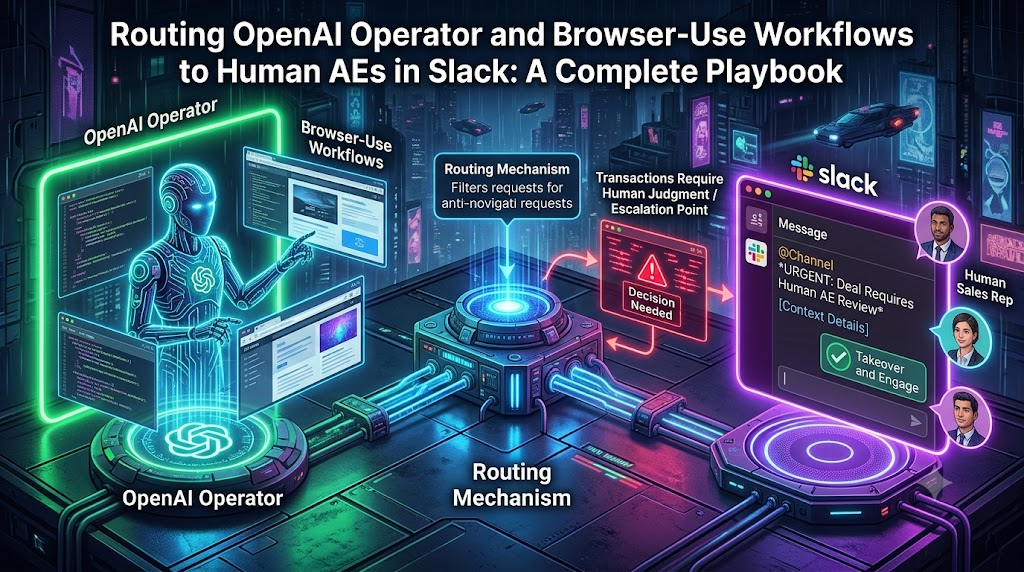
As autonomous web-navigation tools and agent frameworks—such as OpenAI operator workflows, browser-use Python libraries, and multi-agent systems—transform modern sales operations, organizations face a critical boundary: the limit of autonomous decision-making.
Autonomous agents excel at multi-turn research, form-filling, navigating complex enterprise dashboards, populating CRMs, and aggregating web data. However, high-stakes commercial transactions—such as final pricing negotiations, custom enterprise contract exceptions, security compliance approvals, and relationship-driven closing calls—still require human empathy, nuance, and strategic judgment.
Successfully bridging autonomous web-navigation agents with human Account Executives (AEs) requires a resilient, low-latency orchestration layer. This complete playbook outlines how to architect an end-to-end pipeline that routes OpenAI operator and browser-use workflows directly to human AEs in Slack using human-in-the-loop (HITL) patterns.
Table of Contents
1. The Architecture: From Browser Automation to Human Action
2. Defining the Human-in-the-Loop (HITL) Trigger Matrix
3. Step-by-Step Technical Implementation
- Step 1: Configuring OpenAI Agent Interruption Hooks
- Step 2: Building the Middleware Orchestrator
- Step 3: Dispatching Rich Interactive Slack Blocks
4. Handling AE Responses and Resuming Agent Workflows
5. Production Best Practices, Security, and Edge Cases
1. The Architecture: From Browser Automation to Human Action
To understand how browser agents and human reps collaborate, consider a typical enterprise sales motion: an inbound prospect requests a custom sandbox setup, specialized volume discounting, or compliance verification through a web portal.
```
[Prospect Web Portal / CRM]
│
▼ (Triggers Autonomous Run)
┌──────────────────────────────────────┐
│ OpenAI Operator / Agent │
│ (Executes low-risk browser steps) │
└──────────────────┬───────────────────┘
│
├─► [Low Risk: Auto-Continue] ──► [Complete Task]
│
▼ (High Risk / Threshold Hit)
┌──────────────────────────────────────┐
│ HITL Interruption Hook │
└──────────────────┬───────────────────┘
│
▼ (Payload + Context Extraction)
┌──────────────────────────────────────┐
│ Orchestrator Middleware Server │
└──────────────────┬───────────────────┘
│
▼ (Socket Mode / Interactive Blocks)
┌──────────────────────────────────────┐
│ Slack Channel / AE DM │
│ ([Approve] / [Reject] / [Escal]) │
└──────────────────────────────────────┘
```
The system operates across three core layers:
1. The Execution Tier: Autonomous browser-use frameworks or OpenAI operator scripts execute repetitive tasks inside a secure cloud sandbox (e.g., pulling data from LinkedIn Sales Navigator, logging into internal billing tools, or reviewing custom terms).
2. The Interruption Tier: Utilizing native agent interruption hooks (such as the OpenAI Agents SDK's `human_in_the_loop` configurations), the agent pauses execution state whenever it hits an ambiguous rule, financial threshold, or critical form submission.
3. The Communication Tier: Middleware catches the paused run state, serializes the visual and text context, and sends an interactive message card to the relevant Account Executive via Slack.
2. Defining the Human-in-the-Loop (HITL) Trigger Matrix
Sending every minor agent action to Slack results in notification fatigue and defeats the purpose of automation. Your playbook must strictly define when an agent should hand off control to a human AE.
| Trigger Category | Description | Example Scenario | Action Required in Slack |
|---|---|---|---|
| Financial / Commercial | Request exceeds standard automated boundaries. | Prospect requests a 25% discount on an annual contract tier. | AE reviews margin impact and approves/denies custom quote. |
| Data Security & Compliance | Agent encounters non-standard legal/security clauses. | Vendor risk assessment form requires human sign-off on data retention. | AE assigns compliance officer or approves legal exception. |
| Ambiguous Intent | The UI yields conflicting data or unexpected states. | CRM account matching returns two identical corporate entities. | AE selects correct Salesforce/HubSpot account ID. |
| Final Execution Gate | High-consequence actions finalizable by humans only. | Submitting final binding contract via procurement portal. | AE performs final verification before execution. |
3. Step-by-Step Technical Implementation
Step 1: Configuring OpenAI Agent Interruption Hooks
When configuring your agent loop, designate sensitive actions or custom tools as requiring explicit approval. Using Python and the OpenAI Agents SDK, you can set up functions with `needs_approval=True` or implement custom interruption states.
```
from agents import Agent, Runner, function_tool
@function_tool(needs_approval=True)
def submit_enterprise_contract_portal(contract_id: str, final_amount: float) -> str:
This tool execution will automatically trigger an interruption
requiring human validation before the browser proceeds.
return f"Contract {contract_id} submitted for ${final_amount}."
sales_operator_agent = Agent(
name="SalesOps Operator",
instructions="You navigate enterprise portals to prep and queue contracts.",
tools=[submit_enterprise_contract_portal]
)
```
Step 2: Building the Middleware Orchestrator
When the agent run encounters an interruption, it pauses and yields a state object containing pending tool calls. Your backend server must catch this state, extract the metadata, and prepare it for transmission.
```
import asyncio
from agents import Runner
async def execute_sales_workflow(user_prompt: str, session_id: str):
result = await Runner.run(sales_operator_agent, input=user_prompt)
Check if the run has paused for human-in-the-loop approval
if result.is_paused:
interruptions = result.state.get_interruptions()
for interruption in interruptions:
Dispatch details to Slack notification pipeline
await dispatch_approval_to_slack(
session_id=session_id,
run_state=result.state,
interruption_data=interruption
)
return result
```
Step 3: Dispatching Rich Interactive Slack Blocks
To make the handoff actionable for the AE, use Slack's Block Kit framework. This allows the AE to see context (e.g., company name, requested discount, screenshot summary) and take immediate action via buttons.
```
import os
from slack_sdk import WebClient
slack_client = WebClient(token=os.environ["SLACK_BOT_TOKEN"])
async def dispatch_approval_to_slack(session_id: str, run_state, interruption_data):
ae_slack_channel = "#ae-deal-approvals"
Extract details from the interrupted tool call
tool_name = interruption_data.name
tool_args = interruption_data.arguments
blocks = [
{
"type": "section",
"text": {
"type": "mrkdwn",
"text": f"🚨 *AE Action Required: Browser Agent Paused*\n• *Tool:* `{tool_name}`\n• *Parameters:* ```{tool_args}```"
}
},
{
"type": "actions",
"elements": [
{
"type": "button",
"text": {"type": "plain_text", "text": "✅ Approve & Resume"},
"style": "primary",
"action_id": "approve_agent_action",
"value": f"{session_id}:{interruption_data.id}"
},
{
"type": "button",
"text": {"type": "plain_text", "text": "❌ Reject & Pivot"},
"style": "danger",
"action_id": "reject_agent_action",
"value": f"{session_id}:{interruption_data.id}"
}
]
}
]
slack_client.chat_postMessage(
channel=ae_slack_channel,
text="An OpenAI operator workflow requires your review.",
blocks=blocks
)
```
4. Handling AE Responses and Resuming Agent Workflows
When the AE clicks either Approve or Reject in Slack, Slack sends an interactive payload back to your server via Socket Mode or an HTTP Request URL. Your application must securely ingest this payload, authenticate the user, and feed the decision back into the paused agent runner.
```
from slack_bolt import App
app = App(
token=os.environ["SLACK_BOT_TOKEN"],
signing_secret=os.environ["SLACK_SIGNING_SECRET"]
)
@app.action("approve_agent_action")
async def handle_approval_action(ack, body, client):
await ack()
Parse session and interruption IDs from the button value
action_value = body["actions"][0]["value"]
session_id, interruption_id = action_value.split(":")
Retrieve stored server-side RunState (using your DB/cache layer)
run_state = load_run_state_from_db(session_id)
Apply approval decision
run_state.approve(interruption_id)
Resume execution asynchronously
asyncio.create_task(resume_and_complete_run(run_state, session_id, client, body))
@app.action("reject_agent_action")
async def handle_rejection_action(ack, body, client):
await ack()
action_value = body["actions"][0]["value"]
session_id, interruption_id = action_value.split(":")
run_state = load_run_state_from_db(session_id)
run_state.reject(interruption_id, rejection_message="AE rejected transaction parameters.")
asyncio.create_task(resume_and_complete_run(run_state, session_id, client, body))
```
Once `run_state.approve()` or `run_state.reject()` is executed, the agent resumes its multi-turn loop—either completing the web transaction or adapting its strategy based on the human feedback.
5. Production Best Practices, Security, and Edge Cases
When deploying autonomous browser workflows tied to human revenue teams, scale and security must be engineered from day one:
1. Strict User Authentication & RBAC: Never trust a Slack payload blindly. Map the Slack User ID (`U12345`) to your CRM user database to ensure only assigned AEs with proper deal authorization can approve high-value overrides.
2. Preventing Approval Fatigue: Set rigid financial brackets. If an agent requests approval for every $50 line-item adjustment, AEs will rapidly ignore notifications. Reserve Slack interruptions strictly for tier-breaking decisions.
3. Contextual Snapshots in Slack: Attach visual browser states (such as compressed screenshots captured by browser automation runtimes right before the pause) directly into the Slack thread so the AE can visually verify what the agent was looking at (e.g., the exact pricing table or error message on the target portal).
4. Idempotency & State Locking: Use distributed locks (e.g., Redis) around `run_state` modifications. If two AEs accidentally click review buttons on a shared channel, your backend must prevent race conditions and duplicate approvals.