Executive Summary
For enterprise sales teams, speed-to-lead is a direct revenue lever. The most-cited research is the Lead Response Management study by Dr. James Oldroyd and InsideSales.com. It analysed more than 15,000 web-generated leads and over 100,000 call attempts across six companies. It found that calling within five minutes rather than 30 minutes gave 100 times higher odds of making contact and 21 times higher odds of qualifying the lead. A separate Harvard Business Review analysis found that companies contacting leads within an hour were nearly seven times more likely to have meaningful conversations with decision makers than those waiting just an hour longer.
Two caveats apply. These studies date from the 2000s–2010s, and they measured how quickly a *prospect* was contacted, mostly by phone. They did not measure how a *sales rep* was notified. The figure often quoted as “900% higher conversion at five minutes” is not traceable to these primary sources, so this article uses the published ratios instead.
Meeting a sub-five-minute first-touch SLA therefore depends on how reliably and visibly your routing system alerts the right rep. This guide compares two alerting channels, the WhatsApp Business Platform (Cloud API) and A2P (application-to-person) SMS, on delivery telemetry, regulatory filtering, interactivity, cost structure, and the practical design of an SLA-driven routing engine.
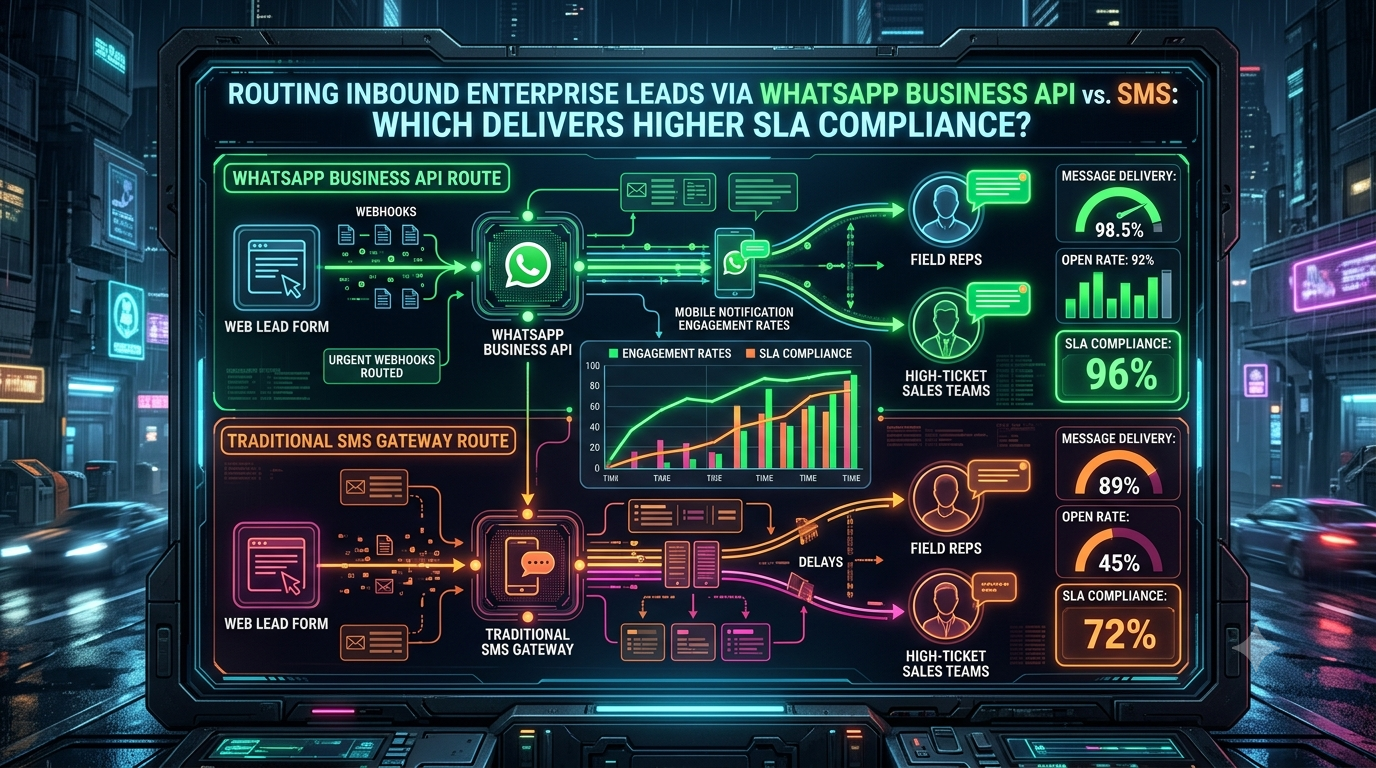
Bottom line: WhatsApp has clear structural advantages for SLA tracking: richer status events, interactive buttons, and no sender-registration regime. We found no independent, published head-to-head study showing a specific SLA compliance percentage for either channel. Vendor claims of precise open rates and compliance gaps should be treated with caution. The most defensible design uses WhatsApp as the primary alert, with a timed escalation to SMS and a voice call.
The Enterprise SLA Challenge in High-Ticket Sales
High-ticket sales (enterprise SaaS, commercial real estate, industrial equipment, wealth management) typically involve fewer leads but high deal values. When a high-intent prospect submits a demo or pricing request, the routing system has to move through several steps almost instantly:
```
[Inbound Lead Webhook]
│
▼
[CRM / Lead Routing Engine] ──(round-robin / territory logic)
│
▼
[Notification Gateway] ──(WhatsApp Cloud API or A2P SMS)
│
▼
[Sales Rep Mobile Device]
│
▼
[First Touch] ──(call, message, or meeting booking inside the SLA window)
```
Common SLA Failure Points
1. Filtered or blocked messages. SMS is subject to carrier and regulatory filtering. In India, commercial SMS must pass a three-layer check on a TRAI-approved DLT platform covering entity, sender header and exact message template, and a message that fails any check is blocked. In the US, carriers began blocking unregistered A2P 10DLC traffic in the 2024–2025 period, so brand and campaign registration with The Campaign Registry is effectively mandatory.
2. Weak delivery telemetry. SMS delivery receipts are not guaranteed. Carriers may not return them, and a receipt may reflect only a carrier-level stage rather than handset delivery. A missing receipt does not prove failure, and a “delivered” receipt does not prove anyone saw the message.
3. Inbox noise. Alerts compete with one-time passcodes and other automated texts. This is a plausible friction point rather than a measured one, so test it with your own reps.
4. Context-switching friction. A plain-text SMS usually requires the rep to open a link or switch to the CRM before acting.
Channel Comparison
| Parameter | WhatsApp Business Platform (Cloud API) | A2P SMS |
|---|---|---|
| Delivery statuses | `sent`, `delivered`, `read`, `failed` via webhooks | Carrier delivery receipts (DLRs), not guaranteed by all carriers |
| Read confirmation | Yes, but only when the recipient has read receipts enabled | None |
| Regulatory/registration overhead | Business verification and Meta-approved message templates | DLT in India; 10DLC brand/campaign registration in the US; varies by country |
| Rich content | Interactive templates with buttons; images, documents and contacts inside an open session window | Plain text, 160 GSM-7 characters per segment (70 for Unicode) |
| Two-way interaction | Rep taps a button or replies; reply opens a 24-hour window | Requires two-way number provisioning and inbound parsing |
| Connectivity needed | Mobile data or Wi-Fi | Cellular signal only |
| Cost model | Per delivered template message, by category and country | Per message segment, by country and route |
| Verified open-rate data | Read receipts available (see caveat above) | Not measurable by the sender |
About open rates: vendor pages routinely cite a “98% SMS open rate”, but one benchmark review calls it an inferred reach figure that is recycled across vendor pages, not a measured one. Likewise, vendor figures for WhatsApp open rates are not independently verified. Neither channel has a trustworthy public open-rate benchmark for rep alerting, so this guide does not rely on one.
Detailed Channel Analysis
1. Delivery Architecture and Telemetry
#### A2P SMS
A typical SMS alert travels from the CRM through an SMS provider (such as Twilio, Infobip, Sinch, or Vonage) and an aggregator to the destination carrier, then to the handset:
`CRM → REST API → SMS provider → aggregator → mobile network operator → handset`
- Deliverability depends on registration. Template mismatches under India’s DLT rules lead to blocked messages. Unregistered 10DLC traffic in the US is subject to blocking and fees.
- Receipts are partial. The `DELIVRD` status means the downstream carrier reported delivery. Depending on carrier and number type, that may be a carrier-level or handset-level confirmation. Receipts can also expire without ever arriving. Either way, a receipt says nothing about whether the rep saw the message.
#### WhatsApp Business Platform
Since Meta retired the On-Premises API (its final version expired on October 23, 2025), the Cloud API is the only supported way to integrate. Meta states that it targets 99.9% uptime and under 5 seconds p99 latency, and that it supports up to 1,000 messages per second. These are Meta’s own figures, not independent measurements.
`CRM → REST API → Meta Cloud API → (internet) → WhatsApp client on the rep's phone`
- Status webhooks. Meta documents sent, delivered, read and failed events, each with a timestamp. `read` means the message was displayed in an open chat thread. If a user receives a message while already in the chat, Meta may send only `read` and skip `delivered`.
- Read receipts can be disabled. If the rep has turned off read receipts, you will not receive `read` events. For this reason, SLA timers should key off an explicit button tap or reply rather than the `read` status.
- Template categories matter. Per-user marketing limits can cause Meta to withhold a message with error `131049`, but these limits apply only to Marketing-category templates. Utility templates are not subject to them. Meta, not you, decides a template’s final category based on its content. Meta describes utility messages as typically triggered by a user action and specific to or requested by that user. An internal “new lead assigned” alert to a rep may not always qualify as Utility, so submit it for approval early and plan for the possibility of reclassification.
2. Rep Experience and Interactivity
SMS. The rep must read the text, tap a short link, open a browser or app, authenticate, and find the lead record before acting.
WhatsApp. Templates can carry buttons directly in the message. Per Meta’s documentation, a template can have up to 10 buttons in total, with limits per button type. When there are more than three, WhatsApp shows two and collapses the rest behind a “See all options” control. Quick-reply buttons send a predefined response back to your webhook. This supports actions such as:
- Claim Lead: a quick reply that triggers an atomic assignment lock in the CRM.
- Pass / Reassign: a quick reply that fires a re-routing rule.
- Open Lead: a URL button, which can include a dynamic suffix, pointing to the lead record in your mobile CRM.
Note that a template’s phone-number button dials a fixed number set when the template is created, so it cannot dial a different prospect for each lead. To enable click-to-call, put the prospect’s number in the message body or link to a CRM page that offers a one-tap call.
Once the rep replies or taps a quick-reply button, a 24-hour customer service window opens, and non-template messages become possible. At that point you can send richer content such as documents, images or contact cards without sending another template.
Notification behaviour. Whether an alert interrupts the rep depends on each rep’s phone settings, such as notification permissions, Focus or Do Not Disturb modes, and per-app configuration. This applies equally to WhatsApp and SMS, and an app cannot override it. Plan for reps with silenced phones by adding an escalation step that does not rely on the same notification path, such as an automated voice call.
3. Measuring SLA Compliance
Sales operations teams typically track three timestamps:
1. Speed to Notification: lead creation to alert delivery.
2. Speed to Acknowledgment: alert delivery to claim.
3. Speed to First Touch: claim to the first call, message or meeting invite sent to the prospect.
Interactive buttons make the second metric directly measurable on WhatsApp, with the rep’s tap serving as an explicit acknowledgment. With SMS, you have to infer acknowledgment from link clicks or CRM activity, which is slower to build and noisier.
We did not find a credible public study quantifying SLA compliance for WhatsApp versus SMS rep alerts. Any specific figures, such as “94% vs. 48% compliance”, should be treated as unverified unless they come from your own instrumentation. The right way to answer this question for your organisation is an A/B routing test. Randomly assign reps (or leads) to each channel for a few weeks and compare acknowledgment and first-touch times from your CRM data.
Implementation: WhatsApp Lead Routing Engine (Node.js/Express)
The example below receives a lead webhook, sends a WhatsApp template alert to the assigned rep, and handles Meta’s webhooks for delivery statuses and button taps. It is a sketch to adapt. It assumes you have an approved template named `urgent_lead_sla_alert` with four body variables and two quick-reply buttons, and that CRM endpoints and authentication are placeholders to replace.
```
const express = require('express');
const crypto = require('crypto');
const axios = require('axios');
const app = express();
// Keep the raw body so we can verify Meta's webhook signature
app.use(express.json({ verify: (req, _res, buf) => { req.rawBody = buf; } }));
const {
WHATSAPP_TOKEN,
PHONE_NUMBER_ID,
WHATSAPP_APP_SECRET,
WEBHOOK_VERIFY_TOKEN,
CRM_API_ENDPOINT,
GRAPH_API_VERSION = 'v24.0',
} = process.env;
// 1) Inbound lead from your CRM or form handler
app.post('/api/v1/lead-routing', async (req, res) => {
const receivedAt = new Date().toISOString();
try {
const { leadId, companyName, dealValue, contactName, contactPhone, assignedRepPhone } = req.body;
if (!leadId || !assignedRepPhone) {
return res.status(400).json({ error: 'Invalid lead payload.' });
}
const wa = await sendLeadAlert(assignedRepPhone, { leadId, companyName, dealValue, contactName, contactPhone });
const messageId = wa.data.messages[0].id;
// Record when the lead arrived and when the alert was dispatched
await axios.post(`${CRM_API_ENDPOINT}/sla-log`, {
leadId,
event: 'ALERT_DISPATCHED',
channel: 'WHATSAPP',
messageId,
leadReceivedAt: receivedAt,
dispatchedAt: new Date().toISOString(),
}).catch(err => console.error('SLA log failed:', err.message)); // logging must not block routing
return res.status(200).json({ success: true, messageId });
} catch (err) {
console.error('Routing error:', err.response ? err.response.data : err.message);
return res.status(500).json({ error: 'Lead routing dispatch failed.' });
}
});
function sendLeadAlert(repPhone, lead) {
const url = `https://graph.facebook.com/${GRAPH_API_VERSION}/${PHONE_NUMBER_ID}/messages`;
const payload = {
messaging_product: 'whatsapp',
to: repPhone, // E.164 format
type: 'template',
template: {
name: 'urgent_lead_sla_alert',
language: { code: 'en_US' },
components: [
{
type: 'body',
parameters: [
{ type: 'text', text: String(lead.companyName) },
{ type: 'text', text: `$${lead.dealValue}` },
{ type: 'text', text: String(lead.contactName) },
{ type: 'text', text: String(lead.contactPhone) },
],
},
{ type: 'button', sub_type: 'quick_reply', index: '0',
parameters: [{ type: 'payload', payload: `CLAIM:${lead.leadId}` }] },
{ type: 'button', sub_type: 'quick_reply', index: '1',
parameters: [{ type: 'payload', payload: `PASS:${lead.leadId}` }] },
],
},
};
return axios.post(url, payload, {
headers: { Authorization: `Bearer ${WHATSAPP_TOKEN}`, 'Content-Type': 'application/json' },
});
}
// 2) Webhook verification handshake (Meta calls this once when you register the URL)
app.get('/webhooks/whatsapp', (req, res) => {
if (req.query['hub.mode'] === 'subscribe' && req.query['hub.verify_token'] === WEBHOOK_VERIFY_TOKEN) {
return res.status(200).send(req.query['hub.challenge']);
}
return res.sendStatus(403);
});
// 3) Status updates and button taps
app.post('/webhooks/whatsapp', async (req, res) => {
// Verify the X-Hub-Signature-256 header
const sig = req.get('X-Hub-Signature-256') || '';
const expected = 'sha256=' + crypto.createHmac('sha256', WHATSAPP_APP_SECRET).update(req.rawBody).digest('hex');
const a = Buffer.from(sig);
const b = Buffer.from(expected);
if (a.length !== b.length || !crypto.timingSafeEqual(a, b)) return res.sendStatus(401);
res.sendStatus(200); // acknowledge fast, process after
for (const entry of req.body.entry || []) {
for (const change of entry.changes || []) {
const value = change.value || {};
for (const s of value.statuses || []) {
// sent | delivered | read | failed. 'read' may never arrive if read receipts are off.
await axios.post(`${CRM_API_ENDPOINT}/sla-log`, {
event: `WA_${s.status.toUpperCase()}`,
messageId: s.id,
at: new Date(Number(s.timestamp) * 1000).toISOString(),
errors: s.errors,
}).catch(console.error);
}
for (const m of value.messages || []) {
const payload = m.button && m.button.payload; // quick-reply tap on a template
if (!payload) continue;
const [action, leadId] = payload.split(':');
// Your CRM should apply the claim atomically (compare-and-set) so two reps cannot both win
await axios.post(`${CRM_API_ENDPOINT}/leads/${leadId}/${action.toLowerCase()}`, {
repPhone: m.from,
at: new Date(Number(m.timestamp) * 1000).toISOString(),
}).catch(console.error);
}
}
}
});
const PORT = process.env.PORT || 3000;
app.listen(PORT, () => console.log(`Lead routing engine listening on ${PORT}`));
```
Cost and Value Considerations
Messaging Cost
WhatsApp is billed per delivered template message, and rates depend on the template category and the recipient’s country calling code. According to Meta’s pricing documentation, utility templates delivered inside an open customer service window are free, and utility templates sent outside a window are charged. Volume tiers lower utility rates as monthly volume grows. Meta may change rates only on the first day of each quarter, so check the current rate card before budgeting. SMS pricing varies by country, route and message length, and in the US can include carrier fees for registered campaigns.
For a team sending a few thousand rep alerts a month, messaging cost is typically small next to the value of a single enterprise deal. The right comparison is therefore the cost of a missed SLA, not the per-message price.
Illustrative Value Model
The figures below are hypothetical assumptions, not benchmarks. Replace them with your own CRM data.
Assume 1,000 inbound leads per month, an average deal value of $25,000, a 30% lead-to-opportunity rate when contacted within five minutes, and 3% when contacted after 30 minutes. Each lead moved from the slow group to the fast group then adds 0.27 opportunities.
| Improvement in SLA compliance | Leads moved to fast group | Extra opportunities | Extra pipeline value (at $25k) |
|---|---|---|---|
| +10 percentage points | 100 | 27 | $675,000 |
| +20 percentage points | 200 | 54 | $1,350,000 |
| +40 percentage points | 400 | 108 | $2,700,000 |
“Pipeline value” is not revenue. Actual revenue depends on win rate, sales cycle and deal-size variance. The takeaway is a sensitivity: each additional 10 points of SLA compliance is worth far more than the messaging cost on either channel. Whichever channel you choose, the real question is how many points of compliance it buys you in your own environment.
Recommended Architecture: WhatsApp-First with Escalation
```
[Inbound lead webhook]
│
▼
[Primary alert] ──► WhatsApp interactive template (Claim / Pass / Open Lead)
│
├─► Rep taps "Claim" within the target window ──► lock assignment, log timestamp
│
└─► No claim by threshold (for example, 2–3 minutes)
│
▼
[Escalation]
├─► SMS alert (registered sender: DLT in India, 10DLC in the US)
├─► Automated voice call to the rep
└─► Re-route to the next rep or a backup pool
```
Best Practices
1. Submit utility templates early and monitor categorisation. Meta decides the final category. Keep alert copy factual and free of promotional language, and check the category assigned after approval.
2. Key SLA timers to claim actions, not `read` events. Read receipts can be disabled, and a `read` status does not prove the rep acted.
3. Keep SMS as an escalation path, not an afterthought. WhatsApp needs a data connection, while SMS works on cellular signal alone. Register your sender properly (DLT in India, 10DLC in the US) before you need it.
4. Add a non-notification escalation. An automated voice call reaches reps whose phones are silenced for app notifications, and calls are the contact method that the speed-to-lead research actually measured.
5. Handle consent and compliance. WhatsApp requires that recipients have opted in to receive business messages, and that applies to reps as well as prospects. For prospects, capture explicit consent on the web form. Review local rules, including TRAI regulations in India and TCPA/carrier rules in the US, with your legal team.
6. Measure, don’t assume. Run an A/B test, log every timestamp (lead received, alert dispatched, delivered, claimed, first touch), and compare channels on your own data.
Final Verdict
For enterprise lead routing, WhatsApp Business Platform has real structural advantages over SMS. It offers richer status events, interactive claim-and-reassign buttons that make acknowledgment measurable, and no sender-registration filtering layer like DLT or 10DLC. Those features make a tight, auditable sub-five-minute SLA easier to engineer.
The evidence for a specific compliance gap, however, is thin. There is no independent public benchmark comparing the two channels on rep SLA compliance, and the commonly quoted open-rate and response-time numbers do not hold up to scrutiny. WhatsApp also has real limitations. It needs data connectivity, `read` receipts can be disabled, and template categorisation is controlled by Meta.
The most reliable design combines WhatsApp as the primary alert, SMS and voice as timed fallbacks, and your own A/B data as the final judge.
Sources
- Lead response research: TeleCRM summary of the Oldroyd/InsideSales study and HBR analysis; CustomerThink on the InsideSales studies; HackerNoon on HBR’s one-hour finding
- Meta documentation: WhatsApp Business Platform pricing; status webhook reference; template components; On-Premises API sunset; platform pricing overview
- SMS regulation and telemetry: Telerivet on India’s TRAI DLT regime; Vonage on delivery receipts; Bandwidth on DLRs; JustCall on 10DLC enforcement
- Other: Wati on error 131049; ClickMinded on SMS open-rate claims; YCloud on read-receipt behaviour