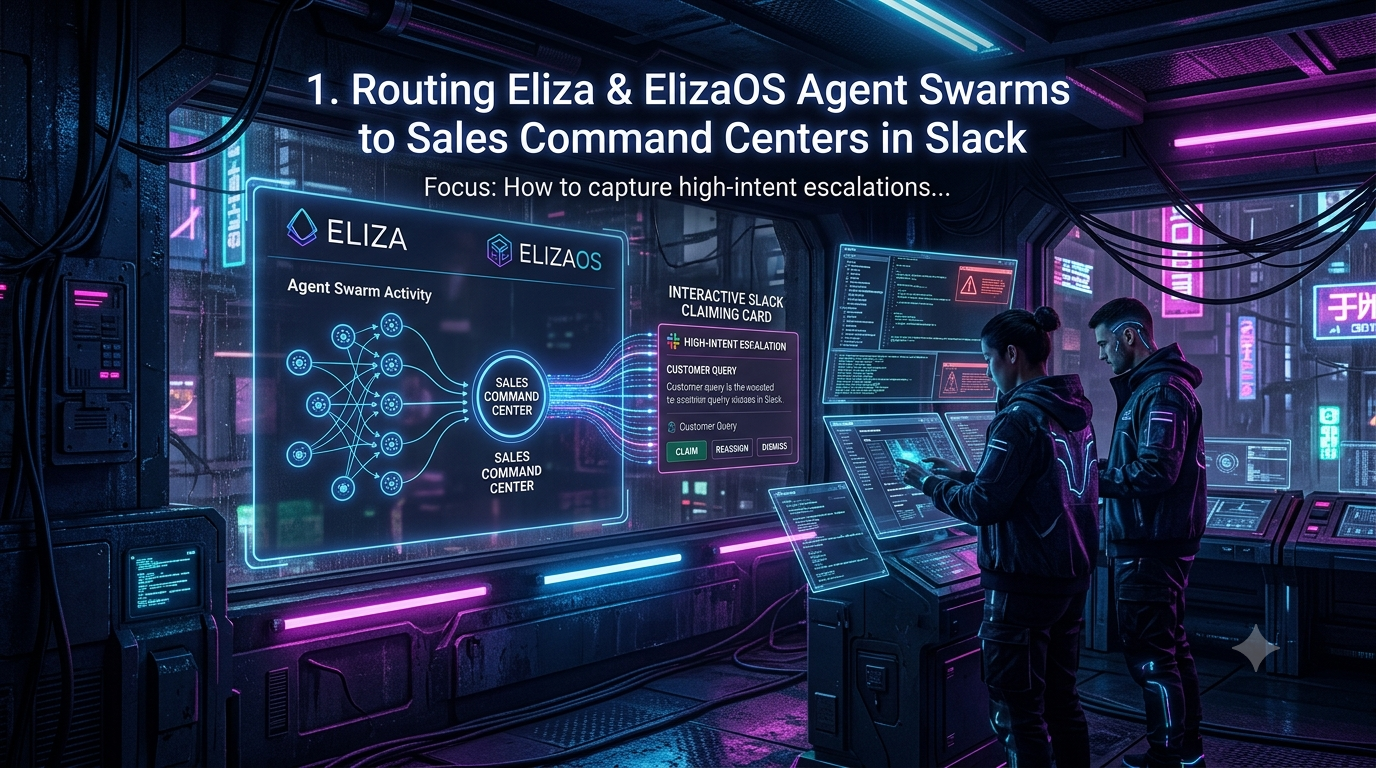
When an autonomous agent qualifies a high-intent prospect, the next step is a handoff to a human. If that handoff lives in a log file, a dashboard nobody watches, or a batched email, the lead cools while the insight sits idle. This guide shows how to route escalations from ElizaOS agents into a Slack channel as interactive “claiming cards”, so one account executive (AE) takes ownership within seconds.
It covers the architecture, a working TypeScript sketch, the Slack constraints that most often break first-draft integrations, and the security and measurement questions that follow.
1. Why speed-to-lead still matters
The most-cited research on response time is the 2007 Lead Response Management study by Dr. James Oldroyd (then at MIT) and InsideSales.com. It found that contacting a web lead within 5 minutes, rather than 30, made contact about 100 times more likely and qualification about 21 times more likely. A related 2011 *Harvard Business Review* study by Oldroyd, McElheran and Elkington audited 2,241 U.S. firms and reported an average first-response time of 42 hours.
Both studies measured phone follow-up on web-form leads, and they are more than a decade old. Treat them as evidence that response time matters a great deal, not as a promise about your own pipeline. What they do support is the case for removing every avoidable delay between “the agent knows” and “a human acts”.
2. ElizaOS in brief
ElizaOS is an open-source agent framework built by Eliza Labs and written in TypeScript. Rust and Python implementations also exist (for example, `elizaos-plugin-memory` on crates.io and `elizaos-plugin-slack` on PyPI).
A note on the name. The framework is often confused with the project that once carried the name ai16z. ai16z was a Solana-based DAO and token launched in October 2024, named as a playful reference to the venture firm Andreessen Horowitz (a16z). It rebranded to ElizaOS on January 28, 2025, after concerns about confusion with a16z, and later migrated its token to elizaOS at a 1:6 ratio. The Eliza agent framework itself is Eliza Labs’ project, led by founder Shaw Walters.
Versions. Alchemy’s framework comparison reports that ElizaOS v2 reached general availability in May 2026 and that the repository has more than 18,000 GitHub stars. The official documentation and plugin registry still include 1.x-oriented material, so check which major version a plugin targets before you depend on it.
The framework features most relevant to a sales-escalation pipeline are:
- Plugins. A plugin bundles actions (what an agent can do), providers (what it can see), evaluators and services. Official and community plugins cover Discord, Telegram and Slack, among others.
- Actions with validation. Each action has a `validate` function that decides whether it applies and a `handler` that performs it. Handlers receive an optional callback for sending messages back to the conversation, and actions can be chained so later actions see earlier results.
- Memory with embeddings. `@elizaos/plugin-sql` provides the database layer (embedded PGLite for development, PostgreSQL for production). Memories are stored with embeddings for vector search, and a separate knowledge plugin adds retrieval-augmented generation (RAG).
- Multiple agents in one runtime. The `ElizaOS` runtime class can add and start several agents and route messages to each. The documentation also shows how to create tables that every agent can read, simply by omitting `agentId` from the schema.
“Swarm” is best read as an architecture pattern you assemble from these pieces, such as a qualification agent, a CRM-lookup agent and a sentiment agent sharing state. It is not a single built-in switch.
3. The escalation pipeline
Every escalation passes through four stages: detection, context serialization, routing and presentation.
```
[Channels: web chat, Discord, Telegram, Slack]
│
▼
[ElizaOS agents: runtime, memory, evaluators]
│ action fires (validated escalation)
▼
[Escalation action: redact, enrich, build payload]
│ Slack Web API (chat.postMessage)
▼
[Slack Sales Command Center channel]
│ button click (block_actions)
▼
[Interactivity handler: atomic claim, update message, sync CRM]
```
Detection
Define when an agent moves from autonomous conversation to human handoff. Typical triggers include:
- The prospect names an enterprise-scale budget or asks for custom invoicing.
- The prospect asks integration or security-review questions that need a sales engineer.
- An evaluator flags urgency or frustration.
A keyword check is a cheap first gate, but it produces false positives. For production, combine it with an LLM-based classification step and log every decision so you can tune thresholds.
Context serialization
Package only what an AE needs to act:
- A short summary of the conversation and the exact message that triggered escalation.
- Enrichment such as company, detected tech stack and prior interactions.
- The identifiers needed to find the full transcript later (room and entity IDs).
4. Designing the claiming card
Use Slack’s Block Kit rather than plain-text messages. A useful card has:
1. A header block naming the event type.
2. Section fields for key facts such as company, source channel and trigger.
3. A transcript excerpt in a section block, truncated sensibly.
4. An actions block with a primary “Claim lead” button, a link to the full record, and optionally an overflow menu for reassignment.
Block Kit enforces limits, so design within them:
- A message may hold up to 50 blocks.
- Header text is limited to 150 characters, and a section’s text to 3,000.
- A section can have up to 10 fields.
- An actions block holds up to 25 elements.
- Button labels are limited to 75 characters.
Block Kit has no collapsible block, so keep excerpts short and link out to the full transcript.
5. Implementation: an ElizaOS action that posts to Slack
Choose the Slack delivery method deliberately
Slack’s app-based incoming webhooks are the simplest way to post, but they have limits that matter here. You cannot override the destination channel or author identity at runtime. They cannot delete messages or upload files. A webhook also does not give you a message timestamp to update later. For a command center, call `chat.postMessage` with a bot token instead, and note that the bot must be a member of the target channel (or hold the appropriate scope).
ElizaOS also has a Slack plugin, `@elizaos/plugin-slack`, which uses Socket Mode and supports sending, editing and reading messages, reactions and threads. Use it when agents should converse inside Slack. For outbound alerting with tightly controlled Block Kit payloads, a small custom action gives you more control.
Example action
This sketch follows the v1/v2 plugin interface, where the handler receives `(runtime, message, state, options, callback)` and a `Memory` identifies its author with `entityId`. Verify the details against the version you run.
```
import type {
Action,
ActionResult,
IAgentRuntime,
Memory,
State,
} from "@elizaos/core";
import { WebClient } from "@slack/web-api";
const slack = new WebClient(process.env.SLACK_BOT_TOKEN);
const CHANNEL_ID = process.env.SLACK_SALES_CHANNEL_ID!; // e.g. "C0123456789"
const ENTERPRISE_SIGNALS =
/enterprise|custom pricing|soc ?2|security review|procurement|custom invoic/i;
// Replace with a real redaction pipeline (see section 7).
const redact = (text: string) =>
text.replace(/\b(?:\d[ -]?){13,16}\b/g, "[REDACTED-CARD]");
export const slackEscalationAction: Action = {
name: "ESCALATE_TO_SLACK_COMMAND_CENTER",
similes: ["NOTIFY_SALES", "HANDOFF_TO_HUMAN", "ALERT_AE"],
description:
"Posts a high-intent prospect escalation to the Slack sales channel with a claim button.",
validate: async (_runtime: IAgentRuntime, message: Memory) =>
ENTERPRISE_SIGNALS.test(message.content?.text ?? ""),
handler: async (
runtime: IAgentRuntime,
message: Memory,
state?: State
): Promise<ActionResult> => {
try {
const escalationId = `${message.roomId}:${message.id ?? Date.now()}`;
const excerpt = redact(state?.text ?? message.content?.text ?? "").slice(0, 2500);
await slack.chat.postMessage({
channel: CHANNEL_ID,
text: `High-intent escalation from ${runtime.character.name}`, // notification fallback
blocks: [
{
type: "header",
text: { type: "plain_text", text: "🔥 High-intent escalation", emoji: true },
},
{
type: "section",
fields: [
{ type: "mrkdwn", text: `*Prospect (entity ID):*\n${message.entityId}` },
{ type: "mrkdwn", text: `*Agent:*\n${runtime.character.name}` },
],
},
{
type: "section",
text: { type: "mrkdwn", text: `*Trigger context:*\n>${excerpt.replace(/\n/g, "\n>")}` },
},
{
type: "actions",
elements: [
{
type: "button",
style: "primary",
action_id: "claim_eliza_lead",
value: escalationId,
text: { type: "plain_text", text: "Claim lead", emoji: true },
},
{
type: "button",
action_id: "view_transcript",
url: `https://app.example.com/transcripts/${message.roomId}`,
text: { type: "plain_text", text: "View full transcript" },
},
],
},
],
});
return { success: true, text: "Escalated to the sales command center." };
} catch (error) {
return {
success: false,
error: error instanceof Error ? error : new Error(String(error)),
};
}
},
examples: [],
};
```
6. Claiming a lead without double-assignment
When two AEs click “Claim lead” at nearly the same moment, exactly one should win. The pattern has three parts.
Acknowledge first. Slack requires every interaction payload to be acknowledged within 3 seconds. Acknowledge immediately, then do slower work such as CRM calls. This applies to link buttons too. A button with a `url` still sends an interaction payload when clicked, so your handler should acknowledge `view_transcript` as well.
Claim atomically. Use a single atomic operation, not a read followed by a write. In Redis, `SET key value NX` sets the key only if it does not already exist. Do not add a short expiry such as five minutes. If the key expires, a second rep could claim a lead that is already owned. Keep the claim for the life of the escalation, or store it in your CRM or database with a unique constraint.
Update the message through `response_url`. Interaction payloads typically include a `response_url`. Posting to it with `replace_original: true` replaces the card. Posting with `response_type: "ephemeral"` shows a message only to the person who clicked.
```
import { App } from "@slack/bolt";
import Redis from "ioredis";
const redis = new Redis(process.env.REDIS_URL!);
const app = new App({ token: process.env.SLACK_BOT_TOKEN, signingSecret: process.env.SLACK_SIGNING_SECRET });
app.action("claim_eliza_lead", async ({ ack, body, action, respond }) => {
await ack(); // must happen within 3 seconds
const escalationId = "value" in action ? action.value : undefined;
if (!escalationId) return;
const rep = body.user.id;
const won = await redis.set(`escalation:${escalationId}:owner`, rep, "NX"); // "OK" or null
if (won === "OK") {
await respond({
replace_original: true,
text: `Claimed by <@${rep}>`,
blocks: [
{ type: "section", text: { type: "mrkdwn", text: `✅ *Claimed by <@${rep}>*` } },
// Re-add context blocks from a stored copy of the escalation if reps still need them.
],
});
// Then: assign the lead in your CRM and record the claim time.
} else {
const owner = await redis.get(`escalation:${escalationId}:owner`);
await respond({
response_type: "ephemeral",
replace_original: false,
text: `This lead was already claimed by <@${owner}>.`,
});
}
});
```
Because `replace_original` swaps the whole message, store the original escalation payload alongside the lock so the updated card can keep its context.
Your Slack app also needs interactivity enabled with a request URL. Bolt can alternatively run in Socket Mode, which is the approach the ElizaOS Slack plugin uses.
7. Security, compliance and governance
Conversation transcripts often contain personal data, so treat the Slack channel as a data-processing destination.
- Redact before posting. Strip payment card numbers, government IDs, credentials and similar data before the payload leaves your service. Pattern matching catches obvious cases, but it will miss some, so add a second-stage check for high-risk categories and send less text rather than more.
- Restrict the channel. Use a private channel limited to sales and RevOps, and share the full transcript through an authenticated link, as in the example above.
- Know what Slack’s compliance tooling covers. On Enterprise Grid, the Audit Logs API tracks 150+ security-related event types, but it does not return message or file content. Message-level export, eDiscovery and data-loss-prevention (DLP) work use the Discovery API, which is available to Enterprise+ customers and typically runs through a partner application. Confirm what your plan includes before promising either to your security team.
- Keep your own audit trail. Record each escalation ID, the Slack message timestamp and channel, the claiming user and the claim time in your data warehouse. Slack’s logs will not give you this mapping.
- Verify requests. Validate Slack’s request signature on every interactivity call. Bolt does this when you provide the signing secret.
8. Measuring whether it works
Start by measuring your own baseline instead of adopting an external target.
- Time to claim. Time from the agent’s escalation event to the first successful claim. This is your internal speed-to-lead measure, and the research in section 1 is the reason to watch it.
- Escalation-to-meeting rate. The share of escalated leads that become booked discovery meetings, compared with leads from conventional web forms.
- False-positive rate. How often an AE dismisses an escalation as not sales-ready. Use it to tune validators and classification prompts.
- Unclaimed rate. Escalations that no one claims within your service-level window. A rising rate suggests alert fatigue or a poorly sized channel.
9. Summary
1. Treat “swarm” as an architecture. ElizaOS supplies multiple agents, plugins, actions, evaluators and vector memory. You decide how the agents divide qualification work.
2. Post with the Web API. App webhooks cannot choose the channel at runtime and do not return a message timestamp, so use `chat.postMessage` for a command center.
3. Acknowledge, then claim atomically. Respond to Slack within 3 seconds and use an atomic write such as Redis `SET ... NX` for ownership.
4. Redact and audit. Send the minimum data, and log escalations and claims in your own store.
5. Measure your own baseline. The published response-time research shows direction, not a guaranteed outcome for your funnel.
Sources and further reading
- ElizaOS documentation: plugin patterns, memory and state, SQL plugin, runtime
- ElizaOS Slack integration guide and `elizaos-plugin-slack` on PyPI
- Alchemy, Solana Agent Kit vs GOAT vs ElizaOS
- Decrypt, ai16z becomes ElizaOS, and The Block, ai16z to elizaOS token migration
- Slack, Handling user interaction, Bolt actions and legacy incoming webhooks notes
- Hookdeck, Guide to Slack webhooks
- Salesforce Trailhead, Discovery and Audit Logs APIs
- Lead response research: MIT/InsideSales study summary and ElectronicsCooling write-up