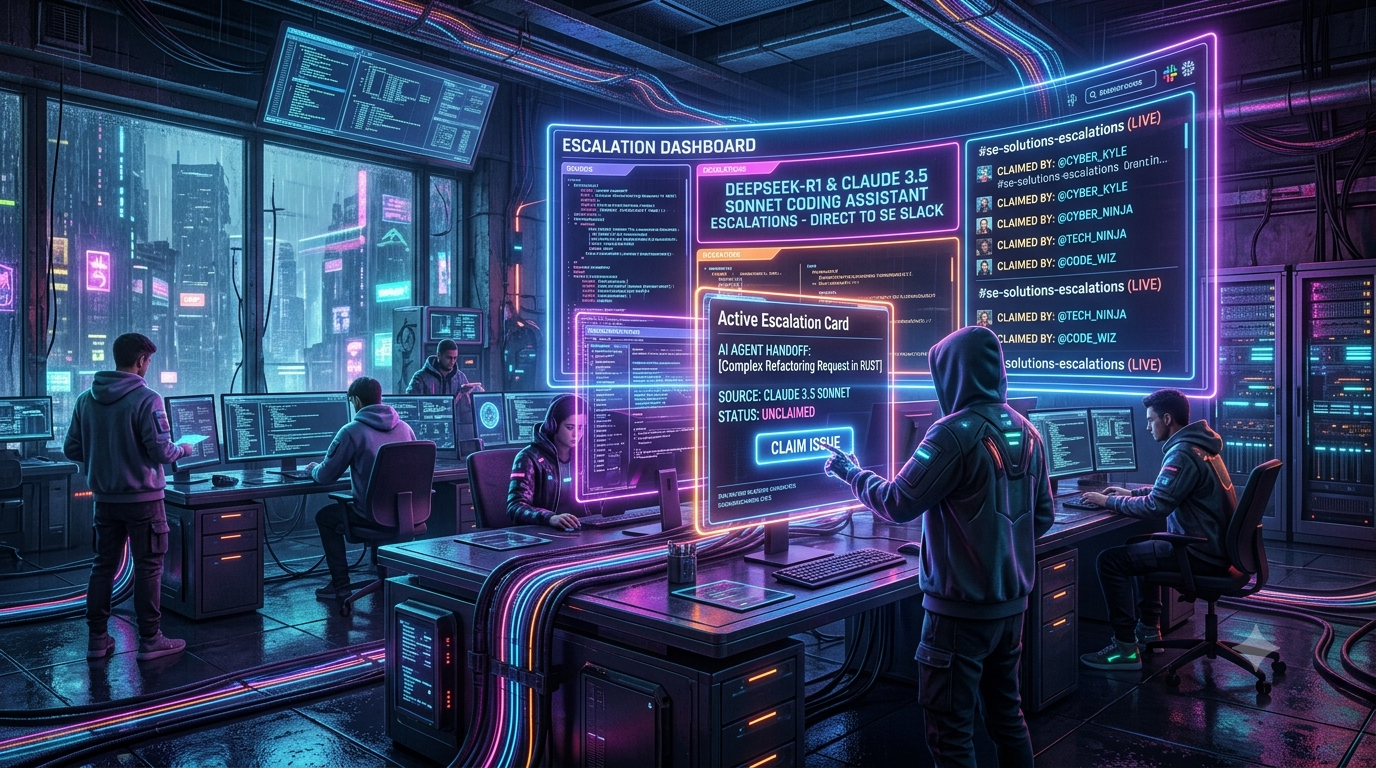
Self-serve onboarding is only half the battle in developer-facing Product-Led Growth (PLG). AI coding assistants such as DeepSeek’s reasoning models and Anthropic’s Claude models handle boilerplate generation and a lot of debugging. They still hit a ceiling when an enterprise prospect runs into deep architectural constraints, custom network topologies, or SDK state-management bugs.
When an in-app assistant can’t unblock a high-intent developer, a generic support queue adds friction and loses context. This guide describes an architecture for routing those escalations into private Slack channels for Solutions Engineers (SEs). Each escalation carries a context payload and an interactive “claim” card.
> A note on model names. This pattern was originally framed around DeepSeek-R1 and Claude 3.5 Sonnet. Both are now legacy:
>
> - Anthropic retired both Claude 3.5 Sonnet snapshots (`claude-3-5-sonnet-20240620` and `claude-3-5-sonnet-20241022`) on October 28, 2025. Its deprecations page lists `claude-sonnet-4-6` as the recommended replacement.
> - DeepSeek’s `deepseek-reasoner` alias, which pointed to R1-series models earlier, was retired on July 24, 2026, along with `deepseek-chat`. Both aliases had pointed at DeepSeek-V4-Flash since April 24, 2026.
>
> Everything below works with any model that exposes a reasoning or thinking trace. Current model names are called out where it matters.
The PLG Dilemma: When AI Coding Assistants Need Human Backup
Product-led growth depends on fast time-to-value, and developers expect tools to work out of the box. As a product moves up-market, integration complexity grows. Enterprise buyers bring security reviews, private networking, compliance requirements, and legacy systems.
Imagine a prospective enterprise team evaluating your API through an in-app assistant powered by a Claude or DeepSeek model. A developer might ask:
- *“How do we configure mutual TLS between our gateway and your webhook endpoints, given our internal certificate authority?”*
- *“Streaming responses drop intermittently when they pass through our internal gRPC proxy. What should we check?”*
These questions share a few traits:
- They depend on the prospect’s environment. A model can’t inspect a private VPC or a corporate proxy configuration.
- They may involve account-level actions. Provisioning an enterprise sandbox, raising limits, or approving a security exception needs a human with the right permissions.
- They carry commercial weight. The person asking is often an evaluator whose experience shapes a purchasing decision.
Why Response Speed Matters in Technical Sales
A developer who hits a blocker and then waits a day for an email reply loses momentum. A Slack-based handoff can shorten that wait, because the escalation lands where your SEs already work. Measure the effect rather than assuming it. The metrics section below describes what to track.
Architectural Overview: From LLM to Slack SE Queue
An effective escalation pipeline captures the interaction context, packages the model’s reasoning, and delivers an actionable card to Slack.
```
[Developer in IDE / Web App]
│
▼
[AI Coding Assistant (Claude / DeepSeek)]
│
(Escalation threshold met / user clicks "Ask an SE")
│
▼
[Backend Orchestration Service (Node.js / Python)]
│
├──► Extracts chat history & reasoning trace
├──► Enriches with CRM data (Salesforce / HubSpot)
│
▼
[Slack chat.postMessage + Block Kit] ──► [#se-escalations channel]
│
(SE clicks "Claim")
│
▼
[Interactivity endpoint (block_actions)]
│
├──► Atomically locks the escalation to the SE
├──► Updates the Slack card
└──► Opens a thread / handoff channel and notifies the prospect
```
Key Components
1. Orchestration layer. Captures the trigger from your UI or IDE extension.
2. Context enrichment. Gathers the user’s organization, plan tier, SDK version, and recent error logs.
3. Model trace aggregator. Collects the model’s reasoning output, when available, so the SE can see where the assistant went wrong.
4. Slack Block Kit renderer. Builds an interactive card with a claim button.
5. State store. Records which SE owns the escalation, with an atomic write so two SEs can’t claim the same one.
What “Reasoning Trace” Means Per Provider
- DeepSeek. The V4 models (`deepseek-v4-flash` and `deepseek-v4-pro`) support thinking and non-thinking modes and a 1M-token context window. Thinking mode is enabled by default, and the API returns chain-of-thought text in a `reasoning_content` field next to `content`. DeepSeek’s change log dated August 13, 2026 added three thinking effort levels (low, high, max). Check DeepSeek’s thinking-mode guide for how to handle `reasoning_content` across turns, especially in tool-calling workflows. Older docs for the retired `deepseek-reasoner` said that sending it back in input messages caused a 400 error.
- Claude. Claude models can return extended-thinking content blocks. On recent models these may be summarized rather than raw, so treat them as a useful hint for the SE, not a verbatim transcript.
Whichever provider you use, store the trace separately from the user-visible answer and link to it from Slack instead of pasting it in. Slack’s per-element text limits are small (see Step 3).
Step 1: Defining the Escalation Triggers
Don’t escalate every query. Define explicit, auditable triggers.
1. Explicit User Request
Put an “Ask a Solutions Engineer” button in the assistant UI. It gives developers an escape hatch when the assistant keeps proposing fixes that don’t fit their architecture.
2. Frustration and Repetition Signals
Watch for repeated failures in follow-up messages, such as “that didn’t work,” the same stack trace pasted again, or a restated constraint the assistant keeps ignoring. A simple heuristic, such as N consecutive failed attempts on the same topic, is a good start. Add a classifier only if the heuristic proves insufficient.
3. Reasoning and Confidence Signals
Possible automated signals include:
- A thinking block that grows past a token budget you set without producing a final code block.
- The assistant explicitly saying it lacks information about the customer’s environment.
- Repeated tool-call failures in an agentic coding flow.
These are heuristics, not guarantees. Calibrate thresholds against escalations your SEs later judge useful or unnecessary.
4. Account-Based Rules
Route by account tier. An enterprise-tier or high-fit account might escalate after fewer failed attempts than a free-tier user.
Step 2: Structuring the Context Payload
Raw chat logs pasted into Slack aren’t helpful. Build a structured payload with:
- Prospect metadata: company, plan tier, seat or usage estimates from your CRM, and SDK version.
- Problem summary: two sentences from a lightweight model describing the blocker. Claude Haiku 5.5 (`claude-haiku-5-5`) is one current option. Anthropic positions Haiku 5.5 as its fastest and most cost-efficient model, and it suits summarization. `deepseek-v4-flash` is a low-cost alternative.
- Last known state: the final code snippet, error message, and relevant configuration the assistant produced.
- Reasoning summary: a short digest of the assistant’s reasoning where it went off track, plus a link to the full trace.
- Links: the session replay, trace viewer, and CRM record.
Treat this payload as sensitive. It may contain customer code, secrets, or personal data. Redact credentials before posting, restrict the channel to the SE team, and align retention with your privacy policy.
Step 3: Designing Interactive Slack Claiming Cards
Slack Block Kit lets you post a rich message with a button the SE can click to claim the escalation. Keep these documented limits in mind:
| Element | Limit |
|---|---|
| Header block text | 150 characters |
| Section block text | 3,000 characters |
| Section fields | 10 fields, 2,000 characters each |
| Button label | 75 characters |
| Button `value` | 2,000 characters |
| Blocks per message | 50 |
Truncate long code snippets and link to the full trace.
Example: Posting the Card with Node.js and Slack Bolt
```
const { App } = require('@slack/bolt');
const app = new App({
token: process.env.SLACK_BOT_TOKEN,
signingSecret: process.env.SLACK_SIGNING_SECRET,
});
// Keep the snippet inside Slack's 3,000-character section limit.
const truncate = (s, max) => (s.length > max ? s.slice(0, max - 1) + '…' : s);
async function postEscalationCard(channelId, escalation) {
const {
prospectName, companyName, tier, problemSummary,
codeSnippet, escalationId, modelName,
} = escalation;
try {
const result = await app.client.chat.postMessage({
channel: channelId,
// Fallback text used in notifications and accessibility contexts
text: `New SE escalation: ${companyName}`,
blocks: [
{
type: 'header',
text: {
type: 'plain_text',
text: truncate(`Enterprise escalation: ${companyName}`, 150),
emoji: true,
},
},
{
type: 'section',
fields: [
{ type: 'mrkdwn', text: `*Prospect:*\n${prospectName}` },
{ type: 'mrkdwn', text: `*Tier:*\n\`${tier}\`` },
{ type: 'mrkdwn', text: `*Escalation ID:*\n\`${escalationId}\`` },
{ type: 'mrkdwn', text: `*Assistant model:*\n\`${modelName}\`` },
],
},
{
type: 'section',
text: {
type: 'mrkdwn',
text: truncate(`*Problem summary:*\n>${problemSummary}`, 3000),
},
},
{
type: 'section',
text: {
type: 'mrkdwn',
text: `*Failing code context:*\n\`\`\`${truncate(codeSnippet, 2500)}\`\`\``,
},
},
{
type: 'actions',
block_id: `escalation_actions_${escalationId}`,
elements: [
{
type: 'button',
text: { type: 'plain_text', text: 'Claim escalation', emoji: true },
style: 'primary',
action_id: 'claim_escalation_button',
value: escalationId,
},
{
type: 'button',
text: { type: 'plain_text', text: 'View full trace', emoji: true },
url: `https://internal.example.com/traces/${escalationId}`,
action_id: 'view_trace_link',
},
],
},
],
});
return result.ts;
} catch (error) {
console.error('Error posting Slack escalation card:', error);
throw error; // let the caller retry or alert
}
}
// Link buttons still send an interaction payload to your app.
// Acknowledge it so Slack doesn't show an error.
app.action('view_trace_link', async ({ ack }) => {
await ack();
});
```
Slack’s mrkdwn code fences don’t support language-specific syntax highlighting, so the example omits a language tag.
Step 4: Handling the “Claim” Action and State Locking
When an SE clicks Claim escalation, Slack sends a `block_actions` payload to your interactivity endpoint. Your handler should:
1. Acknowledge immediately. Slack expects an acknowledgement within 3 seconds, so call `ack()` first and do slow work afterwards.
2. Claim atomically. Two SEs can click at nearly the same moment, so check-then-write isn’t safe.
3. Update the card to show the owner and remove the button.
4. Start the handoff. Create a thread or private channel and notify the prospect.
Atomic Locking
Let the database arbitrate. In SQL, a conditional update does it:
```
UPDATE escalations
SET claimed_by = $1, claimed_at = now()
WHERE id = $2 AND claimed_by IS NULL;
-- If 1 row was affected, this SE won the claim.
```
In Redis, `SET escalation:{id}:owner {userId} NX` achieves the same result.
Handling the Click in Bolt
```
app.action('claim_escalation_button', async ({ body, ack, client }) => {
// Acknowledge within Slack's 3-second window.
await ack();
const escalationId = body.actions[0].value;
const userId = body.user.id; // Slack user IDs are stable; display names are not
const channelId = body.channel.id;
const messageTs = body.message.ts;
// 1. Atomic claim (see SQL / Redis examples above)
const claimed = await atomicLockEscalation(escalationId, userId);
if (!claimed) {
await client.chat.postEphemeral({
channel: channelId,
user: userId,
text: 'This escalation has already been claimed by another Solutions Engineer.',
});
return;
}
try {
// 2. Replace the actions block with a status line
const blocks = body.message.blocks.filter((b) => b.type !== 'actions');
const unixTs = Math.floor(Date.now() / 1000);
blocks.push({
type: 'section',
text: {
type: 'mrkdwn',
// Slack renders <!date^...> in each viewer's own time zone
text: `Claimed by <@${userId}> at <!date^${unixTs}^{time}|just now>`,
},
});
await client.chat.update({
channel: channelId,
ts: messageTs,
blocks,
text: `Escalation claimed by <@${userId}>`,
});
// 3. Start the handoff (thread, private channel, or Slack Connect)
await initializeSEHandoffSession(escalationId, userId);
} catch (error) {
console.error('Failed to update Slack card or start handoff:', error);
}
});
```
Reaching the Prospect
Notify the prospect in the surface they’re already using, such as the in-app chat. For a live conversation with an external customer, Slack Connect channels are an option if both organizations use Slack. Otherwise, relay messages through your own backend or move the conversation to email or a call. Don’t promise a response time in the notification unless your team can meet it.
Model Considerations When Reviewing an Escalation
Teams often find it useful to tell their SEs which model handled the session. The notes below are general tendencies, not guarantees. Validate them against your own escalation data.
Claude Models
Anthropic’s current lineup consists of Opus 5.5 (`claude-opus-5-5`), Sonnet 5.5 (`claude-sonnet-5-5`), and Haiku 5.5 (`claude-haiku-5-5`). Anthropic positions Sonnet 5.5 as a faster, lower-cost model for well-scoped everyday coding and agent work, and Opus 5.5 for long-running agentic coding and complex, open-ended problems.
When reviewing a Claude-handled escalation, check for:
- API methods or parameters that don’t exist in your SDK (hallucinated or outdated references).
- Missing configuration, incorrect headers, or environment-specific auth mismatches.
- Constraints the user stated early in a long session that were later dropped.
DeepSeek Models
`deepseek-v4-pro` is DeepSeek’s flagship, and `deepseek-v4-flash` is the faster, cheaper tier. Both expose thinking mode, so SEs can read the chain of thought.
When reviewing a DeepSeek-handled escalation, check for:
- Wrong assumptions in the reasoning trace about the customer’s data model or infrastructure.
- Long reasoning that ends in a confident but unverified answer.
- Missing reasoning context in multi-turn tool-calling flows, a failure DeepSeek’s own docs and community integrations discuss.
Both
- Compare the model’s claims against your actual API reference before relaying them.
- Feed confirmed gaps back into your documentation, retrieval index, and system prompts.
Measuring Success: Metrics for AI-to-SE Routing
Track these metrics before and after launch, ideally against a control group that still uses the email queue:
1. Escalation conversion rate. What share of prospects who escalate go on to a paid plan or a successful production integration?
2. Time to claim. The gap between the escalation firing and an SE clicking Claim. Set a target that fits your team’s coverage, for example a few minutes during business hours.
3. Time to resolution (TTR). Compare Slack-claimed escalations with the email-support baseline.
4. Escalation quality. SE-rated usefulness of each handoff, and the percentage of escalations the assistant could have handled itself.
5. Deflection vs. escalation ratio. As you tune prompts, retrieval, and model choice, unnecessary escalations should fall while the quality of the remaining ones rises.
6. Unclaimed escalations. Alert when a card sits unclaimed past a threshold, and re-ping or route it to a backup SE.
Operational Notes
- Model churn. Model names and retirement dates change often. Both Claude 3.5 Sonnet and DeepSeek’s legacy `deepseek-chat` and `deepseek-reasoner` aliases are gone. Keep model IDs in configuration, not hard-coded, and subscribe to provider deprecation notices.
- Pricing changes. DeepSeek announced peak and off-peak pricing effective August 16, 2026. Re-estimate costs if you run summarization or triage at volume.
- Rate limits. Slack’s Web API is rate limited per method. Batch non-urgent updates and handle `429` responses with the `Retry-After` header.
- Security. Verify Slack request signatures (Bolt does this when you provide the signing secret), scope your bot token to the minimum permissions, and restrict who can access escalation channels.
- Failure handling. If Slack is unreachable, queue the escalation and fall back to email or another alert so a prospect is never silently dropped.
Conclusion and Next Steps
AI coding assistants resolve many developer questions, but enterprise deals often hinge on the ones they can’t. Routing those escalations into Slack with full context and a claim card puts a human on the problem quickly. It also gives you data to improve the assistant.
1. Define your triggers. Combine explicit user requests, repeated-failure heuristics, and account-based rules.
2. Build your payload schema. Capture code, errors, reasoning, and account metadata, with credentials redacted.
3. Ship the Block Kit card and atomic claim logic. Acknowledge within 3 seconds and lock claims in your database.
4. Measure and iterate. Track time to claim, TTR, and conversion against a baseline, and use recurring escalation themes to improve documentation and prompts.
References
- Anthropic, Model deprecations: <https://platform.claude.com/docs/en/about-claude/model-deprecations>
- DeepSeek API change log: <https://api-docs.deepseek.com/updates/>
- DeepSeek V4 Preview release: <https://api-docs.deepseek.com/news/news260424/>
- DeepSeek thinking mode guide: <https://api-docs.deepseek.com/guides/thinking_mode/>
- Slack Block Kit reference: <https://api.slack.com/reference/messaging/blocks>
- Bolt for JavaScript: <https://github.com/slackapi/bolt-js>