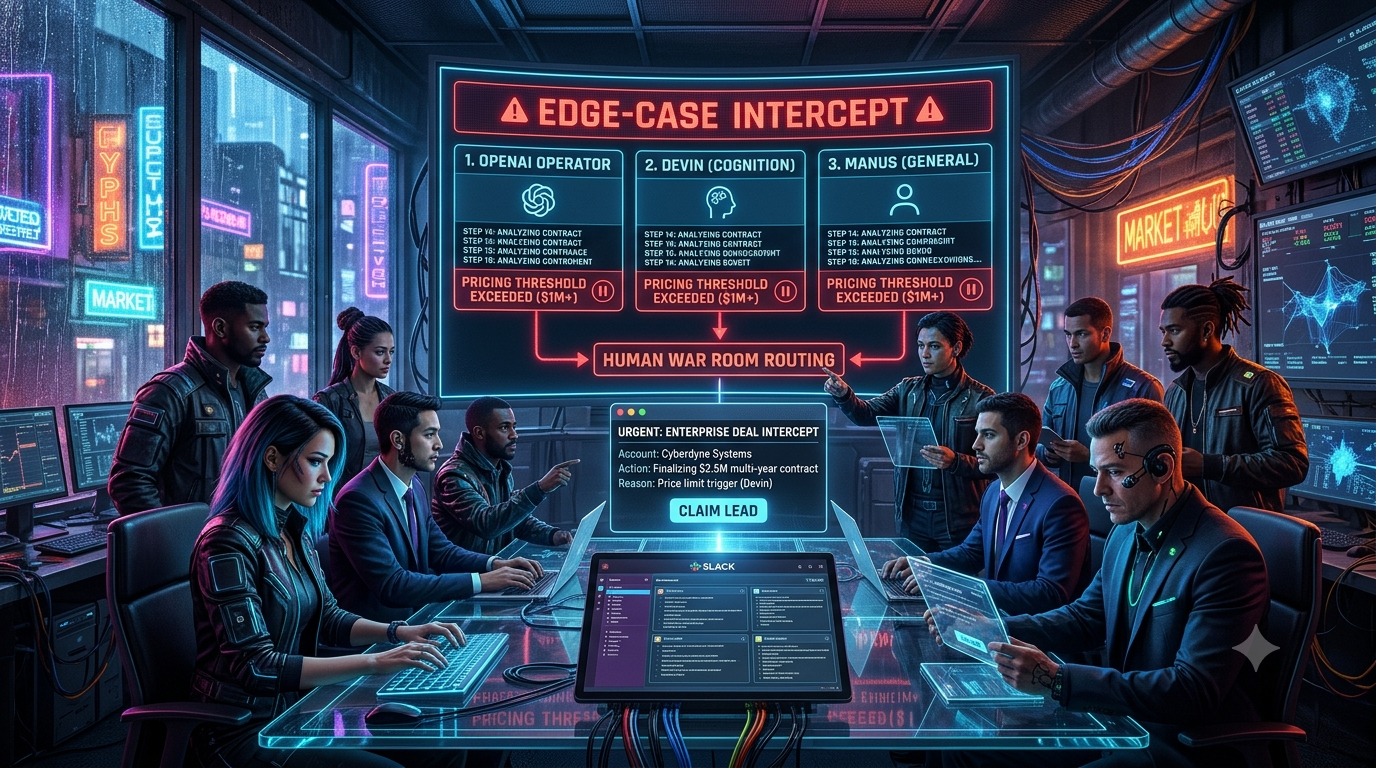
Executive Summary
Chat assistants that only draft text are giving way to agents that act: they browse sites, fill in forms, run code and complete multi-step tasks. Three of the best-known examples are OpenAI’s computer-using agent (launched as Operator and now part of ChatGPT agent), Cognition’s Devin, and Manus. Teams are trying them on revenue-adjacent work such as researching accounts, benchmarking vendors, filling procurement and billing forms, and checking contract terms.
Enterprise sales workflows are rarely linear. An agent will hit an unlisted pricing tier, a custom security questionnaire or a contract value above its pre-approved limit. At that point, unchecked autonomy becomes a liability.
This guide describes a human-in-the-loop (HITL) control plane for those moments. A policy layer pauses the agent before a sensitive action, captures context, and posts an interactive Slack message to a sales “war room” channel. An account executive (AE) or revenue engineer can claim the deal, approve it, modify it or reject it. The agent then resumes with that decision, or the human takes over the session.
A caveat up front: you can only intercept an agent at the points where you control its execution. The article covers where those points are for each of these products, and which parts of the pattern are vendor features and which you build yourself.
1. The Paradigm Shift: From Chatbots to Computer-Using Agents
1.1 Where the Three Agents Stand Today
Operator, Devin and Manus have all changed since they launched. Check the current state of each before designing around it.
- OpenAI Operator → ChatGPT agent. OpenAI released Operator on January 23, 2025, as a research preview for ChatGPT Pro users in the US. It was powered by a model called Computer-Using Agent (CUA), which combines GPT-4o’s vision with reinforcement-learning-based reasoning to interact with graphical interfaces. On July 17, 2025, OpenAI folded Operator into ChatGPT as ChatGPT agent, which also absorbs deep research. OpenAI said the standalone operator.chatgpt.com site would be deprecated, and OpenAI’s Help Center now says the Operator website is no longer accessible. ChatGPT agent launched for Pro, Plus and Team users, and Enterprise and Edu plans followed on August 8, 2025.
- Devin (Cognition). Devin is marketed as an autonomous AI software engineer that works with a shell, code editor and browser. Cognition acquired Windsurf in July 2025, and the Windsurf editor was rebranded Devin Desktop on June 2, 2026. Pricing has also changed. Public trackers list Free, Pro ($20/month), Max ($200/month), Teams ($80/month plus $40 per full developer seat) and custom Enterprise tiers as of mid-2026. Verify current pricing at devin.ai/pricing.
- Manus. Manus launched in March 2025 as a general-purpose agent platform that browses the web, writes reports and executes tasks on a user’s behalf. Meta announced in December 2025 that it would acquire it for a reported $2 billion or more. China’s National Development and Reform Commission ordered the deal unwound on April 27, 2026. In August 2026 Manus said it would resume operating as an independent company. In October 2026 its parent, Butterfly Effect, announced a funding round of more than $500 million. If you build on Manus, plan for account and data changes during the separation: Manus warned in August that data generated by some users on or after December 29, 2025 would be deleted for regulatory reasons.
1.2 What These Agents Actually Do
Computer-using agents run a loop of perception, reasoning and action. OpenAI’s CUA, for example, receives screenshots of the screen, reasons about the next step, and then issues mouse and keyboard actions. This is why such agents can work on websites that have no API. It also means they interact with pixels and UI elements rather than parsing the page’s DOM directly, which affects how you intercept them (see Section 2).
Their suitability for sales work differs:
- ChatGPT agent: Works in a virtual browser and can fill in forms, research accounts and produce files. OpenAI states it is designed to ask for the user’s input at critical points, and Operator hands control back to the user for tasks such as logins and CAPTCHAs. OpenAI also said Operator was limited from higher-risk tasks such as banking transactions.
- Devin: Best suited to technical work, such as auditing repositories, estimating migration effort, or running a proof of concept for a technical buyer. It is not a purchasing or contract-negotiation agent, so treat claims that it “evaluates licensing tiers” with caution.
- Manus: A general-purpose research and execution agent, useful for market research, competitive benchmarking and report generation.
1.3 The Edge-Case Dilemma in Enterprise Sales
Agents handle standard workflows well, but enterprise transactions hit friction points that need a human:
1. Pricing or budget threshold exceeded. A renewal or expansion crosses a pre-authorized limit and needs sign-off.
2. Vendor gatekeeping. A vendor site presents a custom-quote form, a login challenge or a CAPTCHA mid-flow.
3. Custom legal or security terms. A procurement form asks for non-standard Master Services Agreement (MSA) language or a SOC 2 Type II report.
4. Non-standard discounting or bundling. A request falls outside approved discount tiers.
Routing these moments to people through Slack lets the agent do the repetitive work while humans keep authority over the high-stakes decisions.
2. Technical Architecture: The Interception and Claiming Loop
2.1 Where You Can Intercept
How you intercept depends on who runs the agent:
- Agents you orchestrate yourself. If you build on OpenAI’s computer-use tooling in its API, or on another agent framework, your code executes every action the model proposes. You can place a policy check between “model proposes action” and “action executes.” This is the most reliable place for a hard gate. OpenAI’s API tooling also supports safety checks that require the developer to acknowledge them before continuing.
- Hosted products (ChatGPT agent, Devin, Manus). These run in the vendor’s own sandboxed environment, so you cannot insert a proxy into their browser. You can still use their built-in pause or takeover prompts and approval settings, restrict what the agent can reach through connectors and credentials, and scope its permissions so it cannot reach a purchase or signature step on its own. Where a product exposes an API or webhooks, use those events to trigger the Slack flow.
The pattern in this guide is the first case: a middleware state broker that sits in your own agent loop. For hosted agents, apply the same policy logic to whatever hooks and permissions the vendor exposes.
2.2 Architecture Overview
```
+-----------------------+
| Agent Runtime |
| (your orchestrator or |
| vendor hook/webhook) |
+-----------+-----------+
| proposed action
v
+--------------------------+
| Middleware Broker | <--- Evaluates rules:
| (State & Policy Engine) | - Deal value > threshold?
+------------+-------------+ - Unknown legal / security field?
| - Login, CAPTCHA or payment step?
+-------+-------+
| Intercept |
v v
+----------+ +-------------------+
| Pause | | Post Slack |
| Session | | Interactive Card |
+----------+ +---------+---------+
|
v
+-------------------+
| Sales War Room |
| (Slack channel) |
+---------+---------+
|
| AE clicks "Claim"
v
+-------------------+
| Resume / Handoff |
+-------------------+
```
2.3 Key Components
1. State interceptor. Wraps the agent’s action loop. It records the proposed action, the current step, the intent log and a screenshot before anything executes.
2. Policy and risk engine. Evaluates each proposed action against business rules such as maximum deal value, maximum discount, restricted regions, and a list of actions that always require approval (sending payment details, accepting terms, signing).
3. Slack messaging gateway. Turns the intercepted context into a Block Kit message with action buttons.
4. Session store and resume handlers. Persist the agent’s state (task, plan, memory buffer, browser session reference) while the agent waits, with a timeout so stale sessions do not linger. Never store credentials or payment data in the Slack payload.
3. Step-by-Step Implementation Guide
The following Node.js/TypeScript example shows the pattern. It is a blueprint rather than production code: the session-store, pause and resume functions are placeholders for your own infrastructure. It uses Slack’s Bolt for JavaScript framework, which verifies Slack’s request signatures for you.
3.1 Step 1: Intercepting the Agent’s Proposed Action
```
// agentInterceptor.ts
import { sendSlackWarRoomAlert } from './slackAlert';
export interface AgentState {
agentId: string;
agentRuntime: string; // e.g. "custom-cua", "devin", "manus"
targetCompany: string;
proposedACV: number; // annual contract value in USD
currentStep: string;
sessionId: string;
screenshotUrl: string; // must be a publicly reachable HTTPS URL (see 3.2)
}
// Illustrative policy: tune to your own approval matrix.
const APPROVAL_THRESHOLD_USD = 25_000;
export async function evaluateAgentAction(state: AgentState): Promise<'proceed' | 'halted'> {
if (state.proposedACV >= APPROVAL_THRESHOLD_USD) {
await pauseAgentSession(state.sessionId);
await sendSlackWarRoomAlert(state);
return 'halted';
}
return 'proceed';
}
async function pauseAgentSession(sessionId: string): Promise<void> {
// Persist state and stop issuing actions for this session.
// Add an expiry (for example 30 minutes) after which the session is
// aborted or escalated, so paused sessions never hang indefinitely.
}
```
3.2 Step 2: Posting the Slack Claiming Card
Slack’s `image` block requires a publicly accessible `image_url`, so upload screenshots to storage that Slack can reach (for example a short-lived signed URL). Screenshots may contain customer data, so apply your retention and access rules.
```
// slackAlert.ts
import { WebClient } from '@slack/web-api';
import type { AgentState } from './agentInterceptor';
const slack = new WebClient(process.env.SLACK_BOT_TOKEN);
const WAR_ROOM_CHANNEL = process.env.SLACK_WAR_ROOM_CHANNEL_ID!;
export async function sendSlackWarRoomAlert(state: AgentState) {
const deal = `$${state.proposedACV.toLocaleString('en-US')}`;
await slack.chat.postMessage({
channel: WAR_ROOM_CHANNEL,
text: `High-value deal paused for review: ${state.targetCompany} (${deal})`, // notification fallback
blocks: [
{
type: 'header',
text: { type: 'plain_text', text: 'Agent paused: human review required', emoji: true },
},
{
type: 'section',
fields: [
{ type: 'mrkdwn', text: `*Account:*\n${state.targetCompany}` },
{ type: 'mrkdwn', text: `*Detected deal size:*\n${deal}` },
{ type: 'mrkdwn', text: `*Agent:*\n${state.agentRuntime}` },
{ type: 'mrkdwn', text: `*Current step:*\n${state.currentStep}` },
],
},
{
type: 'image',
title: { type: 'plain_text', text: 'Browser state at pause' },
image_url: state.screenshotUrl,
alt_text: 'Screenshot of the agent browser at the moment it was paused',
},
{
type: 'actions',
block_id: `agent_actions_${state.sessionId}`,
elements: [
{
type: 'button',
text: { type: 'plain_text', text: 'Claim & take over', emoji: true },
style: 'primary',
value: state.sessionId,
action_id: 'claim_deal_session',
},
{
type: 'button',
text: { type: 'plain_text', text: 'Approve & resume', emoji: true },
value: state.sessionId,
action_id: 'approve_agent_action',
},
{
type: 'button',
text: { type: 'plain_text', text: 'Reject & abort', emoji: true },
style: 'danger',
value: state.sessionId,
action_id: 'reject_agent_action',
},
],
},
],
});
}
```
3.3 Step 3: Handling Button Clicks and Resuming the Session
Slack expects an acknowledgment of an interaction within three seconds, so Bolt’s `ack()` is called first and the slower work follows. Claiming must be atomic, otherwise two AEs can click at once and both believe they own the deal.
```
// slackHandlers.ts
import { App } from '@slack/bolt';
const app = new App({
token: process.env.SLACK_BOT_TOKEN,
signingSecret: process.env.SLACK_SIGNING_SECRET, // Bolt verifies request signatures
});
app.action('claim_deal_session', async ({ ack, body, client }) => {
await ack();
const action = (body as any).actions[0];
const sessionId: string = action.value;
const userId = body.user.id;
// Atomic claim: only the first caller succeeds (e.g. a conditional write in your database).
const claimed = await tryClaimSession(sessionId, userId);
if (!claimed) {
await client.chat.postEphemeral({
channel: (body as any).channel.id,
user: userId,
text: 'Someone else has already claimed this session.',
});
return;
}
await client.chat.update({
channel: (body as any).channel.id,
ts: (body as any).message.ts,
text: `Session ${sessionId} claimed by <@${userId}>`,
blocks: [
{
type: 'section',
text: { type: 'mrkdwn', text: `*Session claimed by <@${userId}>.* Human control is active.` },
},
{
type: 'context',
elements: [{ type: 'mrkdwn', text: `Session ID: \`${sessionId}\`` }],
},
],
});
// Give the AE access through your own authenticated, expiring session viewer.
const url = await createHandoffUrl(sessionId, userId);
await client.chat.postEphemeral({
channel: (body as any).channel.id,
user: userId,
text: `You now control session \`${sessionId}\`: ${url}`,
});
});
app.action('approve_agent_action', async ({ ack, body }) => {
await ack();
const sessionId: string = (body as any).actions[0].value;
await recordDecision(sessionId, body.user.id, 'approved'); // audit log
await resumeAgentSession(sessionId);
});
app.action('reject_agent_action', async ({ ack, body }) => {
await ack();
const sessionId: string = (body as any).actions[0].value;
await recordDecision(sessionId, body.user.id, 'rejected');
await abortAgentSession(sessionId);
});
// --- Placeholders for your own infrastructure ---
async function tryClaimSession(sessionId: string, userId: string): Promise<boolean> { return true; }
async function createHandoffUrl(sessionId: string, userId: string): Promise<string> {
// Return a short-lived, authenticated link to your remote-browser viewer
// (for example one built on a WebRTC or VNC-based stack). Do not embed
// the user ID as the credential.
return `https://warroom.example.com/session/${sessionId}`;
}
async function recordDecision(sessionId: string, userId: string, decision: string) {}
async function resumeAgentSession(sessionId: string) {}
async function abortAgentSession(sessionId: string) {}
(async () => { await app.start(process.env.PORT || 3000); })();
```
Design notes:
- Restrict who can approve. Check the clicking user against your approval matrix (role, region, deal-size authority) before resuming. Slack channel membership alone is not authorization.
- Treat the handoff link as a credential. It should be authenticated, short-lived and single-use.
- Keep an audit trail. Log every pause, claim, approval and rejection with a timestamp and user ID, and write a summary to your CRM (for example Salesforce or HubSpot) through its API.
4. Operational Playbook for Sales Operations and RevOps
The thresholds below are illustrative. Set them from your own approval matrix.
| Trigger | Agent action | Interception condition | War room protocol |
|---|---|---|---|
| Large deal value | Fills billing data, selects a standard tier | Proposed ACV at or above your threshold (for example $25,000) | Claim: The account’s AE, or a round-robin AE, claims the card and decides whether to approve, change terms or take over. |
| Non-standard legal terms | Detects an unrecognized clause or terms field | Any unrecognized legal checkbox or free-text contract field | Legal routing: Card goes to a shared legal and revenue-operations channel. |
| Seat or tier limit exceeded | Reaches the maximum seat allocation | Seats requested above your policy limit | Review: AE reviews and may offer a custom package. |
| Login, CAPTCHA or bot challenge | Encounters a verification step | Agent signals it cannot proceed, or a challenge page is detected | Human handoff: A person completes the step through a remote view and hands back. Do not engineer ways around such challenges. |
| Payment or signature step | Reaches a payment, contract acceptance or e-signature screen | Always | Mandatory approval: Never let an agent complete these without human sign-off. |
5. Benefits and Limits of Human-in-the-Loop Revenue Automation
Potential benefits
1. Faster handling of routine work. Agents can take on data gathering, form completion and research, so people focus on negotiation and approvals. The share of work an agent can absorb varies widely by workflow, so measure it in your own pilot rather than assuming a fixed figure.
2. Faster escalation. A Slack notification reaches the right person in seconds, but how quickly the deal moves still depends on whether someone responds. Set response-time targets and an escalation path, such as re-pinging after a few minutes and falling back to a backup AE.
3. Auditability and governance. Logged pauses, claims and overrides, with screenshots, give compliance and sales leadership a record of who approved what.
4. Less manual entry for AEs. Reps spend less time on procurement paperwork and more on relationship work.
Limits and risks
- Agents still make mistakes. OpenAI describes its agent products as capable but fallible, and says it designs them to ask for confirmation before consequential actions. That is why the approval gate belongs in your control plane and not only in the vendor’s defaults.
- Prompt injection from web pages is a real risk for browsing agents. Do not give an agent credentials or tool access beyond what the task needs, and keep payment and signature actions behind human approval.
- Vendor products change quickly. Operator was retired as a standalone product, Windsurf was rebranded, and Manus changed ownership twice within a year. Keep the policy and Slack layers independent of any one agent so you can swap the runtime.
- Review data-handling terms for customer data, screenshots and transcripts before sending them to Slack or a third-party agent.
6. Summary and Next Steps
Autonomous agents such as ChatGPT agent (the successor to Operator), Devin and Manus can shorten the repetitive parts of the revenue cycle, but enterprise deals need human judgment at the points where money, legal terms or customer relationships are on the line. A control plane that pauses the agent, packages the context and routes it to a Slack war room lets a person step in at those moments and then hand work back to the agent.
Recommended Implementation Roadmap
1. Decide where you can intercept: your own agent loop, vendor webhooks, or permission scoping for hosted agents.
2. Define an approval matrix covering deal size, discount limits, legal terms, regions and who may approve each.
3. Build the policy engine, session store and audit log first, then the Slack layer.
4. Create the Slack app with Block Kit messages and interactivity, with signature verification and atomic claiming.
5. Pilot on a low-risk workflow, track pause rate, time to claim and override rate, and tighten the policies from the data.
6. Train AEs on claiming sessions and taking over via the handoff viewer.
Sources
- MIT Technology Review, “OpenAI launches Operator—an agent that can use a computer for you” (January 23, 2025)
- OpenAI Help Center, ChatGPT agent release notes (July 17 and August 8, 2025)
- VentureBeat, “OpenAI unveils ChatGPT agent…” (July 2025)
- CNBC, “Manus to return as independent company after China forced Meta to unwind $2 billion deal” (August 11, 2026)
- TechCrunch, “Meta reportedly moves to unwind $2B Manus deal after Beijing’s demand” (June 13, 2026)
- Pulse 2.0, “Manus Raises More Than $500 Million After Unwinding Meta Acquisition” (October 9, 2026)
- Devin and Windsurf pricing and rebrand coverage: devin.ai/pricing; Gradually (Devin Desktop); CostBench (Devin pricing, June 2026)
- Slack developer documentation: Block Kit, interactivity and request verification