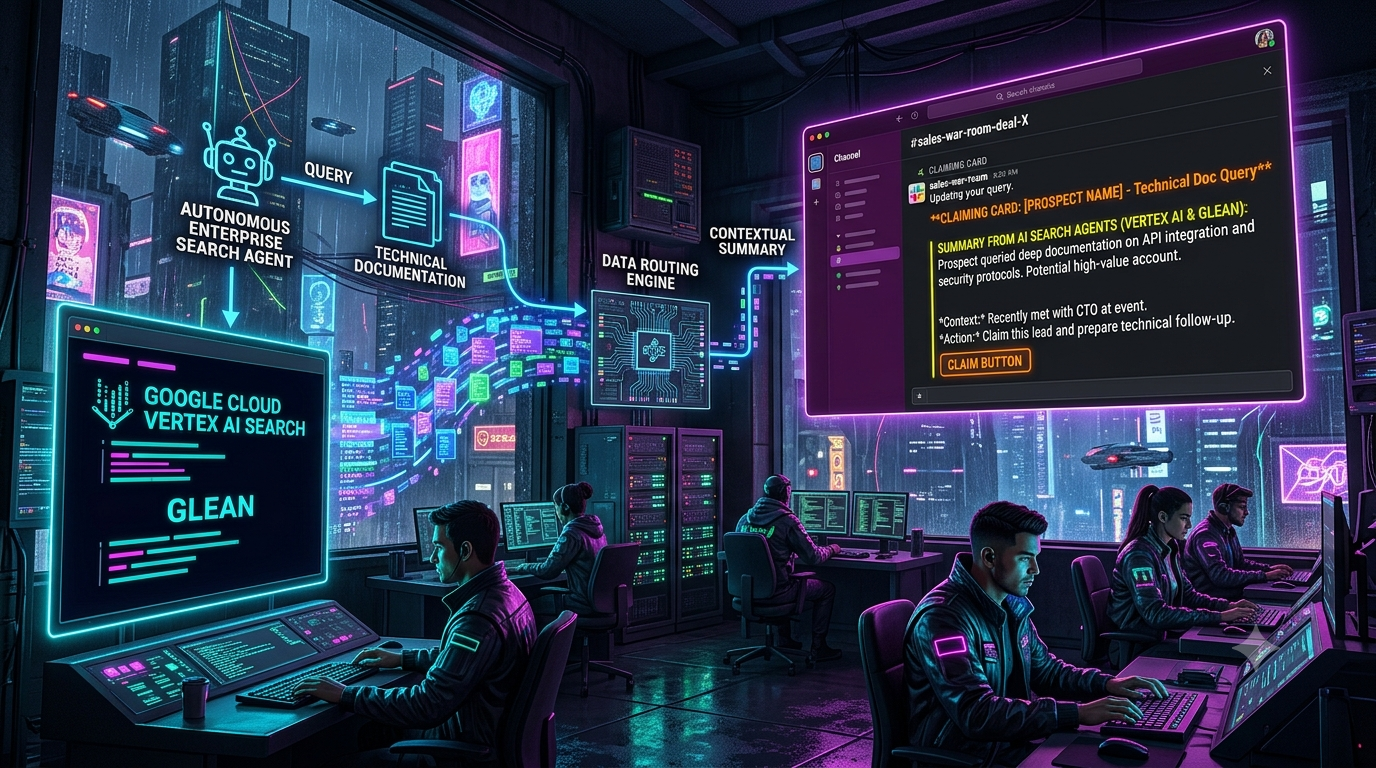
High-value enterprise deals are often decided during technical evaluation. When a prospect searches your developer documentation, API references, or architecture guides, the query shows what they are trying to do and where they are stuck. Standard analytics tools record these visits as page views or generic search events, and the signal stays buried in logs nobody reads in time.
This article describes a pattern for surfacing those queries. Your documentation search runs on a managed AI search service such as Google Cloud Vertex AI Search, which generates a grounded summary of what the visitor asked. A small middleware service enriches the event from your CRM and posts it to a dedicated Slack channel (a “sales war room”) as an interactive claiming card. A sales engineer or account executive can then take ownership with one click.
Two scoping notes up front:
- Vertex AI Search is the right fit for the prospect-facing search box on a developer portal.
- Glean is an *internal* work-AI platform that searches your company’s connected apps with permission-aware results. It is not a tool for capturing what external prospects type into your docs. It fits in the same pipeline as an optional enrichment step, where it helps the rep prepare by pulling internal context. A later section covers it.
The Technical Building Blocks
Google Cloud Vertex AI Search
Vertex AI Search lets you build a Google-quality search app over data you control and optionally use the retrieved results to ground generative AI responses. A few details matter for this design:
- Naming: Google’s own documentation says the product was formerly known as Enterprise Search on Generative AI App Builder. It now sits within the AI Applications offering. The API is still served from `discoveryengine.googleapis.com`, and the Gemini Enterprise product uses the same Discovery Engine API. Google’s documentation also now brands parts of the broader Vertex AI platform as “Gemini Enterprise Agent Platform”. Product names change often, so check the current docs before publishing exact names in your own materials.
- Hybrid retrieval: Google describes hybrid search as a combination of keyword (sparse) and LLM-based (dense) embeddings, so natural-language questions can still match exact terms.
- Grounded summaries: The search request accepts a `summarySpec`. It returns an LLM-generated answer based on the top results, optionally with inline citations. At most five results can be used to generate a summary.
One architectural point: Vertex AI Search does not push a “someone searched” webhook to your systems. Your portal backend calls the Search API itself, so that backend is the right place to emit the event. This guide uses that approach rather than assuming a built-in trigger.
Glean (optional internal enrichment)
Glean exposes a Client API for building search, chat, and agent experiences over your organization’s connected content. Results are permission-aware, so a user-scoped token only returns what that user can see. Glean’s documentation also describes global tokens with an “ActAs” option for acting on behalf of a user. For new integrations, Glean’s documentation recommends starting with its Platform API and using the Client API when you need a capability not yet available there.
In this pattern, Glean’s role is to help your *team*. For example, after the middleware identifies the account, it can ask Glean for internal context such as past support threads, previous call notes, or relevant engineering docs, and attach that to the Slack card. It does not capture the prospect’s queries.
Architecture Overview
```
┌──────────────────────┐ ┌─────────────────────────┐ ┌──────────────────────────┐
│ Prospect on │ │ Portal backend │ │ Vertex AI Search │
│ developer portal │──>│ (authenticated session) │──>│ (search + summarySpec) │
└──────────────────────┘ └───────────┬─────────────┘ └──────────────────────────┘
│ search-intent event
▼
┌─────────────────────────┐ ┌──────────────────────────┐
│ Routing middleware │──>│ CRM lookup │
│ (Cloud Run / Lambda / │ │ (Salesforce / HubSpot) │
│ Node.js service) │ └──────────────────────────┘
└───────────┬─────────────┘ ┌──────────────────────────┐
│ ─ ─ optional ─ >│ Glean (internal context) │
▼ └──────────────────────────┘
┌─────────────────────────┐
│ Slack war-room channel │
│ (claiming card) │
└───────────┬─────────────┘
▼
Sales engineer / AE claims
```
The pipeline has five stages:
1. Capture: The portal backend receives an authenticated user’s search, runs it against Vertex AI Search, and keeps the user’s organization identifier.
2. Summarize: The Search API returns results plus a short generated summary of what the user appears to be trying to accomplish.
3. Qualify: The backend or middleware applies simple intent rules, such as security, SSO, SLA, or migration topics, so only meaningful queries reach Slack.
4. Enrich: The middleware resolves the account in your CRM (tier, ARR, deal stage, owner) and optionally pulls internal context from Glean.
5. Dispatch: The middleware posts a Block Kit message with a claim button via Slack’s `chat.postMessage` method.
Implementation Guide
Phase 1: Request a summary from Vertex AI Search
Call the Discovery Engine search endpoint for your search app, with the summary specification attached. This example uses the stable `v1` API and an engine (search app) path:
```
POST https://discoveryengine.googleapis.com/v1/projects/{PROJECT_ID}/locations/global/collections/default_collection/engines/{ENGINE_ID}/servingConfigs/default_search:search
```
```
{
"query": "How do I configure mTLS for streaming connections in the enterprise cluster?",
"pageSize": 5,
"userPseudoId": "portal_session_982341",
"contentSearchSpec": {
"summarySpec": {
"summaryResultCount": 3,
"includeCitations": true,
"ignoreAdversarialQuery": true,
"ignoreNonSummarySeekingQuery": true,
"modelPromptSpec": {
"preamble": "In two concise sentences, describe the technical requirement or problem the user is trying to solve."
}
}
}
}
```
Notes on this payload:
- `summaryResultCount` accepts at most five results.
- `includeCitations` defaults to false, so you must set it explicitly.
- `ignoreAdversarialQuery` skips summaries for adversarial queries. `ignoreNonSummarySeekingQuery` skips them for navigational queries. Google’s example is a query like “SFO airport”, which is not a question a summary can answer. Both help keep noise out of Slack.
- Use a pseudonymous `userPseudoId`, not an email address. Keep the mapping from session to person in your own systems.
- Check the documentation for your edition and region, since generative summary features can have specific requirements.
A minimal TypeScript call from the portal backend, using Google application-default credentials:
```
import { GoogleAuth } from 'google-auth-library';
const auth = new GoogleAuth({
scopes: ['https://www.googleapis.com/auth/cloud-platform'],
});
export async function searchWithSummary(query: string, sessionId: string) {
const client = await auth.getClient();
const url =
`https://discoveryengine.googleapis.com/v1/projects/${process.env.GCP_PROJECT}` +
`/locations/global/collections/default_collection/engines/${process.env.ENGINE_ID}` +
`/servingConfigs/default_search:search`;
const res = await client.request<any>({
url,
method: 'POST',
data: {
query,
pageSize: 5,
userPseudoId: sessionId,
contentSearchSpec: {
summarySpec: {
summaryResultCount: 3,
includeCitations: true,
ignoreAdversarialQuery: true,
ignoreNonSummarySeekingQuery: true,
modelPromptSpec: {
preamble:
'In two concise sentences, describe the technical requirement or problem the user is trying to solve.',
},
},
},
},
});
return {
summary: res.data.summary?.summaryText ?? '',
results: res.data.results ?? [],
};
}
```
After the search returns, the portal backend posts an event (account domain, user email, raw query, summary, and source URLs) to your middleware.
Phase 2: Middleware that enriches the event and posts the claiming card
The service below receives the event, checks it against CRM data, and posts a Block Kit message. The CRM function is a placeholder, so replace it with a real Salesforce or HubSpot lookup.
Three design choices are deliberate:
- The event endpoint requires a shared-secret header, so only your portal backend can trigger posts.
- The button carries only an opaque event ID, not the prospect’s email or query. Slack limits a button’s `value` to 2,000 characters, and keeping personal data out of the message payload is better practice anyway.
- User-supplied text is escaped before it goes into Slack’s `mrkdwn`, so a query containing `<` or `&` cannot break the formatting or inject links.
```
// server.ts
import express, { Request, Response } from 'express';
import crypto from 'crypto';
import { WebClient } from '@slack/web-api';
const app = express();
const slack = new WebClient(process.env.SLACK_BOT_TOKEN);
const WAR_ROOM_CHANNEL = process.env.SLACK_WAR_ROOM_CHANNEL_ID!;
interface SearchEvent {
accountDomain: string;
userEmail: string;
rawQuery: string;
aiSummary: string;
documentationSources: string[];
}
interface CrmAccount {
companyName: string;
annualRecurringRevenue: number;
isTargetAccount: boolean;
stage: string;
}
// In production, use a database or Redis with a TTL instead of in-memory maps.
const pendingEvents = new Map<string, SearchEvent>();
const claims = new Map<string, string>(); // eventId -> Slack user ID
// Escape characters that Slack treats as control characters in mrkdwn text.
const esc = (s: string) =>
s.replace(/&/g, '&').replace(/</g, '<').replace(/>/g, '>');
app.post(
'/api/events/search-intent',
express.json(),
async (req: Request, res: Response) => {
if (req.header('x-webhook-secret') !== process.env.EVENT_WEBHOOK_SECRET) {
return res.status(401).send({ error: 'Unauthorized' });
}
try {
const event = req.body as SearchEvent;
const crm = await fetchCrmAccount(event.accountDomain);
if (crm.annualRecurringRevenue < 50000 && !crm.isTargetAccount) {
return res.status(200).send({ status: 'ignored' });
}
const eventId = crypto.randomUUID();
pendingEvents.set(eventId, event);
await postClaimingCard(eventId, event, crm);
return res.status(200).send({ status: 'posted', eventId });
} catch (err) {
console.error('Error processing search event:', err);
return res.status(500).send({ error: 'Internal Server Error' });
}
}
);
// Placeholder: replace with a real Salesforce / HubSpot lookup.
async function fetchCrmAccount(_domain: string): Promise<CrmAccount> {
return {
companyName: 'Acme Enterprises',
annualRecurringRevenue: 120000,
isTargetAccount: true,
stage: 'Technical Evaluation',
};
}
async function postClaimingCard(eventId: string, event: SearchEvent, crm: CrmAccount) {
const sources = event.documentationSources
.slice(0, 5)
.map((url) => `• <${url}|${esc(url.split('/').pop() ?? url)}>`)
.join('\n');
const blocks: any[] = [
{
type: 'header',
text: { type: 'plain_text', text: 'High-intent documentation search', emoji: true },
},
{
type: 'section',
fields: [
{ type: 'mrkdwn', text: `*Account:* ${esc(crm.companyName)}\n*Domain:* \`${esc(event.accountDomain)}\`` },
{ type: 'mrkdwn', text: `*Deal stage:* ${esc(crm.stage)}\n*ARR:* $${crm.annualRecurringRevenue.toLocaleString('en-US')}` },
],
},
{
type: 'section',
text: { type: 'mrkdwn', text: `*Search query:*\n> ${esc(event.rawQuery)}` },
},
{
type: 'section',
text: { type: 'mrkdwn', text: `*AI summary of intent:*\n${esc(event.aiSummary)}` },
},
{
type: 'section',
text: { type: 'mrkdwn', text: `*Docs consulted:*\n${sources}` },
},
{ type: 'divider' },
{
type: 'actions',
block_id: 'claim_action_block',
elements: [
{
type: 'button',
text: { type: 'plain_text', text: 'Claim lead', emoji: true },
style: 'primary',
value: eventId,
action_id: 'claim_prospect_search',
},
],
},
];
await slack.chat.postMessage({
channel: WAR_ROOM_CHANNEL,
// Plain-text fallback used in notifications.
text: `High-intent search from ${crm.companyName}`,
blocks,
});
}
```
Keep Slack’s posting limits in mind. Slack’s documentation of `chat.postMessage` generally allows about one message per second per channel, with workspace-level limits on top. If many prospects from the same account search at once, deduplicate or batch by account over a short window instead of posting every query.
Phase 3: Handle the claim click safely
When someone clicks the button, Slack sends a `block_actions` interaction payload to your Request URL. The handler needs to account for four requirements:
- Acknowledge within three seconds. Slack requires an HTTP 200 within 3 seconds of delivering the payload. Return the 200 first and do the rest afterward.
- Verify the signature. Slack signs every request. Compute an HMAC-SHA256 of `v0:{timestamp}:{raw body}` with your signing secret and compare it to the `X-Slack-Signature` header. This requires the *raw* body, so capture it in the body parser.
- Parse the payload correctly. Interaction payloads arrive as `application/x-www-form-urlencoded` with a single `payload` field that contains JSON. A plain `express.json()` parser will not read them.
- Prevent double claims. Two people can click within milliseconds of each other. Use an atomic check, such as Redis `SET key value NX` in production, before updating the message.
```
function verifySlackSignature(req: any): boolean {
const timestamp = req.header('x-slack-request-timestamp');
const signature = req.header('x-slack-signature');
if (!timestamp || !signature || !req.rawBody) return false;
// Reject stale requests (replay protection): older than 5 minutes.
if (Math.abs(Date.now() / 1000 - Number(timestamp)) > 60 * 5) return false;
const base = `v0:${timestamp}:${req.rawBody}`;
const expected =
'v0=' + crypto.createHmac('sha256', process.env.SLACK_SIGNING_SECRET!).update(base).digest('hex');
const a = Buffer.from(expected);
const b = Buffer.from(signature);
return a.length === b.length && crypto.timingSafeEqual(a, b);
}
app.post(
'/api/slack/interactions',
express.urlencoded({
extended: true,
verify: (req: any, _res, buf) => {
req.rawBody = buf.toString('utf8');
},
}),
async (req: Request, res: Response) => {
if (!verifySlackSignature(req)) return res.status(401).end();
// Acknowledge immediately; do the work afterwards.
res.status(200).end();
try {
const payload = JSON.parse(req.body.payload);
if (payload.type !== 'block_actions') return;
const action = payload.actions?.[0];
if (action?.action_id !== 'claim_prospect_search') return;
const eventId: string = action.value;
const userId: string = payload.user.id;
const channel: string = payload.channel.id;
const ts: string = payload.message.ts;
// Atomic in production (e.g., Redis SET NX). Here, a simple in-memory check.
if (claims.has(eventId)) {
await slack.chat.postEphemeral({
channel,
user: userId,
text: `This lead was already claimed by <@${claims.get(eventId)}>.`,
});
return;
}
claims.set(eventId, userId);
const event = pendingEvents.get(eventId);
const nowSec = Math.floor(Date.now() / 1000);
// Replace the actions block with a "claimed" status line.
const updatedBlocks = (payload.message.blocks as any[]).filter(
(b) => b.block_id !== 'claim_action_block'
);
updatedBlocks.push({
type: 'section',
text: {
type: 'mrkdwn',
text: `✅ *Claimed by <@${userId}>* at <!date^${nowSec}^{time}|just now>`,
},
});
await slack.chat.update({
channel,
ts,
text: payload.message.text,
blocks: updatedBlocks,
});
await slack.chat.postMessage({
channel,
thread_ts: ts,
text:
`<@${userId}> owns this lead. Suggested next steps:\n` +
`1. Review recent CRM activity for the account.\n` +
`2. Reply to the prospect with a response tailored to their question` +
(event ? ` (${esc(event.rawQuery)}).` : '.'),
});
} catch (err) {
console.error('Error handling Slack interaction:', err);
}
}
);
app.listen(3000, () => console.log('Search routing middleware listening on port 3000'));
```
For `chat.update` to work, the same bot that posted the original message must perform the update, and the app needs the `chat:write` scope. You also need Interactivity enabled with a Request URL in your Slack app settings.
Phase 4 (optional): Add internal context from Glean
Before posting the card, the middleware can call Glean’s Search or Chat API for internal knowledge about the account or topic: prior support tickets, solution-architecture notes, or related engineering documentation. Glean provides official TypeScript and Python client libraries for this.
Be careful here. Glean results reflect the permissions of the token used. If your middleware uses a broad service token, the retrieved content may include material that not everyone in the war-room channel is allowed to see. Either keep the card to links the channel members can already access, or restrict enrichment to a private channel with the right audience.
Governance, Security, and Privacy
| Concern | Recommended practice | Platform notes |
|---|---|---|
| Personal data in Slack | Use pseudonymous IDs in search calls. Keep email addresses out of public channels. Store only an event ID in the button. | Slack payloads and channel membership are your responsibility. |
| Lawful basis and notice | Tell visitors their searches may be used to inform follow-up. Confirm the lawful basis (for example under GDPR) with counsel before linking queries to named individuals. | This is a legal question for your organization, not a feature of any platform. |
| Request authenticity | Verify Slack signatures and use a shared secret on your own event endpoint. | Slack signs requests with HMAC-SHA256, and its docs recommend verification. |
| Document-level access | Never pass restricted content into channel messages. | Glean search results are permission-aware. Vertex AI Search access is controlled through IAM and data-store design. |
| LLM data retention | Review the retention terms of the specific services you enable. | Glean’s documentation describes zero LLM data retention and lists SOC 2 Type II, ISO 27001, and ISO 42001 among its certifications. Google’s Vertex AI documentation says zero data retention requires specific customer actions: disabling data caching, not enabling certain features such as Live API session resumption, and requesting an abuse-monitoring exception where it applies. It is not a default state. |
Certifications describe a vendor’s controls, not your own deployment. Your pipeline’s compliance depends on how you configure and operate it, so avoid claiming compliance on the strength of a vendor’s report alone.
Measuring Business Impact
Whether this pattern helps depends on your sales motion, so measure it and don’t assume it. Track these before and after launch:
1. Time to first response: the gap between a high-intent query and the first human outreach.
2. Claim rate and time to claim: the share of cards that get claimed, and how fast.
3. Conversion: whether accounts that received outreach after a flagged query progress to the next deal stage more often than comparable accounts that did not.
4. Signal quality: the share of cards reps mark as useful. A low rate usually means your intent rules are too broad.
Start with a narrow trigger, such as security, SSO, SLA, and migration queries from known target accounts. Widen it only if the cards prove useful. A war room that floods with low-value alerts trains people to ignore it.
Sources
- Google Cloud, Vertex AI Search / Discovery Engine introduction
- Google Cloud blog, Next-gen search and RAG with Vertex AI
- Google Cloud, Vertex AI data governance and zero data retention
- Glean, Client API overview and API clients
- Glean, Glean Protect security overview
- Slack, Handling user interaction