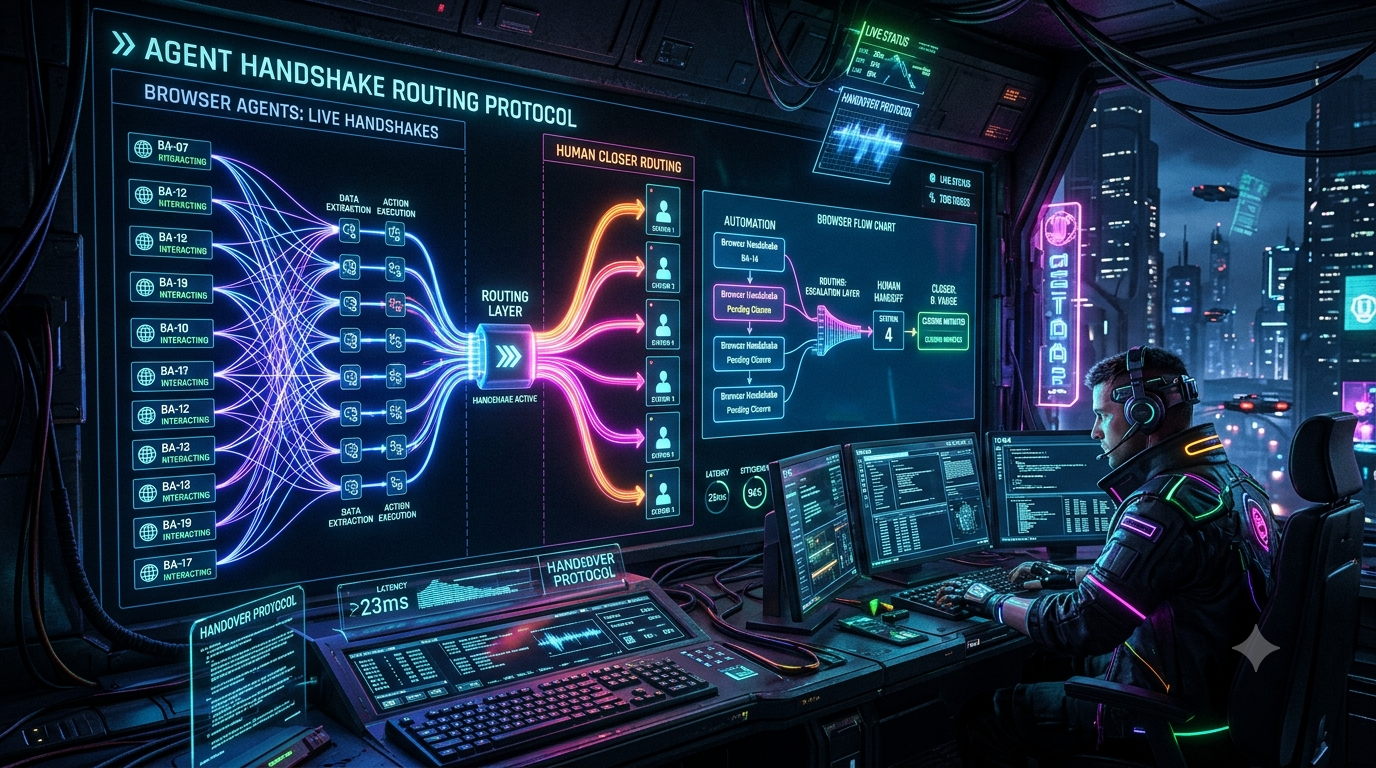
Autonomous browser agents have changed how teams handle web data extraction, form filling, and back-office workflows on portals that have no API. Stagehand, from Browserbase, combines deterministic browser control with LLM reasoning through four primitives: `act()`, `extract()`, `observe()`, and `agent()`. Playwright remains one of the most common drivers underneath this kind of automation, and Stagehand can operate on Playwright `Page` objects directly.
These agents still stall. MFA prompts, CAPTCHAs that slip past automated solving, unexpected layout changes, and approval steps that policy says a person must own all stop an agent. What happens in the next few minutes decides whether a human can finish the job or whether you restart from scratch.
This article shows how to build a handoff pipeline that detects a stall, preserves the live browser session, posts an interactive Slack claim card, lets exactly one human take over, and then resumes the agent with a clean context instead of a polluted one.
1. What “Context Drift” Means for Browser Agents
“Context drift” is a practical label, not a formal research term. It describes what happens when a stalled agent keeps going. Its internal picture of the task diverges from what the browser is actually showing, and its context fills with failed attempts.
Two things drive it.
Longer context makes models less reliable. Chroma’s 2025 “Context Rot” report tested 18 frontier models and found that performance becomes increasingly unreliable as input length grows, even on simple tasks. Each failed step an agent keeps in its history adds to the problem.
The page keeps changing while the agent reasons. Session-timeout overlays, asynchronous modals, and redirects can invalidate the agent’s last observation before it acts on it.
Stagehand’s own design reflects this. Its documentation recommends breaking work into single-step `act()` calls and using `observe()` to preview an action before executing it. The `agent()` method defaults to a `maxSteps` limit of 20, and `AgentResult` reports `success`, `completed`, and token `usage`, so you can measure a run instead of guessing.
The conclusion is that retrying forever is the wrong response to a stall. Detect the stall quickly, preserve the session, hand it to a human, and restart the agent with a short, fresh instruction.
2. Where Stagehand, Playwright, and Browserbase Fit
- Stagehand v3 is a standalone library that no longer depends on Playwright. It can still drive Playwright, Puppeteer, or Patchright pages by passing a `page` option to `act()`, `extract()`, and `observe()`.
- Playwright gives you reliable screenshot and DOM tooling. This article uses it to capture the stall screenshot. Playwright 1.56 also introduced “Playwright Agents” (planner, generator, healer), but those are for authoring and repairing tests, not for runtime browsing. They are a different thing from the runtime agents discussed here.
- Browserbase hosts the cloud browser. Its Live View lets a person watch and control a running session. Browserbase documents this as a human-in-the-loop feature, including handing credentials entry to the end user.
3. Defining Interception Triggers
Don’t rely on the model to announce its own failure. Use signals your harness can measure.
1. Step budget exhausted or `success: false`. Run `agent.execute()` with an explicit `maxSteps` and treat an unsuccessful result as a handoff candidate.
2. Wall-clock timeout. Non-CUA agents (DOM and hybrid modes) accept an `AbortSignal`, which lets you cancel a run that has exceeded its time budget. This is an experimental feature that requires `experimental: true`.
3. No-progress heuristic. The `onStepFinish` callback fires after each step. If the page URL hasn’t changed across many consecutive steps, treat the agent as stuck. Tune the threshold to your workflow, because form-heavy pages legitimately take many steps on one URL.
4. Known blocker signatures. Challenge pages, login redirects, 403 responses, and MFA screens can be matched deterministically and should skip any further agent attempts.
5. Policy gates. Payments above a limit, KYC sign-offs, and other compliance checkpoints should always route to a human by design, regardless of how well the agent is doing.
Stagehand’s `observe()` returns candidate actions with a selector, description, method, and arguments. It does not return a numeric confidence score, so don’t build a handoff rule on a `confidence < 0.75` threshold. Use the observable signals above.
4. Architecture
```
[Stagehand agent on Browserbase session (keepAlive)]
│ stall detected (abort / failure / policy gate)
▼
[Capture screenshot via Playwright (mask sensitive fields)]
▼
[Backend dispatcher: store task + session ID, post Slack card]
▼
[Slack claim card] ── human clicks "Claim" ──► [atomic lock (Redis SET NX)]
▼
[Ephemeral message to the claimer with the Live View link]
▼
[Human resolves blocker → "Return to agent" or "Complete"]
▼
[Agent resumes with a fresh, short instruction]
```
Keep the session alive, deliberately
By default, a Browserbase session ends when the client disconnects or its timeout is reached. To hold a session for a human, you need two settings:
- `keepAlive: true` lets the session survive disconnects. Availability depends on your Browserbase plan.
- A `timeout` long enough to cover your claim window plus the human’s work. You can set it per session or as a project default. The maximum session duration is 6 hours.
With `keepAlive` enabled, Stagehand’s `close()` no longer terminates the browser. Release the session explicitly when you finish, or it keeps running and billing.
5. Implementation
The sketch below uses a single process with an in-memory waiter map to stay readable. In production, replace the map with a queue or Redis pub/sub so the Slack handler and the agent worker can run on different machines. Check the current SDK reference for exact option and type names, because Stagehand and the Browserbase SDK evolve quickly.
The agent runner with stall detection
```
import { Stagehand } from "@browserbasehq/stagehand";
import Browserbase from "@browserbasehq/sdk";
import { chromium } from "playwright";
import { WebClient } from "@slack/web-api";
import Redis from "ioredis";
const slack = new WebClient(process.env.SLACK_BOT_TOKEN);
const bb = new Browserbase({ apiKey: process.env.BROWSERBASE_API_KEY! });
const redis = new Redis(process.env.REDIS_URL!);
type Outcome = "resume" | "complete" | "abort" | "expired";
const waiters = new Map<string, (o: Outcome) => void>();
export const signalHandoff = (taskId: string, o: Outcome) => waiters.get(taskId)?.(o);
async function runAgentOnce(
stagehand: Stagehand,
agent: ReturnType<Stagehand["agent"]>,
instruction: string
): Promise<string | null> {
const controller = new AbortController();
const wallClock = setTimeout(() => controller.abort("wall-clock budget exceeded"), 180_000);
let lastUrl = "";
let samePageSteps = 0;
try {
const result = await agent.execute({
instruction,
maxSteps: 25,
signal: controller.signal,
callbacks: {
onStepFinish: async () => {
const url = stagehand.context.pages()[0].url();
samePageSteps = url === lastUrl ? samePageSteps + 1 : 0;
lastUrl = url;
if (samePageSteps >= 8) controller.abort("no page progress for 8 steps");
},
},
});
return result.success ? null : `agent reported incomplete: ${result.message}`;
} catch (e: any) {
if (e?.name === "AgentAbortError") return String(controller.signal.reason);
throw e;
} finally {
clearTimeout(wallClock);
}
}
export async function runWithHandoff(taskId: string, startUrl: string, task: string) {
const stagehand = new Stagehand({
env: "BROWSERBASE",
apiKey: process.env.BROWSERBASE_API_KEY,
projectId: process.env.BROWSERBASE_PROJECT_ID,
experimental: true, // required for abort signals and callbacks
model: "anthropic/claude-sonnet-4-6",
browserbaseSessionCreateParams: { keepAlive: true, timeout: 3600 },
});
await stagehand.init();
const sessionId = stagehand.browserbaseSessionID!;
try {
await stagehand.context.pages()[0].goto(startUrl);
const agent = stagehand.agent();
let instruction = task;
for (let attempt = 0; attempt < 3; attempt++) {
const stallReason = await runAgentOnce(stagehand, agent, instruction);
if (!stallReason) return; // finished without help
const outcome = await requestHandoff({ stagehand, sessionId, taskId, stallReason });
if (outcome === "complete") return;
if (outcome !== "resume") throw new Error(`Handoff ended: ${outcome}`);
// Fresh context: no stale message history, just a compact summary.
instruction =
`A human operator resolved a blocker on the current page (${stallReason}). ` +
`Re-inspect the page and continue this task: ${task}`;
}
} finally {
await stagehand.close();
await bb.sessions.update(sessionId, {
projectId: process.env.BROWSERBASE_PROJECT_ID!,
status: "REQUEST_RELEASE",
});
}
}
```
Capturing the screenshot and posting the claim card
Slack’s `image` block needs either a publicly hosted `image_url` or a `slack_file` reference, so an internal CDN URL won’t render. The simplest approach is to upload the screenshot to the card’s thread with `filesUploadV2`.
Playwright’s `screenshot()` accepts a `mask` option, which lets you cover sensitive fields before the image ever leaves your infrastructure.
```
const CLAIM_TTL_MS = 10 * 60 * 1000;
async function requestHandoff(opts: {
stagehand: Stagehand;
sessionId: string;
taskId: string;
stallReason: string;
}): Promise<Outcome> {
const { stagehand, sessionId, taskId, stallReason } = opts;
// Attach Playwright to the same cloud browser to take the screenshot.
const pw = await chromium.connectOverCDP(stagehand.connectURL());
const pwPage = pw.contexts()[0].pages()[0];
const png = await pwPage.screenshot({
fullPage: true,
mask: [pwPage.locator('input[type="password"], [data-sensitive]')],
});
const pageUrl = pwPage.url();
await pw.close(); // disconnects; the session survives because keepAlive is on
await redis.hset(`handoff:${taskId}`, { sessionId, pageUrl, stallReason });
const card = await slack.chat.postMessage({
channel: process.env.SLACK_TRIAGE_CHANNEL_ID!,
text: "Browser agent needs a human",
blocks: [
{ type: "header", text: { type: "plain_text", text: "Browser agent needs a human" } },
{
type: "section",
fields: [
{ type: "mrkdwn", text: `*Task:*\n\`${taskId}\`` },
{ type: "mrkdwn", text: `*Page:*\n${new URL(pageUrl).hostname}` },
{ type: "mrkdwn", text: `*Reason:*\n${stallReason}` },
],
},
{
type: "actions",
elements: [
{ type: "button", style: "primary", action_id: "claim_browser_session",
text: { type: "plain_text", text: "Claim & take over" }, value: taskId },
{ type: "button", style: "danger", action_id: "abort_browser_session",
text: { type: "plain_text", text: "Abort task" }, value: taskId },
],
},
],
});
await slack.filesUploadV2({
channel_id: card.channel!,
thread_ts: card.ts!,
file: png,
filename: `${taskId}.png`,
initial_comment: "Screenshot at the moment of the stall (sensitive fields masked).",
});
return new Promise<Outcome>((resolve) => {
waiters.set(taskId, resolve);
// Expire the handoff if nobody claims it in time.
setTimeout(async () => {
if (!(await redis.exists(`handoff:${taskId}:owner`))) resolve("expired");
}, CLAIM_TTL_MS);
});
}
```
Handling the claim: atomic lock, then a private takeover link
Slack requires an HTTP 200 acknowledgment within 3 seconds of receiving an interaction payload, so call `ack()` first and do the work afterward. The `response_url` in the payload can be used up to five times within 30 minutes.
The Live View URL grants control of a running browser. Treat it like a credential: send it only to the person who claimed the task, in an ephemeral message, and never post it in the shared channel.
```
import { App, BlockAction, ButtonAction } from "@slack/bolt";
const app = new App({
token: process.env.SLACK_BOT_TOKEN,
signingSecret: process.env.SLACK_SIGNING_SECRET,
});
app.action<BlockAction>("claim_browser_session", async ({ ack, body, client }) => {
await ack();
const taskId = (body.actions[0] as ButtonAction).value!;
const userId = body.user.id;
const channel = body.channel!.id;
const ts = body.message!.ts;
// Only the first click wins. SET ... NX is atomic in Redis.
const won = await redis.set(`handoff:${taskId}:owner`, userId, "EX", 3600, "NX");
if (!won) {
await client.chat.postEphemeral({
channel, user: userId, text: "Someone else already claimed this session.",
});
return;
}
const sessionId = (await redis.hget(`handoff:${taskId}`, "sessionId"))!;
const { debuggerFullscreenUrl } = await bb.sessions.debug(sessionId);
// Public card: show who owns it, with no sensitive link.
await client.chat.update({
channel, ts, text: `Claimed by <@${userId}>`,
blocks: [
{ type: "section", text: { type: "mrkdwn", text: `*Claimed by <@${userId}>* — task \`${taskId}\`` } },
{ type: "actions", elements: [
{ type: "button", style: "primary", action_id: "return_to_agent",
text: { type: "plain_text", text: "Return control to agent" }, value: taskId },
{ type: "button", action_id: "complete_task",
text: { type: "plain_text", text: "Task complete" }, value: taskId },
]},
],
});
// Private message: only the claimer sees the control link.
await client.chat.postEphemeral({
channel, user: userId, text: "Open the live session",
blocks: [{ type: "actions", elements: [
{ type: "button", action_id: "open_live_view",
text: { type: "plain_text", text: "Open live session" }, url: debuggerFullscreenUrl },
]}],
});
});
app.action<BlockAction>("return_to_agent", async ({ ack, body }) => {
await ack();
signalHandoff((body.actions[0] as ButtonAction).value!, "resume");
});
app.action<BlockAction>("complete_task", async ({ ack, body }) => {
await ack();
signalHandoff((body.actions[0] as ButtonAction).value!, "complete");
});
app.action<BlockAction>("abort_browser_session", async ({ ack, body }) => {
await ack();
signalHandoff((body.actions[0] as ButtonAction).value!, "abort");
});
```
Two Slack details are worth knowing. A button with a `url` still sends your app an interaction payload, which you must acknowledge. Also, “Return control” and “Task complete” are only meaningful for the person who claimed the task, so in production verify that `body.user.id` matches the stored owner before signaling.
6. Resuming Without Dragging Context Along
The loop in `runWithHandoff` does not reuse the previous run’s message history. It starts a new `agent.execute()` with a short instruction that says what the human resolved and tells the agent to re-inspect the page. Stagehand does offer message continuation through the `messages` field, but for a stalled run that history is the polluted context you are trying to leave behind. Reserve continuation for healthy multi-step tasks.
If you want the agent to avoid repeating work, pass the state it needs as structured data (for example, which form pages are already complete) rather than as the raw transcript.
7. Best Practices for Production
- Set a claim TTL and a cleanup path. If no one claims the card within your window (10 minutes in the example, which is a design choice rather than a platform rule), alert an escalation channel and release the session. Because `keepAlive` sessions keep running until released or timed out, always set an explicit `timeout` and call `REQUEST_RELEASE` in a `finally` block.
- Mask sensitive data before anything leaves your systems. Use Playwright’s `mask` option for known fields. Also keep credentials out of the model’s view: Stagehand’s `variables` feature substitutes values at runtime so the LLM sees only the placeholder names. Set `verbose: 0` to keep secrets out of logs.
- Verify ownership on every callback. Check the Slack request signature (Bolt does this for you) and confirm that the user pressing “Return control” is the user holding the lock.
- Escalate intentionally for policy gates. For payments and compliance steps, route to a human before the agent acts, not after it fails.
- Instrument handoffs. Record the trigger type (step budget, wall-clock timeout, no-progress, blocker signature, policy gate), time to claim, time to resolve, and whether the agent succeeded after resuming. Use your own numbers to decide which failures to fix in prompts, which to turn into deterministic rules, and which to leave to humans.
- Respect the sites you automate. Make sure your automation and any human takeover comply with the target portal’s terms and your organization’s authorization requirements.
8. Putting It Together
A reliable handoff comes down to four decisions:
1. Detect stalls with measurable circuit breakers (step budget, abort signal, progress heuristics, deterministic blockers) instead of trusting the model’s self-assessment.
2. Preserve the browser session on purpose, using `keepAlive`, a sensible `timeout`, and explicit release.
3. Give humans a safe, race-free way in: a Slack claim card, an atomic lock, a private Live View link, and a masked screenshot.
4. Resume with a clean, compact instruction rather than the transcript of a failing run.
Further Reading
- Stagehand `agent()` and `act()` documentation: <https://docs.stagehand.dev/v3/basics/agent> and <https://docs.stagehand.dev/v3/basics/act>
- Browserbase Live View: <https://docs.browserbase.com/platform/browser/observability/session-live-view>
- Browserbase session timeouts and keep alive: <https://docs.browserbase.com/platform/browser/long-sessions/overview>
- Slack interaction handling (3-second acknowledgment, `response_url`): <https://docs.slack.dev/interactivity/handling-user-interaction>
- Slack Block Kit blocks reference: <https://api.slack.com/reference/block-kit/blocks>
- Chroma, “Context Rot: How Increasing Input Tokens Impacts LLM Performance”: <https://research.trychroma.com/context-rot>