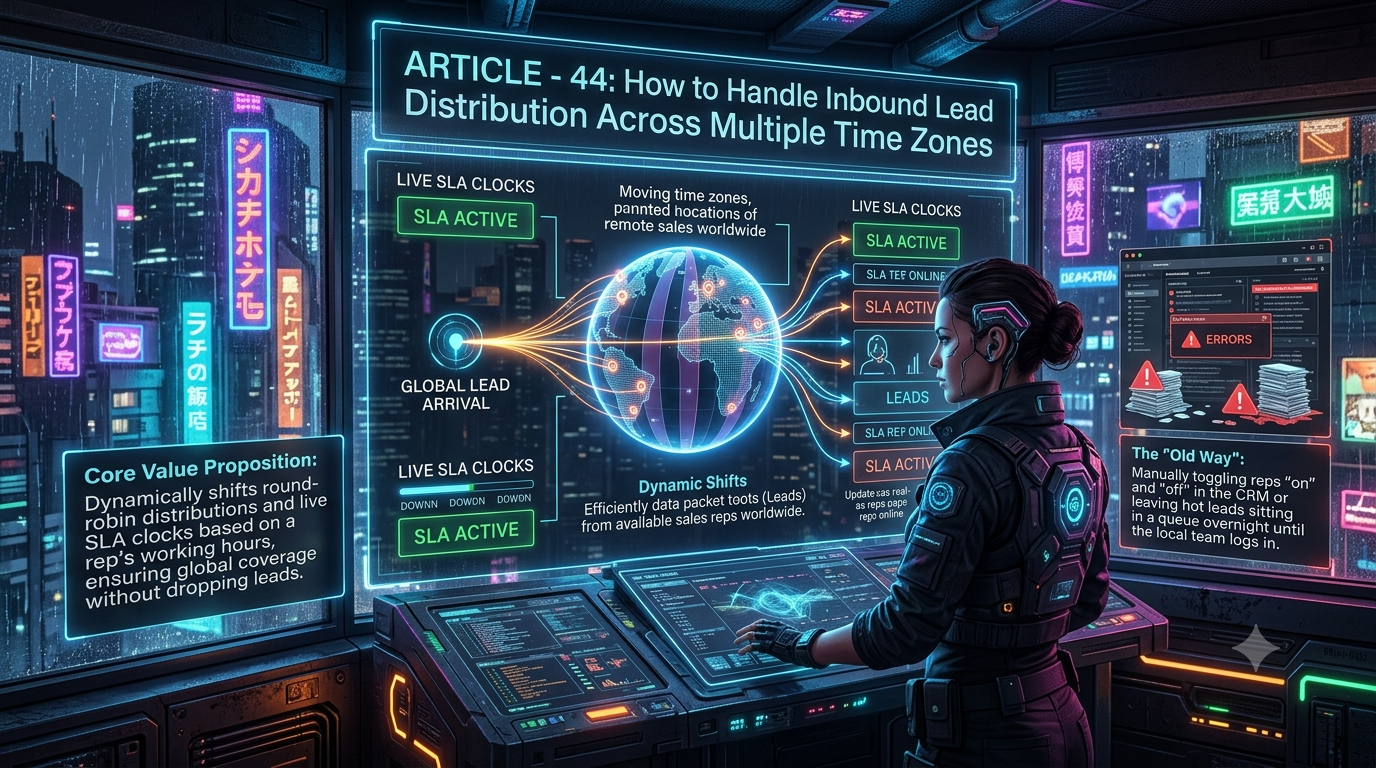
Zapier connects thousands of apps and supports fully custom branching logic, but routing leads by rep time zone means chaining Filter, Formatter, and Delay steps into a fragile, multi-path Zap. InstaChime is built for global sales teams: round-robin pools, SLA countdown clocks, and escalation rules run on each rep's working hours natively, so leads never sit idle overnight.
The Core Difference: Universal App Connectivity vs. Native Schedule-Aware Distribution
Zapier's core strength is breadth. It connects 9,000+ apps and lets operations teams push webhook payloads across almost any endpoint using conditional Paths. For time-zone-based routing, that means building a workflow that:
- Uses Formatter by Zapier to convert the lead's timestamp into each rep's local time
- Adds a Filter step to check whether that local time falls inside a working-hours window
- Chains a Delay by Zapier action to hold the lead if every rep in a region is offline
- Branches through nested Paths to hand the lead to the next available region
Each of these is a real, supported Zapier building block — but stacking them into a reliable 24/7 routing tree is a multi-step build that breaks whenever an app updates its data format or a rep's schedule changes.
InstaChime replaces that structural complexity with schedule-aware routing rules. Reps are assigned working hours and time zones directly in the routing configuration. When a lead comes in outside a rep's active window, InstaChime's round-robin logic skips that rep automatically, assigns the lead to the next available person, and starts a live SLA countdown clock the moment the lead is claimed or escalated — no nested conditional logic to maintain.
Why RevOps Teams Look for Zapier Alternatives
Distributed sales teams tend to hit the same wall with general-purpose automation tools once routing needs to account for geography.
- Debugging complexity compounds. Global routing in Zapier typically means chaining several Zaps together (capture → enrich → check schedule → route → notify). Each Zap in the chain can fail independently, and troubleshooting a break across five or six connected Zaps takes real engineering time.
- Task-based billing scales with every action step. Zapier bills per action step that moves data — triggers, filters, Paths, and tools like Formatter and Delay are free, but each CRM update, notification, or logging step in a multi-step routing workflow still consumes a task. A routing workflow with several downstream actions per lead adds up fast at volume.
- Overnight lead decay. When time-zone logic is handled through manual filters instead of native scheduling, a broken condition or an unmaintained filter can leave a lead sitting in queue until the next region's team logs in — directly undermining sub-30-second response targets.
- Maintenance falls on whoever built it. Custom Zap trees built for time-zone routing tend to become "tribal knowledge" that only the original builder can safely edit.
Teams don't leave Zapier because it's a bad product — they leave because global lead routing is a scheduling problem, not an integration problem, and a general-purpose automation tool wasn't built to solve it natively.
Feature Comparison: InstaChime vs. Zapier
| Workflow | InstaChime | Zapier |
|---|---|---|
| Time-Zone Routing | Reps are assigned working hours and time zones directly in routing rules; offline reps are skipped automatically. | Requires custom Formatter (time conversion) + Filter (business-hours check) steps chained together manually. |
| Round-Robin Distribution | Round-robin pools shift in real time as reps move in and out of their working hours. | No native concept of rep availability; round-robin requires external logic or a connected scheduling app. |
| SLA Escalation | Live visual SLA countdown starts on lead arrival; unclaimed leads reassign automatically via round-robin. | Requires Delay steps and additional Filter checks, which can misfire if a lead arrives right at a schedule boundary. |
| Billing Model | Tiered subscription plans (Free, Starter, Growth, Agency); adding routing steps doesn't add metered cost. | Task-based billing: each action step that moves data consumes one task, so multi-step routing workflows use more tasks per lead as they scale. |
| Setup & Maintenance | Configured through a routing UI built for RevOps and sales ops, not developers. | Blank-canvas builder; time-zone logic is assembled and maintained step-by-step by whoever built the Zap. |
How to Migrate from Zapier to InstaChime
1. Map global working hours.
Audit your existing Zaps to identify every lead source currently feeding your routing logic. Enter each rep's local working hours and time zone into InstaChime's routing configuration so the system knows who's active at any given moment.
2. Configure SLA windows and escalation paths.
Set your target response time (for example, 5 minutes) and define who a lead escalates to if the first assigned rep doesn't claim it in time. This replaces the Delay-and-Filter chains you were maintaining in Zapier.
3. Point your lead sources at InstaChime.
Swap the inbound webhook URL in your forms, ad platforms, or CRM at the point of lead capture to your InstaChime endpoint. Watch the delivery and routing logs for 24–48 hours to confirm leads are landing with the right rep before retiring the old Zaps.
Frequently Asked Questions
Is InstaChime cheaper than Zapier for high-volume lead routing?
It depends on how many downstream action steps your routing workflow needs. Zapier's task-based billing (roughly $19.99–$29.99/month for 750 tasks on its Professional plan, depending on annual or monthly billing) charges one task per action step that moves data — triggers, filters, and tools like Formatter and Delay are free, but each CRM update or notification step still counts. InstaChime uses flat subscription tiers instead, so routing complexity doesn't add metered cost per lead.
Do I need a developer to set up time-zone routing in InstaChime?
Most teams can configure working hours, routing rules, and SLA windows through InstaChime's routing UI without writing code. A developer may still be useful if your lead source requires custom webhook signing or a non-standard integration, but that's the exception rather than the default setup path.
How does InstaChime handle daylight saving time compared to a generic automation tool?
Because rep schedules are tied to named time zones rather than fixed UTC offsets, the underlying time-zone data shifts automatically twice a year — you don't need to manually update a hard-coded time-block filter. In a general-purpose automation tool, a routing workflow built on fixed offsets (rather than named time zones) needs to be manually adjusted each time daylight saving time changes, or leads can be routed an hour early or late.