Zapier connects thousands of apps through highly customizable logic paths, making it a strong generalist automation tool. But it lacks native SLA countdowns or escalation logic, and polling-based triggers can lag up to 15 minutes. For Field Marketing Managers and Event Ops chasing sub-30-second lead response at trade shows, InstaChime's built-in SLA enforcement and escalation fit better.
The Core Difference: General-Purpose Integration Logic vs. Purpose-Built SLA Enforcement
Zapier is a generalized integration layer. To route trade show leads, Event Ops has to build the pipeline itself: catch the badge-scan payload (via a webhook, a CSV export, or a connected CRM's trigger), parse and format the data, sync it to the CRM, then fire off an alert. Each of those is a separate step to configure, test, and maintain — and, on paid plans, a separate billable task.
That gets more complicated with badge-scanning tools specifically. iCapture, one of the most widely used trade-show badge scanners (now part of Cvent), does not currently have a published app in Zapier's directory. Getting its data into a Zap means bridging it manually through Webhooks by Zapier, a CSV export, or a downstream CRM's own trigger. Cvent's core attendee and registration data does have a native Zapier app — but that covers registration records, not live badge-scan events at the booth.
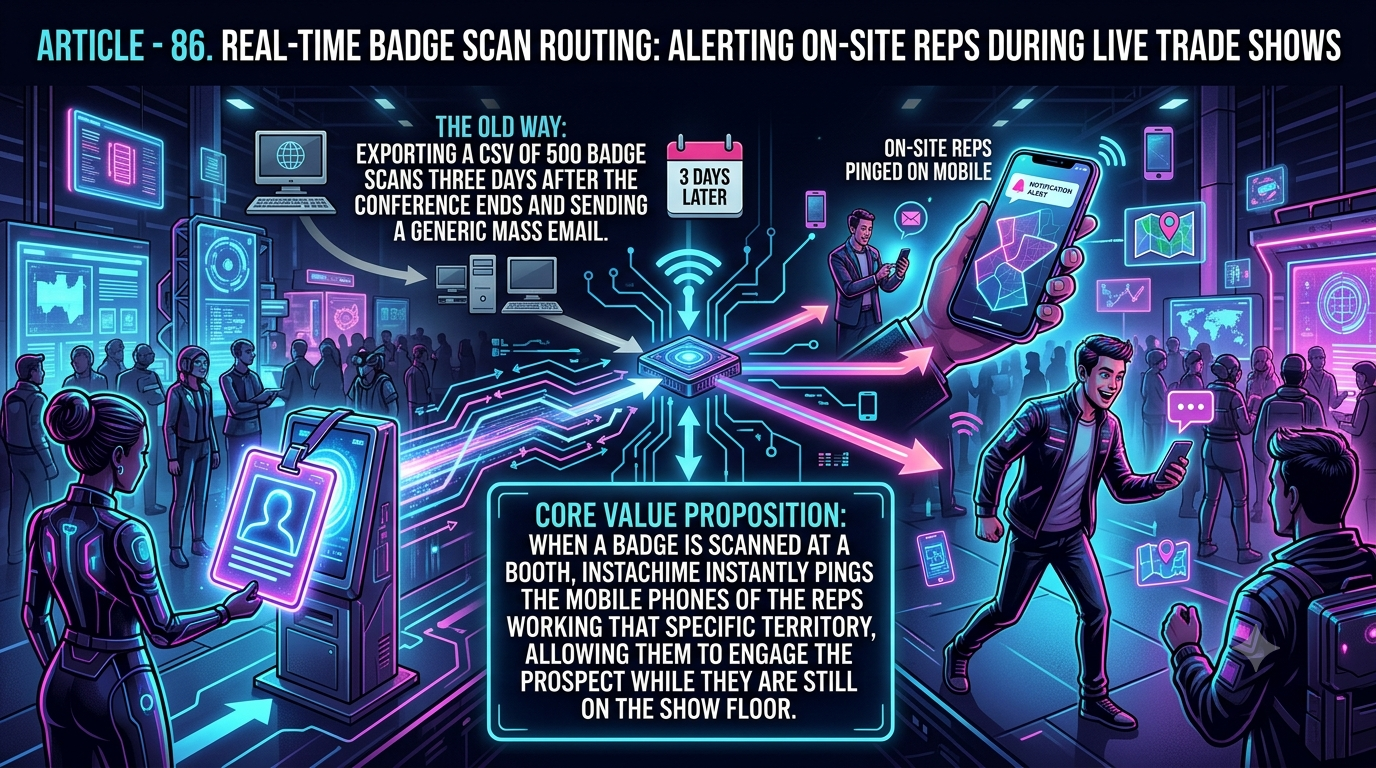
InstaChime is built around a narrower loop: capture, route, alert, claim, escalate. It treats any incoming webhook as a lead — so a badge-scan payload exported from iCapture, Cvent, or a connected CRM becomes a routable lead the moment it lands, without Event Ops chaining together formatter and CRM-lookup steps first. Routing rules (round-robin, priority, escalation) are configured once and reused across every show, rather than rebuilt inside a new Zap for each event.
Why Teams Look for Zapier Alternatives
Field Marketing Managers and Event Ops teams tend to hit the same friction points running live booth alerts through Zapier:
- Task-based cost bloat. Zapier bills per completed action step, not per Zap. A workflow that parses a badge scan, looks up the CRM record, formats the alert, and sends it can consume three or four tasks *per lead*. The Free plan caps out at 100 tasks a month; the entry Professional tier starts around 750 tasks (roughly $20–30/month depending on billing cycle). A single high-traffic show day can burn through that allotment before lunch.
- Polling delay on non-instant triggers. Zapier's official polling intervals are 15 minutes on Free, 2 minutes on Professional, and 1 minute on Team and Enterprise. Only apps with a supported instant (webhook) trigger bypass this and fire in seconds — and that depends on the source app, not the plan. If a badge tool only supports polling, or isn't in Zapier's directory at all (like iCapture), a hot lead can sit for minutes while the prospect walks the show floor.
- No native SLA or escalation logic. Zapier has no built-in SLA countdown. Teams approximate escalation with Paths (Professional plans and up) chained to Delay steps that check whether a CRM field changed — logic that has to be built and tested fresh for every event, and breaks quietly if a field name changes.
- SMS volume ceiling. Zapier's built-in SMS by Zapier action (which runs on Twilio under the hood) is capped at 15 messages per hour, on US or UK numbers only. That's well short of what a busy booth scanning hundreds of badges an hour needs, which pushes teams toward a separate Twilio account or SMS platform — another vendor, another billable step.
Key insight: the real cost of general-purpose automation at a trade show isn't the subscription line — it's the task-overage bill from one high-traffic show day, or the leads that go stale during a multi-minute polling window.
Feature Comparison: InstaChime vs. Zapier
| Feature | Zapier | InstaChime |
|---|---|---|
| Alert Delivery | Native SMS action caps at 15 messages/hour, US/UK numbers only; higher volume requires adding Twilio or a similar gateway as an extra billable step. | Delivers alerts through Slack, Teams, SMS/WhatsApp, browser push, email, or voice — whichever channel booth staff already watch. |
| SLA Enforcement | No built-in SLA clock. Approximated with Paths (Professional+) and Delay steps, rebuilt and re-tested for every event. | Includes a configurable SLA timer that automatically escalates an unclaimed lead to the next rep or a manager. |
| Lead Routing Logic | Round-robin or territory assignment must be hand-built with Paths, Filters, or a Router step. | Round-robin and priority-based routing are built in and reusable across shows without rebuilding logic. |
| Badge Data Ingestion | iCapture has no published Zapier app; data must reach Zapier via a manual webhook, CSV export, or a connected CRM's own trigger. Cvent's core attendee data does have a native app. | Accepts any webhook as a capture source, so a badge-scan payload from iCapture, Cvent, or another scanner becomes a lead the moment it lands. |
| Pricing Model | Billed per completed action step ("task"). Free: 100 tasks/month. Professional starts near $20–30/month for 750 tasks; heavier show days need a higher task tier. | Billed on total monthly lead volume, regardless of how many routing or alert steps each lead triggers. Growth plan: $79/month for up to 10,000 leads. |
How to Migrate from Zapier to InstaChime
1. Audit and pause your existing Zaps. Find every Zap touching badge-scan or lead-capture data — webhook catches, CRM syncs, SMS or Slack alerts — and turn them off before switching, so you don't end up with duplicate CRM records or double-billed tasks during the transition.
2. Point your capture source at InstaChime. Configure your badge scanner's export, Cvent's data feed, or your existing Zapier webhook to send its payload to InstaChime's capture endpoint instead of — or alongside, while testing — your old Zap.
3. Configure routing, SLA, and alert channels. Upload your rep roster, set round-robin or territory rules, define your SLA window and escalation path, and choose the channels — Slack, SMS, WhatsApp, browser push — your booth staff actually watch.
Frequently Asked Questions
Is InstaChime cheaper than Zapier for high-volume trade shows?
It depends on your event volume and how many steps each lead's workflow touches. Zapier bills per completed action step, so a workflow that parses a badge scan, checks the CRM, and sends an alert consumes several tasks per lead — a single high-traffic show day can push a lean team past the roughly 750-task Professional tier and into a pricier task bracket. InstaChime's Growth plan is a flat $79/month for up to 10,000 leads regardless of how many routing or alert steps each one triggers, which makes costs more predictable across a multi-show calendar. Run the math against your own expected scan volume before deciding.
Do I need a developer to set up InstaChime for badge scan routing?
Not for the routing and alerting logic — SLA windows, round-robin rules, and alert channels are configured through InstaChime's dashboard. Getting the badge-scan data in does require a webhook: if your scanning tool already writes to a CRM or spreadsheet, you can point that connection's webhook at InstaChime; if it only exports flat files, you may need light technical help to bridge the export into a webhook call. By comparison, building equivalent routing and escalation logic natively in Zapier — Paths, Delay steps, conditional filters — generally does require someone comfortable with branching logic and JSON.
How does InstaChime handle a missed alert compared to Zapier?
Zapier has no built-in escalation feature; teams typically approximate one by chaining a Delay step to a conditional Path that checks whether a CRM field changed, then fires a second alert if it hasn't — logic that's brittle and has to be rebuilt per workflow. InstaChime treats escalation as a native setting: if a rep doesn't claim the lead inside the configured SLA window, the system automatically reassigns it to the next rep in the rotation or routes it to a manager.