Zapier connects thousands of apps through customizable, code-optional workflows, but turning Slack community chatter into routed leads still means building filter logic, an AI classification step, and manual rep coordination yourself. InstaChime is purpose-built for community-led growth teams: it natively detects buying signals in Slack, then routes them into claimable, SLA-timed alerts within seconds — no workflow engineering required.
The Core Difference: Multi-Step Zapier Pipelines vs. Native Community Intent Routing in InstaChime
The fundamental difference comes down to generalist workflow-building versus purpose-built community lead execution.
Zapier is an integration engine, not a lead-routing product. Slack's Zapier integration ships instant, webhook-based triggers — such as "New Message Posted to Channel" and "New Mention" — so it reacts to messages in real time rather than polling for them. From there, a Community Director typically adds a Filter step to catch exact keywords, or an AI by Zapier classification action to catch semantic phrasing like "looking for a Zapier alternative." Either path still needs separate action steps to post the alert, search the CRM, and update the record, and Zapier has no built-in concept of "this lead has been claimed" once an alert is posted.
Zapier does sell a dedicated add-on, Zapier Lead Router, which handles round-robin and rule-based assignment. It's built to distribute structured leads arriving from forms, ads, or a CRM — it does not parse raw Slack messages for buying-intent phrases. Teams that want both semantic detection and claim coordination end up stitching Lead Router, Filters, and custom logic together.
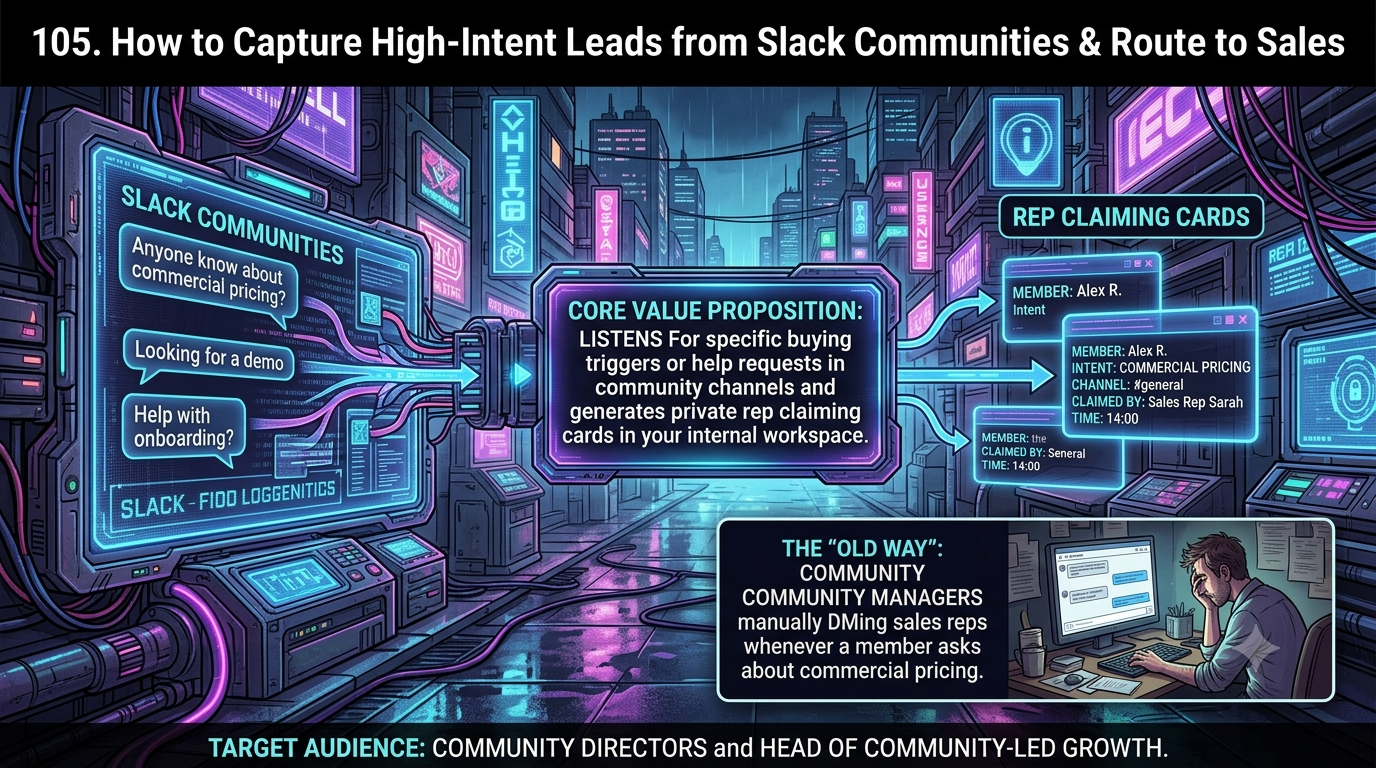
InstaChime is built for one job. It deploys passive listening across designated Slack community channels to detect buying signals ("pricing," "vendor recommendation," "Zapier alternative," and similar phrasing). When a trigger fires, InstaChime immediately generates an interactive rep claiming card in your internal sales workspace, with message context, user profile details, a live SLA countdown clock, and automatic CRM logging — with no Filter steps, AI prompts, or webhook payloads to configure.
Why Community Directors Look for Zapier Alternatives
Heads of community-led growth and Community Directors who move off Zapier for this specific workflow typically cite three recurring bottlenecks.
- Lead collisions and unclaimed messages. A Slack message posted by Zapier is static text. It has no "claim" state, so either multiple reps message the same community member at once, or the alert gets buried in a busy channel and nobody follows up.
- Unpredictable cost once you need real intent detection, not just keywords. Zapier's Filter and Paths steps don't consume tasks, so basic exact-match keyword filtering is technically free. But high-intent messages rarely use one fixed phrase — people write "does this replace X" or "anyone using something like this instead." Catching that requires an AI by Zapier classification step, and every successful run of that step bills as a task, match or no match. In a channel generating thousands of messages a day, that can burn through a Professional plan's 750-task allotment (roughly $19.99–$29.99/month as of this writing) before a single lead is even routed, pushing teams into higher-volume, usage-based tiers.
- No native SLA tracking or escalation. Zapier has no built-in timer that watches whether a rep acted on a posted alert. Teams approximate this by chaining Delay by Zapier, Paths, and Storage by Zapier to poll for a "claimed" flag — a multi-step build that still consumes a task on every check, and usually needs an ops or RevOps owner to maintain.
Feature Comparison: InstaChime vs. Zapier
| Feature / Workflow Capability | InstaChime | Zapier |
|---|---|---|
| Buying-intent detection | Native passive listening across community channels, tuned for buying-signal phrasing out of the box. | Instant Slack triggers pair with a Filter step for exact keywords, or an AI by Zapier classification step for semantic matches — the latter consumes a task on every run. |
| Rep claiming & duplicate prevention | Built-in interactive claim card in your internal Slack workspace; locks the moment a rep clicks "Claim." | No native claim-and-lock mechanic. A locking Slack button requires a custom Slack app with Block Kit interactivity, outside Zapier's standard no-code Slack connector. |
| SLA timer & escalation | Native visual countdown clock with automatic re-routing if unclaimed. | No native SLA timer. Approximated with Delay, Paths, and Storage by Zapier — a multi-step build where each check still counts as a task. |
| CRM sync | Automated single step: syncs community user data, thread context, and claiming rep to Salesforce or HubSpot. | Works, but each CRM search and field update is a separate task-consuming action step you configure yourself. |
| Pricing model | Flat community-tier pricing based on routed alerts, not raw channel volume. | Task-based billing. Filters and triggers are free, but every successful action — including AI intent classification — consumes a task, so cost rises with community volume once you go beyond exact-keyword matching. |
How to Migrate from Zapier to InstaChime
1. Connect the InstaChime listener to your Slack community.
*Prerequisite: Workspace admin permissions.* Authenticate InstaChime in your public or Slack Connect community and choose which channels to monitor for buying signals.
2. Define your buying-intent keywords and negative filters.
*Prerequisite: a documented list of intent phrases.* Add high-intent terms (e.g., "pricing," "looking for a tool," "recommendations") and negative keywords to suppress internal chatter, bot messages, and support threads.
3. Connect your internal sales workspace and set SLA thresholds.
*Prerequisite: the InstaChime internal Slack app installed for your sales team.* Set your target response SLA (e.g., 60 seconds), define escalation fallbacks or secondary reps, and confirm your CRM sync destination.
Frequently Asked Questions
Is InstaChime cheaper than Zapier for monitoring a high-volume Slack community?
For basic exact-keyword alerts, Zapier's Filter and Paths steps don't consume tasks, so cost stays low. But once you need semantic intent detection — catching phrasing like "anyone using something like this" rather than one fixed keyword — you need an AI by Zapier classification step, and every run of that step bills as a task whether or not it finds a match. In a channel generating thousands of messages a day, that consumption adds up quickly and can push a team past a 750-task Professional plan. InstaChime uses flat, community-tier pricing based on routed alerts rather than raw message volume, so cost doesn't scale with how chatty your community is.
Do I need a developer to set up rep claiming and SLA escalation?
In Zapier, effectively yes. A Slack message posted by a Zap is static text; a button that locks once one rep claims it requires building a custom Slack app with Block Kit interactivity and a webhook receiver, which sits outside Zapier's no-code Slack connector. Approximating an SLA timer without that also means chaining Delay by Zapier, Paths, and Storage by Zapier to poll for a "claimed" flag. InstaChime ships claim cards and SLA countdown clocks as native features, so setup is configuration, not development.
Can InstaChime monitor Slack Connect channels and external community workspaces?
Yes. InstaChime supports multi-workspace authentication, so a single admin dashboard can monitor public community channels, private ambassador groups, and shared Slack Connect channels at once.