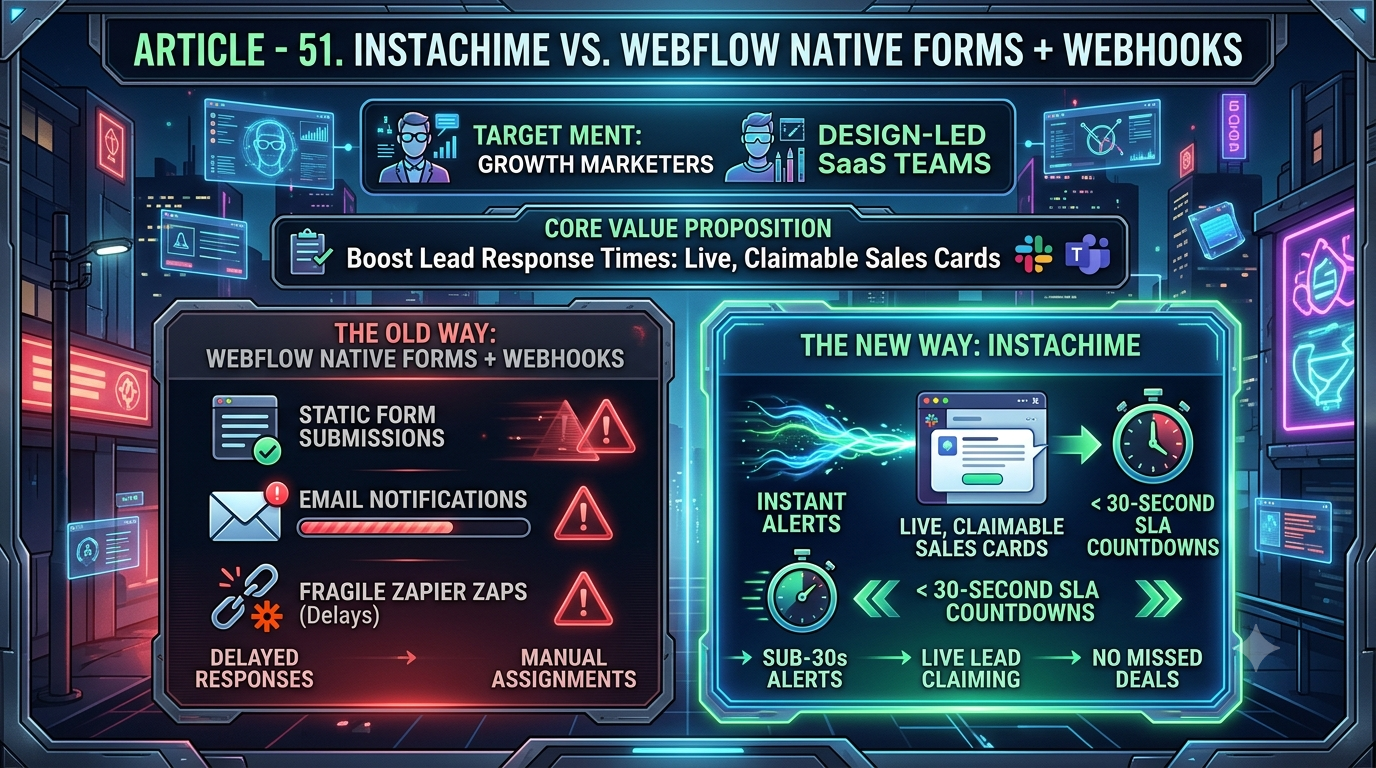
Webflow's native forms and webhooks push raw `form_submission` data as a signed JSON payload to any endpoint you build — ideal for custom pipelines, but it still needs Zapier or a developer to reach Slack. InstaChime skips the middleware, turning that same webhook into a claimable, SLA-timed alert card in seconds, built for sales teams chasing sub-30-second response times.
The Core Difference: Webflow Native Forms + Webhooks vs. InstaChime
Webflow's webhook system is a general-purpose data exporter, not an alerting tool. When a visitor submits a form, Webflow fires a `form_submission` event and sends a JSON payload to any URL you register — you can register up to 75 webhooks per trigger type, per site. Every payload arrives with an `x-webflow-signature` header (a SHA-256 HMAC hash) and an `x-webflow-timestamp`, so a receiving server can verify the request genuinely came from Webflow.
That's solid for compliance and custom data pipelines, but the payload is just data. Webflow doesn't render it anywhere your team already works, doesn't track who's seen it, and has no concept of "claiming" a lead. Getting from raw JSON to a Slack message requires a separate hop through Zapier, Make, n8n, or a custom server you write and maintain.
InstaChime consumes that same `form_submission` webhook directly and renders it as an interactive card in Slack or Teams the moment it fires — no middleware app, no field-mapping step, no endpoint to host. Each card carries:
- A visible SLA countdown clock
- A Claim button that assigns the lead to a rep on the spot
- Automatic round-robin routing if the card goes unclaimed inside your configured window
Why Teams Look for Webflow Native Forms + Webhooks Alternatives
- Middleware costs stack up fast. Zapier's Free plan caps at 100 tasks/month and limits Zaps to two steps (one trigger, one action) — not enough for conditional routing logic. Once you need multi-step Zaps with filters or Paths, you're on the Professional plan, which starts around $29.99/month for 750 tasks, with cost climbing as task volume grows.
- There's no native Slack channel. Webflow does not list an official Slack app in its Marketplace. Every path from a form submission to a Slack channel — Zapier, Make, n8n, or Slack's own Incoming Webhooks wired up with custom code — is a separate layer your team has to build, monitor, and pay for.
- "Instant" isn't guaranteed. Zapier's native Webflow trigger is technically webhook-based and marked "Instant," but if that initial delivery fails, Zapier silently falls back to polling — every 15 minutes on the Free plan, every 1–2 minutes on paid tiers. A 15-minute fallback delay on a demo request can be the difference between a booked call and a lead who filled out a competitor's form next.
- No built-in accountability. A Slack message sent through a webhook is static text. There's no native way to see who opened it, mark it claimed, or auto-escalate it to a manager if it sits untouched — teams end up bolting this on with additional Zap steps or custom scripts.
Feature Comparison: InstaChime vs. Webflow Native Forms + Webhooks
| Capability | InstaChime | Webflow Native Forms + Webhooks |
|---|---|---|
| Speed-to-lead enforcement | Built-in SLA countdown on every alert card; auto-escalates if unclaimed. | None natively. Tracking stale leads requires a manual process or a separate CRM field. |
| Getting alerts into Slack/Teams | Direct integration on the same `form_submission` webhook; posts an interactive card instantly. | No native Slack app in Webflow's Marketplace. Requires Zapier, Make, n8n, or custom code using Slack Incoming Webhooks. |
| Lead routing logic | Native round-robin assignment, no configuration beyond adding reps to a queue. | Requires custom server logic or multi-step Zaps using Paths and filters. |
| Setup complexity | One-click OAuth connection to your Webflow site; nothing to host. | You (or your middleware) must register the webhook, verify the HMAC signature, and parse the JSON payload yourself for custom builds. |
| Cost as volume scales | Flat pricing built around the alerting workflow itself. | Zapier Free caps at 100 tasks/month (2-step Zaps only); multi-step automation starts near $29.99/month for 750 tasks and rises from there. |
How to Migrate from Webflow Native Forms + Webhooks to InstaChime
1. Audit and disconnect legacy webhooks. In Webflow, go to Project Settings > Integrations > Webhooks and remove any `form_submission` webhook pointed at a Zapier, Make, or custom endpoint you're replacing. This prevents duplicate alerts during the switch.
2. Connect InstaChime via OAuth. Log into InstaChime, select the Webflow connector, and authorize the OAuth redirect. InstaChime reads your site's forms directly — no manual field mapping or webhook URLs to copy.
3. Configure your SLA and routing. Choose your destination Slack or Teams channel, set your target response window (e.g., 30 seconds), and add your reps to the round-robin queue. Submit a test entry on your live form to confirm the alert card, countdown, and claim button all fire correctly.
Frequently Asked Questions
Is InstaChime cheaper than using Zapier with Webflow?
It depends on volume. Zapier's Free plan caps at 100 tasks/month with two-step Zaps only; once you need routing logic like filters or Paths, you move to the Professional plan (around $29.99/month for 750 tasks), with costs rising further as task volume grows. Since InstaChime is priced around the alerting workflow itself rather than per task, teams sending a high volume of leads typically see flatter, more predictable costs.
Do I need a developer to connect Webflow to InstaChime?
No. Webflow's raw webhook system requires someone to register the endpoint, verify the HMAC-SHA256 signature in the `x-webflow-signature` header, and parse the JSON payload — usually a developer task if you're not routing through middleware. InstaChime replaces all of that with a one-click OAuth connection to your Webflow site.
Can I still sync Webflow leads to my CRM if I use InstaChime for alerts?
Yes. InstaChime handles the real-time Slack or Teams alert and SLA enforcement, then pushes claim status and enriched lead data to your CRM. You don't have to choose between fast alerts and clean CRM records — the same webhook that powers InstaChime's card can still feed a second destination if you want a fully independent CRM pipeline.