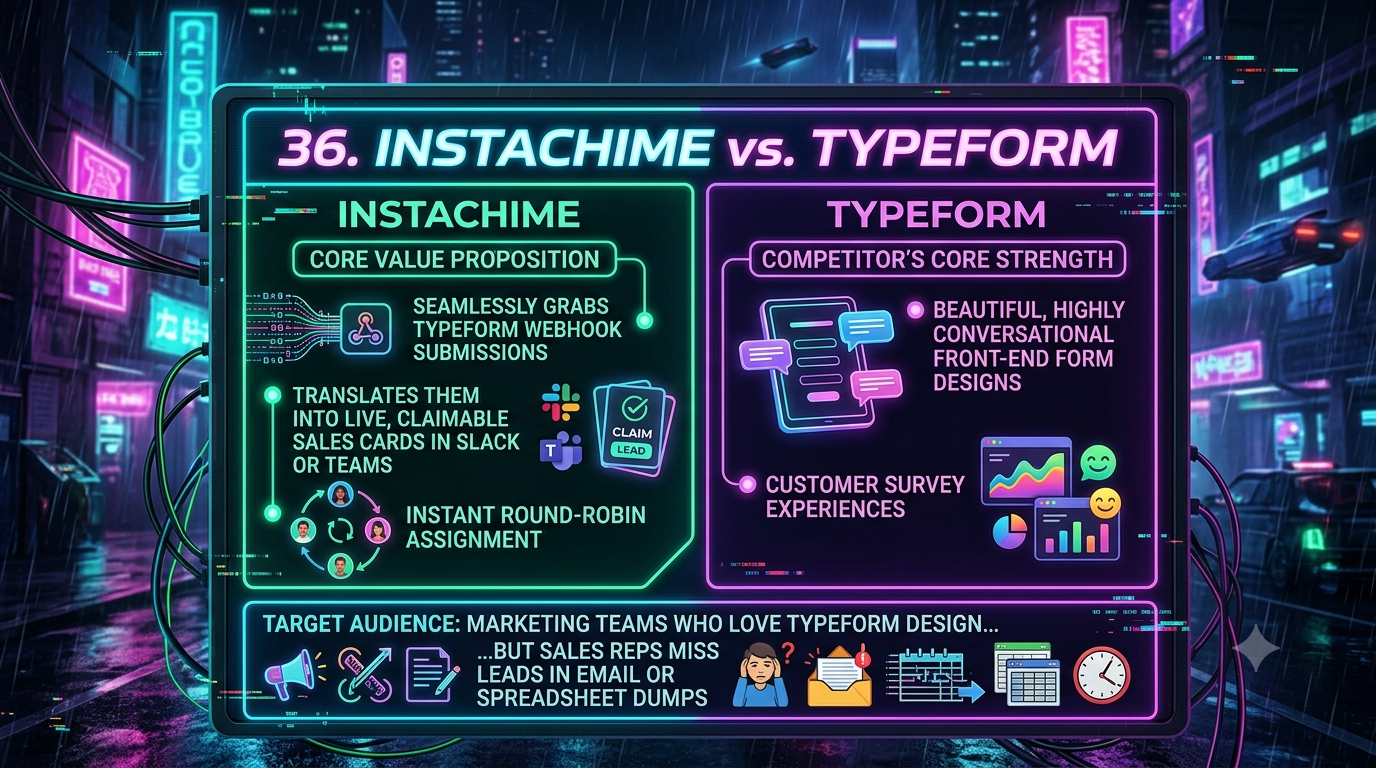
Typeform excels at conversational form design that lifts completion rates, but its native Slack, Teams, and email alerts are static, one-way notifications with no routing logic or SLA tracking. InstaChime ingests Typeform's webhook payloads and turns each submission into a claimable, round-robin-routed sales card with an enforced response-time clock — built for teams where speed-to-lead decides the deal.
The Core Difference: Conversational Data Collection vs. Actionable Lead Triage
Typeform is engineered for the front end. Its one-question-at-a-time interface, branching logic, and Hidden Fields support are built to maximize survey and lead-gen completion rates. Once a form is submitted, Typeform can deliver that data three ways: a native email notification, a native Slack or Microsoft Teams channel post, or a raw webhook (an HTTPS POST request carrying a JSON payload, off by default until you enable it).
The catch is what happens after delivery. Typeform's native Slack and Teams connectors post the same static message to one channel, with no conditional logic to branch by answer value and no way to send different leads to different people. There's no claim button, no owner assignment, and no SLA clock — just a message sitting in a channel until someone reads it.
InstaChime is engineered for speed-to-lead. It sits downstream of the form as a dedicated ingestion and routing engine: it reads the incoming webhook payload the instant a prospect submits, applies your routing rules (by field value, lead score, or territory), and posts a claimable sales card into Slack or Teams with a visible SLA countdown and round-robin assignment. The first rep to claim the card owns the lead, and CRM sync fires automatically the moment it's claimed.
Why Teams Look for Typeform Alternatives
Marketing teams rarely outgrow Typeform's front end — they outgrow what happens to a lead after it's submitted. Relying on native notifications or ad hoc middleware creates predictable bottlenecks for fast-moving sales floors:
- Lead decay: A static Slack message or email notification has no owner. Leads sit unclaimed while reps assume someone else is handling it, frequently pushing response times past the 5-minute window that determines conversion.
- SLA blindspots: Typeform's native integrations have no timer and no escalation path. Managers can't see who's working a lead, how long it's been sitting, or whether a high-value prospect was missed entirely.
- Middleware complexity: Because Typeform's native connectors offer no conditional logic, routing leads by answer value (e.g., budget, region, deal size) typically requires a third-party automation platform like Zapier, Make, or n8n. That means brittle logic maps that break silently whenever a form field is renamed or reordered.
Feature Comparison: InstaChime vs. Typeform
| Feature | Typeform | InstaChime |
|---|---|---|
| Core function | Front-end conversational form and survey builder. | Back-end lead routing and SLA enforcement engine. |
| Native alerts | Static email or single-channel Slack/Teams post; identical message to everyone. | Claimable Slack/Teams card with per-lead SLA countdown. |
| Conditional routing | None natively; requires Zapier, Make, or n8n plus custom logic mapping. | Built-in rules engine routes by field value, lead score, or territory. |
| Lead assignment | Manual — reps self-select from a shared channel or inbox. | Automated round-robin; claiming a card assigns it and locks out duplicates. |
| SLA enforcement | Not available. Relies on manual manager follow-up. | Visual countdown clock with automatic escalation if a lead goes unclaimed. |
How to Migrate from Typeform to InstaChime
You don't need to rebuild your forms. InstaChime replaces what happens *after* submission, not the survey itself.
1. Turn off duplicate native alerts. In Typeform's Connect panel, disable the native Slack, Teams, or email notification so reps aren't triaging the same lead in two places.
2. Add the InstaChime webhook. Go to Connect > Webhooks in Typeform, paste your InstaChime webhook URL, save, and toggle it on (webhooks are off by default). Use Typeform's "send test request" option to confirm the JSON payload — including any Hidden Fields — arrives correctly.
3. Configure routing and SLA rules in InstaChime. Set field-based routing conditions, assign target Slack or Teams channels per segment, and define your SLA window (e.g., 5 minutes) along with escalation behavior for unclaimed leads.
Frequently Asked Questions
Does Typeform's native Slack integration already do lead routing?
No. Typeform's native Slack and Teams connectors post the same message to a single channel with no conditional logic — they can't route different leads to different people based on form answers. InstaChime reads the webhook payload and applies routing rules by field value, lead score, or territory, then posts a claimable card instead of a static message.
Do I need a developer to set up InstaChime with Typeform?
No. Connecting the two only requires pasting your InstaChime webhook URL into Typeform's existing Connect > Webhooks panel — the same no-code step used for any Typeform webhook. Building equivalent conditional routing and SLA tracking with generic middleware, by contrast, typically does require custom logic mapping.
Is InstaChime cheaper than building this with Zapier or Make?
It depends on your current stack, but the comparison isn't just price — it's maintenance. Middleware platforms charge per task/operation and require you to build and maintain the routing, SLA, and claim logic yourself. InstaChime ships that logic pre-built, so the cost trade-off is platform fee versus ongoing engineering time.