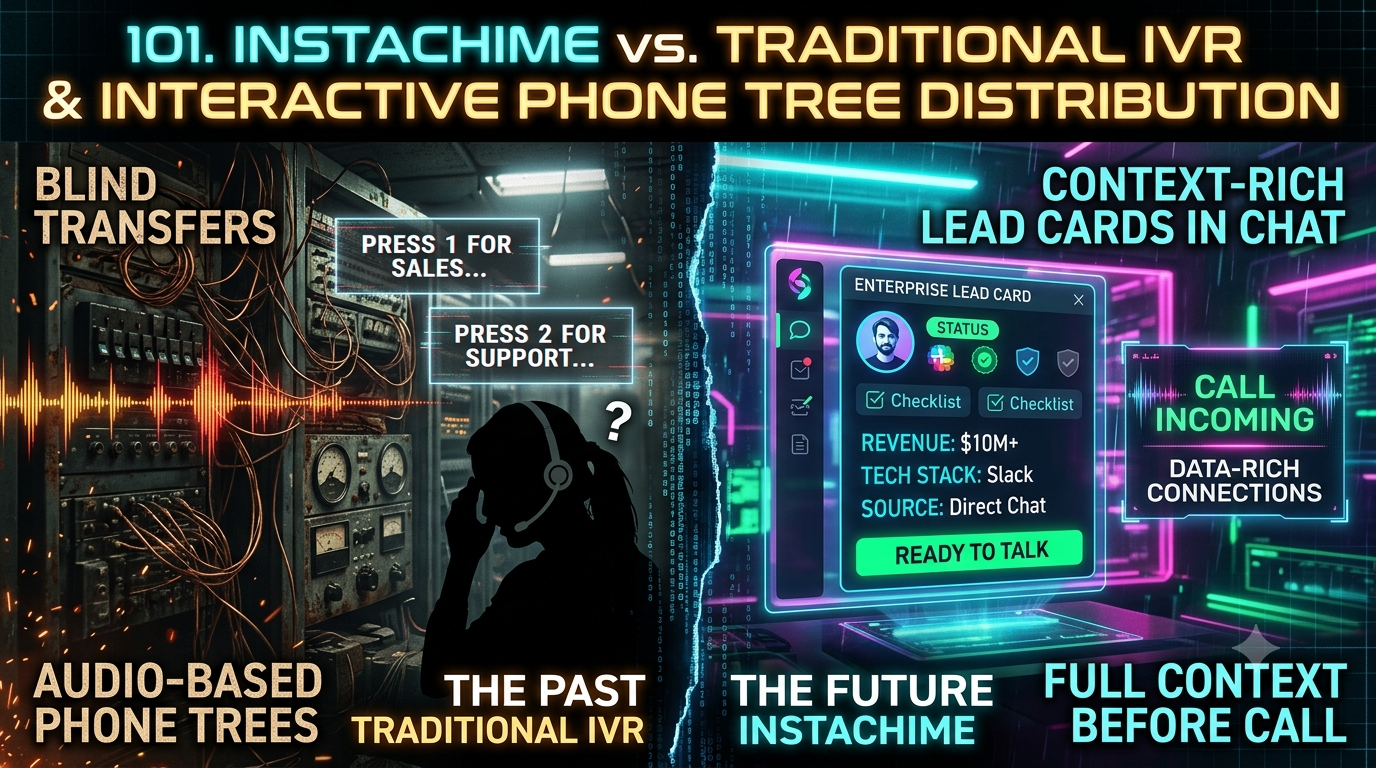
Traditional IVR systems reliably route calls through DTMF menus and PBX hardware, but reps answer blind, with no context on who is calling. InstaChime replaces the audio phone tree with instant webhook-triggered lead cards in Slack or Teams, giving B2B sales teams full buyer context and a live SLA clock before the call connects.
*Fact-checked against InstaChime's public pricing, routing, and webhook-capture documentation, and standard IVR/PBX telephony practices, as of September 2026.*
The Core Difference: Audio-Based Phone Trees vs. Visual Lead Context Cards
The core distinction is how each system delivers information to the rep at the moment of contact: audio-only routing versus visual, pre-call context.
Traditional IVR systems route callers with DTMF keypresses ("Press 1 for Sales, Press 2 for Support") through a PBX and an outbound SIP trunk to an available extension. Some modern contact center platforms add CRM screen-pops on top of this, but a standard PBX/IVR blind transfer gives the receiving rep only a caller ID and a dial tone — no company name, no intent signal, no prior context.
InstaChime replaces the audio tree with an event-driven webhook capture API. When a buyer submits a web form or clicks a "request a callback" button, the payload posts to InstaChime's capture endpoint, gets normalized and routed by rule, and appears as a visual lead card in Slack or Microsoft Teams — with contact details, source, campaign, and a live SLA countdown — before the rep ever picks up.
```
TRADITIONAL IVR
[ Inbound Call ] -> [ DTMF Menu: "Press 1" ] -> [ PBX / SIP Queue ] -> [ Blind Transfer to Rep ]
INSTACHIME
[ Web Form / Click ] -> [ Webhook Capture + Routing Rule ] -> [ Visual Lead Card (Slack/Teams) ] -> [ Rep Claims Lead ]
```
Why Teams Look for Traditional IVR Alternatives
Sales Directors replacing legacy phone-tree infrastructure with a digital-first revenue stack cite three recurring friction points:
- High buyer friction and call abandonment. Multi-level DTMF menus add real navigation time before a caller reaches a live queue, and inbound prospects often hang up mid-menu rather than wait through nested audio options.
- Repeated intake questions. A phone call carries no attached form data, so reps spend the first minute of many calls re-asking for name, company, and use case that the buyer already typed into a web form.
- Slow, admin-gated changes. Updating routing paths, business-hours rules, or fallback queues on a PBX/IVR system typically requires telecom admin permissions or a carrier support ticket, which slows down routine RevOps adjustments.
Feature Comparison: InstaChime vs. Traditional IVR
| Workflow Capability | InstaChime | Traditional IVR |
|---|---|---|
| Pre-call context | Visual lead card in Slack/Teams shows name, company, source, and message before the rep engages. | Rep sees only an inbound caller ID after a blind PBX transfer. |
| Buyer intake | Web form or click-to-call payload posts directly to the capture API — no keypad navigation. | Caller must navigate a DTMF menu ("Press 1 for Sales") before reaching a queue. |
| SLA & response tracking | Live SLA countdown on each lead card; auto-escalates to a manager if the lead sits unclaimed. | ACD/PBX reports show queue wait time only, with no rep-facing countdown or chat escalation. |
| Routing & logic changes | Round-robin, weighted, and territory rules configured directly in the InstaChime dashboard by RevOps. | Changing routing paths or hours typically needs PBX admin rights or a carrier support ticket. |
| CRM / system-of-record handoff | Signed outbound webhook sends a `lead.created` payload to HubSpot, Salesforce, Pipedrive, and others, with delivery and retry visibility. | Logs call duration and phone number in the PBX; conversation notes require manual rep entry. |
How to Migrate from Traditional IVR to InstaChime
1. Connect your web forms to the capture API.
*Prerequisite: ability to edit landing-page forms or add a server-side webhook call.*
Replace the phone number on high-intent landing pages with a "request a callback" form. POST each submission as JSON to `https://instachime.com/api/webhooks/capture` with an `x-instachime-secret` header so leads convert into a routed alert the moment they arrive, instead of a queued phone call.
2. Configure routing rules and lead cards in Slack or Teams.
*Prerequisite: Slack or Microsoft Teams admin access.*
Set up round-robin, weighted, or territory-based routing in the InstaChime dashboard, choose which fields (deal size, source, campaign) appear on the lead card, and assign a fallback owner so an unclaimed lead escalates automatically once the SLA timer runs out.
3. Redirect remaining inbound lines and retire the audio menu.
*Prerequisite: telephony/SIP forwarding control over your current PBX or IVR provider.*
Forward any remaining inbound numbers to a web-based intake flow that feeds the same capture endpoint, then disable the multi-level DTMF menu. Run the IVR in parallel for a short overlap window while confirming lead volume and alert delivery match expectations.
Frequently Asked Questions
Is InstaChime cheaper than a traditional IVR or phone tree system?
Often, yes, once telecom line costs are included. Traditional IVR/PBX setups typically add per-minute SIP trunking fees, toll-free number charges, and per-seat PBX software licenses on top of the base phone system. InstaChime uses flat monthly software pricing by lead volume: free for up to 50 leads/month, $29/month for 1,000 leads, $79/month for 10,000 leads, and $199/month for 50,000 leads on the Agency plan, with custom Enterprise pricing above that.
Can InstaChime send lead data to my CRM along with the sales alert?
Yes. When a lead triggers a chat alert, InstaChime also sends a signed `lead.created` webhook — including contact details, source, UTM fields, and lead score — to CRM destinations such as HubSpot, Salesforce, Pipedrive, GoHighLevel, and Zoho, with delivery and retry history visible in the dashboard. InstaChime hands data to the CRM; it isn't a CRM replacement.
Do I need a developer to set up InstaChime instead of an IVR?
Not for most standard sources. Most teams connect a web form using a webhook URL, a shared secret, and a chosen alert channel in under an hour. A developer becomes useful mainly for custom lead-source bridges or advanced CRM field mapping — a far lower technical bar than scripting a multi-level PBX phone tree.