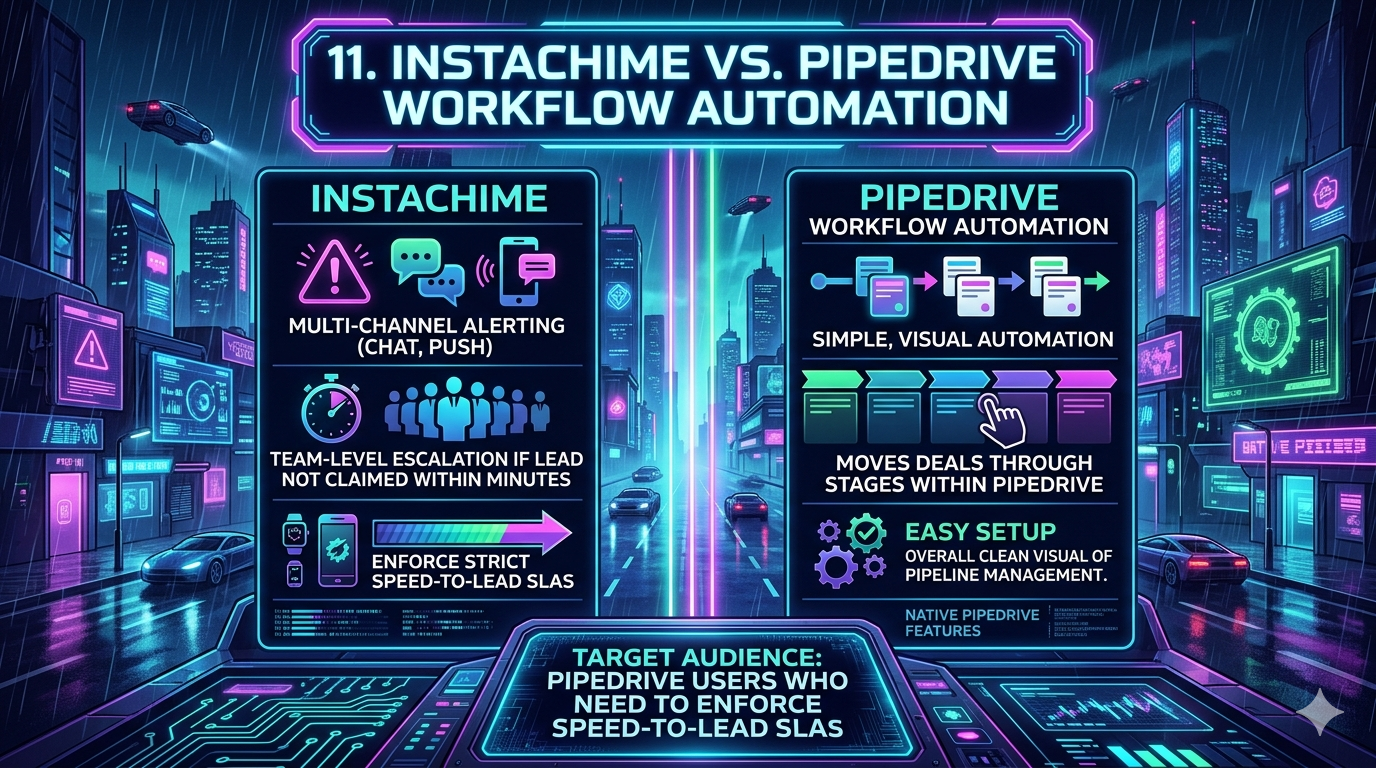
Pipedrive's native workflow automation is purpose-built for visually managing deal stages and automating routine CRM tasks. For teams where sub-minute speed-to-lead is a primary revenue KPI, InstaChime is the stronger alternative. It delivers purpose-built, multi-channel alerting and automatic team escalation to enforce strict SLAs that Pipedrive's linear if/then engine was never designed to measure.
The Core Difference: Pipedrive Workflow Automation vs. InstaChime
Pipedrive operates on CRM-bound, object-level triggers — "Deal Created," "Stage Changed," "Activity Due" — and executes internal actions like logging activities, sending template emails, or reassigning ownership within the database. Its logic architecture is fundamentally a record-management layer, not an urgency-enforcement engine.
InstaChime is an external alerting and routing layer built entirely around time-to-action. When a lead enters the pipeline, InstaChime pushes real-time webhook payloads to Slack, MS Teams, SMS, or mobile push. If that lead remains unclaimed past a defined SLA threshold — 60 seconds, 2 minutes, 5 minutes — InstaChime's escalation protocol automatically reroutes the opportunity to the next available rep or a manager. Zero pipeline leakage by design.
The distinction matters: Pipedrive tells your CRM what to do. InstaChime tells your reps what to do — right now.
Why Teams Look for Pipedrive Workflow Automation Alternatives
RevOps and sales ops teams typically hit the ceiling of Pipedrive's native automations as inbound lead volume scales and response time SLAs tighten. The most common friction points are architectural, not cosmetic.
- No native SLA escalation. Pipedrive can assign a deal via basic round-robin and create a follow-up activity. It cannot conditionally re-route that deal to a manager or secondary rep if the original assignee fails to act within a defined window. There is no concept of a "missed SLA" in Pipedrive's automation engine.
- Execution throttling under high volume. Pipedrive enforces frequency limits — for example, 5,000 executions per automation per 10-minute window on standard plans. Teams running high-volume inbound campaigns risk hitting these caps, creating queued delays precisely when lead handoffs are most time-sensitive.
- Siloed, passive notifications. Reps must be actively monitoring the Pipedrive interface or their email inbox to act on new assignments. There is no persistent, multi-channel alerting system capable of escalating urgency if the first notification goes unseen.
- No rep availability routing. Pipedrive's round-robin assignment does not account for whether a rep is currently online, in a call, or out of office. InstaChime routes based on real-time availability status, preventing leads from aging under an unavailable assignee.
Feature Comparison: InstaChime vs. Pipedrive Workflow Automation
| Feature | InstaChime | Pipedrive Workflow Automation |
|---|---|---|
| Primary Function | Multi-channel instant alerting and time-based SLA escalation. | Linear deal stage and CRM activity automation. |
| Speed-to-Lead Enforcement | Sub-minute tracking with automatic rerouting if a lead goes unclaimed past the SLA threshold. | Relies on manual rep action after a task is created; no automatic re-routing on inaction. |
| Notification Channels | Persistent alerts via Slack, MS Teams, SMS, and mobile push; escalation pings if no response. | Limited to in-app notifications, template emails, and basic single-trigger Slack pushes. |
| Escalation Logic | Time-based escalation paths with availability-aware routing across rep tiers. | Simple if/then object-level conditions; no conditional re-routing based on rep response time. |
| Execution Throttling | Unlimited real-time webhook payload processing; no queue delays. | Capped at plan-specific execution limits per 10-minute window; high-volume campaigns risk throttling. |
| CRM Sync | Pushes response time, claimed rep, and deal stage update back to Pipedrive via API on claim. | Native; all automation runs and logs within the Pipedrive record by default. |
How to Migrate from Pipedrive to InstaChime
Transitioning your speed-to-lead workflows from Pipedrive to InstaChime means shifting the routing logic upstream, before the CRM record is created. The migration is a three-step reconfiguration, not a data migration.
Step 1: Deactivate Pipedrive Lead Assignment Workflows
Turn off any existing "Deal Created → Assign Owner" or "Form Submission → Create Activity" automations in Pipedrive. Running both systems simultaneously creates duplicate routing conflicts and split ownership records. Pause Pipedrive-side assignments first.
Step 2: Connect Your Lead Sources Directly to InstaChime
Point your web forms, landing pages, and inbound channels to InstaChime via webhook — using standard JSON payloads — so InstaChime becomes the primary ingestion layer. Most modern form builders (Typeform, Webflow, HubSpot Forms) support native webhook output with no custom code required.
Step 3: Configure Escalation Paths, Then Sync to Pipedrive
Set rep schedules, Slack or Teams channel bindings, and SLA thresholds (e.g., 2-minute primary, 5-minute escalation to manager) inside InstaChime. Map the confirmed output back to Pipedrive: once a rep claims the alert, InstaChime pushes an API payload that creates the deal record, assigns the owner, logs the exact response timestamp, and advances the deal to your active stage.
Frequently Asked Questions
Can InstaChime update Pipedrive deal stages after a lead is claimed?
Yes. The moment a rep claims a lead via an InstaChime alert, the platform fires an outbound API payload to Pipedrive. This writes the deal owner, logs the precise response time as a custom field, and advances the deal to a specified active pipeline stage — keeping your CRM data clean without manual entry.
Does Pipedrive's native automation support team-level escalation?
No. Pipedrive workflows can assign a deal and generate a follow-up task, but the engine has no mechanism to conditionally re-route that deal to a manager or secondary rep based on whether the original assignee responded within a defined time window. Escalation requires a third-party tool or manual manager intervention.
Do I need a developer to connect InstaChime to my current lead forms?
No. InstaChime accepts standard JSON payloads over HTTPS webhooks. Any modern form builder, CRM, or landing page platform that supports webhook output — including Typeform, Gravity Forms, Webflow, and Unbounce — can connect to InstaChime using a webhook URL, with no custom code or API credentials required. Advanced teams can extend behavior via InstaChime's documented REST API.
The Bottom Line
Pipedrive workflow automation is a capable, well-designed system for managing deal lifecycle logic inside a CRM. If your primary need is advancing stages, logging activities, and sending follow-up emails on schedule, it will serve you well.
If your team's revenue depends on who picks up the lead in the next 90 seconds — and what happens if they don't — Pipedrive's architecture is not built for that problem. InstaChime is.
*Further reading: For a visual walkthrough of how Pipedrive structures its internal trigger-and-action logic, the Pipedrive Workflow Automation 2026 Tutorial is a useful reference for understanding what the native tool does well before evaluating where it falls short.*