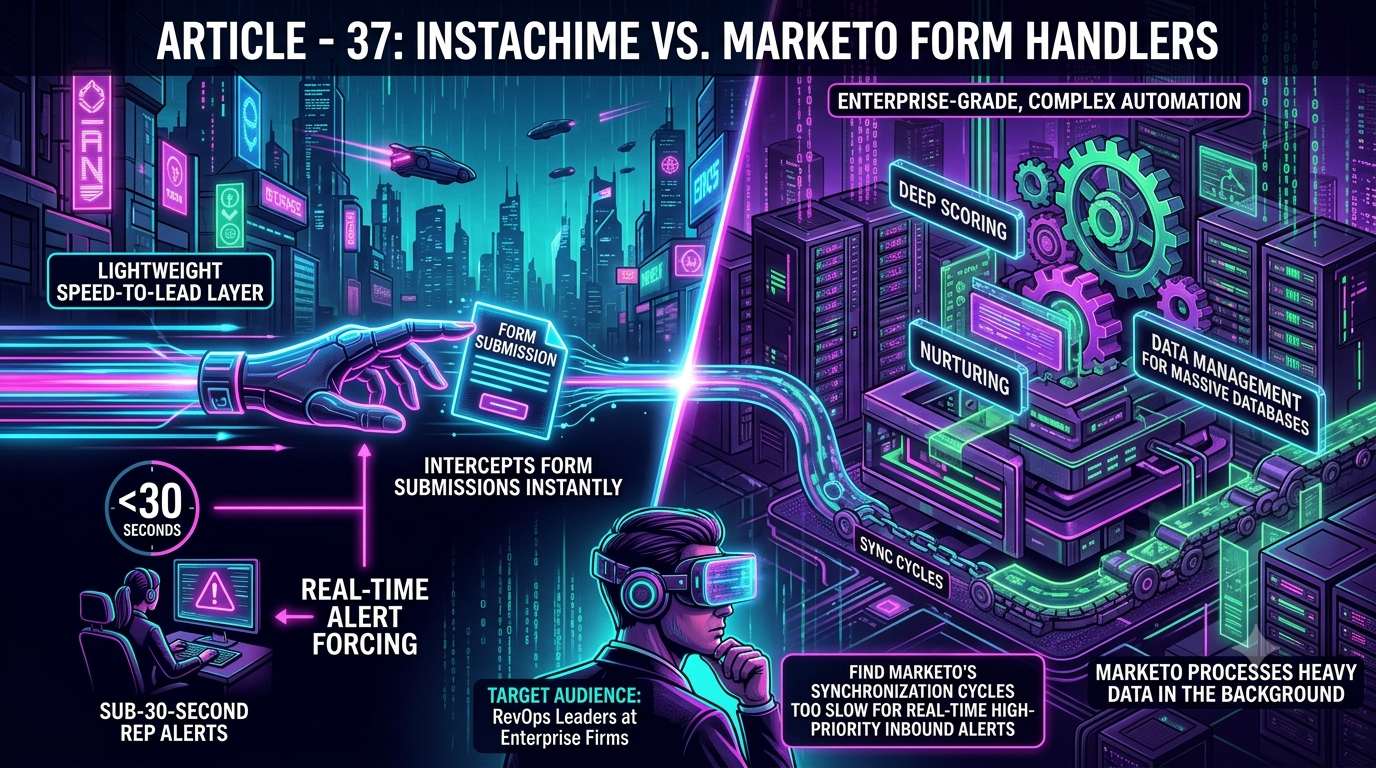
Marketo excels at enterprise-grade scoring, nurturing, and large-scale database management — but it has no native feature called "Form Handlers" (that's a Pardot term), and sales alerts share the same campaign queues as everything else, so delivery timing varies. InstaChime is a dedicated alert layer that flags inbound leads and enforces SLA response times the instant a form submits.
> Terminology note: "Form Handlers" is a Salesforce Pardot (Marketing Cloud Account Engagement) concept, not a native Marketo Engage feature. Marketo's equivalent form-to-lead workflow runs through Forms 2.0, trigger Smart Campaigns, and the Call Webhook flow step. This page uses the searched phrase in the title for clarity, but every technical claim below describes Marketo's actual architecture.
The Core Difference: Marketo's Form-to-Alert Workflow vs. InstaChime
Marketo captures form submissions through Forms 2.0 (or a third-party form posting into a Marketo endpoint), then hands the record to a trigger Smart Campaign. That campaign executes in a shared queue alongside every other batch job, scoring update, deduplication pass, and CRM sync running on that Marketo instance. Flow-step order matters: if "Sync Lead to SFDC" runs before "Send Alert," the alert waits behind it. Marketo's own documentation recommends sequencing the alert step first for this reason — a tell that alert latency is a known, structural issue, not an edge case.
InstaChime doesn't touch that queue. It captures the same submission as a raw webhook payload the moment it posts, runs routing logic (round-robin, territory, or priority rules) in real time, and pushes a visual SLA countdown clock to the assigned rep. If the rep doesn't claim the lead inside the SLA window, InstaChime automatically reassigns it. Marketo's Smart Campaigns can be built to do something similar, but it requires custom Wait-step logic — it isn't a default behavior.
Why Teams Look for Marketo Alternatives for Sales Alerts
RevOps teams don't typically replace Marketo — they add a layer next to it because of a few structural gaps:
- Shared execution queues. Trigger and batch campaigns compete for the same processing resources. Marketing Nation's own documentation compares this to "a mall parking lot" — fine under normal load, backed up during peak volume. Community threads document real cases of alert delays tied to campaign backlog.
- Flow-order dependency. Getting a fast alert out of Marketo means manually re-sequencing flow steps (alert before sync) on every relevant campaign. Miss one, and that campaign's alerts lag behind.
- No native SLA escalation. Marketo can send an alert. It can't natively detect a missed response and reassign the lead — that logic has to be hand-built with Wait steps and conditional checks, or bolted on with a third-party routing tool.
- Marketo Sales Insight has the same ceiling. Marketo does offer Marketo Sales Insight (MSI) inside Salesforce to surface "Best Bets" and "Interesting Moments" to reps. It's still dependent on the same sync cadence and has no built-in response timer.
- Specialized admin overhead. Anything beyond a native Marketo form — third-party form posts, custom webhook payloads, non-standard field mapping — typically requires a Marketo-fluent admin or certified consultant, per Marketo's own community guidance.
Feature Comparison: InstaChime vs. Marketo
| Capability | InstaChime | Marketo |
|---|---|---|
| Alert trigger | Fires directly off the incoming webhook payload at submission. | Fires via a trigger Smart Campaign's "Send Alert" flow step. |
| Alert latency driver | Runs independently of any other campaign or sync job. | Shares execution queues with batch campaigns, scoring, and CRM sync; latency depends on queue load and flow-step order. |
| SLA escalation | Native countdown clock with automatic round-robin reassignment if unclaimed. | No default re-route on a missed response; requires custom Wait-step logic or a third-party routing tool. |
| "Form Handler" equivalent | Not applicable — InstaChime captures via webhook, not a named "form handler." | No native feature by that name; the equivalent is Forms 2.0 + Smart Campaigns + Call Webhook. |
| Setup resource | Webhook URL and a visual routing UI; most standard ad and form sources need no custom code. | Native forms are admin-configurable; third-party posts and custom payloads typically need a trained Marketo admin. |
How to Migrate from Marketo Form Handling to InstaChime
This is a parallel setup, not a replacement — Marketo keeps doing scoring, nurturing, and database management. InstaChime just takes over the first-response window.
1. Point your lead source at InstaChime first. Route your website form, Google Ads Lead Form Asset, or Meta/LinkedIn lead-gen webhook to InstaChime's capture endpoint so the raw payload lands there the instant it's submitted.
2. Configure routing and SLA rules in InstaChime. Set territory or round-robin assignment and a target response window (for example, 30 seconds), plus an escalation path for missed claims.
3. Forward the same lead to Marketo in parallel. Use InstaChime's outbound webhook — directly, or through a Zapier/Make bridge — to post the identical record into your Marketo Forms 2.0 endpoint or Smart Campaign, so Marketo continues scoring and nurturing while the rep is already responding.
Frequently Asked Questions
Does Marketo have a native "Form Handler" feature like Pardot?
No. "Form Handlers" is a Salesforce Pardot (Marketing Cloud Account Engagement) term. Marketo's comparable workflow uses Forms 2.0 for native form capture, plus Smart Campaigns and the Call Webhook flow step for posting data to third-party systems.
Is InstaChime a replacement for Marketo?
No. InstaChime handles immediate lead alerting, SLA enforcement, and rep escalation. Marketo continues to run lead scoring, multi-step nurturing, and long-term database management — the two typically run in parallel, not as a swap.
Do I need a developer to connect InstaChime to Marketo?
For standard sources — Google Ads Lead Form Assets, Meta Lead Ads, most website form tools — setup is a webhook URL and routing rules in InstaChime's interface, no code required. Fully custom payloads or posting directly into a non-standard Marketo Smart Campaign may still benefit from brief marketing-ops or developer input.