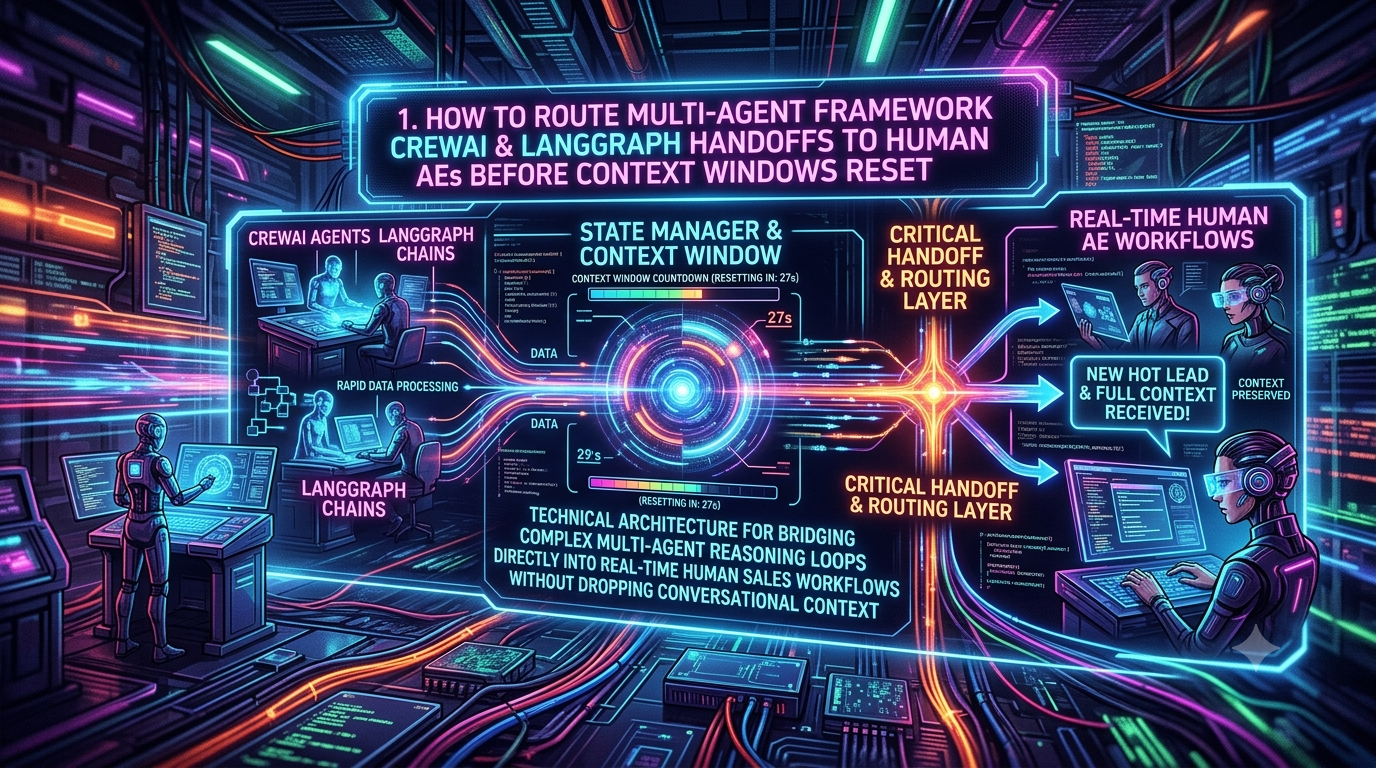
CrewAI and LangGraph are two popular open-source frameworks for building multi-step agent workflows. Sales teams use them for prospecting, technical discovery, qualification and objection handling. Once these agents work on real enterprise deals, two problems show up. Long conversations degrade model quality, and high-value accounts usually need a human Account Executive (AE) at some point.
This guide shows how to build a human-in-the-loop (HITL) handoff that triggers before the context window becomes a problem. It uses current LangGraph and CrewAI features, and it notes where older advice no longer applies.
1. What actually goes wrong in long-running sales agents
A context window doesn’t “reset” on its own. Your application decides what goes into each model call. When a conversation outgrows the window, one of three things happens:
1. The call fails or the history is truncated. The oldest messages, often the early discovery notes, silently disappear.
2. Quality degrades before the limit. Chroma’s Context Rot study tested 18 models and found that performance becomes less reliable as input grows, often unevenly, even on simple tasks. Earlier research on long contexts found that models tend to retrieve information better from the beginning or end of the input than from the middle.
3. A summary drops a detail. Compressing history is lossy, so a constraint like “can’t migrate off the legacy database until Q3” can vanish.
Window sizes have also grown. Third-party model trackers list Anthropic’s Claude Sonnet 5.5, Opus 5.5 and Haiku 5.5 with 1M-token windows. A bigger window doesn’t remove the problem, because degradation can start well before the window is full. So a handoff trigger shouldn’t be “the window is almost full”. It should be “this conversation is getting long or important enough that a human should take over”.
A hypothetical sales pipeline
A typical multi-agent flow might look like this:
1. Scout agent: ingests firmographic data and intent signals.
2. Research agent: gathers public information about the account’s business and tech stack.
3. Outreach agent: drafts personalized emails.
4. Negotiation agent: handles inbound objections, security questionnaires and pricing questions.
The negotiation stage accumulates the most history and carries the most commercial risk, so it’s the natural place for a handoff. Agents should also not commit to pricing, discounts or legal terms on their own. The handoff is where a human takes over those decisions.
How the two frameworks keep state
- LangGraph persists graph state through checkpointers, keyed by a `thread_id`. Checkpointers hold short-term, per-thread state. Stores hold cross-thread, long-term memory. If you deploy on LangGraph’s Agent Server, persistence is handled for you.
- CrewAI now has a unified `Memory` class. It replaces the older separate short-term, long-term and entity memory types. It uses an LLM to infer scope, categories and importance when saving, and the default storage backend is LanceDB. For human review, CrewAI offers `Flow`-level `@human_feedback` (CrewAI 1.8.0 or later) and the older task-level `human_input` flag.
Older tutorials describe CrewAI memory as separate short-term, long-term and entity stores backed by ChromaDB. If you’re on a recent release, use the unified `Memory` class instead.
2. Designing handoff triggers
Don’t wait for a context-length error. Trigger the handoff proactively, and combine several signals.
1. Context-size trigger. Track the size of the most recent prompt, using the input-token count your model provider reports. Don’t sum tokens across calls, because that measures billing, not how much the model is currently reading. There’s no universal safe percentage. Pick a threshold from your own evaluations, for example by testing whether the agent still recalls early constraints at different conversation lengths.
2. Buying-signal trigger. Use a lightweight classifier or rule set to flag requests for custom legal terms, security reviews, discounts or executive calls.
3. Explicit-request and friction triggers. Detect a direct request for a human, repeated clarifying questions or visible frustration.
4. Policy triggers. Hand off whenever the agent would otherwise quote pricing, agree to contract terms or answer a compliance questionnaire.
LangChain’s `SummarizationMiddleware` can compress older messages once a token, message or context-fraction trigger fires. Treat it as a complement to a handoff, not a replacement, because summaries lose detail.
3. LangGraph: pause with `interrupt()` and resume with `Command`
LangGraph’s `interrupt()` saves the graph state through the checkpointer and waits indefinitely until you resume. It needs three things:
- A checkpointer, durable in production.
- A `thread_id` in the config.
- A JSON-serializable payload.
You resume by invoking the graph again with the same `thread_id` and `Command(resume=...)`. That value becomes the return value of the `interrupt()` call.
Three rules from the docs shape the example below:
- The node restarts from the top on resume. Any code before `interrupt()` runs again, so side effects before it should be idempotent. It’s better to put them in a separate node.
- Don’t wrap `interrupt()` in a bare `try/except`. It works by raising an exception.
- Don’t loop `interrupt()` calls inside a node. Use a conditional edge instead.
```
import operator
from typing import Annotated, Literal, TypedDict
from langgraph.checkpoint.memory import InMemorySaver # development only
from langgraph.graph import END, START, StateGraph
from langgraph.types import Command, interrupt
HANDOFF_CONTEXT_TOKENS = 150_000 # placeholder: tune from your own evals
INTENT_THRESHOLD = 0.85
class SalesState(TypedDict):
messages: Annotated[list[dict], operator.add]
customer_id: str
context_tokens: int # size of the latest prompt, not cumulative usage
buying_intent: float # 0-1 score from your classifier
human_requested: bool
handoff_briefing: dict
ae_decision: dict
def negotiate(state: SalesState) -> dict:
"""One agent turn. Replace the stub with your LLM call."""
reply, prompt_tokens, intent, wants_human = call_negotiation_agent(state["messages"])
return {
"messages": [{"role": "assistant", "content": reply}],
"context_tokens": prompt_tokens,
"buying_intent": intent,
"human_requested": wants_human,
}
def should_hand_off(state: SalesState) -> Literal["handoff", "wait"]:
if (
state["context_tokens"] >= HANDOFF_CONTEXT_TOKENS
or state["human_requested"]
or state["buying_intent"] >= INTENT_THRESHOLD
):
return "handoff"
return "wait" # end this run; the next customer message resumes the thread
def build_briefing(state: SalesState) -> dict:
Structured summary: pain points, budget/timeline, objections, agreed terms
return {"handoff_briefing": summarize_for_ae(state["messages"])}
def publish_briefing(state: SalesState) -> dict:
Side effects live in their own node and use an idempotent upsert
upsert_crm_briefing(state["customer_id"], state["handoff_briefing"])
notify_ae(state["customer_id"])
return {}
def await_ae(state: SalesState) -> dict:
decision = interrupt({
"customer_id": state["customer_id"],
"briefing": state["handoff_briefing"],
"question": "Take over this account, or return it to the agent?",
})
return {"ae_decision": decision}
builder = StateGraph(SalesState)
builder.add_node("negotiate", negotiate)
builder.add_node("build_briefing", build_briefing)
builder.add_node("publish_briefing", publish_briefing)
builder.add_node("await_ae", await_ae)
builder.add_edge(START, "negotiate")
builder.add_conditional_edges(
"negotiate", should_hand_off, {"handoff": "build_briefing", "wait": END}
)
builder.add_edge("build_briefing", "publish_briefing")
builder.add_edge("publish_briefing", "await_ae")
builder.add_edge("await_ae", END)
graph = builder.compile(checkpointer=InMemorySaver())
config = {"configurable": {"thread_id": "acct-acme-corp-001"}}
result = graph.invoke(
{
"messages": [{"role": "user", "content": "We need SSO and EU data residency."}],
"customer_id": "acme-corp",
"context_tokens": 0,
"buying_intent": 0.0,
"human_requested": False,
},
config,
)
if "__interrupt__" in result:
The graph is paused. Later, when the AE responds (for example via your CRM or Slack webhook):
graph.invoke(Command(resume={"action": "take_over", "ae_id": "ae-42"}), config)
```
Notes on the example:
- Streaming. The LangGraph docs now recommend event streaming for interrupt-heavy apps, but `invoke()` still surfaces interrupts under `__interrupt__`.
- Production persistence. Swap `InMemorySaver` for a database-backed saver. For Postgres, install `langgraph-checkpoint-postgres` and use `PostgresSaver` (or `AsyncPostgresSaver`). Call `checkpointer.setup()` once to create tables. Keep `thread_id` values under 255 characters.
- Routing after the AE decides. Add a conditional edge after `await_ae` that sends “take\_over” to a terminal state and “return\_to\_agent” back into the negotiation loop.
4. CrewAI: scoped memory plus an async `@human_feedback` pause
For CrewAI, the cleanest production pattern is a Flow with an asynchronous human-feedback step. The default `@human_feedback` provider blocks on console input. For a CRM or Slack handoff, supply a custom `HumanFeedbackProvider` that notifies your system and raises `HumanFeedbackPending`. The framework persists flow state automatically and uses `SQLiteFlowPersistence` by default. You resume later with `from_pending()` and `resume()`.
Scope memory per account, for example `/customer/<id>`. That keeps each account’s facts isolated and easy to pull into a briefing.
```
from crewai import Agent, Crew, Memory, Process, Task
from crewai.flow import (
Flow,
HumanFeedbackPending,
HumanFeedbackProvider,
PendingFeedbackContext,
human_feedback,
listen,
start,
)
ACCOUNT_ID = "acme-corp"
memory = Memory() # LanceDB under ./.crewai/memory by default
def build_sales_crew(account_id: str) -> Crew:
strategist = Agent(
role="Enterprise Account Strategist",
goal="Resolve technical objections and prepare a proposal for the AE",
backstory="Experienced in SaaS procurement and security reviews.",
memory=memory.scope(f"/customer/{account_id}"),
)
task = Task(
description="Analyze the customer's data-residency objections and draft a proposal summary.",
expected_output="Proposal summary and objection log.",
agent=strategist,
)
return Crew(
agents=[strategist],
tasks=[task],
process=Process.sequential,
memory=memory,
)
def build_briefing(account_id: str, crew_output: str) -> dict:
facts = memory.recall(
"customer objections, constraints, pricing, security requirements",
scope=f"/customer/{account_id}",
limit=10,
)
return {
"latest_output": crew_output,
"remembered_facts": [m.record.content for m in facts],
}
class CrmSlackProvider(HumanFeedbackProvider):
def request_feedback(self, context: PendingFeedbackContext, flow: Flow) -> str:
notify_ae(flow_id=context.flow_id, briefing=context.method_output) # your integration
raise HumanFeedbackPending(
context=context,
callback_info={"flow_id": context.flow_id},
)
class AccountHandoffFlow(Flow):
@start()
def run_crew(self):
output = build_sales_crew(ACCOUNT_ID).kickoff(inputs={"account": ACCOUNT_ID}).raw
return build_briefing(ACCOUNT_ID, output)
@listen(run_crew)
@human_feedback(
message="Review this briefing. Take over the account, or return it to the agent?",
emit=["ae_takes_over", "return_to_agent"],
llm="gpt-4o-mini",
default_outcome="return_to_agent",
provider=CrmSlackProvider(),
)
def ae_review(self, briefing):
return briefing
@listen("ae_takes_over")
def mark_ae_owned(self, result):
... # update the CRM owner, stop automated outreach
@listen("return_to_agent")
def resume_automation(self, result):
... # continue the workflow with the AE's notes in result.feedback
flow = AccountHandoffFlow()
result = flow.kickoff()
if isinstance(result, HumanFeedbackPending):
flow_id = result.context.flow_id # store this with the CRM record
Later, when the AE replies:
AccountHandoffFlow.from_pending(flow_id).resume(ae_feedback)
In async handlers (FastAPI, Slack Bolt async), use `await ...resume_async(ae_feedback)`.
```
Notes on the example:
- Free-text feedback becomes an outcome. With `emit`, an LLM maps the AE’s free-text reply to one of your outcomes. Consider using buttons in Slack or your CRM that submit the exact outcome strings.
- Make the resume handler idempotent. Webhooks get retried.
- Memory content goes to an LLM. CrewAI sends memory content to the configured LLM for analysis. For sensitive customer data, use a local model or confirm your provider meets your compliance requirements.
- Simpler options. A task-level `callback` receives the `TaskOutput`, and `.raw` holds the output text. Setting `human_input=True` on a `Task` flags it for human review at the end. These suit simple cases. For CRM or Slack-driven handoffs, the Flow pattern above handles the pause and resume.
5. Giving the AE something usable
A technically clean handoff fails if the AE has to read 100,000 tokens of transcript. Build the briefing deliberately.
1. Summarize with a small, fast model and a fixed schema. Request structured output with four fields: pain points, budget and timeline, technical objections, and agreed or discussed terms. Add an “open questions” field and a “what the agent promised” field. LLM summaries aren’t deterministic and can omit or invent details, so link each item back to the source message.
2. Write the briefing into the CRM. Attach it to the lead or opportunity timeline, keyed by thread or flow ID so retries update rather than duplicate.
3. Notify the AE where they work. Send a Slack or Teams message with the briefing and a “take over” action. When the AE acts, resume the paused graph or flow with their decision.
4. Be transparent with the customer. Tell them a human is joining. Don’t try to disguise the switch.
6. Production checklist
- Use a durable checkpointer. `InMemorySaver` loses everything on restart. Use Postgres in production, or the Agent Server if you deploy on LangGraph’s platform.
- Keep interrupt nodes simple. One `interrupt()` per node, no bare `try/except` around it, a JSON-serializable payload, and side effects either idempotent or in a separate node.
- Degrade gracefully. If the CRM API is down during a handoff, write the payload to a durable queue (for example SQS or RabbitMQ) and retry, rather than crashing the agent loop.
- Keep the raw transcript. Store full conversations in an append-only store for auditing and evaluation. The AE’s briefing is a view onto it, not a replacement.
- Evaluate the trigger. Replay past conversations and check whether the agent still recalls early constraints at the point your trigger fires. Adjust thresholds from that evidence, not from a rule of thumb.
- Version-check. `@human_feedback` requires CrewAI 1.8.0 or later, and the unified `Memory` API differs from older releases.
Conclusion
Handoffs work best when they’re triggered by risk and conversation length, not by a hard context limit. LangGraph’s `interrupt()` and checkpointers give you a durable pause and resume. CrewAI’s scoped `Memory` and asynchronous `@human_feedback` give you the equivalent for crews. The step that matters most is turning raw agent state into a concise, verifiable briefing that an AE can act on in minutes.