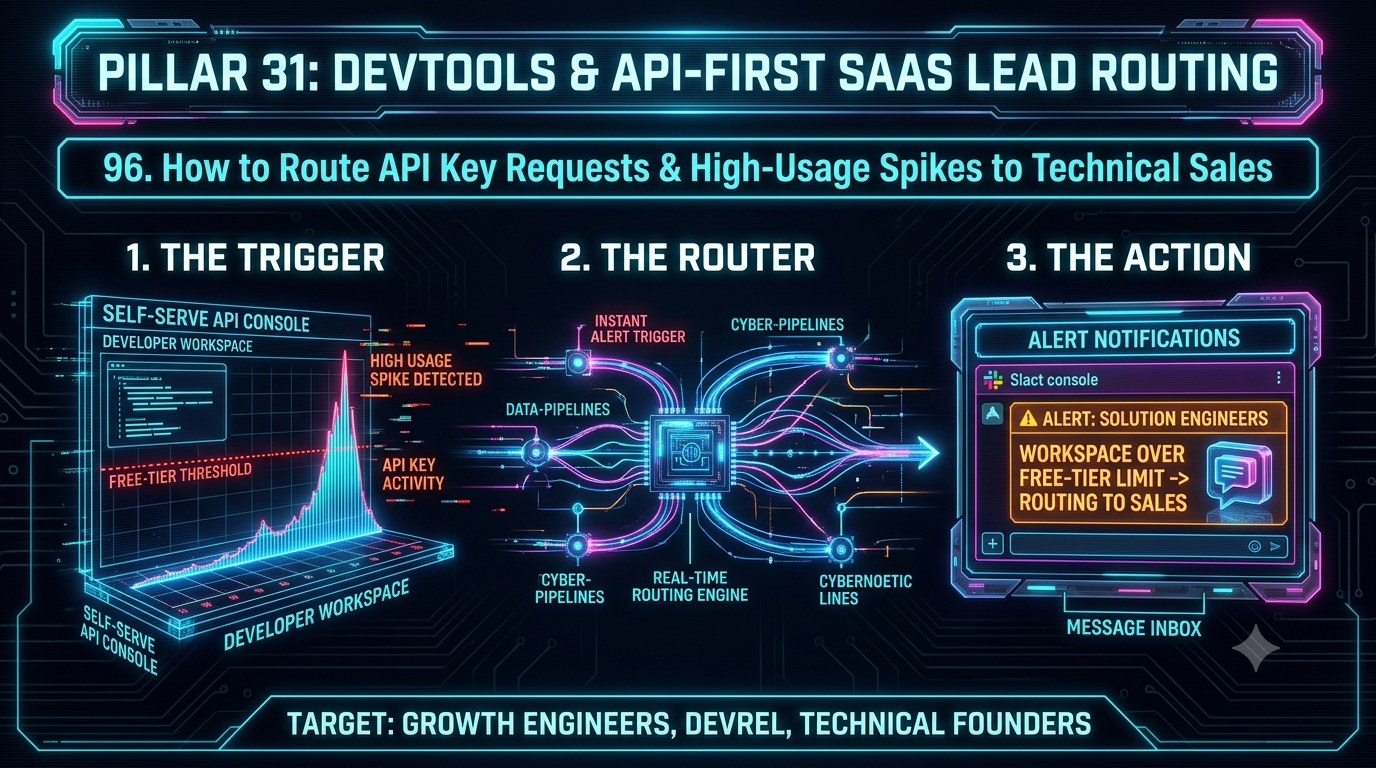
Zapier can catch a usage-spike webhook in real time and route it through almost any logic you build, but turning that into a claimed, SLA-timed alert for a Solutions Engineer means chaining Filters, Paths, and task-billed steps. InstaChime's capture-to-claim workflow does that out of the box, with live SLA clocks and round-robin escalation for DevTool teams needing sub-30-second technical response.
The Core Difference: Zapier's Multi-Step Workflow Automation vs. InstaChime's Claim-and-Escalate Alert Routing
The architectural split between Zapier and InstaChime comes down to general-purpose automation versus a purpose-built capture-to-claim pipeline.
Zapier's Webhooks by Zapier tool includes a "Catch Hook" trigger that fires the instant a payload arrives — so if your API gateway pushes a usage-spike event directly to it, ingestion itself isn't slow. The friction shows up downstream. To turn that raw JSON payload into an actionable alert, you still need Filter or Path steps to check the threshold, a lookup step to find the right rep or CRM record, and a Slack action to post the alert. Filters, Paths, and polling triggers don't consume Zapier tasks, but every action step does — and nothing in that chain gives you a live "claim" button, a countdown timer, or automatic re-routing if the alert sits unread. Zapier's own Lead Router (currently in open beta) adds round-robin and weighted distribution as a single step, but it assigns a record — it doesn't track time-to-claim or auto-escalate an unacknowledged alert, and as of June 2026 each Route Lead Action consumes a flat 5 tasks regardless of complexity.
InstaChime works from the other direction. Its webhook capture API accepts a single signed POST request and retains any field it doesn't explicitly recognize — so a usage-spike payload carrying `workspace_id`, `plan_tier`, `api_calls_last_24h`, or an endpoint name passes through intact, even though InstaChime's own "recommended fields" are lead-shaped (name, email, company, message). To be precise about the division of labor: InstaChime doesn't compute your usage thresholds — that logic still lives in your API gateway, metering service, or product analytics pipeline. What InstaChime adds once a qualifying event lands is the part Zapier leaves to you: rule-based or round-robin routing to a Solutions Engineering pool, a Slack or Teams alert with a live Claim button and visible SLA countdown, and automatic reassignment to the next available rep if the window lapses — no Delay step, no secondary Zap.
Why Teams Look for Zapier Alternatives for API Usage-Spike Routing
DevTool founders and technical sales leaders tend to hit the same walls when they try to stretch Zapier into a real-time, SLA-enforced alerting system:
- Escalation still isn't native, even with Lead Router. Lead Router (beta) will assign a record to a rep, but it has no built-in concept of "this wasn't claimed in two minutes, reroute it." Teams end up hand-building that with Delay steps, Paths, and Storage by Zapier — logic that's easy to break the next time someone edits a field mapping.
- Costs scale with every step in the chain. Zapier's task-based pricing doesn't charge for triggers, polling, Filters, or Paths — only for actions. But a realistic spike-routing Zap (Lead Router step, Slack alert, CRM update) can run 6–7 tasks per qualifying event once Lead Router's flat 5-task Route Lead Action is added in. At volume, that eats into a Team plan's 2,000 monthly tasks fast.
- Instant delivery depends on your source, not on Zapier. A direct webhook hits Zapier in real time, but usage data sitting in a warehouse or an internal service without a native instant integration falls back to Zapier's polling interval — as slow as 15 minutes on the Free plan, and roughly 1–2 minutes even on paid tiers. For a developer deciding in the moment whether to keep evaluating your product, that gap matters.
- The workflow is fragile at the edges. Getting from "usage spike detected" to "the right Solutions Engineer was notified and the CRM was updated" typically means 4–6 chained steps. Each one is a separate task, a separate failure point, and — without an engineer on the DevRel team — a separate thing that quietly breaks.
Feature Comparison: InstaChime vs. Zapier for API Usage-Spike Routing
| Capability | Zapier | InstaChime |
|---|---|---|
| Getting the event in | Real-time via a Webhooks by Zapier Catch Hook; sources without an instant integration fall back to polling (as fast as ~1–2 min on paid plans, up to 15 min on Free). | A single signed POST to InstaChime's capture endpoint; unmapped JSON fields (like usage counts) are retained rather than dropped. |
| Claim action & SLA countdown | No native claim button or countdown clock; Lead Router (beta) assigns a record but doesn't track time-to-claim. | Every alert renders as a claimable card in Slack/Teams with a live SLA countdown attached. |
| Escalation if unclaimed | Manual — built with Delay and Path steps, or a second Zap; not part of Lead Router today. | Automatic reassignment to the next rep in the round-robin pool once the SLA window expires. |
| Cost driver at spike volume | Per-task billing on each action step; Lead Router's Route Lead Action adds a flat 5 tasks per record on top of any Slack or CRM steps. | Monthly plan tiered by total event volume (e.g., up to 10,000 events/mo on the Growth plan), not by step count. |
| CRM handoff | Each CRM field update is its own task-consuming action you build and maintain. | Outgoing webhook to CRM destinations (HubSpot, Salesforce, Pipedrive, Zoho) with delivery history, signed retries, and dead-letter tracking. |
*A shared constraint worth planning for: Slack's own platform limits (roughly one message per second per incoming-webhook channel, and workspace-level caps on the Events API) apply no matter which tool sits upstream. Route only qualifying spikes — not raw event volume — into any Slack-based alert path.*
How to Migrate from Zapier to InstaChime
1. Point your usage-spike webhook at InstaChime's capture endpoint. *Prerequisite: your threshold logic (e.g., `api_calls_last_24h > 10000`) already lives in your API gateway or metering service.* Swap the destination URL your emitter currently sends to Zapier's Catch Hook for `https://instachime.com/api/webhooks/capture`, passing your shared secret in the `x-instachime-secret` header. Keep sending every field you already produce — `workspace_id`, `plan_tier`, `api_calls_last_24h`, endpoint name — since InstaChime retains anything it doesn't recognize as a mapped field.
2. Build routing rules around the fields you're already sending. *Prerequisite: a Solutions Engineering pool defined as a response group.* In InstaChime's dashboard, map incoming fields into a routing rule — by plan tier, usage value, or source — and assign it to a round-robin or weighted pool of Solutions Engineers, replicating whatever Filter or Path logic the old Zap used.
3. Turn on SLA clocks and configure the escalation fallback. *Prerequisite: Slack or Teams workspace connected.* Set a response window (e.g., two minutes) and define the fallback rep or manager. If the primary SE doesn't claim the alert in time, InstaChime reassigns it automatically — no Delay step or secondary Zap required.
You don't have to rip out Zapier entirely. If other Zaps already fan data out to niche tools, leave them in place and add an InstaChime outgoing webhook so Zapier receives the *routed, claimed* event instead of the raw spike.
Frequently Asked Questions
Is InstaChime cheaper than Zapier for routing high-volume API usage spikes?
For most DevTool teams, yes, once you account for how Zapier's task math compounds. A qualifying spike routed through Zapier's Lead Router (5 tasks), a Slack alert (1 task), and a CRM update (1 task) runs roughly 7 tasks per event — 300 spikes a month is around 2,100 tasks, pushing past a Team plan's 2,000-task allowance. The same 300 events/month fit inside InstaChime's $29–$79/month plans (1,000–10,000 events/month), which are priced by volume rather than by step.
Do I need a developer to set up API usage-spike routing in InstaChime?
You need someone technical for one step: pointing your API gateway or metering service at InstaChime's capture endpoint, the same way you'd wire a Zapier Catch Hook today. After that initial connection, RevOps or DevRel can build routing rules, SLA windows, and escalation paths from InstaChime's dashboard without additional code.
How does escalation work if a Solutions Engineer misses the SLA window?
Each alert shows a live countdown next to a Claim button in Slack or Teams. If nobody claims it before the window closes, InstaChime automatically reassigns the alert to the next available rep in the round-robin pool — the same mechanism used for inbound sales leads, applied here to usage-spike events.