Zapier connects thousands of apps and, since 2026, includes a native Lead Router tool for round-robin distribution. But it stops there: no visual SLA claim clocks, no automatic re-routing on missed claims, and no built-in COSS parsing for GitHub forms or self-hosted telemetry. InstaChime handles all three natively for commercial open-source and enterprise sales teams.
The Core Difference: General-Purpose Zaps vs. Native COSS Lead Routing in InstaChime
Zapier is a general-purpose integration layer. It processes triggers and actions across any two connected apps, and in 2026 it added Lead Router, a tool (currently in beta) that handles round-robin and weighted lead distribution as a single step inside a Zap.
Routing an enterprise license request through Zapier still means assembling several pieces: a trigger — polling every 1 to 15 minutes on most plans, or instant if the source app supports a webhook — a Lead Router step for the assignment decision, and separate downstream steps for CRM sync, Slack notification, and any SLA tracking you want layered on top. Each downstream step is billed as its own task.
None of this produces a claim state. Lead Router assigns an owner, but nothing in Zapier confirms whether that rep opened, acknowledged, or accepted the lead, or reassigns it automatically if they didn't. Teams that want that layer build it themselves, typically chaining Delay by Zapier, date-math in Formatter, and Filter steps to catch a record that's sat unclaimed too long and re-alert a channel.
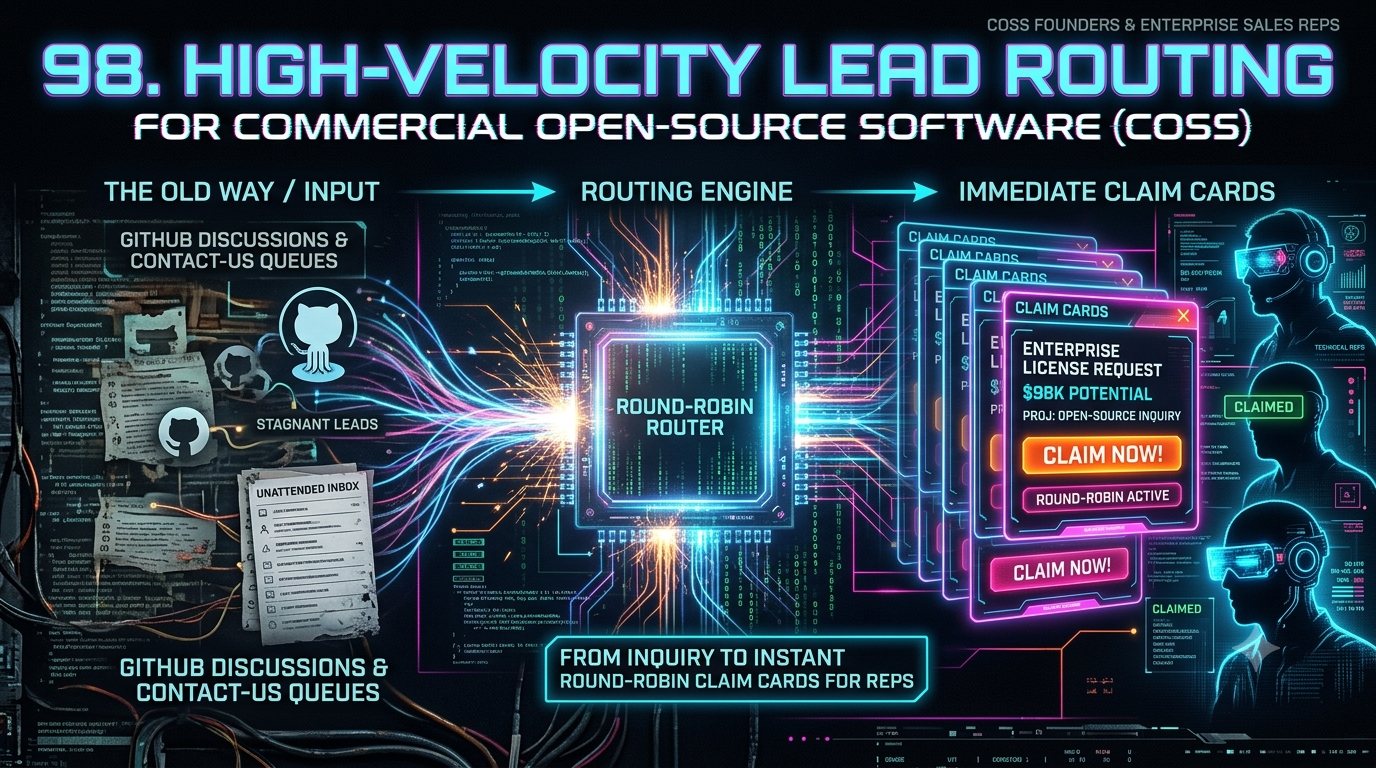
InstaChime collapses this into one native flow purpose-built for commercial open-source (COSS) and open-core motions:
- Ingest the payload — GitHub form, docs-portal request, self-hosted telemetry ping — the instant it arrives.
- Classify it by license tier, ARR threshold, or deployment model (self-hosted vs. managed cloud).
- Route it to the right technical rep pool via calendar-aware round-robin.
- Publish an interactive claim card with a live SLA countdown to Slack or Teams.
- Escalate automatically to the next rep if the clock runs out unclaimed.
Why COSS Teams Look for Zapier Alternatives
Commercial open-source startups scaling from community adoption to enterprise sales tend to hit the same three walls.
Trigger latency on non-instant triggers. Most of Zapier's native app triggers — including many "New Form Submission" and "New Contact" triggers COSS teams rely on — are polling triggers, not instant ones. Polling intervals run every 1 to 15 minutes depending on plan tier, with the shortest intervals reserved for higher-priced plans. Switching to an instant webhook trigger removes that wait, but Zapier's own documentation notes that during sustained high-volume webhook traffic, processing can still be delayed by several minutes. For a developer requesting an enterprise quote, that gap is often enough for interest to cool.
No native claim-state or SLA-clock tracking. Lead Router picks an owner; it doesn't confirm the owner has acted on the lead. Zapier's own published automation templates for SLA monitoring stitch together Delay, Formatter date comparisons, and Filter steps to catch stale, unassigned records and re-alert a channel. It's a workaround assembled from generic building blocks, not a purpose-built claim-and-escalate system.
Compounding task costs across a multi-step COSS workflow. Lead Router charges a flat 5 tasks for every successfully routed lead. That's before the trigger's downstream lookup, the license-tier classification, the Slack alert, and the CRM write-back — each a separate billable task under Zapier's per-action pricing model (Free: 100 tasks/month, capped at 2-step Zaps; Professional: roughly $19.99–$29.99/month depending on billing cycle, for 750 tasks). A five-action Zap run 200 times a month can consume most of a Professional-tier allotment by itself — and COSS teams typically have several lead sources (docs portal, GitHub forms, telemetry pings) that each need their own Zap.
Feature Comparison: InstaChime vs. Zapier
| Feature / Workflow Capability | InstaChime | Zapier |
|---|---|---|
| Enterprise license claim cards | Native. Generates interactive Slack/Teams cards with one-click claim for commercial-tier requests. | Partial. Lead Router assigns an owner, but there's no interactive claim card or claim-state tracking without custom Slack app work. |
| COSS form & telemetry routing speed | Sub-30 seconds. Ingests docs-portal, GitHub form, and licensing-site webhooks with no polling delay. | Plan-dependent. Instant webhook triggers fire in seconds; native polling triggers check every 1–15 minutes by plan tier. |
| Visual SLA clocks & escalation | Built-in. Live countdown timers auto-escalate an unclaimed lead to the next rep. | Not native. Requires custom Zaps combining Delay, Formatter, and Filter steps to approximate SLA tracking. |
| Round-robin & rep-pool routing | Native. Rotates COSS inquiries by deployment model and technical domain, calendar-aware. | Native via Lead Router (beta). Costs 5 tasks per routed lead and still needs a surrounding Zap for CRM sync and alerts. |
| CRM & license sync cost model | Included. Bi-directional Salesforce/HubSpot sync and license telemetry logging carry no per-action task fee. | Metered. Each lookup, update, and log entry bills as a separate task on top of the Lead Router charge. |
How to Migrate from Zapier to InstaChime
1. Connect COSS form and documentation webhooks
*Prerequisite: admin access to your docs portal and license-request form endpoints.*
Point inbound webhooks from enterprise license forms, commercial inquiry buttons, and self-hosted deployment portals to InstaChime's ingestion URL. InstaChime parses payloads from Docusaurus, MkDocs, and GitHub forms without manual field mapping — there's no polling-interval tier to configure around.
2. Configure technical rep pools and round-robin rules
*Prerequisite: AE roster and technical domain matrix.*
Define round-robin pools by ARR threshold, region, or deployment model. Connect Google or Outlook calendars so out-of-office reps are skipped automatically — the same end result Zapier's Lead Router reaches, minus the per-lead task charge and the separate Zap needed to track claims.
3. Deploy visual SLA claim cards and re-routing rules
*Prerequisite: InstaChime Slack/Teams bot authorization.*
Set your target response SLA (e.g., 60 seconds). Publish claim cards with a live countdown to your sales channel, and configure automatic reassignment for anything unclaimed when the clock hits zero — the layer neither Zapier nor Lead Router provides out of the box.
Frequently Asked Questions
Is InstaChime better than Zapier for routing open-source enterprise license requests?
It depends on what you need beyond routing. Zapier's Lead Router (in beta as of 2026) now handles native round-robin distribution, so raw assignment logic isn't InstaChime's only edge anymore. InstaChime's advantage is what surrounds that decision: sub-30-second parsing of COSS-specific payloads, a visual SLA claim card with a live countdown, and automatic re-escalation — bundled as one workflow instead of a Lead Router step plus a separately built Zap for tracking and alerts.
Do I need a developer to connect self-hosted docs or GitHub forms to InstaChime?
No. InstaChime provides standardized webhook endpoints that accept JSON payloads from standard HTML forms, documentation engines like Docusaurus or MkDocs, and GitHub form integrations without custom middleware code.
Is Zapier cheaper than InstaChime for high-volume COSS lead routing?
Usually not once volume climbs, though it depends on your plan and lead count. Every action step in Zapier — the lookup, the Lead Router assignment at 5 tasks per lead, the CRM write-back, the Slack alert — bills separately, and Zapier's Professional tier includes only 750 tasks a month for roughly $19.99–$29.99. A single five-step workflow run 200 times a month can use most of that allotment by itself, before adding a second or third lead source. InstaChime's ingestion, routing, and CRM sync run as one bundled workflow rather than a per-action meter, which tends to favor teams with multiple high-volume COSS lead sources.