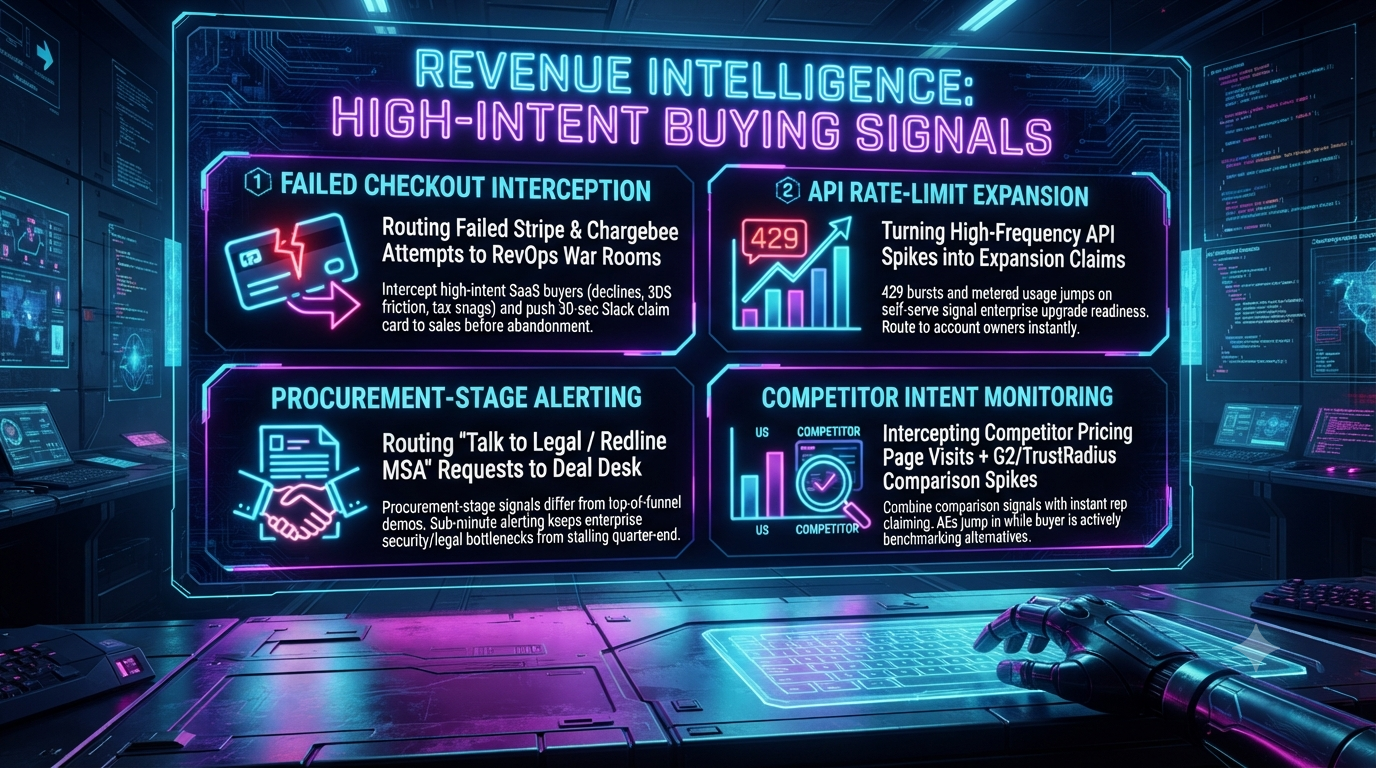
Most B2B SaaS revenue teams still build their playbooks around top-of-funnel intent signals. Marketing celebrates eBook downloads, webinar registrations and generic pricing page views, and pushes large volumes of low-intent leads into sales queues. Account Executives (AEs) spend hours on prospects who are months from buying. Meanwhile, some of the strongest buying moments in the customer lifecycle go unnoticed:
- a buyer has pulled out a corporate card and the payment failed
- an engineering team has hit a production rate limit
- corporate counsel has asked for a Master Services Agreement (MSA) redline
- a buying committee has been comparing you against a competitor on a review site
These events sit in webhook queues, API gateway logs and shared inboxes that no seller ever sees.
In product-led growth (PLG) and hybrid enterprise SaaS, billing telemetry, product usage thresholds, legal and security workflows, and review-site comparison activity are some of the most direct buying triggers available. Traditional intent data infers interest. These signals show a buyer already doing something commercial or technical: paying, scaling, contracting or shortlisting. Their value also decays quickly. Classic speed-to-lead research on inbound web leads (a 2007 MIT/InsideSales.com study led by James Oldroyd, covering more than 15,000 leads) found that calling within 5 minutes made a company roughly 100 times more likely to reach the lead, and 21 times more likely to qualify it, than waiting 30 minutes. The study looked at web inquiries, not billing or usage events, but the lesson carries over: speed matters most in the first minutes.
This guide covers four underused triggers (failed checkouts, API rate-limit spikes, legal and security requests, and competitive comparison activity), plus the architecture, routing logic and Slack claim workflows that turn them into pipeline.
*Note: the Slack cards, point values, thresholds and sample dialogue below are illustrative starting points, not industry benchmarks. Calibrate them against your own data.*
Why Traditional Intent Signals Fall Short
Buyers now do most of their evaluation before they ever talk to a seller. 6sense’s 2025 Buyer Experience Report, based on more than 4,000 buyers, found that 94% of buying groups ranked their preferred vendors before first contact, and that they ultimately bought from that early favorite 77% of the time. The same research puts the average point of first contact at about 61% of the way through the buying journey, down from 69% in the prior year’s study. A 2026 Gartner survey of 646 B2B buyers, run in August and September 2025, found that 67% prefer a rep-free buying experience.
When buyers self-direct this much, the moments when they do interact with your systems matter more. To compare signals, evaluate them along two dimensions: commercial proximity (how close to a purchase decision) and signal decay (how quickly the window to act closes).
| Signal Category | Typical Examples | Commercial Proximity | Signal Decay | Primary Failure Mode |
|---|---|---|---|---|
| Top-of-Funnel Marketing | Whitepaper downloads, webinar signups, blog visits | Low (research phase) | Slow (weeks to months) | Reps pitch buyers with no budget or timeline |
| Account-Level Third-Party Intent | Bombora topic surges, review-site activity, reverse-IP lookups | Medium (category awareness) | Moderate (days to weeks) | Identifies the company, not the specific buyer or pain |
| Billing & Checkout Friction | Failed Stripe payment, expired Checkout session, tax ID rejection | Immediate (active purchase) | Very fast (minutes to hours) | Buyer abandons or switches to a lower-friction vendor |
| Production Usage Spikes | Sustained HTTP 429 throttling, quota exhaustion | High (active expansion) | Fast (hours to days) | Engineering builds around the limit instead of upgrading |
| Procurement & Legal Triggers | MSA redline request, SOC 2 report access, DPA request | High (often late-stage) | Fast (same-day bottleneck) | Deal stalls in legal or security review |
| Active Competitive Evaluation | Review-site comparison view plus pricing page visit | High (vendor shortlisting) | Fast (days) | A competitor’s AE engages the buying committee first |
Many CRM routing setups treat all form fills and product events the same way, and many data warehouse syncs run hourly or daily. If a failed checkout or quota breach only reaches Salesforce or HubSpot in the next batch, the moment may have passed. Capturing these signals calls for event-driven RevOps architecture. It listens to real-time webhooks, resolves account ownership immediately, and delivers an actionable claim card to Slack or Microsoft Teams, where reps already work.
1. Routing Failed Stripe and Chargebee Checkout Attempts to a RevOps War Room
When a self-serve buyer enters corporate card details and clicks “Subscribe,” they have made the hardest decision in the purchase: to pay. If the payment then fails, that is a high-intent event, and it is often fixable within minutes.
How common these failures are depends heavily on your price point, geography and payment mix, and I couldn’t find a reliable industry-wide figure for failed new-business checkouts, so measure your own. The best-documented adjacent data concerns existing subscribers. Industry benchmarks, including ProfitWell’s widely cited estimate, put involuntary churn at roughly 20–40% of total churn. Stripe data cited by Churnkey puts it at about 16% of churn for B2B businesses. Recurly’s July 2026 benchmarks show that for enterprise-tier accounts (the $250+ average revenue per customer cohort) involuntary churn is only 0.18% annually, which suggests the problem is concentrated at lower price points. The takeaway is that you should measure failure rates by plan size before deciding which failures deserve human attention.
The Anatomy of High-Intent Checkout Failures
Unlike involuntary churn from expired cards on existing subscriptions, new-business checkout failures happen at peak buying intent. Common causes include:
- Corporate card limits: A VP of Engineering tries to put a $12,000 annual plan on a Brex, Ramp or Amex card with a lower per-transaction or monthly limit. Stripe’s `card_velocity_exceeded` decline code means the customer exceeded the balance, credit limit or transaction amount limit available on their card.
- Strong customer authentication (3D Secure) friction: In Europe, PSD2 requires strong customer authentication for many card payments, typically via 3D Secure. Stripe’s `authentication_required` decline code means the transaction requires authentication such as 3D Secure. Stripe’s own front ends usually launch the authentication flow automatically. Failures tend to occur when the person who completes it, such as an approver using a corporate or virtual card, isn’t available to approve the prompt.
- Recurring-payment authentication in India: Under the RBI’s Digital Payments – E-mandate Framework, 2026 (issued April 21, 2026), recurring card payments can be processed without additional factor authentication only up to ₹15,000 per transaction. The limit is ₹1 lakh for insurance premiums, mutual fund subscriptions and credit card bill payments. Anything above these thresholds needs extra authentication, which makes mid-size and larger B2B plans on Indian-issued cards more exposed to friction.
- Tax ID and invoicing snags: Enterprise buyers often hit tax ID validation errors on EU VAT numbers, or find mid-checkout that their procurement policy requires an invoice instead of a card. Stripe returns a `tax_id_invalid` API error when a tax ID has an invalid format. This is an API error, not a card decline code, so route and report it separately from declines.
The 30-Second Slack Claim Card Architecture
When a payment fails, a generic red banner (“Your card was declined”) leaves the buyer to troubleshoot alone. Route high-value failures to a dedicated #revops-checkout-war-room channel within seconds, so a human can intervene while the buyer is still at their desk.
#### Step 1: Webhook Ingestion and Filtering
Send billing webhooks to an event router such as Segment, RudderStack, Hookdeck, or a lightweight AWS Lambda or Cloudflare Worker.
- Stripe: Listen for `payment_intent.payment_failed`, `checkout.session.expired` and `invoice.payment_failed`. For subscriptions, filter `invoice.payment_failed` on `billing_reason = subscription_create`, the value Stripe uses to identify a subscription’s first invoice. Two timing details matter:
- For a first invoice that fails, the subscription stays `incomplete`. Stripe gives the customer about 23 hours to pay before the subscription becomes `incomplete_expired`.
- `checkout.session.expired` is an abandonment signal, not a failure, and it fires when the session expires rather than when the buyer leaves.
- Chargebee: Listen for the `payment_failed` event, triggered when payment collection fails. Chargebee transactions carry `error_code` and `error_text` fields for failure details. Pair this with `subscription_created` and your plan data to separate new-business failures from renewal failures.
- Threshold filtering: Filter out micro-transactions if your unit economics can’t support human intervention. Focus rep alerts on annual plans, multi-seat workspaces, or plans above a minimum ACV that you define (for example, $2,000).
#### Step 2: Instant Identity and CRM Enrichment
Before posting to Slack, enrich the payer’s email domain, ideally within a second or two:
1. Query your CRM (Salesforce or HubSpot) to check whether the domain matches an open opportunity or a named account owner.
2. If the account is unowned, enrich it with a provider such as Apollo, Clay, or HubSpot’s Breeze Intelligence (the product formerly known as Clearbit, which now runs inside HubSpot after its free tools were retired in 2025), to pull headcount, funding stage and industry.
3. Extract the failure detail from the payload. In Stripe, the decline code appears on the PaymentIntent’s `last_payment_error` (for example `insufficient_funds`, `do_not_honor`, `authentication_required` or `card_velocity_exceeded`). In Chargebee, read the transaction’s `error_code`. Treat `tax_id_invalid` as an API error from the tax calculation step.
#### Step 3: Push the Interactive Slack Claim Card
Post a Slack Block Kit message that gives the rep what they need to fix the specific blocker. This is an illustrative mock-up with fictional names:
> 🚨 High-Intent Checkout Failure ($14,400 ARR)
>
> - Account: Acme Logistics (450 employees | Series B)
> - Buyer: Priya Nair, VP of Platform Engineering
> - Plan Selected: Growth Annual, 20 seats ($14,400/yr)
> - Failure Reason: Stripe `card_velocity_exceeded` (balance, credit limit or transaction limit exceeded)
> - CRM Owner: Unassigned (Inbound Territory: West)
> - [Claim Lead & Generate Invoice Link] | [Send 1-Click Split-Payment Link]
The Outreach Playbook: Helpful Concierge, Not Surveillance
The biggest mistake reps make after a failed checkout is sounding as if they were watching over the buyer’s shoulder. Frame the outreach around billing flexibility:
- For `card_velocity_exceeded` or `do_not_honor`: *“Hi Priya, I saw your team was setting up the 20-seat Growth Annual workspace today. If a corporate card limit is getting in the way, I can send an invoice for ACH or wire payment, or split the charge into two card payments, so your team isn’t blocked from provisioning.”* Stripe’s documentation notes that for these declines the cardholder generally needs to contact their issuer, so offering an alternative payment path is often faster than asking them to resolve it.
- For `authentication_required`: Send a hosted payment or invoice link that supports alternative methods (ACH Direct Debit, SEPA, or wallets, where available in your region), so the buyer doesn’t have to re-enter workspace configuration.
2. Turning API Rate-Limit Spikes into Expansion Claims
In developer-first, infrastructure, data and AI SaaS, product usage data is often a stronger predictor of expansion than any sales call. HTTP 429 (Too Many Requests) responses and metered quota exhaustion on self-serve or mid-tier plans are a key inflection point.
Why Rate-Limit Spikes Have a Narrow Conversion Window
When an engineering team integrates your API, usage typically grows until a feature launch, a new customer cohort, or a larger batch job pushes it past a limit. Production logs fill with 429 errors, and the team faces a fork:
1. The commercial path: Move to a higher tier, buy dedicated throughput, or sign an enterprise contract with custom limits and an SLA.
2. The workaround path: Spend engineering time on request queuing, caching, exponential backoff with jitter, or batching to stay under the current ceiling.
Once a team invests sprint time in a workaround, the urgency to upgrade drops, so it makes sense to reach the account before the refactoring ticket is assigned. Note that good API hygiene works against you here. Rate-limit docs for major APIs, including Anthropic’s, recommend exponential backoff with jitter and honoring the `retry-after` header, and official SDKs retry 429s automatically. A customer may be throttled heavily while their application still mostly succeeds.
Designing the Rate-Limit Expansion Signal Pipeline
Not every 429 deserves a sales alert. A runaway loop in a staging environment is noise, while sustained production throttling is real demand. Define a multi-condition usage trigger.
#### 1. Distinguish Staging Noise from Production Demand
- Environment filtering: Exclude test, sandbox and development keys, and requests from CI/CD runners.
- Count the right thing: Because SDKs retry automatically, raw 429 counts overstate pain. Prefer distinct requests that were throttled, the share of requests throttled, or total time spent throttled, measured per workspace.
- Sustained burst threshold: Alert only when an account stays near its limit for a sustained window. A starting point might be usage above 80% of its limit for several consecutive hours, or a throttle rate above a set percentage over a rolling window, tuned to your traffic patterns.
- Firmographic gate: Cross-reference the workspace’s domain with your ideal customer profile (ICP). A solo hobbyist hitting limits gets an automated upgrade email, while a developer at a 300-person fintech triggers a live AE claim.
- Treat spend-cap 429s separately: Some providers also return 429 when an account hits a monthly spend cap. Anthropic’s API, for example, returns a 429 with a spend-limit error code and no `retry-after` in that case. If your platform has equivalent caps, a spend-cap hit is an especially clear commercial signal.
- Know your own tier mechanics: Some API providers advance accounts through usage tiers automatically as spend thresholds are crossed, as Anthropic’s first-party API does. If you work that way, reserve sales alerts for accounts that have exhausted the top self-serve tier or need terms self-serve can’t provide.
#### 2. Enrich Usage Context for the Account Owner
An AE can’t open with, *“I saw you’re using our API a lot, want Enterprise?”* The alert should translate telemetry into talking points:
- Endpoint breakdown: Which endpoint is hitting the ceiling?
- Baseline versus peak requests per second (RPS): For example, *“Jumped from 15 RPS baseline to 110 RPS peak over the last 4 hours; current tier caps at 100 RPS.”*
- Active builders: The workspace members who created API keys or are generating the traffic, so the AE contacts the technical owner rather than an uninvolved executive.
#### 3. Pair the Claim with Temporary Relief (Optional)
Some teams pair the alert with an automated, time-boxed capacity increase, so the customer’s production app doesn’t degrade while sales reaches out. Whether this makes sense depends on your infrastructure costs and terms of service.
1. When a qualified ICP account triggers the rule, the system grants a short grace burst (for example, 48 hours at a higher concurrency).
2. Slack sends the AE a card: *“Acme Corp hit its 100 RPS ceiling. A temporary burst buffer is active until Thursday at 4:00 PM. Reach out to discuss a permanent throughput tier.”*
3. The AE writes with value rather than surveillance: *“Hi Jordan, our telemetry flagged a traffic surge past your plan’s limits this afternoon. To avoid dropped requests, we’ve temporarily raised your limit through Thursday. Happy to jump on a 10-minute call to size a permanent tier before the buffer expires.”*
3. Routing “Talk to Legal / Redline MSA” Requests to Deal Desk and AEs
Conversion metrics in enterprise sales tend to fixate on “Book a Demo” forms. Yet one of the strongest late-stage actions a buyer can take is requesting legal, security or procurement documentation.
Why Procurement Signals Are Often Routed Badly
Consider how many B2B SaaS companies handle these requests:
- A VP of Engineering or corporate counsel clicks “Request MSA Redline,” “Download SOC 2 Type II Report,” “Submit Vendor Security Questionnaire,” or “Request Custom DPA” (Data Processing Addendum).
- The form routes to a shared inbox (`legal@`, `security@` or `support@`) that is disconnected from the CRM and Slack.
- Days pass before anyone asks who the buyer’s sales rep is.
These actions often indicate that evaluation has advanced. Legal teams rarely spend time on contracts for software the company doesn’t expect to buy. The signal isn’t always late-stage, though. Security questionnaires can be part of routine vendor onboarding or an early compliance screen, so check the CRM stage and recent activity before assuming a deal is about to close.
Building a Fast-Track Router for Legal and Security Requests
To keep deals from stalling in legal review, especially near fiscal quarter-end, treat these requests as Tier-1 sales escalations.
#### 1. Capture All Explicit and Implicit Procurement Triggers
Map every legal and security touchpoint into your event router:
- Website legal forms: MSA redline requests, custom DPA requests, HIPAA BAA requests, vendor onboarding portal invitations.
- Trust center interactions: Requests for gated compliance documents on platforms such as Vanta, Drata, SafeBase (which Drata acquired in 2025) or Conveyor. These include SOC 2 Type II reports, ISO 27001 certificates and penetration test summaries.
- In-app enterprise gate clicks: Self-serve admins clicking “Need custom invoicing, SSO/SAML, or custom legal terms?” in billing settings.
#### 2. Dual-Routing: Account Owner and Deal Desk Channel
These signals should skip round-robin SDR qualification and route at once to:
1. The assigned AE (if an open opportunity or named owner exists) or a senior enterprise AE if the account is net-new.
2. A shared `#deal-desk-fast-track` Slack channel monitored by Deal Desk, Solutions Engineering and Commercial Legal.
#### 3. Standardize the Response Package
When the alert fires, prepare a Deal Desk readiness thread so the AE can respond quickly:
- An editable Word (`.docx`) version of your standard MSA and DPA. Counsel who are redlining generally need an editable file, and a locked PDF makes their job harder.
- A standard security packet: your current SOC 2 Type II report, a bridge letter covering the gap since the report period ended, a completed CAIQ or SIG Lite questionnaire, and your sub-processor list.
- A CRM update: log an activity on the opportunity and set a field such as `Procurement_Engaged = True` so forecasts reflect the stage.
4. Intercepting Competitive Evaluation: Review-Site Comparison Spikes Plus Pricing Page Visits
A significant part of vendor research happens on third-party review platforms such as G2 and TrustRadius, alongside visits to your own pricing, security and comparison pages.
Know What the Data Actually Provides
G2 Buyer Intent signals come from actions such as viewing your category page, your product profile, or a comparison page that includes your product. G2 also offers competitive signals, such as views of competitors’ profiles and pricing pages, and activity on comparison pages featuring your competitors. Three constraints matter for design:
- Account-level only. G2’s own playbook notes that while individuals visit pages, you can only receive Buyer Intent signals for companies. You won’t know which person at the account was looking.
- Not real-time. G2’s documentation states that Buying Stage and Activity Level are updated daily. Treat G2 as a signal that arrives within a day, not within seconds.
- Plan-dependent. Which signal types you receive depends on your G2 plan.
The Compound Signal: Why Single-Source Intent Falls Short
Acting on a single signal produces false positives. An analyst might browse a category page without buying authority, and a pricing page visit might come from a current customer checking seat costs. A compound signal raises confidence:
- Signal A (third-party): Account-level activity from G2 or TrustRadius showing a comparison page view that includes your product, or heavy research on competitors in your category.
- Signal B (first-party): Within a defined window, the same account visits your `/pricing`, `/enterprise`, `/security` or competitor-comparison pages. This is identified through reverse-IP or visitor identification tools (such as 6sense, Demandbase, Warmly or HubSpot’s Breeze Intelligence) or via a known CRM contact.
Combining signals should reduce false positives, but I couldn’t find a published benchmark for how much, so validate this against your own closed-won data.
Operationalizing Competitive Interception
#### Step 1: Correlate Signals in Your CDP or Warehouse
Use your customer data platform (Segment or RudderStack) or a reverse-ETL tool (Hightouch or Census) to maintain a rolling intent score per account. The point values below are illustrative:
- `G2_Comparison_View` (+40)
- `TrustRadius_Category_Shortlist` (+40)
- `FirstParty_Pricing_Page_View` (+35)
- `FirstParty_Competitor_Page_View` (+30)
- Trigger threshold: An account crossing 70+ points within a 48-hour window fires a webhook to Slack. Adjust the weights and window based on which combinations actually precede closed-won deals.
#### Step 2: Deliver a Competitive Claim Card with Battlecard Context
When the alert lands in `#competitive-intent-claims`, or in the account owner’s DMs, inject the competitor name from the G2 payload (G2 data includes the competitor name for alternatives and comparison visits). This is an illustrative mock-up with fictional names:
> ⚔️ Active Competitive Evaluation Detected (Score: 75)
>
> - Account: Meridian Health Systems (1,800 employees | Healthcare)
> - Signals Fired (Last 24h):
> 1. G2 comparison activity: Us vs. Competitor X
> 2. Website visit: `/pricing` and `/security` (4m 12s)
> - Known Contacts in CRM:
> - David Chen, Director of Data Infrastructure (opened 2 emails last week)
> - Sarah Jenkins, VP of Engineering (net-new contact, enriched)
> - Battlecard Notes: Pull from your verified, current competitive intelligence, not from assumptions.
> - [Claim Account & Launch Competitive Sequence] | [Send Custom ROI / TCO Calculator]
Keep battlecard claims accurate and current. Telling a prospect something wrong about a competitor’s pricing or features damages credibility and can create legal risk.
#### Step 3: Multi-Thread Without Naming the Intent Source
Never tell a prospect, *“We saw you comparing us to Competitor X on G2.”* Equip the AE to reach both the technical evaluator and the economic buyer with relevant proof points:
- Technical buyer (Director or VP of Engineering): An architectural benchmark, migration guide or sandbox key that addresses the evaluation criteria they’re likely to care about.
- Economic buyer (CFO or VP of Operations): A total cost of ownership (TCO) breakdown built on your own transparent pricing and included capabilities.
Because 6sense’s research found that buyers typically settle on a preferred vendor before first contact, the goal here is to be present and credible during that shortlisting window, not to arrive after the decision is formed.
Technical Reference Architecture: A Signal Router
To run these triggers reliably without flooding Slack, use a standard four-layer architecture.
```
[Event Sources] [Ingestion & Deduplication] [Enrichment & Scoring] [Action Layer]
Stripe / Chargebee Webhooks ──┐ ┌─► CRM Owner & Opp Lookup ┌─► Slack Claim Card (Block Kit)
API Gateway 429 Logs ─────────┼─► Webhook Router / Event Bus ────┼─► Firmographic Enrichment ─────┼─► CRM Task / Field Update
Trust Center / Legal Forms ───┤ (Hookdeck / Segment / AWS) ├─► Rolling Intent Score ────────┼─► Temporary API Rate Buffer
G2 / TrustRadius + Reverse IP ┘ (Idempotency & Rate Filtering) └─► Territory & Deal Desk Rules └─► Invoice Link / Battlecard
```
Four Engineering Guardrails to Prevent Alert Fatigue
1. Idempotency keys and cooldown windows: If a buyer retries a failed card four times in two minutes, or an account triggers thousands of 429s in an hour, collapse the events into a single Slack thread keyed on something like `account_id + trigger_type + 24h_window`. Post updates as thread replies instead of new channel messages.
2. Claim SLAs and auto-reassignment: A fast alert is useless if the assigned rep is out of office. Add a “Claim Lead” button that records a timestamp in the CRM, and automatically re-ping a backup pool or manager if an alert goes unclaimed for a set interval (for example, 15 minutes).
3. Closed-loop attribution: Tag every influenced opportunity with a structured `Intent_Trigger_Source` field (for example `Checkout_Failure_Recovery`, `API_429_Expansion`, `Legal_MSA_FastTrack`, `G2_Competitive_Surge`). Compare conversion rate, sales cycle length and ACV against standard inbound leads each quarter.
4. Privacy and governance: Make sure reverse-IP identification and product-telemetry enrichment comply with GDPR, CCPA and your data processing agreements. IP addresses can count as personal data under GDPR, so get a legal review before you deploy. Never put sensitive data, such as card numbers or API payload contents, in Slack. Surface only the commercial metadata the rep needs.
Implementation Roadmap: Rolling Out the Triggers in 30 Days
Rather than wiring every source at once, deploy the four triggers in sequence, starting with the easiest:
- Week 1: Failed checkout recovery. Billing webhooks are well documented and standardized, so this is usually the quickest to connect. Route Stripe or Chargebee payment-failure events to Slack through an automation layer (n8n, Tray.ai, Workato or custom serverless functions). Filter for annual or high-ACV plans, and give AEs one-click invoice and split-payment options.
- Week 2: Legal and security fast-track. Audit every MSA, DPA and trust center request form across your site and app. Re-route them from generic inboxes into a dedicated `#deal-desk-fast-track` channel with automated CRM tagging.
- Week 3: API rate-limit and quota alerts. Work with Data Engineering to stream production throttling and metered quota alerts from your API gateway or warehouse, enriched with ICP firmographics. Calibrate thresholds against a few weeks of historical data before you page any sellers.
- Week 4: Review-site and pricing page correlation. Sync G2 and TrustRadius intent feeds with first-party visitor identification, set a rolling composite threshold, and attach battlecards to each claim card.
By shifting RevOps from passive lead scoring to real-time interception of commercial and technical signals, B2B SaaS teams can reach buyers in the minutes when they are actively paying, scaling, contracting or comparing. The goal is to turn checkout friction, API bottlenecks, legal reviews and competitive research into pipeline you can measure.