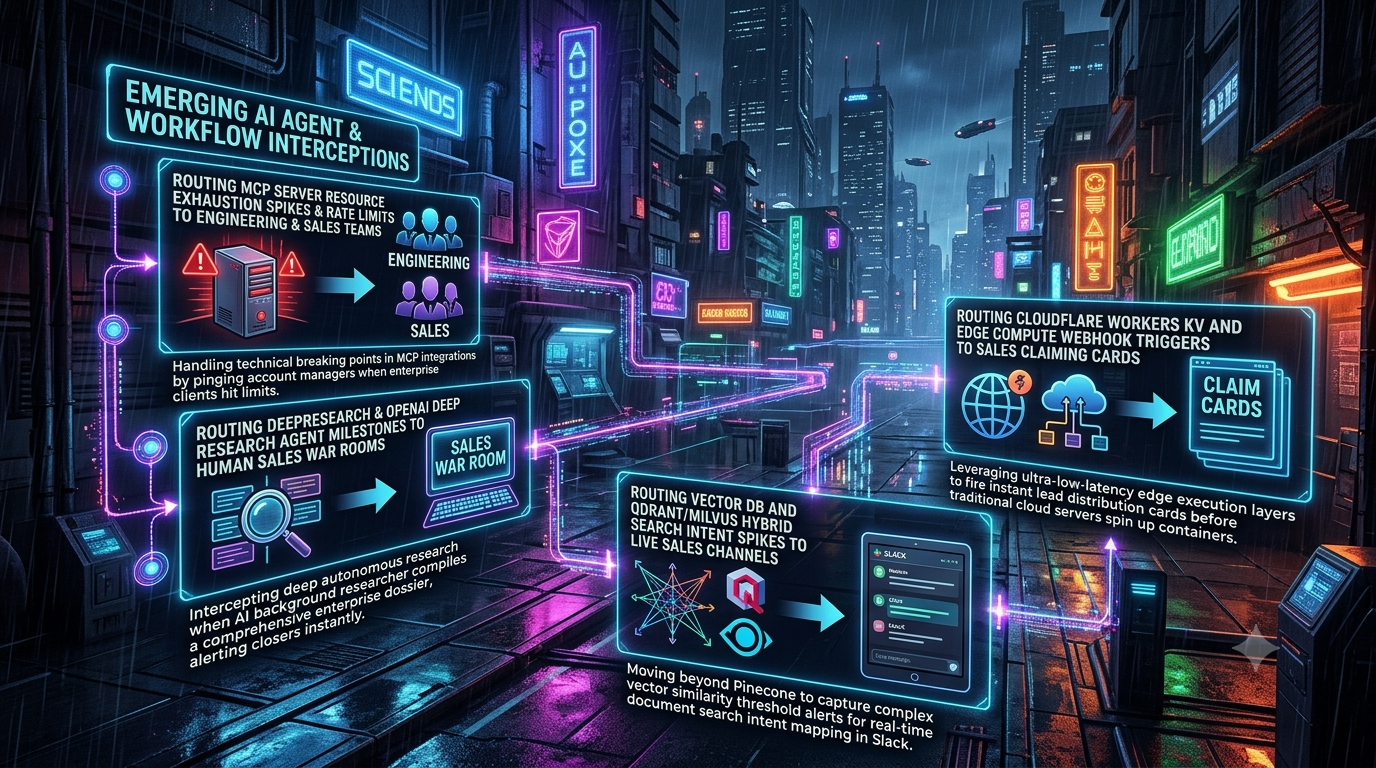
Traditional B2B RevOps was built for a linear, human-driven funnel. A prospect downloaded a whitepaper, visited a pricing page, or filled out a form. A CRM rule then routed the lead to an Account Executive (AE), ideally within minutes.
That model is still useful. But a growing share of buying intent now shows up inside product and infrastructure telemetry rather than on web forms. Examples include an agent making tool calls to your Model Context Protocol (MCP) server, a team building research workflows on your platform, an engineer running hybrid vector queries against your documentation, and an edge function firing a webhook when a trial account provisions an enterprise feature.
This article describes four patterns for turning those execution signals into routed, actionable sales context. Each comes with a code sketch and a note on where the pattern breaks. The code is illustrative, not production-ready. You will need to supply your own metering, identity resolution, and secrets management.
A word on evidence first. The best-known speed-to-lead research concerns inbound web leads, not infrastructure signals. The 2007 Lead Response Management Study, led by James Oldroyd with InsideSales.com, covered more than 15,000 leads across six companies. It found the odds of qualifying a lead were 21 times higher when contact was attempted within 5 minutes rather than 30. A 2011 *Harvard Business Review* audit of 2,241 US companies reported an average first response time of about 42 hours. These findings support the general principle that faster follow-up helps. They do not prove that any specific signal below converts at a given rate, so measure your own results (see the checklist at the end).
1. Routing MCP Rate Limits and Capacity Exhaustion to Engineering and Sales
Why this signal matters
Anthropic introduced MCP in November 2024 as an open standard for connecting AI applications to external tools and data. In December 2025, Anthropic donated it to the Agentic AI Foundation (AAIF), a directed fund under the Linux Foundation co-founded by Anthropic, Block, and OpenAI. Anthropic’s announcement cited more than 10,000 active public MCP servers and adoption across products including ChatGPT, Cursor, Gemini, Microsoft Copilot, and Visual Studio Code.
If customers connect agents to your MCP server, their usage patterns tell you something. When an enterprise account repeatedly approaches or hits its rate limits or concurrency ceiling, someone there is probably moving from experimentation toward production. Returning a bare `429 Too Many Requests` wastes that signal. It frustrates the customer and gives your commercial team no context.
Be careful about what the signal proves. Hitting a limit can also mean a runaway loop, a misconfigured retry policy, or abuse. Route it to engineering and sales together so that someone checks which it is before anyone sends a sales email.
Transport considerations
MCP’s standard transports are stdio, for local servers a client launches, and Streamable HTTP, for remote servers. The older two-endpoint HTTP+SSE transport has been deprecated since protocol revision 2025-03-26. Server-Sent Events as a web standard are not deprecated, and Streamable HTTP can still use SSE streams for responses that need incremental delivery.
Protocol revisions have continued to evolve. Some published guides to the 2026-07-28 revision describe it as moving to a stateless model. Check the current specification at modelcontextprotocol.io before building session-dependent logic into a gateway.
```
┌──────────────────────────────┐
│ Customer agent (MCP client) │
└──────────────┬───────────────┘
│ Streamable HTTP (JSON-RPC over POST)
▼
┌──────────────────────────────┐
│ MCP gateway / telemetry │──▶ metering store (per-account usage)
│ layer in front of server │
└───────┬──────────────┬───────┘
│ │ threshold crossed (with cooldown)
│ ▼
│ ┌──────────────────────┐ ┌──────────────────────┐
│ │ Engineering channel │ │ CRM intent record │
│ │ (Slack) │ │ + Account Manager │
│ └──────────────────────┘ │ notification │
▼ └──────────────────────┘
Upstream MCP server
```
A gateway sketch
The example below inspects JSON-RPC `tools/call` requests, compares per-account concurrency against a plan limit, and fires a deduplicated alert. It also returns a proper `429` with a `Retry-After` header at the limit. The `get_usage` function is a placeholder for your own metering store.
Without a cooldown, every request above the threshold would post to Slack, so the sketch suppresses repeat alerts per account. A plain pass-through proxy like this also buffers responses, so streaming (SSE) responses need a streaming proxy in production.
```
import os
import time
from dataclasses import dataclass
import requests
from flask import Flask, Response, request
app = Flask(__name__)
MCP_UPSTREAM_URL = os.environ["MCP_UPSTREAM_URL"]
SLACK_WEBHOOK = os.environ["SLACK_REVENUE_WEBHOOK"]
CRM_INTENT_ENDPOINT = os.environ["CRM_INTENT_ENDPOINT"]
CONCURRENCY_ALERT_RATIO = 0.85 # tune against your own data
ALERT_COOLDOWN_SECONDS = 3600 # at most one alert per account per hour
_last_alert: dict[str, float] = {}
@dataclass
class Usage:
active: int
limit: int
def get_usage(account_id: str) -> Usage:
"""Placeholder: replace with a lookup in your metering store."""
return Usage(active=88, limit=100)
def identify_account(auth_header: str | None) -> str | None:
"""Placeholder: resolve the API key or OAuth token to an account ID."""
return "acct_123" if auth_header else None
def post_json(url: str, payload: dict) -> None:
try:
requests.post(url, json=payload, timeout=5).raise_for_status()
except requests.RequestException as exc:
app.logger.warning("Notification failed for %s: %s", url, exc)
def alert_once(account_id: str, tool_name: str | None, usage: Usage) -> None:
now = time.time()
if now - _last_alert.get(account_id, 0) < ALERT_COOLDOWN_SECONDS:
return
_last_alert[account_id] = now
post_json(SLACK_WEBHOOK, {
"text": (
"MCP capacity signal\n"
f"*Account:* {account_id}\n"
f"*Concurrency:* {usage.active} / {usage.limit}\n"
f"*Most recent tool:* {tool_name or 'n/a'}\n"
"*Next step:* confirm this is real workload (not a retry loop), "
"then discuss capacity options."
)
})
post_json(CRM_INTENT_ENDPOINT, {
"account_id": account_id,
"trigger": "MCP_CAPACITY_THRESHOLD",
"active": usage.active,
"limit": usage.limit,
})
@app.route("/mcp", methods=["POST"])
def mcp_gateway():
account_id = identify_account(request.headers.get("Authorization"))
if not account_id:
return Response("Unauthorized", status=401)
body = request.get_json(silent=True) or {}
tool_name = None
if body.get("method") == "tools/call":
tool_name = (body.get("params") or {}).get("name")
usage = get_usage(account_id)
if usage.active / usage.limit >= CONCURRENCY_ALERT_RATIO:
alert_once(account_id, tool_name, usage)
if usage.active >= usage.limit:
return Response("Too Many Requests", status=429,
headers={"Retry-After": "5"})
Forward selected headers, including any MCP-specific ones.
forward = {
k: v for k, v in request.headers.items()
if k.lower() in {"content-type", "accept", "authorization"}
or k.lower().startswith("mcp-")
}
upstream = requests.post(MCP_UPSTREAM_URL, json=body,
headers=forward, timeout=30)
return Response(upstream.content, status=upstream.status_code,
content_type=upstream.headers.get("Content-Type"))
```
Cross-functional playbook
When the alert fires, a sensible split looks like this:
1. Engineering checks whether the load is legitimate. If it is, they may grant temporary headroom, such as a time-boxed burst allowance. The size and duration are a policy decision for your business, not a standard.
2. Sales receives the account, the tools involved, and the usage trend, so the conversation starts from the customer’s actual workload.
3. The outreach is helpful and specific. For example: *“Your agents hit our concurrency limits during peak runs this week. We’ve raised your headroom temporarily so they keep running. Can we talk about a plan that fits this workload?”*
Check that your terms of service and privacy notice allow you to use usage telemetry for commercial follow-up, and keep the outreach to what the customer would reasonably expect.
2. Routing Research-Agent Milestones to Sales
Why this signal matters
Deep research agents are now mainstream. OpenAI launched deep research in ChatGPT on February 2–3, 2025, describing an agent that finds, analyzes, and synthesizes hundreds of online sources into a report. It typically takes 5 to 30 minutes. Google and Perplexity shipped their own versions in the same period. In February 2026, OpenAI added the ability to connect deep research to any MCP server or app and to restrict searches to trusted sites.
It is important to be precise about what you can observe. If a prospect runs ChatGPT deep research against the public web, your product doesn’t see that session. You see only the resulting traffic: page fetches on your public docs, or tool calls if the prospect’s agent is connected to your MCP server. A research-milestone signal exists in two cases:
- You operate a research or agent workflow inside your own product. Completed runs on your platform are first-party events you can instrument.
- External agents interact with your surfaces. Agent traffic to your docs, pricing pages, security pages, or MCP server can be classified by what it fetched.
In both cases, the topics reveal evaluation criteria. A run that concentrates on compliance documentation looks different from one mapping API endpoints.
```
┌─────────────────────────────────────────┐
│ Agent run or research session │
└────────────────────┬────────────────────┘
│ milestone: run completed
▼
┌─────────────────────────────────────────┐
│ Signal extractor │
│ - Classify topic (security, pricing, │
│ integration, migration) │
│ - Resolve user/org from authenticated │
│ session │
└────────────────────┬────────────────────┘
▼
┌─────────────────────────────────────────┐
│ Sales channel with claim button │
└─────────────────────────────────────────┘
```
Mapping signals to actions
These mappings are heuristics to adapt, not benchmarks.
| Observed behavior | Plausible interpretation | Suggested action |
|---|---|---|
| Repeated retrieval of comparison and alternatives content | Active vendor comparison | Alert the AE with relevant competitive positioning |
| Concentrated access to security and compliance pages | Security review underway | Offer your trust package (for example, a SOC 2 Type II report under NDA) |
| Pricing and plan-limit pages across tiers | Budget modeling | Notify sales leadership and prepare a tailored proposal |
| API reference, SDK, and webhook documentation | Technical evaluation | Bring in a Solutions Architect |
Implementation sketch
Notice what the payload contains. It carries topic categories and counts, not the content of the customer’s queries or generated reports. Forwarding that content into a shared sales channel can create privacy and confidentiality problems, so send metadata and let sales follow up with the customer directly.
Slack incoming webhooks can post Block Kit layouts, but buttons only work if the message belongs to a Slack app with Interactivity enabled and a Request URL configured. Your app must acknowledge each interaction payload within three seconds.
```
interface ResearchMilestone {
sessionId: string;
userId: string;
organizationName: string;
topicCategory: "security" | "pricing" | "integration" | "migration" | "other";
sourcesAnalyzed: number;
competitorsMentioned: string[];
durationSeconds: number;
}
async function handleResearchCompletion(event: ResearchMilestone) {
const tier = await lookupAccountTier(event.organizationName);
if (tier !== "enterprise" && tier !== "trial") return;
const payload = {
blocks: [
{
type: "header",
text: { type: "plain_text", text: "Research milestone captured" },
},
{
type: "section",
fields: [
{ type: "mrkdwn", text: `*Account:* ${event.organizationName}` },
{ type: "mrkdwn", text: `*Topic:* ${event.topicCategory}` },
{ type: "mrkdwn", text: `*Sources analyzed:* ${event.sourcesAnalyzed}` },
{
type: "mrkdwn",
text: `*Competitors referenced:* ${
event.competitorsMentioned.join(", ") || "none"
}`,
},
],
},
{
type: "actions",
elements: [
{
type: "button",
text: { type: "plain_text", text: "Claim lead" },
style: "primary",
action_id: "claim_lead",
value: `claim_${event.userId}`,
},
],
},
],
};
const res = await fetch(process.env.SLACK_WEBHOOK_URL!, {
method: "POST",
headers: { "Content-Type": "application/json" },
body: JSON.stringify(payload),
});
if (!res.ok) {
console.error("Slack notification failed", res.status);
}
}
declare function lookupAccountTier(
org: string
): Promise<"enterprise" | "trial" | "free" | "unknown">;
```
3. Routing Hybrid Search Behavior in Your Documentation to Sales
Why this signal matters
Many documentation sites, support portals, and knowledge bases now use vector search. Hybrid search is the common pattern for technical content. It combines dense vectors, which capture semantic similarity, with sparse retrieval such as BM25 or learned sparse models like SPLADE, which match exact tokens like error codes, SKUs, and function names.
Qdrant supports this through its Query API: `prefetch` sub-requests, available since v1.10.0, run dense and sparse queries and fuse the results with Reciprocal Rank Fusion (RRF) or Distribution-Based Score Fusion (DBSF). Milvus supports multi-vector hybrid search from version 2.4, with `RRFRanker` and `WeightedRanker` options.
When an identifiable account repeatedly searches clusters like *“SAML SSO Okta setup”*, *“data residency”*, or *“migrating from [competitor]”*, that pattern suggests active evaluation or implementation planning.
A correction worth making: don’t threshold on RRF scores
A common mistake is to treat a fused score as a similarity percentage and alert above something like 0.8. RRF doesn’t work that way. It scores each document as a sum of `1 / (k + rank)` across result lists, so it discards score magnitude by design. Qdrant’s documentation describes its RRF constant `k` as defaulting to 2, with configurable `k` from v1.16 and weighted RRF from v1.17. The resulting scores are small numbers that depend on `k` and the number of lists, not a relevance probability.
A fixed cutoff on the fused score therefore tells you little. Instead, build the trigger from signals that are meaningful:
- the document category of the top-ranked results (from payload metadata), and
- the repetition of high-intent queries by the same account within a time window.
```
┌────────────────────────────────────────────────────────┐
│ Authenticated user or API-key query │
└───────────────────────────┬────────────────────────────┘
▼
┌────────────────────────────────────────────────────────┐
│ Hybrid search (Qdrant or Milvus) │
│ Dense + sparse prefetch, fused with RRF │
└───────────────────────────┬────────────────────────────┘
▼
┌────────────────────────────────────────────────────────┐
│ Intent classifier │
│ - Category of top results (payload metadata) │
│ - Per-account velocity over a time window │
└───────────────────────────┬────────────────────────────┘
▼
┌────────────────────────────────────────────────────────┐
│ Sales channel / claiming dashboard (with cooldown) │
└────────────────────────────────────────────────────────┘
```
On identity: tie searches to accounts through authenticated sessions or API keys, not by de-anonymizing IP addresses. IP-based resolution of visitors raises privacy and legal questions in many jurisdictions, and it is a weaker signal anyway.
Implementation sketch
This example uses Qdrant’s Query API. The in-memory event store is for illustration only. In production, use a shared store such as Redis so counts survive restarts and work across instances.
```
import os
import time
from collections import defaultdict, deque
import requests
from qdrant_client import QdrantClient, models
qdrant = QdrantClient(url=os.environ["QDRANT_URL"],
api_key=os.environ["QDRANT_API_KEY"])
HIGH_INTENT_CATEGORIES = {"pricing", "enterprise_security", "sso_config",
"migration_guide"}
WINDOW_SECONDS = 3600
MIN_HIGH_INTENT_QUERIES = 3
ALERT_COOLDOWN_SECONDS = 24 * 3600
_events: dict[str, deque] = defaultdict(deque) # account -> timestamps
_last_alert: dict[str, float] = {}
def analyze_search_intent(account_id, query_text,
dense_vector, sparse_vector: models.SparseVector):
results = qdrant.query_points(
collection_name="enterprise_docs",
prefetch=[
models.Prefetch(query=dense_vector, using="dense", limit=20),
models.Prefetch(query=sparse_vector, using="sparse", limit=20),
],
query=models.FusionQuery(fusion=models.Fusion.RRF),
limit=5,
with_payload=True,
)
top = results.points[:3]
categories = [(p.payload or {}).get("doc_category") for p in top]
high_intent_hits = sum(c in HIGH_INTENT_CATEGORIES for c in categories)
if high_intent_hits < 2: # most of the top results must agree
return
now = time.time()
window = _events[account_id]
window.append(now)
while window and now - window[0] > WINDOW_SECONDS:
window.popleft()
if (len(window) >= MIN_HIGH_INTENT_QUERIES
and now - _last_alert.get(account_id, 0) > ALERT_COOLDOWN_SECONDS):
_last_alert[account_id] = now
dispatch_alert(account_id, query_text, categories[0], len(window))
def dispatch_alert(account_id, query, category, count):
payload = {
"text": (
"Documentation search intent\n"
f"*Account:* `{account_id}`\n"
f"*Latest query:* _{query}_\n"
f"*Top category:* `{category}`\n"
f"*High-intent queries in the last hour:* {count}"
)
}
try:
requests.post(os.environ["SLACK_INTENT_WEBHOOK"],
json=payload, timeout=5).raise_for_status()
except requests.RequestException as exc:
print(f"Slack alert failed: {exc}")
```
Raw search queries can contain sensitive information, including secrets, internal hostnames, and personal data. Apply the same retention and access rules you would for any customer data, and consider logging only the category and a redacted query.
4. Routing Edge Events to Sales with Cloudflare Workers
Why this signal matters
Some high-intent actions happen at the boundary of your product: an API key is generated, an SSO configuration is updated, or a trial account calls an enterprise-only endpoint. Capturing them at the edge means your routing logic runs close to the request and doesn’t depend on a batch job.
Cloudflare Workers run on V8 isolates rather than containers or virtual machines. Cloudflare’s documentation says this model avoids the cold starts of the virtual-machine model, and isolates start far faster than a Node process in a container.
What Workers KV is, and isn’t
Workers KV is a separate storage product, not the compute platform, and its behavior matters for this pattern.
- Cloudflare markets sub-5 ms latency for hot reads, meaning values already cached at the edge. Cold reads go to regional or central storage and are slower.
- KV is eventually consistent. Cloudflare’s documentation says changes take longer to become visible in locations that recently read an earlier value, including cached “key not found” results. The default `cacheTtl` is 60 seconds.
- KV suits read-heavy, rarely-written data such as configuration, allow lists, and account metadata. It is a poor fit for counters or anything that needs strong consistency. For per-account deduplication or counters, use a strongly consistent option such as Durable Objects.
For account-tier lookups, KV is a reasonable choice. Just accept that a plan upgrade may take a little while to be reflected everywhere.
On latency claims
Avoid quoting a specific end-to-end figure unless you have measured it. Real latency depends on KV cache state, the Slack API’s response time, and network distance. The edge reduces the processing overhead on your side. It does not make a third-party API call instantaneous. Instrument your own pipeline and report percentiles.
```
┌────────────────────────────────────────────────────────┐
│ API client / application request │
└───────────────────────────┬────────────────────────────┘
▼
┌────────────────────────────────────────────────────────┐
│ Cloudflare Worker (runs near the user) │
│ - Validates request │
│ - Looks up account tier in Workers KV │
└───────────────────────────┬────────────────────────────┘
│ high-intent event on trial account
▼
┌────────────────────────────────────────────────────────┐
│ ctx.waitUntil(): post claim card without delaying │
│ the response to the client │
└───────────────────────────┬────────────────────────────┘
▼
┌────────────────────────────────────────────────────────┐
│ Slack claim card (interactive, via a Slack app) │
└────────────────────────────────────────────────────────┘
```
Implementation sketch
Using `ctx.waitUntil()` lets the Worker return its response while the Slack notification completes in the background. The claim button again requires a Slack app with Interactivity enabled.
```
export interface Env {
ACCOUNT_KV: KVNamespace;
SLACK_CLAIMING_WEBHOOK: string;
}
type AccountMeta = { name: string; tier: string; repEmail: string };
export default {
async fetch(request: Request, env: Env, ctx: ExecutionContext): Promise<Response> {
const url = new URL(request.url);
if (url.pathname === "/api/v1/enterprise/provision" && request.method === "POST") {
// Authenticate the caller before trusting the payload (omitted here).
let payload: { account_id?: string; feature_triggered?: string };
try {
payload = await request.json();
} catch {
return new Response("Bad Request", { status: 400 });
}
if (!payload.account_id) {
return new Response("Bad Request", { status: 400 });
}
const meta = await env.ACCOUNT_KV.get<AccountMeta>(payload.account_id, {
type: "json",
});
if (meta && meta.tier === "FREE_TRIAL") {
ctx.waitUntil(
sendClaimingCard(
env.SLACK_CLAIMING_WEBHOOK,
payload.account_id,
meta,
payload.feature_triggered ?? "unknown"
)
);
}
return Response.json({ status: "accepted" });
}
return new Response("Not Found", { status: 404 });
},
};
async function sendClaimingCard(
webhookUrl: string,
accountId: string,
meta: AccountMeta,
feature: string
): Promise<void> {
const payload = {
blocks: [
{
type: "section",
text: {
type: "mrkdwn",
text:
`*High-intent action on a trial account*\n` +
`*Account:* ${meta.name} (\`${accountId}\`)\n` +
`*Feature:* \`${feature}\`\n` +
`*Current owner:* ${meta.repEmail}`,
},
},
{
type: "actions",
elements: [
{
type: "button",
text: { type: "plain_text", text: "Claim lead" },
style: "primary",
action_id: "claim_lead_edge",
value: JSON.stringify({ accountId }),
},
],
},
],
};
try {
const res = await fetch(webhookUrl, {
method: "POST",
headers: { "Content-Type": "application/json" },
body: JSON.stringify(payload),
});
if (!res.ok) console.error("Slack post failed", res.status);
} catch (err) {
console.error("Slack post error", err);
}
}
```
Because KV cannot reliably count or deduplicate, a trial account that repeatedly triggers the feature will repeatedly trigger the card. Add a per-account cooldown using a strongly consistent store before putting this in front of a sales team.
Putting It Together: A Central Signal Pipeline
The four patterns share the same needs: identity, scoring, routing, and feedback. Rather than letting each integration post straight to Slack, route them through one pipeline.
```
[ MCP gateway ] [ Research / agent runs ] [ Hybrid search ] [ Edge events ]
│ │ │ │
└──────────┬──────────┴───────────┬───────────┘ │
▼ ▼ ▼
┌────────────────────────────────────────────────────────────────────┐
│ CENTRAL SIGNAL PIPELINE │
│ 1. Resolve identity to account (authenticated sources only) │
│ 2. Deduplicate and apply cooldowns │
│ 3. Score and threshold │
│ 4. Map to owner via account-routing rules │
└──────────────────────────────┬─────────────────────────────────────┘
▼
┌─────────────────────┴─────────────────────┐
▼ ▼
┌──────────────────┐ ┌──────────────────────┐
│ Slack / Teams │ │ CRM (HubSpot, │
│ claim cards │ │ Salesforce, etc.) │
└──────────────────┘ └──────────────────────┘
```
Implementation checklist
1. Unify telemetry with CRM identity. Make sure API keys, search sessions, and edge payloads carry the same account identifier your CRM uses. Without this, none of the routing works.
2. Set meaningful thresholds and cooldowns. Alert on patterns, not single events: sustained concurrency near the plan limit, repeated high-intent searches in a window, or completed research on sensitive topics. Start conservative and adjust, since alert fatigue will sink the program faster than a missed signal.
3. Build claim workflows that write back. Slack and Microsoft Teams both support interactive messages. A claim click should assign ownership in the CRM and give the AE the trigger context. For Slack, this requires an app with Interactivity enabled and a handler that responds within three seconds.
4. Respect privacy and contracts. Use authenticated identities, minimize what you forward into chat channels, and check that your terms and privacy notices cover commercial use of usage telemetry.
5. Close the loop with data. Track meeting rate, qualification rate, and win rate per signal type, then retire or retune the weak ones. The speed-to-lead research suggests faster follow-up helps on inbound leads. Whether each of these signals deserves a fast response is something only your own conversion data can show.
Sources
- Anthropic, “Donating the Model Context Protocol and establishing the Agentic AI Foundation” (December 9, 2025): <https://www.anthropic.com/news/donating-the-model-context-protocol-and-establishing-of-the-agentic-ai-foundation>
- Model Context Protocol specification and transport guidance: <https://modelcontextprotocol.io>
- OpenAI, “Introducing deep research” (with update notes): <https://openai.com/index/introducing-deep-research/>
- Qdrant documentation, “Hybrid and Multi-Stage Queries”: <https://qdrant.tech/documentation/search/hybrid-queries/>
- Milvus/Zilliz documentation, “RRF Ranker”: <https://docs.zilliz.com/docs/reranking-rrf>
- Cloudflare Docs, “How KV works”: <https://developers.cloudflare.com/kv/concepts/how-kv-works/>
- Cloudflare Docs, “How Workers works”: <https://developers.cloudflare.com/workers/reference/how-workers-works/>
- Oldroyd, McElheran, and Elkington, “The Short Life of Online Sales Leads,” *Harvard Business Review* (March 2011), and the 2007 Lead Response Management Study with InsideSales.com