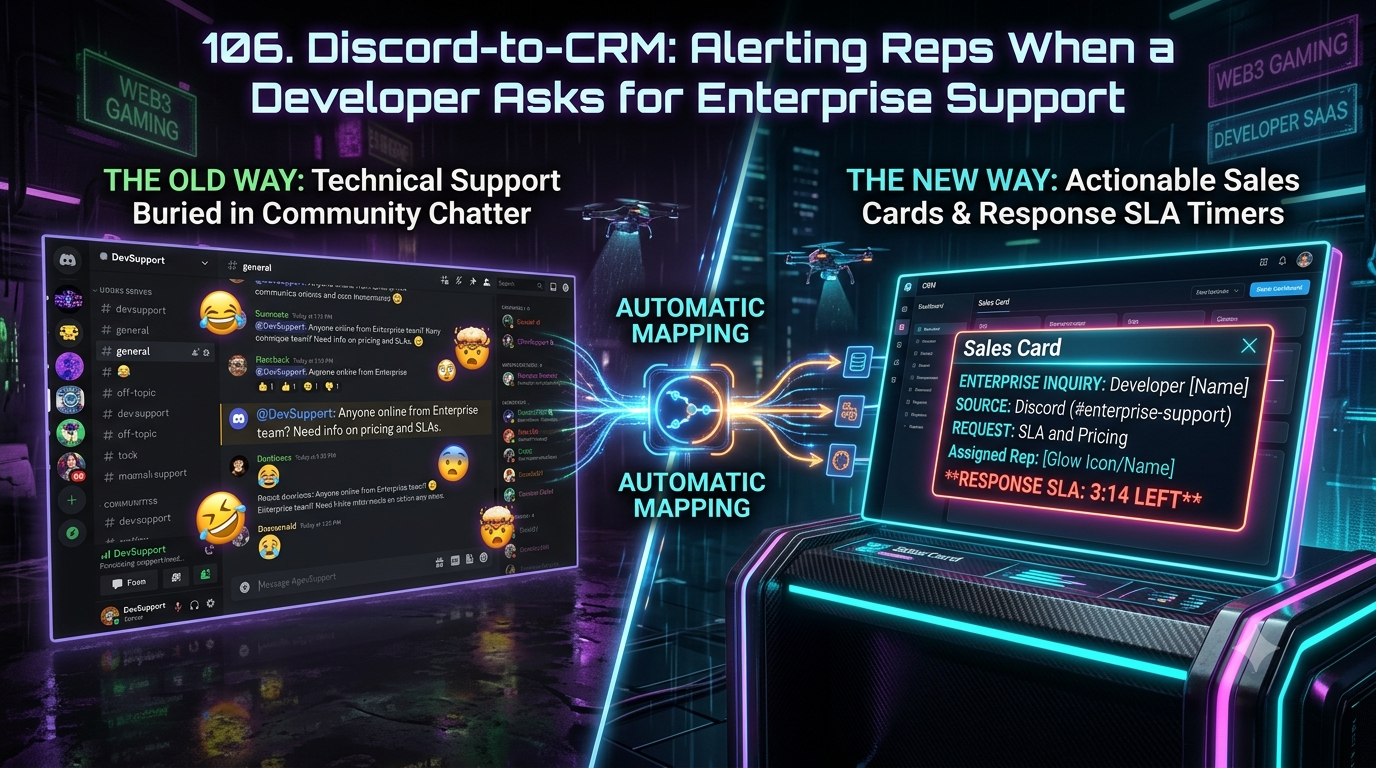
Zapier connects Discord to thousands of apps through customizable multi-step Zaps, including a native trigger for new channel messages. But that trigger polls on an interval and can't parse commercial intent or check server roles. InstaChime does both natively, turning a high-intent Discord developer question into a CRM sales card with a live SLA clock in under 30 seconds.
The Core Difference: Generic Multi-Step Zaps vs. Native Discord-to-CRM Routing in InstaChime
The difference comes down to generic workflow automation vs. purpose-built community-to-revenue routing.
Zapier treats Discord as a standard messaging endpoint. Its native "New Message Posted to Channel" trigger is a polling trigger — Zapier checks Discord for new messages on an interval rather than receiving them the instant they're posted. To turn a raw message into a qualified CRM lead, a team typically has to stack several separate steps:
- A Formatter by Zapier "Extract Pattern" step to run a Python regex against the message text
- A Filter by Zapier step to stop the Zap unless that pattern matches
- One or more CRM action steps (search-or-create contact, create record, post an alert), each built and maintained individually
- No native way to read the author's Discord server role or check existing CRM opportunity status without adding still more steps
InstaChime connects to the Discord Bot API through a persistent WebSocket (Gateway) connection — the same real-time channel Discord itself uses to push message events to bots. When someone posts in a designated channel (`#enterprise-support`, `#api-questions`), InstaChime evaluates the message's intent, checks the author's server roles, and checks for a matching CRM record, all in one pass. A qualifying message immediately creates a structured sales card, assigns an owner, and starts an SLA clock inside your CRM and your internal sales channel.
```
Discord message posted
│
▼
InstaChime intent + role parser (real-time, event-driven)
│
Enterprise intent detected?
┌───────┴───────┐
YES NO
│ │
Route to owning AE Standard community thread
• Create/update CRM record • No sales card created
• Start visible SLA clock • Optional log-only tag
• Auto-escalate if unclaimed
```
Zapier's polling interval — as fast as roughly once a minute on paid plans, every 15 minutes on the Free plan — is the practical ceiling on how quickly a "New Message" Zap can fire, which matters when the target is a sub-30-second first response.
Why Teams Look for Zapier Alternatives for Discord Lead Capture
Developer SaaS, Web3, and gaming companies running enterprise pipeline out of a public Discord server tend to hit the same three walls with a general-purpose automation tool:
1. Polling latency conflicts with response-time SLAs.
Zapier's Discord trigger is polling-based, not push-based. On paid plans it can check as often as roughly once a minute; on the Free plan the interval is 15 minutes. Either way, a workflow built around a sub-30-second reply commitment is already behind before a human ever sees the alert.
2. Cost tracks filter precision, not just server volume.
Zapier's trigger step and its Filter/Formatter steps don't consume tasks — only completed action steps do (a CRM lookup, a record update, a Slack post). That means a loosely built filter, like simple keyword-contains logic, that lets more false positives through still burns a task for every downstream action those false positives trigger. On a high-traffic Discord server, imprecise intent-matching is what drives the bill up, not the raw number of messages Zapier checks.
3. No built-in SLA tracking or escalation.
Zapier can post an alert to a channel when conditions match, but it has no native concept of whether a rep has acknowledged the lead. If the assigned AE is away, the message just sits in the channel — there's no visible countdown and no automatic re-route unless a team builds that logic themselves with extra steps, a lookup database, and ongoing maintenance.
Feature Comparison: InstaChime vs. Zapier
| Capability | InstaChime | Zapier |
|---|---|---|
| Discord event delivery | Real-time via persistent Gateway WebSocket connection. Messages are evaluated the moment they're posted. | Polling trigger. Checks for new messages on an interval — as fast as ~1 minute on paid plans, 15 minutes on Free. |
| Intent & role detection | Native. Parses message intent and cross-references the author's Discord server roles in a single pass. | Manual. Needs a Formatter "Extract Pattern" regex step plus a separate Filter step; role checks require additional lookup steps. |
| SLA tracking & escalation | Built-in. Visible countdown clock per lead; unclaimed leads auto-escalate to a secondary AE or manager. | Not built in. Zapier can post a notification but doesn't track rep response time or trigger re-routing on its own. |
| Billing model | Flat pipeline pricing based on connected channels, not message volume or steps run. | Task-based. Triggers and filter/formatter steps are free; every completed action step (CRM lookup, record update, alert post) consumes one task. |
| CRM sync | Native bi-directional sync: message context, rep assignment, and resolution status write back to the CRM record automatically. | Manual mapping. Each CRM operation (search, create, update) is a separate action step configured and maintained individually. |
How to Migrate from Zapier to InstaChime
1. Connect the InstaChime Discord bot and select your channels
*Prerequisite: Discord server administrator access.*
Authorize the InstaChime bot in your Discord server, then choose the specific support, API, and community channels where developers ask about enterprise plans, rate limits, or dedicated infrastructure.
2. Define enterprise-intent criteria and map your CRM fields
*Prerequisite: Salesforce or HubSpot admin access.*
Set the signals that count as high intent — specific phrases, requests for SSO or dedicated clusters, or particular server roles — and map them to the fields InstaChime should create or update on the matching CRM lead or contact.
3. Set SLA windows and escalation rules
*Prerequisite: A sales ops or RevOps owner to define the rules.*
Set a target response window (for example, 3–5 minutes) for the assigned rep, enable the visible countdown in your sales Slack or Discord channel, and configure who a lead re-routes to if it isn't claimed in time.
Run both systems in parallel on a single channel for a week before retiring the old Zap, so you can confirm lead quality and CRM field mapping before fully cutting over.
Frequently Asked Questions
Is InstaChime cheaper than Zapier for a high-volume Discord server?
It depends on your setup, but the cost mechanics differ in an important way. Zapier's trigger and filter steps are free — you only pay tasks for completed CRM and alert actions — so cost scales with how many messages pass your filter and trigger a downstream action, not with total server traffic. A high-volume server with loose keyword filtering can still generate a lot of billable actions from false positives. InstaChime prices on a flat rate per connected pipeline, so the bill doesn't move with message volume either way.
Do I need a developer to set up Discord-to-CRM alerts in InstaChime?
No. Connecting the Discord bot, choosing channels, and mapping CRM fields is done through InstaChime's admin interface with server-owner and CRM-admin permissions — no code, webhooks, or regex required. Zapier's equivalent setup is also no-code in principle, but building the Formatter regex step, the Filter conditions, and the multi-step CRM actions in practice often falls to a technical RevOps person or developer.
What happens if an assigned Account Executive doesn't respond to a Discord lead in time?
If the assigned rep hasn't acknowledged the lead within your configured SLA window, InstaChime automatically escalates: the card re-routes to a secondary AE or a round-robin pool and flags the channel manager, so a qualified enterprise inquiry doesn't sit unanswered.