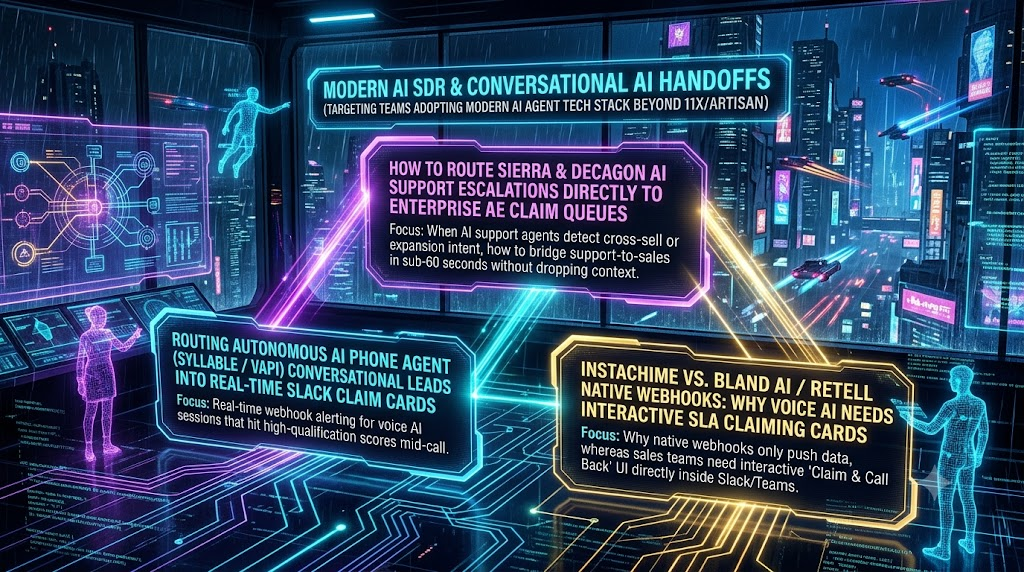
Early AI SDR products such as 11x and Artisan focused on outbound automation. 11x's Alice handles the outbound workflow from prospect research to follow-up sequencing, and Artisan's Ava automates lead sourcing, personalized email drafting, follow-up sequencing and meeting scheduling. Enterprise stacks now also include AI agents that talk to customers in real time. Support agents such as Sierra and Decagon, and voice platforms such as Vapi, Retell AI and Bland AI, hear buying signals that outbound tools never see.
Capturing those signals is a handoff problem. Writing a record to a CRM or posting a notification to a busy Slack channel is passive, and the lead cools while it waits for a person to notice it. This article describes a vendor-agnostic architecture for moving high-intent moments from AI support and voice agents to an Enterprise Account Executive (AE) in under 60 seconds.
A note on the target: "sub-60-second" is an engineering goal, not an industry standard. The research below argues for speed, but no study validates that exact number.
Why Speed Matters, and What the Research Does and Doesn't Say
The most-cited evidence is the MIT/InsideSales.com Lead Response Management study. It found that the chances of qualifying a lead were 21 times better when the lead was called within 5 minutes rather than 30 minutes, and that the odds of making contact were 100 times better. A related Harvard Business Review analysis found that firms contacting prospects within an hour were nearly seven times as likely to have meaningful conversations with key decision makers as firms that waited even one hour longer.
HBR also audited response practices. Of 2,241 US companies, 37% responded to a web-generated test lead within an hour, 24% took more than 24 hours, and 23% never responded. Among those that did respond within 30 days, the average was 42 hours.
Treat these numbers with care. They come from web-form leads in studies published around 2007 to 2011. They did not measure support conversations that turn into expansion opportunities, or live voice calls handled by AI. They justify prioritizing speed. They don't prove a specific conversion lift for the handoffs described here. Measure your own results.
1. Routing Sierra and Decagon Escalations to Enterprise AE Claim Queues
What the platforms provide
Sierra describes its product as an Agent Operating System for building, deploying and optimizing AI agents across chat, voice, SMS, WhatsApp, email and ChatGPT. Its pieces include Agent Studio for CX teams and an Agent SDK for developers. The SDK covers goals and guardrails, reusable skills, secure actions, and handoff to a contact center.
Decagon takes a different approach. Its Agent Operating Procedures (AOPs) are written in plain language, much like a procedure for a new hire. Agents take actions through APIs and MCP across chat, email and voice. Decagon says its agents act in connected systems such as Salesforce and Zendesk.
Both platforms can call external systems, so the pattern below doesn't depend on a particular vendor. Check your vendor's current documentation for exact trigger and webhook configuration. The intent labels below, such as `INTENT_SEAT_EXPANSION`, are illustrative names your team would define. They are not built-in platform features.
The problem: context decay
Support escalation flows normally end in a ticket, and a human may later notice the sales signal. By then the customer has left the chat. With the HBR average response time above 42 hours in mind, the case for an in-session path is clear. If a customer asks about extra seats or SSO mid-conversation, the AE should hear about it while that customer is still engaged.
Reference architecture
```text
Support AI agent (Sierra / Decagon / other)
1. Detects expansion intent mid-conversation
2. Calls an external action (webhook / API / MCP tool)
|
v
Routing service (your code or a workflow engine)
1. Validates and de-duplicates the event
2. Looks up the account and owner in the CRM
3. Builds a short context summary
|
v
Interactive Slack (or Teams) claim card
1. Posts to the owner, or to a team channel if there is none
2. AE clicks "Claim", and the card updates for everyone
|
v
Outreach: AE joins the live chat or schedules a callback
CRM record updated with claim time and outcome
```
Step 1: Detect intent and fire an action
Define the signals that count as sales-relevant, such as seat expansion, security or compliance add-ons, and multi-team rollouts. Configure the agent, through whatever action mechanism your platform offers, to send a structured event to your routing service instead of only creating a ticket. Keep the agent responding to the customer while the handoff happens. For example, it can say that a specialist is being notified.
Step 2: Build a compact payload
Send what an AE needs in the first 10 seconds, not a raw transcript:
- Account: domain, current plan, CRM account ID
- Contact: name, role, email, and a link to the live conversation
- Signal: the specific request, for example "asked about SAML SSO for roughly 500 users"
- Summary: three short bullets generated by the agent
- Metadata: timestamp and a unique event ID for idempotency
Step 3: Route deterministically
The routing service can be a small Node.js or Python service or a workflow engine. It should:
1. Match the account to an owner in your CRM (Salesforce, HubSpot or similar). If none is assigned, use an on-call rotation.
2. Check availability cautiously. Slack's presence API offers little detail. It reports only "active" or "away." Auto-away is set when no activity has been detected for 10 minutes. It is also a Tier 3 method, at roughly 50+ requests per minute. Presence is a hint, not proof, so combine it with calendar data and an explicit on-call schedule.
3. De-duplicate. One customer conversation should generate at most one open claim.
2. Operationalizing Mid-Call Voice AI Hooks
Voice agents can hand a live caller to a human. The main platforms support this in different ways.
Vapi. Its transfer-call tool offers warm-transfer modes that speak a fixed message, speak a generated conversation summary, or run TwiML on the destination leg before connecting the customer. There is also an experimental mode that puts the customer on hold and can run a transfer-assistant conversation. That mode only works with Twilio, Vapi phone numbers and SIP trunks. For dynamic routing, Vapi can send a custom tool call to your HTTP server, including a control URL for live call control. Your routing service can then choose the AE at transfer time.
Retell AI. Its transfer tool supports cold, warm and agentic warm transfer modes. In an agentic warm transfer, a second AI agent answers the handoff, talks with the transfer target, and decides whether to connect or cancel. Retell also lets you configure a whisper message spoken only to the transfer target and a three-way message spoken to both parties.
Bland AI. In a warm transfer, a second proxy agent dials the live representative and summarizes the conversation before the calls are merged. Warm transfers report states that include STARTED, TIMED_OUT, CANCELLED, MERGED and NO_ANSWER, which gives your routing service clear outcomes to react to.
Syllable. Syllable is not a general-purpose sales voice platform. It positions its Agentic Platform for healthcare contact centers and enterprise patient access teams. Its showcase describes a summary that the human operator receives before the patient connects. It is relevant if you're building patient-access workflows, but it isn't an obvious fit for enterprise software sales handoffs.
A practical voice pattern
1. The voice agent detects a qualified intent, such as a stated budget or a request for an enterprise quote.
2. It calls your routing service with the call ID and a short summary.
3. The service picks the AE and starts a warm transfer, with the summary spoken as a whisper or briefing.
4. Plan for failure. If the AE doesn't answer, the AI should resume the conversation. It can offer a callback, book a meeting, or send a follow-up. Don't leave the caller on hold. Retell's settings, for example, expose a configurable transfer ring duration and an action on timeout.
5. Record the outcome, including the transfer state, in the CRM.
3. Interactive Claim Cards vs. Passive Webhooks
A passive webhook creates a record or posts text. An interactive claim card lets the AE act on the lead from the notification itself.
A good card shows the account, the signal, the three-bullet summary, a link to the conversation or call, and a single Claim button. In Slack, button clicks reach your app as block_actions payloads. A minimal card might look like this:
```json
{
"blocks": [
{
"type": "section",
"text": {
"type": "mrkdwn",
"text": "*Expansion signal: Acme Corp*\nAsked about SAML SSO for ~500 users\n• Current plan: Business\n• Contact: Jane Doe, IT Director\n• <https://example.com/conv/123|Open conversation>"
}
},
{
"type": "actions",
"elements": [
{
"type": "button",
"text": { "type": "plain_text", "text": "Claim lead" },
"style": "primary",
"action_id": "claim_lead",
"value": "event_8f3a91"
}
]
}
]
}
```
Slack's constraints
- Acknowledge fast. Your app must reply to the interaction request with an HTTP 200 within 3 seconds. Do the CRM writes and outreach after acknowledging.
- Update the card. Interaction payloads may include a response_url, which can be used up to 5 times within 30 minutes. Non-ephemeral messages can also be updated with chat.update. After someone claims the lead, replace the buttons with "Claimed by [name]" so nobody else works it.
Preventing double claims
Two AEs can click at nearly the same moment. Make the claim an atomic compare-and-set in your database, accepting the first write and rejecting the rest. Then update the card based on the result.
Escalation timers
Define an unclaimed-lead rule in advance. For example, if nobody claims the lead within a set window, re-post to a wider group, notify a manager, or fall back to an SDR. The specific interval is a business decision. Set it so that the full path from signal to AE contact can fit inside your 60-second target.
Measuring Whether It Works
Track metrics at each stage so you can see where time is lost:
- Time from detected intent to card posted
- Time from card posted to claim
- Time from claim to first human contact (chat join, call connect or callback)
- Claim rate and unclaimed-lead rate
- Warm transfer connect rate and timeouts
- Meetings booked and opportunities created from AI-originated signals, compared against your pre-automation baseline
The research above suggests speed matters, but your own funnel data will tell you how much it matters for enterprise expansion deals.
Security and Governance Checklist
- Verify Slack request signatures on every interaction.
- Pass AEs only the data they need, and avoid raw transcripts in channels with wide membership.
- Keep an audit log of who claimed what and when.
- Review call-recording and consent requirements for voice transfers in the jurisdictions where you operate.
- Test failure modes, including no AE available, duplicate events, and CRM downtime.
Conclusion
AI SDRs like Alice and Ava automate outbound prospecting. The new opportunity is catching buying signals in conversations your AI agents already have, then putting a human on them quickly. The ingredients are available today. Support platforms can call external systems, voice platforms offer warm-transfer mechanics, and Slack supports interactive, updatable cards. The work is in the routing logic, the failure handling, and measuring the result.