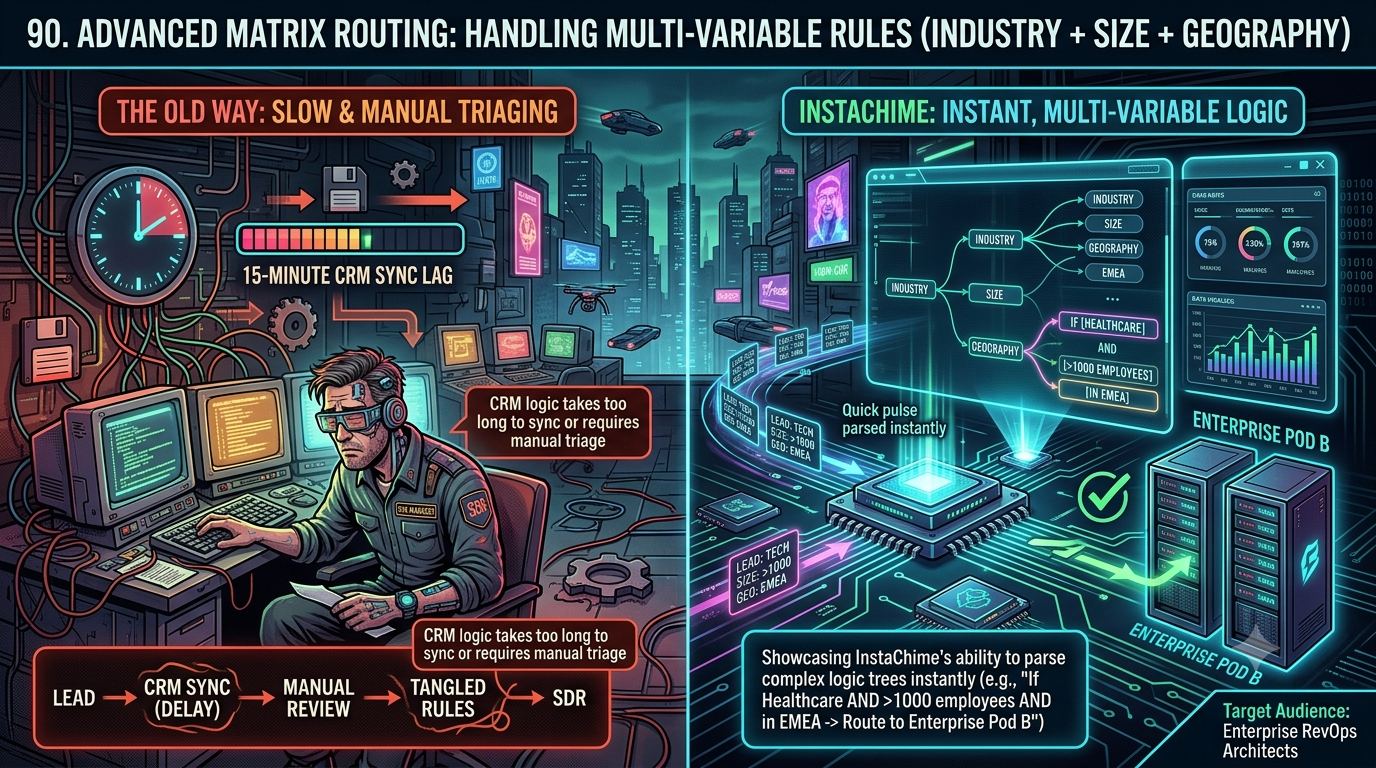
Zapier connects thousands of apps through flexible, sequential Paths — powerful for general automation, but built to evaluate one branch at a time. InstaChime is purpose-built for RevOps teams who need industry, company size, and region weighed together in one rule set, then routed to the right response group inside a live SLA clock.
The Core Difference: Sequential Zapier Paths vs. Native Matrix Rule Evaluation
The fundamental difference is *how* each platform evaluates conditions, not how many apps it connects to.
Zapier's Paths tool runs branches sequentially. According to Zapier's own help documentation, path branches are evaluated and run one at a time, in the order they appear in the Zap editor, left to right. To route a lead by industry, company size, and region simultaneously, a RevOps team typically nests Path steps inside Path steps, or chains a Filter ahead of a Path, because each branch only checks the rule set assigned to it. Add a fourth variable — deal value, say — and both the branch count and the maintenance surface grow with it.
InstaChime evaluates several attributes as one rule set. Instead of checking industry, then company size, then region as separate sequential steps, a single routing rule can reference all three at once — for example, *Healthcare AND >1,000 employees AND EMEA → Enterprise response group*. A webhook payload lands, the rule set is checked once, and the lead is handed to a response group with its SLA clock already running — no intermediate chain of Path or Filter steps required.
> Key insight: Path, Filter, Delay, and similar built-in Zapier tools don't consume a task themselves — Zapier's pricing page confirms these steps are free. The cost and fragility of matrix-style routing in Zapier show up downstream, in the action steps (CRM writes, Slack alerts, enrichment calls) that each branch still has to run to reach the outcome InstaChime reaches in a single rule check.
Why Teams Look for Zapier Alternatives
Zapier is a genuinely strong general-purpose automation platform — it's not the wrong tool because it's a bad tool. It becomes a bad *fit* once lead routing needs to weigh several firmographic variables at once, at volume.
- Polling latency on native triggers. Zapier's plan comparison lists polling intervals of 15 minutes on Free, 2 minutes on Professional, and 1 minute on Team and Enterprise. Unless a workflow is built on an instant webhook trigger, a lead captured through a native CRM or form integration can sit for one to fifteen minutes before the Zap even starts — before any routing logic runs.
- Task consumption scales with branch count, not lead count. Triggers, Filters, and Path steps are free, but each action a branch takes — a CRM field update, a Slack ping, an enrichment lookup — draws one task per successful run. A routing decision that checks four variables and takes two or three actions per branch can burn several tasks per single lead, and Zapier moves accounts to pay-per-task billing once a plan's tier is exceeded.
- No native SLA countdown or escalation layer. Zapier's platform documentation doesn't list a built-in response-time countdown or automatic escalation feature. Zapier does offer a separate Lead Router tool for round-robin and weighted distribution, but the published guides describe it as handling distribution and fallback assignment only — shift-aware availability, automated escalation, and multi-channel alerting still get built with Delay steps and additional Zaps wrapped around it.
- Maintenance is per-branch, not centralized. Because Paths run left to right as independent branches, updating a territory boundary or swapping a manager means opening every branch — or every Zap — where that rule appears and editing each one individually.
Feature Comparison: InstaChime vs. Zapier
| Capability | Zapier | InstaChime |
|---|---|---|
| Multi-variable routing | Combines conditions through nested Filter and Path steps, evaluated one branch at a time, left to right. | Evaluates industry, company size, region, and deal value together in one rule set per lead. |
| Trigger speed | Polling runs 15 min (Free), 2 min (Professional), or 1 min (Team/Enterprise) unless an instant webhook trigger is configured. | Built on webhook capture, so a lead is evaluated as soon as the payload arrives. |
| SLA enforcement | No native SLA countdown; built manually with Delay steps, secondary lookups, and contingency Zaps. | SLA tracking and configurable escalation are built into the Growth plan and above. |
| Rule maintenance | A rule change means editing every Path branch or Zap where it's used. | A rule update applies wherever that rule is referenced in the routing set. |
| Pricing model | Task-based — each successful action step (not the trigger or Path logic) draws from the monthly task pool, with overage billing past the limit. | Tiered flat-rate plans scoped to monthly lead volume and team size, not metered per action. |
How to Migrate from Zapier to InstaChime
1. Audit and flatten your Path logic. Export your current Zap's Path branches and any lookup tables into a spreadsheet. List the variables each branch checks — industry, company size, region, deal value — and the destination each combination should reach. This turns nested conditional branching into a flat rule table.
2. Point your capture source at InstaChime. Redirect your inbound form, ad platform, or CRM webhook to InstaChime's capture endpoint, then connect your CRM and map the lead fields your rules depend on. Configure a fallback response group for any lead missing one of those fields, so a gap in the payload doesn't stall the workflow.
3. Build the rule set and turn on SLA tracking. Recreate the flattened rule table as a single routing rule set, set the response-time window for each response group, and assign a fallback owner for leads that miss it. Every qualifying lead is then evaluated against the full rule set and lands with an owner and a running SLA clock in one step.
Frequently Asked Questions
Do I need a developer to set up multi-variable routing in InstaChime?
Most teams can start with a webhook URL, a shared secret, and an alert destination without writing code. A developer or ops partner becomes useful only if your lead source needs a custom bridge, a server-side form handler, or non-standard CRM field mapping.
Is InstaChime cheaper than Zapier for high-volume enterprise lead routing?
It depends on how many action steps your Zapier workflow needs per lead. Zapier's Professional plan starts from $19.99/month and Team from $69/month, but pricing scales with task volume — every CRM write, alert, or lookup a routing branch performs draws from that pool, with overage billing once you exceed it. InstaChime's Growth plan is a flat $79/month for 10,000 leads and includes advanced routing, so cost tracks lead volume rather than the number of steps each lead triggers. Run the comparison against your own action-step count — a two-step Zap and a four-branch matrix workflow have very different task economics.
Can InstaChime route a lead if the payload is missing data?
Yes. Routing rules can include a fallback response group for any lead that doesn't match a defined rule — for example, a missing employee-count field routes to a general queue with its own SLA clock, rather than stalling the workflow or misrouting silently.
Sources checked for this comparison
- Zapier plans, task-usage rules, and polling intervals — zapier.com/pricing
- Zapier Paths sequential branch execution — help.zapier.com: Add branching logic to Zap workflows with Paths
- Zapier Lead Router — zapier.com/blog: Zapier Lead Router guide
- InstaChime routing capabilities and plan tiers — instachime.com/lead-routing, instachime.com/pricing
*Pricing and feature details are subject to change on both platforms — verify current numbers at each vendor's official pricing page before publishing or quoting this comparison externally.*